1
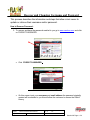
General Motors TIS2WEB (On-Line)
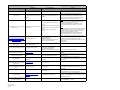
Error Message, Code or Problem
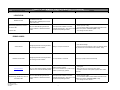
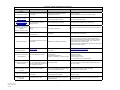
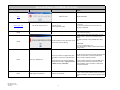
Access Denied
Description
Possible Cause
Message appears after trying to launch
Console.
Tool is not powered or has timed out.
Power cycle tool (unplug ac/dc adapter or disconnect
from ALDL). Retry.
Previous TIS2WEB session not closed out.
(Also see E4212)
1. Previous flash secession not closed out after
successful flash.
2. Be careful not to double click on SPS icon when
launching TIS2WEB.
Browser settings wrong
• Reset browser defaults. Retry.
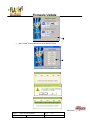
Another session is running
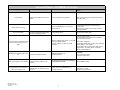
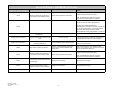
Error to launch SPS
Occurs after selecting START SPS and
while JAVA is attempting to load
Solution
1. Reboot system and retry.
2. Check and verify vehicle and vehicle information.
Correct as needed and retry.
• Situation: Flashing 1994 vehicle, on-car, OBDI cable, and cigarette adaptor.
Correct power configuration:
• unknown cause as of 2.8.08, only single
• On-car OBD-I needs black connector ALDL cable and
occurrence.
cigarette adapter (no AC adaptor).
• On-car OBD-II blue connector ALDL cable only (fully
charged battery - use battery helper, no adapter)
• Off-car AC/DC adapter only
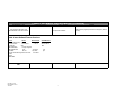
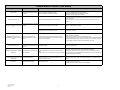
Flash2 tool may be powered incorrectly.
Please correct the problem and try
again.
GM Reprogramming cannot be carried
Occurs after selecting flash option.
out.
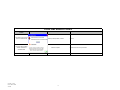
MDI - Not installed - Version XXXXX
Program is asking for a device to be
connected
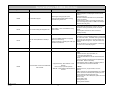
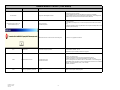
MFC application has encountered a
problem and needs to close.
Appears after selecting a FLASH or
ANALYZE option, or after switching the
"ignition" on.
Org Date: 12.12.05
Rev 35 Date: 03.31.10
TSF-032
• TIS2Web selected but not
available/purchased.
Web-based:
1. Check internet correction.
2. Check for valid account.
• GM device MDI being requested - Disregard,
not applicable to Console
• Click on SKIP, continue.
• Usually occurs with a new dealer unit.
• Possible faulty ECM
13
• Unplug ECM from tool. If next screen appears, ECM is
cabled wrong or is faulty.
• If dealer unit, try another unit.