Download Manual - Printertec
Transcript
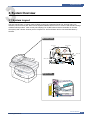
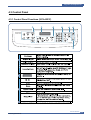
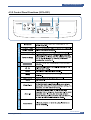
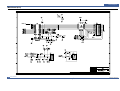
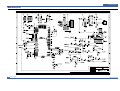
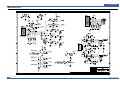
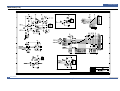
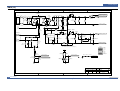
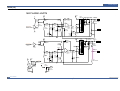
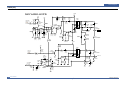
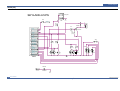
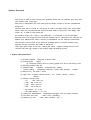
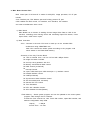
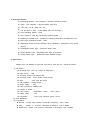
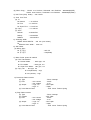
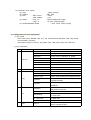
System Overview 3.5 OPE(Operational Panel Equipment) 1) Ope Panel OPE Panel has a MICOM Chip on it and communicates with Main CPU using Serial communication Line(SIO). OPE Panel consists of Micom, Key Matrix Part, LED Driving Part and LCD Part. 2) Key Description No 1 Part Common Feature 3*4Key Start Stop/Clear Menu Upper Level Enter U5 2 3 Save Copy (IC-DRAM/ 512K x 16Bit) Fax Toner Save Reduce/Enlarge No.of Copies Original Type Darkness Favorite Copy Resolution Scan Phone Book Broadcasting On Hook Dial Redial / Pause Scan to (IC-CMOS LOGIC, INVER TER) U7 U10 (IC-MOTOR DRIVER) U12 (IC-POSI, ADSUST REG) 4 5 Function Dialing and Option Input Starting Fax/Copy Job Cancel Current Job/Return to default U1 (IC-VOLTAGE COMP) Option select Return to upper level menu U3 (IC-CLOCK GENERATOR) Option select/Execute 12.0MHz Next menu or Next option item Previous menu or Previous option item TONER SAVE MODE select Select ZOOM ratio when copy Select the number of copies (IC-EEPROM/256x12Bit) Change Copy Modes(Text,Text/Photo,Photo) U8 U9 (IC-POSI, FLXED REG) Change the Darkness of the Copied image (Light/Normal/Dark) Select one of the predefined Copy templates. STANDARD>FINE>SUPER FINE>PHOTO>COLOR Search the user defined Phone number. When sending FAX data to many place in the same time. On Hook Dial Last number Redial / Pause select [scan to PC], [scan to FAX], [scan to E-mail] function. 3) LCD Part - Number of Characters : 16 Characters x 2 line Clock, Date display System Status display Alarm, Error Message display Function Dialog Message display 3-12 Service Manual Samsung Electronics