1
MSM BackLoad Bill Validator – Operation and Service Manual
CashCode
MSM BackLoad Bill Validator
Operation and Service Manual
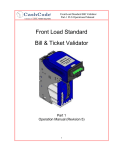
Part 1. Operation Manual
Rev. 03-2004
Part 1. Operation Manual
PAGE 1-1
MSM BackLoad Bill Validator – Operation and Service Manual
CONTENTS
INTRODUCTION ................................................................................................................. 3
PRODUCT OVERVIEW ....................................................................................................... 4
DIMENSIONS ...................................................................................................................... 9
GENERAL WIRING DIAGRAM .......................................................................................... 11
CHOOSING MSM FEATURES AND PART NUMBERS .................................................... 12
Bill Validator ................................................................................................................... 12
Currency ..................................................................................................................... 12
Protocol....................................................................................................................... 13
Bezel style .................................................................................................................. 13
Style of Cassette ......................................................................................................... 14
Indoor or outdoor application ...................................................................................... 14
“Left-side” interface connector .................................................................................... 14
Cassette ......................................................................................................................... 15
Security features ......................................................................................................... 15
Memory Stick and software update options .................................................................... 17
INSTALLATION ................................................................................................................. 19
Bill validator installation .................................................................................................. 19
Cassettes ....................................................................................................................... 20
Metal lock installation .................................................................................................. 20
Locking mechanism installation .................................................................................. 20
INTERFACE CONNECTION .............................................................................................. 22
Input/Output circuits........................................................................................................ 25
SWITCH SETTINGS .......................................................................................................... 27
MAINTENANCE AND SERVICE ........................................................................................ 28
Cassette removal and installation ................................................................................... 28
Access to the bill path..................................................................................................... 30
Access to the switches and to the Memory stick ............................................................ 31
SOFTWARE UPDATES ..................................................................................................... 32
Download procedure for a single-download Memory Card: ............................................ 32
Download procedure for the multi-download Smart Stick: .............................................. 32
Download procedure via interface connector: ................................................................ 32
SOFTWARE UPDATE DIAGNOSTICS .......................................................................... 33
TROUBLESHOOTING ....................................................................................................... 34
OPERATION MODE DIAGNOSTICS ............................................................................. 34
PAGE 1-2
Part 1. Operation Manual
Rev. 03-2004
MSM BackLoad Bill Validator – Operation and Service Manual
INTRODUCTION
The scope of this document is to provide full and clear information about the MSM
series – the next generation of CashCode backload bill validators.
This document will be useful for those whose needs are:
- Development of new equipment with the MSM bill validator,
- Choice of the MSM bill validator part number,
- Installation of the MSM bill validator,
- Maintenance and service for the MSM bill validator,
- Repair of the MSM bill validator.
The Manual consists of two parts: part 1 – Operation and Service Manual, and part 2 –
Repair Manual.
Rev. 03-2004
Part 1. Operation Manual
PAGE 1-3
MSM BackLoad Bill Validator – Operation and Service Manual
PRODUCT OVERVIEW
The CashCode MSM bill validator was designed for on-door installation. It means that
typically the MSM bill validator is installed on the front door (or the front panel) of the
machine from inside. Access to the cassette is from the rear side of the validator – service
personnel has to open the front door to be able to replace the cassette and to collect
money.
The MSM bill validator consists of two main parts
– the bill validator itself and the lockable
removable cassette.
The MSM bill validator has a centering
mechanism with a self-adjustable bill hath. The width
of the path is automatically adjusted to accommodate
each bill. The MSM is used for currencies where the
width of the bill changes with the denomination.
Cassette
The highest acceptance rate is available due to a
set of advanced sensors and smart software that
can precisely separate authentic bills from all known
counterfeits.
Six multi-colour optical sensors collect images
Bill validator
from both sides of the bill.
Patented inductive sensors evaluate magnetic
properties of specialized ink at the bill.
Patented dielectric sensors detect authenticity of bill paper and some special
protective features of the bill.
All sensors have auto-calibration and do not require any manual adjustment. As a
result, the validator keeps the same high acceptance level during its lifetime.
The MSM bill validator can accept bills inserted in any of four directions (any side
forward, face up or face down).
An additional sensor allows reading of bar-coded coupons widely used in gaming
applications.
The highest security level is provided by an anti-stringing sensor that can detect any
sort of string, thread or film attached to the bill.
The highest efficiency is provided in the following features.
Beltless roller design minimizes maintenance of bill transport mechanism.
“Clamshell” design provides fast and easy access to all portions of the bill path.
PAGE 1-4
Part 1. Operation Manual
Rev. 03-2004
MSM BackLoad Bill Validator – Operation and Service Manual
When new bills are issued in circulation, or when new counterfeits are found the MSM
bill validator has a possibility of a fast and easy software update with the CashCode
Memory stick. The update can be performed in seconds, in the location where the
validator is installed. The procedure does not require high-qualified personnel, validator
disconnection, or any tool or equipment.
The MSM bill validator operates at a twice faster speed than the previous ST.
Interface connectors,
"right side"
Place for customer's sticker
Place for customer's sticker
Bill entrance
The MSM bill validator has all the required features that allow it to be used in any
application.
It can be installed in the STACKER UP or the STACKER DOWN position. It means
that the cassette is located above the bill entrance (which is more common for vending
equipment) or below the bill entrance (which often used in amusement machines).
The MSM fits into the most common cutout dimensions at the front door.
The MSM supports wide variety of interfaces – MDB, CC serial, CCNET, ID003.
Typically, all connectors are situated at one side of the validator (“right” side). In case
when the space in the machine at this side is limited, the customer may order the MSM
with the “left-side” connector. This option is available for MDB interface only.
Following customer’s needs CashCode developed several styles of the front bezel.
The customer may choose from standard plastic bezel or the metal bezel with vandal-proof
features.
Operating mode can be chosen with DIP switches located on CPU board.
Rev. 03-2004
Part 1. Operation Manual
PAGE 1-5
MSM BackLoad Bill Validator – Operation and Service Manual
STACKER UP
STACKER DOWN
The MSM bill validator operates with the Lockable Removable cassette. These
cassettes are not exactly the same that were used with the previous CashCode ST and SM
bill validators.
All accepted bills are stored in the cassette as a stack. The cassette cover can be
locked with locks of different styles, limiting access to the stored bills.
Cassettes are not differ in the width of the bill path. Widths are available –
62…77mm.
The maximum length of the bill that can be stored into the cassette is 160 mm.
Depending of available space in the machine, the cassette of proper size can be
chosen. The cassettes are available in following sizes – 300; 500; 1000 bills. Please keep
in mind than when the cassette capacity is mentioned – it means the space inside the
cassette and how many brand new bills can be stores in this space. Street grade bills
require more space and as a result, fewer bills may be stored.
For additional security the cassette cover can be equipped with the tab for applying a
seal.
300
PAGE 1-6
500
Part 1. Operation Manual
1000
Rev. 03-2004
MSM BackLoad Bill Validator – Operation and Service Manual
Acceptance:
Bills……………………………………………………………………………..lengthwise 4 ways
Barcoded coupons………………………….two ways, face up (for stacker down installation)
Validating rate……………………………………………….…..96% or higher on first insertion
Width of bills, in mm………………………………………………………………………62… 77
Maximum length of bill, in mm……………………………………………………..…………160
Minimum length of bill, in mm……………………………………………………..………….120
Bill escrow…………………………………………………………………………………..one bill
Barcoded Coupon Specifications:
Encoding standard……………………………...…SNSI/AIM BC2-1995, Uniform Symbology
Specification – Interleaved 2 of 5
Narrow bar width, in mm………………………………..……………………………….0.5 to 0.6
Wide/Narrow Bar Ratio………………………………………………………………………….3:1
Number of characters………………………………………………………………………..6 to 18
PCS Value (Print Contrast Signal)…………………………………………….…………..0.6 min
Complete transport cycle, in seconds……………………………………………………….1.7
External Interface:
24V…………………………………………….....MDB
Single Price (with adapter)
Host Intelligence Interface (HII, with adapter)
12V……………………………………………….MDB
Pulse, opto-isolated (IPI)
CCS (serial, TTL)
CCNET (single slave mode, RS232)
ID-003 (TTL)
Maximum stacking capacity of new bills in Cassette……….…..300, 550
Memory programming………………………. download from CashCode Memory Stick or
from host controller (available in CCNET
only)
Power supply voltage……………………………………………..…………….12 V DC ± 1 V
24 V AC or 15-42.5 V DC
Current consumption:
12 V DC operating mode, max……………………………………………………….……….2 A
12 V DC standby………………………………………………………………………………0.2 A
24 V AC or 15-42.5 V DC, operating mode (max)…………………………………..……….1 A
24 V AC or 15-42.5 V DC, standby………………………………………………………….0.1 A
Power consumption, W:
Idle mode………………………………………………………………………...……………….2
Rev. 03-2004
Part 1. Operation Manual
PAGE 1-7
MSM BackLoad Bill Validator – Operation and Service Manual
Validation mode…………………………………………………………………………………12
Environmental:
Operating temperature (12 V DC)…………………………………………..…….0°C to +50°C
(24 V AC or 15-42.5 V DC)………………………………………………………-18°C to +60°C
Storage temperature…………………….………………………..………………-30°C to +60°C
Humidity (non-condensing)………………………………………………………….30%-90%RH
Validation M.T.B.F……………………………………………………….………..750,000 cycles
Weight of Validator……………………………………………………1.7 kg (with plastic bezel)
Weight of Cassette (empty) 300……..……………………………………………………0.96 kg
500………………………….………………..…………….. 1.1 kg
1000…………………………………………………………. 1.45kg
PAGE 1-8
Part 1. Operation Manual
Rev. 03-2004
Rev. 03-2004
Part 1. Operation Manual
Interface Connectors
(left side,optional, MDB interface only)
Interface Connectors
(cable portion, right side)
Interface Connectors
(cable portion, left side,
optional, MDB interface only)
Interface Connectors
(right side)
MSM BackLoad Bill Validator – Operation and Service Manual
DIMENSIONS
PAGE 1-9
MSM BackLoad Bill Validator – Operation and Service Manual
Metal Up Bezel
Metal Down Bezel
MSM with 2 metal Locks
PAGE 1-10
Part 1. Operation Manual
Rev. 03-2004
MSM BackLoad Bill Validator – Operation and Service Manual
GENERAL WIRING DIAGRAM
Rev. 03-2004
Part 1. Operation Manual
PAGE 1-11
MSM BackLoad Bill Validator – Operation and Service Manual
CHOOSING MSM FEATURES AND PART NUMBERS
Bill Validator
Following data is required to make a correct choice of the bill validator:
- currency (country);
- protocol type (interface);
- bezel style;
- style of the cassette (regular or high security locks on the cassette);
- indoor or outdoor application (coated boards are used for outdoor application);
- “left-side” interface connector (this option is available for MDB protocol only).
There is a special software program for choosing part numbers. This program can be
found at www.cashcode.com (program name is “CONFIGURATOR.exe”)
Currency
Please refer to the chart below to find your country. Only countries with single-width
currencies are included in the list. However, for some countries with multi-width currencies
the MSM can be used – typically, for minor denominations. For the multi-width currencies
please refer to CashCode MSM BackLoad bill validator.
If you currency is not presented on the chart, do not hesitate to contact CashCode
Customer Service.
Please remember the path width for the bill validator of your selection – when choosing
the cassette the path width must be equal.
Currency
Argentina
Australia
Brazil
Canada
Chile
China
Colombia
Costa Rica
Dominican Republic
Guatemala
Argentina
Jamaica
Mexico
Peru
Philippines
South Africa
Ukraine
PAGE 1-12
Denominations
accepted
ALL
ALL
ALL
ALL
ALL
5, 10, 20
ALL
ALL
ALL
ALL
ALL
ALL
ALL
ALL
ALL
ALL
ALL
Part 1. Operation Manual
Rev. 03-2004
MSM BackLoad Bill Validator – Operation and Service Manual
Currency
Denominations
accepted
USA
Venezuela
USA + Mexico
ALL
ALL
ALL
Protocol
Choice of 5 interfaces is available. For more detailed description see chart “Interface
Connection”.
Bezel style
Three different styles of bezel are currently available:
Standard plastic bezel. This bezel can be used for both
the installations of – STACKER UP and STACKER DOWN
positions. The bezel has an inlet for the bill and the status
light (red for “BUSY” and green for “READY”). The status
light also provides a diagnostic for service personnel. The
bezel has 2 designated places where customized stickers
can be applied. Sticker sizes are (WxH) 35x12 mm and
76x48 mm.
Plastic Bezel (shown
as STACKER UP)
The Metal bezel was developed for vandal-proof applications. It is not sensitive to
external impacts. It also has the path of special shape to be coin protected – insertion of
coin cannot block the path and make bill validator disabled. The metal bezel has an
additional transport motor inside that needs more power consumption. The metal bezel has
one status light that can be red or green. Customized sticker 76x48 mm can be applied on
the bezel. Two different bezel configurations are available – for STACKER UP and for
STACKER DOWN installation.
Metal Bezel (STACKER UP)
Rev. 03-2004
Metal Bezel (STACKER DOWN)
Part 1. Operation Manual
PAGE 1-13
MSM BackLoad Bill Validator – Operation and Service Manual
Style of Cassette
The MSM bill validator can operate with the cassette that is equipped with the high
security locks. The MSM bill validator must have an additional bracket (“gaming” bracket),
to be able to lock this cassette.
“gaming” bracket
Indoor or outdoor application
The MSM bill validator can be ordered with all boards coated for outdoor applications.
“Left-side” interface connector
The MSM bill validator with MDB interface (24 V) can be ordered with the interface
connector at the “left” side. This option requires an alternative CPU board.
Connector at the "left" side
Connector at the "right" side
PAGE 1-14
Part 1. Operation Manual
Rev. 03-2004
MSM BackLoad Bill Validator – Operation and Service Manual
Cassette
Cassettes for MSM bill validator have the following options:
- capacity of the cassette. There are 3 sizes: 300; 500; 1000 bills.
- security features. Up to 2 security locks are available.
The chart of possible cassettes is available at the end of this part.
Security features
The cassette cover can be used without locks (plastic lock gives free access to bills)
Plastic lock
The Cassette can also carry metal lock at its cover providing the next level of security
Metal lock
Every cassette can be equipped with the
lock that locks the cassette to the bill validator.
This optional locking mechanism is placed at
the rear side of the cassette and prevents the
removal of the cassette from the bill validator.
The locking mechanism can be ordered
separately under part number OPT-MKLCUSX-CC1 (with the lock installed).
Rev. 03-2004
Part 1. Operation Manual
PAGE 1-15
MSM BackLoad Bill Validator – Operation and Service Manual
Every cassette (except “gaming”) can have
additional tab to apply a seal on the locked
cover.
Capacity,
new bills
Below is the chart that includes all available cassettes and their part numbers.
300
500
1000
PAGE 1-16
Without seal tab
With seal tab
No lock
1 metal lock
2 metal locks
No lock
1 metal lock
2 metal locks
CST-300M-P0L
CST-300M-P1L
CST-300M-P2L
CST-500M-P0L
CST-500M-P1L
CST-500M-P2L
CST-300M-P0L-S
CST-300M-P1L-
CST-300M-P2L-S
CST-500M-P0L-S
CST-500M-P1L-S
CST-1000M-P0L
CST-1000M-P1L
CST-1000M-P2L
CST-500M-P2L-S
CST-1000M-P0L-S
CST-1000M-P1L-S CST-1000M-P2L-S
Part 1. Operation Manual
Rev. 03-2004
MSM BackLoad Bill Validator – Operation and Service Manual
Memory Stick and software update options
CashCode MSM Bill Validators are supplied with pre-installed software, according to
user’s order. A “Dummy Card” is normally placed in the slot instead of a Memory stick.
Software updates are recommended whenever new currency is issued, or whenever a new
series of counterfeit bills appear on the market. Software updates are offered in three
options:
1) New software can be ordered with a single-download Memory stick. The software
from the new Memory stick is downloaded as soon as it is inserted into the slot, and the Bill
Validator is powered on. The Memory stick must be present at all times for the Bill
Validator to operate.
2) New software can be ordered with a multi-download Memory stick. The multidownload Memory stick allows the operation of the MSM bill validator without the Memory
Card. Thus the Memory stick can be used for updating the next Bill Validator, depending
on the number of licenses ordered. Typically a multi-download Memory stick is issued for a
limited number of downloads, and therefore the number of licenses required must be
defined in the user’s order.
3) A special Memory stick can be ordered, which allows the download of new software
through the interface connector. After the download, the Memory stick must be present in
the Bill Validator at all times. If the host controller supports the CCNET interface, then the
download can be done via the host controller (and local network). Other interfaces do not
support this download feature. Downloads in this case can be completed with any
personal computer (PC or laptop) and a CashCode adapter. (The Validator must be
temporarily disconnected from the host controller). Instructions for Memory stick
replacement and software updates can be found in the chapter named “SOFTWARE
UPDATES”.
Rev. 03-2004
Part 1. Operation Manual
PAGE 1-17
MSM BackLoad Bill Validator – Operation and Service Manual
Final part numbers for the MSM bill validator consist of two parts: a hardware part
number and software part number.
Example:
MSM – 2005 US7712
Software part number
Hardware part number
The Hardware part number reflects the
contents of the Bill Validator
The Software part number reflects country (currency) and communication protocol.
The cassette part number can be picked at the page 17. Typically, customer
needs to order more cassettes than bill validators – empty cassettes may be required
for replacement during money collection.
PAGE 1-18
Part 1. Operation Manual
Rev. 03-2004
MSM BackLoad Bill Validator – Operation and Service Manual
INSTALLATION
Bill validator installation
The MSM bill validator is placed on the front door (or panel) of the machine from inside.
The front door must have a rectangular cutout and four threaded studs as per picture
below.
cut-out area
4 threaded studs
#8-32
hight 0.5"
location of treaded studs
For harness connection please refer to the next part.
Rev. 03-2004
Part 1. Operation Manual
PAGE 1-19
MSM BackLoad Bill Validator – Operation and Service Manual
Cassettes
Metal lock installation
1. Open the cassette cover. Remove screw from the plastic handle at the cassette
cover.
2. Disassemble the metal lock and install it on the cassette cover as shown below
Lock #042
8206925
Case
5201009
(from
previous
assembly)
parts of Lock #042
Cap
5207006
(from
previous
assembly)
Cam Lock
5110008
(from
previous
assembly)
Locking mechanism installation
1. Disassemble the metal lock and install it on the Locking Device Assembly as shown.
The cam of the lock is shown in “LOCKED” position. Perform this step if the lock is
not installed on the locking device.
parts of Lock #043
Locking Device Assembly
0100336
Lock #043
8206926
PAGE 1-20
Part 1. Operation Manual
Rev. 03-2004
MSM BackLoad Bill Validator – Operation and Service Manual
2. Insert the key into the lock and turn it to the “OPENED” position. Insert two tabs of
the locking device into the slots in the cassette. Rotate the locking mechanism and
insert two other tabs of the locking device into the corresponding slots in the
cassette. Turn the key to the “LOCKED” position
Nylon Push Rivet
SR-3055B
8102003
Step 3
Step 2
3. Secure the locking mechanism with 4 plastic push rivets.
Rev. 03-2004
Part 1. Operation Manual
PAGE 1-21
MSM BackLoad Bill Validator – Operation and Service Manual
INTERFACE CONNECTION
The BackLoad Bill Validator (MSM) has the flexibility to offer five different hardware
interface options:
Type 1: Opto-Isolated, 24 Volt DC/AC, MDB Interface (Using Adapters Single Price
Interface and Host Intelligence Interface).
Type 2: Opto-Isolated, 12 Volt DC, Isolated Pulse Interface
Type 3: TTL level , 12 Volt DC, CCS Interface.
Type 4: RS232 levels, 12 Volt DC, CCNET (single slave mode) or ID-003.
Type 5: TTL level, 12 Volt DC, CCNET (single slave mode) or ID-003.
For detailed interface descriptions, please refer to the corresponding Interface
Description Manual.
The manual may be downloaded from the CashCode website at
www.cashcode.com
The type of interface hardware depends on CPU board.
Opto-isolated version (Type1, CPU Board 0401018):
Pin Assignment
(cable connector):
Molex, Part #: 15-04-5084, 1 psc;
50-57-9304, 2 psc;
16-02-0086, 8 psc
Signal descriptions:
TERMINAL
SIGNAL
DC/AC POWER RET
1
34V DC/24V AC
2
GROUND
3
ADDITIONAL OUTPUT
4
5
MASTER RECEIVE
6
ADDITIONAL INPUT
7
COMMON
8
MASTER TRANSMIT
FUNCTION
ACTIVITY
POWER
POWER
GROUND
-
AUXILIARY OUTPUT
LOW
MASTER RECEIVE
INPUT
AUXILIARY INPUT
COMMUNICATION’S
COMMON
MASTER TRANSMIT
OUTPUT
HIGH /LOW
HIGH
HIGH /LOW
The additional circuits (ADDITIONAL OUTPUT, ADDITIONAL INPUT)are used for
control of adapters.
When used in the external equipment supporting the Single Price Interface,
the Back Load Bill Validator must be connected with Single Price Interface
Adapter (OPT-AD-SP).
PAGE 1-22
Part 1. Operation Manual
Rev. 03-2004
MSM BackLoad Bill Validator – Operation and Service Manual
When used in the external equipment supporting the Host Intelligence
Interface, the Bill Acceptor must be connected with Host Intelligence Interface
Adapter (OPT-AD-EX).
Isolated Pulse Interface (Type2, CPU Board 0401017):
Assignment (cable connector):
1
5
2
6
Molex, Part #:15-04-5064, 1 psc;
50-57-9303, 2 psc;
16-02-0096, 6 psc..
Signal descriptions:
TERMINAL
1
2
3
4
5
6
SIGNAL
FUNCTION
+ 12 V DC Power
Ground
Pulse Output 1
Pulse Output 2
Inhibit Line (+)
Inhibit Line (-)
Power Supply (+)
Power Supply (-)
Pulse Signal
Pulse Signal
Enable/Disable
Accept Bill
ACTIVITY
Current Presence
Current Presence is
Enable Accept Bill
CCS, CCNET and ID-003 Interfaces (Type3 –Type5, CPU Board 0401017):
Assignment (cable connector)
9
19
18
10
AMP, Part #:102398-7, 1 psc;
102536-7, 1 psc;
102681-4, 1 psc.
Rev. 03-2004
Part 1. Operation Manual
PAGE 1-23
MSM BackLoad Bill Validator – Operation and Service Manual
Signal descriptions:
TERMINAL
PAGE 1-24
SIGNAL
FUNCTION
1
Credit Pulse
2
Interrupt
3
4
5
6
7
8
9
10
11
12
13
Serial/Pulse Select
Ground
Serial Data Output
Not connected
Not connected
Not connected
Not connected
Out of Service
TXD-TTL
Accept Enable
LED Power Source
14
Send
15
16
17
18
RXD-RS232
RXD-TTL
TXD-RS232
Not connected
Pulse Signal NIP Interface (output)
Availability to transfer a status
message (output)
Interface type (input)
Signal Ground
An eight bit status message (output)
----------------------------------------Any failure
Transmitted data (TTL level)
Enable accept bill (input)
200 ohm to 5 VDC (output)
Control system signal initiating
transfer a status message (input)
Received Data (RS232 level)
Received Data (TTL level)
Transmitted data (RS232 level)
-----------
Part 1. Operation Manual
ACTIVITY
Low
Low
High/Low
----------High/Low
----------------------------------------Low
High/Low
Low
High
Low
High/Low
High/Low
High/Low
-----------
Rev. 03-2004
MSM BackLoad Bill Validator – Operation and Service Manual
Input/Output circuits
For CPU board 0401018 (with MDB interface)
Rev. 03-2004
Part 1. Operation Manual
PAGE 1-25
MSM BackLoad Bill Validator – Operation and Service Manual
For CPU board 0401017 (with CCS, IPI, CCNET, BDS interfaces)
PAGE 1-26
Part 1. Operation Manual
Rev. 03-2004
MSM BackLoad Bill Validator – Operation and Service Manual
SWITCH SETTINGS
The switches are located at the CPU board.
The MSM bill validator operates in two basic modes: Validation Mode
and Service Mode.
Validation Mode: This is the mode for normal operation. If a red status light
is illuminated, it indicates that the validator is not ready to accept currency.
Service Mode: This is the mode for programming and testing the
CashCode Bill Validator.
A set of 8 DIP switches (SW1) defines the settings and programs the Bill
Validator to recognize and validate different denominations. But for some
interface types (MDB, CCS) two last positions define type and parameter of
interface.
A set of 4 DIP switches (SW1) defines the settings of interface type.
For a complete explanation of switch description, please see the software User’s
Guide (enclosed to each bill validator and available at www.cashcode.com).
Rev. 03-2004
Part 1. Operation Manual
PAGE 1-27
MSM BackLoad Bill Validator – Operation and Service Manual
MAINTENANCE AND SERVICE
Cassette removal and installation
1. To install the cassette into the bill validator direct two bosses of the cassette to
corresponding slots in the validator housing.
2. Rotate the cassette in the direction of arrow till fasteners of the cassette hook the
latches at the validator housing. This action can be done for all types of cassettes whether
they are equipped with second metal lock or not, as well as for the “gaming” cassette.
PAGE 1-28
Part 1. Operation Manual
Rev. 03-2004
MSM BackLoad Bill Validator – Operation and Service Manual
3. To remove the cassette, squeeze the two fasteners at the rear side of the cassette
and pull the cassette. If the cassette carries additional locks, unlock them first.
4. To collect bills from the cassette open the lock (or locks) at the cassette cover and
open the cover. Remove bills. Close the cover.
no lock variant
positions of plastic handle
unlocked position
Rev. 03-2004
locked position
Part 1. Operation Manual
PAGE 1-29
MSM BackLoad Bill Validator – Operation and Service Manual
Access to the bill path
The access to the bill path is possible when the cassette is removed.
Push the
button
Open the
guides
The guides can be closed in any sequence.
During normal operation some dirt from bills can be transferred to the walls of the bill
path and to the sensors. This may be a reason for reducing acceptance rate.
It is recommended to clean the surface of the sensors with a soft cloth. Isopropyl alcohol
may be used to remove the dirt.
PAGE 1-30
Part 1. Operation Manual
Rev. 03-2004
MSM BackLoad Bill Validator – Operation and Service Manual
Access to the switches and to the Memory stick
1. Lift the cover from the CPU board. Switches and Memory stick are placed on the CPU
board.
2. When placing cover back, place the right side of the cover first, as shown.
to remove the cover
to install the cover
CashCode Memory stick
The location of switches and Memory stick on CPU board may vary.
Rev. 03-2004
Part 1. Operation Manual
PAGE 1-31
MSM BackLoad Bill Validator – Operation and Service Manual
SOFTWARE UPDATES
To ensure the proper operation of the MSM Bill Validator, software updates can be
ordered according to the original MSM part number.
The MSM Bill Validator is shipped with pre-installed software, according to a user’s
ordered specifications.
Download procedure for a single-download Memory Card:
Step 1. Turn Power OFF.
Step 2. Remove Cassette and open CPU cover.
Step 3. Remove the Dummy Card (or Memory stick) from the Memory stick slot
of the CPU Board.
Step 4. Insert the new CashCode Memory stick into the Memory stick slot of the
CPU Board.
Step 5. Close cover and insert cassette.
Step 6. Turn Power ON and wait until the download process is completed.
During the download, a red-green status light will blink. Once the download is
completed, the diagnostic light will turn green. Should the light stay red; this means
there is no communication between the MSM Bill Validator and the host controller. A
single-download Memory stick must be present in the Bill Validator at all times.
Download procedure for the multi-download Smart Stick:
Please refer to the instructions concerning the single-download Memory stick.
Follow steps 1, 2, 4, 5 and 6. After the successful completion of step 6, follow steps
1, 2, 3 and 5.
The Memory Card can be used to update more units, until the number of
licenses is reached.
Download procedure via interface connector:
In order to properly complete an interface download, the Memory stick must be
present in the Memory stick slot at all times – before and during the download.
1. When the SM Bill Validator has a CCNET protocol, the software download can
be completed via the host controller (refer to CCNET Protocol Description).
2. For a direct download via the interface connector, please follow the
instructions below:
Step 1. Turn power OFF.
Step 2. Disconnect the interface connector from the Bill Validator.
Step 3. Connect the CashCode Adaptor (For CPU Board 0401017 use adaptor
OPT-PS2-VU-CCNET, for Processor Board adapter 0401018 - OPT-AD-MDB-PC) :
a) to the Computer, b) to the interface connector of the Bill Validator, and c) to the
power outlet (AC 100-250V).
Step 4. From the computer, run the latest software version of the MSM***.exe
program.
Step 5. Follow the instructions displayed on the computer screen.
PAGE 1-32
Part 1. Operation Manual
Rev. 03-2004
MSM BackLoad Bill Validator – Operation and Service Manual
Step 6. After completing step 5, disconnect the CashCode Adaptor: a) from the
power outlet, b) from the Bill Validator, and c) from the Computer.
Step 7. Connect the interface connector to the Bill Validator.
Step 8. Turn power ON.
SOFTWARE UPDATE DIAGNOSTICS
Normally, the download process will be accompanied by a blinking red-green status
light for about 1 minute. If the download has competed successfully, the status light will
turn green. Should the download be unsuccessful, the status light will turn red, but short
green flashes of light will alternate with a long red light (“green flashes on red”).
The following table lists possible errors, which may take place during a download:
STATUS OF
DIAGNOSTIC LIGHT
1 GREEN FLASHES
ON RED
ERROR DESCRIPTION
FAULT – HANDLING
2 GREEN FLASHES
ON RED
External interface
ERROR in CCNET
Download mode
Memory stick CRC
ERROR
3 GREEN FLASHES
ON RED
Incorrect data in
Memory stick
4 GREEN FLASHES
ON RED
5 GREEN FLASHES
ON RED
6 GREEN FLASHES
ON RED
Memory stick is not
inserted
Wrong type of Memory
stick
Failure during download
1. Verify that software is suitable for
CCNET download.
2. Repeat procedure.
1. Turn POWER OFF, remove and
insert the Memory stick again, turn
POWER ON.
2. Replace Memory stick with the new
one.
1. Verify that the software is suitable
to the Bill Validator type.
2. Insert correct type of CashCode
Memory stick.
Properly insert the Memory stick.
7 GREEN FLASHES
ON RED
Operation ERROR of
Memory stick Interface
Rev. 03-2004
Insert correct type of CashCode
Memory stick.
1. Turn POWER OFF, remove and
insert the Memory stick again, turn
POWER ON.
2.
1. Turn POWER OFF, remove and
insert the Memory stick again, turn
POWER ON.
2. Replace Memory stick with new
one.
Part 1. Operation Manual
PAGE 1-33
MSM BackLoad Bill Validator – Operation and Service Manual
TROUBLESHOOTING
CashCode MSM Bill Validator is equipped with a self-diagnostic feature to aid in
repair and maintenance. When the power to the Bill Validator is turned ON, the Bill
Validator begins its self-diagnostic operation. If the self-diagnostic test is passed, then
the status light will turn green. If an error is detected, then the status light on the front
of the Bill Validator will blink red. The number of times the red light flashes on the Bill
Validator is an indication of a specific problem or malfunction. A detailed list of these
errors and corrective action is provided in the Diagnostics section to follow.
OPERATION MODE DIAGNOSTICS
Number of
status light
flashes
1
2
Error description
Cassette is removed from the bill
validator
Wrong type of sensors or no
communication with sensors
Fault - handling
Check if cassette is installed
correctly
Check reliability of electrical
connection to processor board
transport motor
stacking motor
check connection
PAGE 1-34
Part 1. Operation Manual
Rev. 03-2004
MSM BackLoad Bill Validator – Operation and Service Manual
Number of
status light
flashes
3
4
Error description
Cassette is full
Mechanical jam in cassette or
stacker motor failure
5
Failure of dielectric sensors
6
Failure of optical sensors
7
Failure of inductive sensors
8
Failure of transport motor
11
Bill pathway is not empty
12
Bill jam in entry slot of the
cassette. No credit issued.
Rev. 03-2004
Fault - handling
Replace the cassette with empty one
1. Remove the cassette from the bill
validator and remove jammed bill
2. Turn power on and check stacking
motor operation
Open the guides and clean dielectric
sensors.
Open the guides and clean optical
sensors.
Open the guides and clean inductive
sensors.
1. Open the guides and clean the bill
path.
2. Remove the cassette from the bill
validator and open the cover.
Check mechanical and electrical
connections
Open the guides and check the
condition of the bill path
Remove the cassette from the bill
validator and clean the bill path.
Part 1. Operation Manual
PAGE 1-35
MSM BackLoad Bill Validator – Operation and Service Manual
TECHNICAL SUPPORT
CashCode Corporate Headquarters:
CashCode Company Inc.
553 Basaltic Road
Concord, Ontario
Canada L4K 4W8
Phone:
Fax:
E-mail:
Website:
PAGE 1-36
1-800-584-2633 (1-905-303-8874)
1-800-593-2633 (1-905-303-8875)
[email protected]
www.cashcode.com
Part 1. Operation Manual
Rev. 03-2004