1
EN
SYSTEM RESET
To recover from some fault conditions (refer to the
Troubleshooting section) you may need to perform a system reset.
To reset the headset press both the Talk Button (20) and Mute
button (22) for 5 seconds. When the On Line Indicator (23) blinks,
release both buttons. Press the Talk button (20) again. Next reset
the base unit by disconnecting the AC power adapter (7) from the
AC Power Adapter Port (8) for 5 seconds, then reconnect. The
system reset operation is then complete.
OPTIONAL PARTS & ACCESSORIES
There are a range of Plantronics accessories designed to enhance
the functionality of your CS50 Wireless Headset System. Please
contact your Plantronics Supplier for further details.
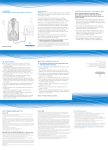
1 HL10 Telephone
7. AC Power Adapter (UK only)
Handset Lifter
8. AC Power Adapter (Europe
2. On-Line Indicator
excluding UK)
3. On-Line Indicator
9. Base Unit Cable
Extension Cable
10. CS50 Headset
4. Accessory Converter Cable 11. Earloops (pack of 3)
5. Battery
12. Behind-the-Head Neckband
6. Battery Door
13. Over-the-Head Band
MICRO-CASQUE SANS FIL CS50
GUIDE DE L‘UTILISATEUR
Merci d‘avoir choisi l’oreillette
FR
MAINTENANCE HINTS
1. Unplug the unit from the telephone and the AC Power Adapter
from the main supply before cleaning.
2. Clean the equipment with a damp (not wet) cloth.
3. Do not use solvents or other cleaning agents.
BIENVENUE
sans fil CS50 de Plantronics.
Le CS50 vous permet une utilisation mains-libres
ainsi qu‘une mobilité longue portée
dans l‘entreprise.
Ce Guide de l‘utilisateur comprend
les instructions d‘installation et d‘utilisation
de votre système.
www.plantronics.com
PLANTRONICS HELP DESK
The Plantronics Help Desk is ready to assist you! Dial
1.831.458.7700, Sunday 5:00 p.m. through Friday 5:00 p.m.
Pacific Standard Time or visit our website at
www.plantronics.com.
16
17