1
EziWeigh7 Weigh Scale Indicator Quickstart Guide
4 Installing
Before you can weigh animals, you need to connect the indicator to some load bars
or load cells. To identify animals using electronic (EID) tags, you also need to connect
the indicator to an EID reader.
Installing the indicator and load bars
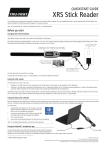
Connecting the indicator to an EID reader
Connecting via Bluetooth®
1 First, switch on the indicator.
2 Then, switch on the EID reader.
For further instructions on pairing the EID reader, see the EID Reader User Manual.
Connecting via cable
Connect the EID reader to the indicator’s power/serial connector using a serial cable,
available from Tru-Test as an optional accessory.
4