1
Autenticazione di rete
2. Samba e LDAP
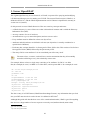
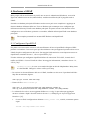
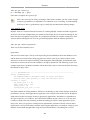
This section covers the integration of Samba with LDAP. The Samba server's role will be that of
a "standalone" server and the LDAP directory will provide the authentication layer in addition to
containing the user, group, and machine account information that Samba requires in order to function
(in any of it's 3 possible roles). The pre-requisite is an OpenLDAP server configured with a directory
that can accept authentication requests. See Sezione 1, «Server OpenLDAP» [92] for details on
fulfilling this requirement. Once this section is completed, you will need to decide what specifically
you want Samba to do for you and then configure it accordingly.
2.1. Software Installation
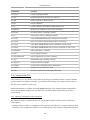
There are three packages needed when integrating Samba with LDAP: samba, samba-doc, and
smbldap-tools packages.
Strictly speaking, the smbldap-tools package isn't needed, but unless you have some other way to
manage the various Samaba entities (users, groups, computers) in an LDAP context then you should
install it.
Install these packages now:
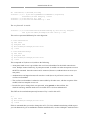
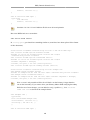
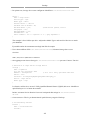
sudo apt-get install samba samba-doc smbldap-tools
2.2. LDAP Configuration
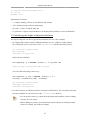
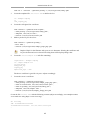
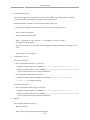
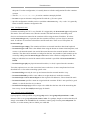
We will now configure the LDAP server so that it can accomodate Samba data. We will perform three
tasks in this section:
1.
Import a schema
2.
Index some entries
3.
Add objects
2.2.1. Samba schema
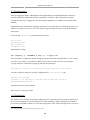
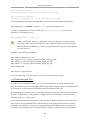
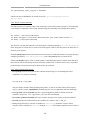
In order for OpenLDAP to be used as a backend for Samba, logically, the DIT will need to use
attributes that can properly describe Samba data. Such attributes can be obtained by introducing a
Samba LDAP schema. Let's do this now.
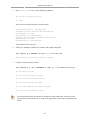
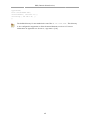
For more information on schemas and their installation see Sezione 1.4, «Modifying the
slapd Configuration Database» [97].
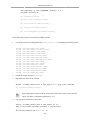
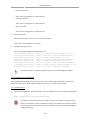
1.
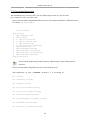
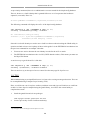
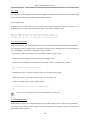
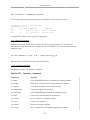
The schema is found in the now-installed samba-doc package. It needs to be unzipped and copied
to the /etc/ldap/schema directory:
118