1
•
•
•
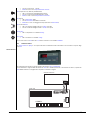
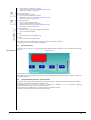
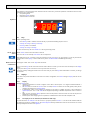
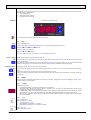
OFF if power step 2 is not active
Rapid BLINK if safety timing is in progress
Slow BLINK if step 2 is currently defrosting
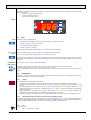
Led step 3 di potenza
ON se lo step 3 di potenza è attivo
OFF se lo step 3 di potenza non è attivo
•
BLINK veloce se sono in corso temporizzazioni di sicurezza
•
BLINK lento se step 3 in sbrinamento
•
Power step 4 led
ON if power step 4 is active
•
OFF if power step 4 is not active
•
Rapid BLINK if safety timing is in progress
•
Slow BLINK if step 4 is defrosting
•
Electrical heater/boiler led
ON if at least one internal anti-freeze electrical heater or boiler is enabled
•
OFF if both are off
•
<IMG INFO>
Heating Led
ON if the device is in heating mode.
•
Cooling Led
ON if the controller is in cooling mode
•
If neither the HEATING led nor the COOLING led are in, the controller is in STAND-BY mode.
When it is off, only the decimal point appears on the display.
5.3
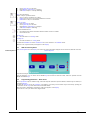
Remote keyboard
Wall-mounted keyboard
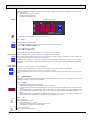
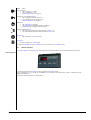
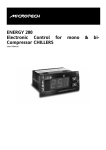
The remote keyboard a on the display is an exact copy of the information displayed on the instrument, with the same leds;
Remote keyboard
It performs exactly the same functions as those described in the display section.
The only difference is in use of the UP and DOWN keys (to increase and decrease value), which are separate from the
MODE and ON/OFF keys.
5.4
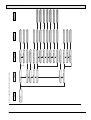
Programming parameters – Menu levels
Device parameters may be modified using a Personal Computer (with the required software, interface key and cables), or
using the keyboard;
If using the keyboard, access to parameters is arranged in a hierarchy of levels which may be accessed by pressing the
“mode and “on-off” keys at the same time (as described above).
Each menu level is identified by a mnemonic code which appears on the display.
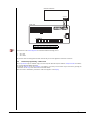
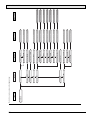
The structure is set up as shown in the diagram below:
23