1
MODEL 4TM67/9700
MAINTENANCE
WARNING: ALWAYS UNPLUG THE CORD BEFORE SERVICING.
CLEANING: Use a soft cloth and a mild soap solution such as liquid dish
washing detergent.
CAUTION: Do not use gasoline, benzine, thinner, harsh cleaners,
etc. which will damage the fan.
Dry all parts with a soft cloth completely before reconnecting to power
supply.
STORAGE: When not in use, keep unit in a clean dry place.
MOTOR IS PERMANENTLY LUBRICATED.
TROUBLE SHOOTING GUIDE
TROUBLE
PROBABLE CAUSE
SUGGESTED REMEDY
Fan will not start
1.
Fuse or circuit breaker blown or off
1. Check main and branch fuse or circuit breaker
2.
Thermostat knob turned to low
2. Adjust Thermostat knob to higher setting (towards
COOLER)
Fan turns OFF automatically
1.
Thermostat has reached desired temperature
1. Change Thermostat setting towards COOLER for
Fan to come on again
Fan stays on
1.
Thermostat knob is turned to high
(cooler) position
1. Adjust Thermostat knob till Fan
goes off
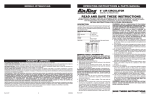
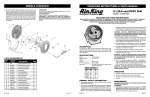
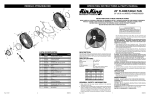
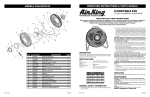
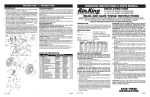
REPLACEMENT PARTS LIST
Key
1
2
1
2
3
4
5
6
7
8
9
10
11
12
13
14
15
16
17
18
3
4
5
6
7
10
8
11
9
12
17
18
13
14
Part No.
2091119
2011128
2011416
2011417
2011415
2057405
2091599
2061711
2050031W
2090553
2057067
2046302
2011000
2031226
2011004
2011127
2091217
2091118
Description
Qty.
Screw #6 x 3/8 Type ABZP PPH
Rear Grill
Switch Knob
Thermostat Knob
Handle
Control Box Assembly
Snap-On Wire Cover
Fan Body
Cordset
Wire Nut
Switch
Ribbon Cable
Motor Spacer
Motor
Blade
Front Grill
Screw #10-24 x 1-3/8" Type AB PPH
Screw #6 x 3/8 Type AB PPH
12
1
1
1
1
1
1
1
1
1
1
1
1
1
1
1
4
1
15
16
1
New 4/98
2
2084533