1
nl
ow
D
d
de
oa
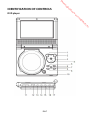
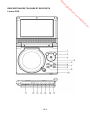
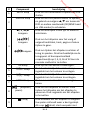
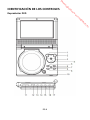
SD/MMC card slot
nb
de
an
EARPHONE VOLUME WARNING
Connect earphones with volume
set low and increase it if required.
Prolonged listening through some
earphones at high volume settings
can result in hearing damage.
Earphones or headphones must
comply with EN50332-1 /
EN50332-2 to ensure continued
protection from excessive sound
pressure.
To prevent possible hearing damage, do not listen at high
volume levels for long periods.
EN-9
e
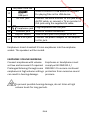
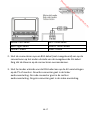
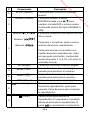
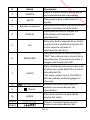
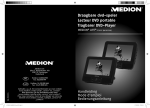
Earphones: Insert standard 3.5 mm earphones into the earphone
socket. The speakers will be muted.
.b
re
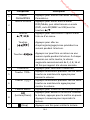
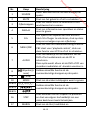
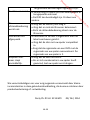
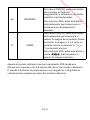
Earphones jack
COAXIAL jack
Used for coaxial connection
ON/OFF switch
Slide to turn your DVD player on or off.
DC IN 9-12V jack
Connect the power adapter or car adaptor
to this jack.
or
17
.v
w
15
16
w
14
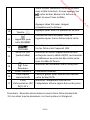
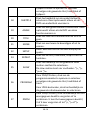
USB port
AV OUT jack
Used to connect a USB device to this port
for playing files in the USB device.
Connect the extra monitor to this jack using
AV/DC cable, or connect a TV or monitor to
this jack using the supplied AV cable.
Plug earphones into this jack.
w
13
m
fro
12