1
nl
ow
D
d
de
oa
m
fro
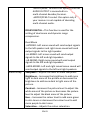
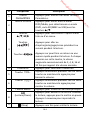
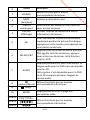
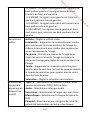
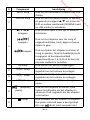
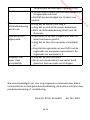
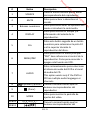
language. This option works only if the DVD
has subtitles.
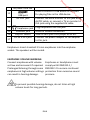
Press to select a view angle. This option works
only if the DVD has this feature.
Press to go to DVD title menu.
Press to execute or confirm a selection.
It has the same function of this button on the
player.
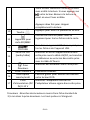
Press to repeat the title, chapter, folder or
track.
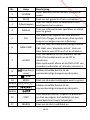
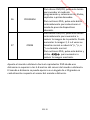
Repeatedly press to select the desired slow
motion playback speed.
Slow motion playback has four speeds: 1/2,
1
/4, 1/8 and 1/16.
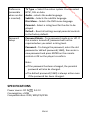
For DVD/CD discs, press to enter the
programme mode and then select the desired
title, chapter or track.
For JPEG files, repeatedly press to select the
desired slide show mode.
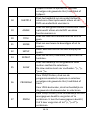
For DVD/CD discs, repeatedly press to enlarge
or reduce the display image. You can enlarge
the image 2, 3, or 4 times the normal size or
reduce the image 1/2, 1/3, or 1/4 the normal
size.
For JPEG files, press this button and then use
/
to enlarge or reduce the display
image.
REPEAT
25
SLOW
26
PROGRAM
27
ZOOM
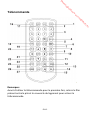
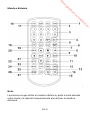
Point the remote control at the DVD player no more than 5-8 metres
from the remote control sensor. The remote control will operate in a ±
30 degree angle in each the direction of the remote control sensor.
EN-12
e
24
.b
re
SETUP
or
22
nb
TITLE
ENTER
de
an
20
21
.v
w
ANGLE
w
w
19