1
nl
ow
D
/
/
16
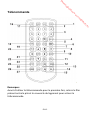
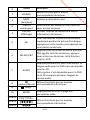
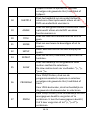
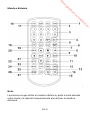
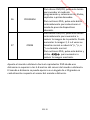
STEP
17
SEARCH
18
SUBTITLE
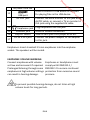
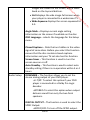
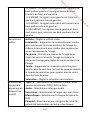
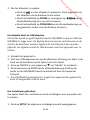
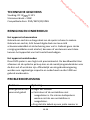
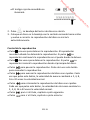
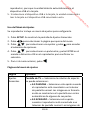
They have the same function of the
corresponding buttons on the player.
Press once to pause playback and then
repeatedly press to view a video frame by
frame.
Press to enter the title, chapter and time
point mode and then select the desired title,
chapter or time point.
Repeatedly press to select the subtitle
EN-11
e
12&13
14&15
/
.b
re
8
9
10
11&23
or
7
nb
6
de
an
5
.v
w
4
w
3
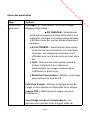
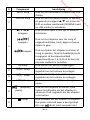
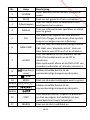
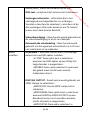
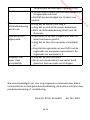
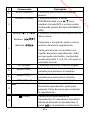
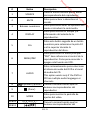
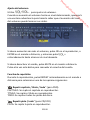
Description
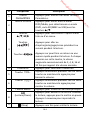
It has the same function of this button on the
SOURCE
player.
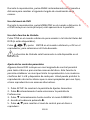
MUTE
Press to turn on or turn off sound.
Numeric
Press to select menu items or enter the
buttons
password.
Press to display play time and status
DISPLAY
information.
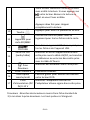
To select a track 10 or greater during disc
10+
playback, press this button and then press a
numeric button.
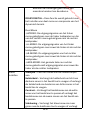
Press to return to the main menu.
MENU/PBC
PBC stands for playback control, press to
switch on or off this function for VCD.
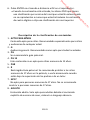
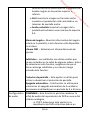
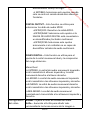
Repeatedly press to select the DVD audio
language or the CD audio channel.
AUDIO
This option works only if the DVD or CD has
multiple audio languages or channels.
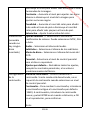
(play/pause) They have the same function of the
corresponding buttons on the player.
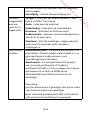
(Stop)
MODE
Press to show the video setup page.
w
2
Button
m
fro
1
d
de
oa
#