1
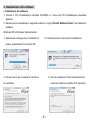
9. Now you can start to edit the picture as you like:
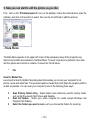
First , click on the “PhotoImpression 6” icon on the desktop. Follow the instructions to open the
software, and click on the picture to select, then use the Arcsoft tools to edit the pictures.
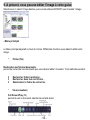
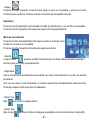
- Main Menu
The Main Menu appears in the upper left corner of the workspace many of the program's key
options and controls are available in the Main Menu. To learn more about a particular menu item
and the options and controls it contains, choose from the list below:
*
File
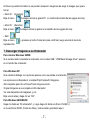
Scan for Media Files
Launches the Scan for Media Files dialog box that enables you to scan your computer for all
photos, music and video files. This process creates a media library that helps the program perform
as fast as possible. You can scan your computer in one of the following three ways:
•
•
•
Scan Primary Folders Only - Scans folders most commonly used for storing media,
such as My Documents, My Pictures and Desktop.
Scan All Folders - Scans your entire computer for media (except Windows and
Program Files folders).
Select the folders you want to scan -Let's you choose the folders for scanning.
- 10 -