1
INDICE / INDEX
Manual de Usuario/
User Manual
Teclado Multimedia Slim
Advertencias
Bienvenida
Contenido del paquete
Nota de Seguridad
Recomendaciones de Uso
Precauciones
Información Ergonómica
Cómo usar su Teclado
Instalación del Controlador
Teclas Especiales en el teclado
Especificaciones Generales
Nota Importante
Requerimientos de Sistema
1
Warning
Welcome
Package Contains
Safety Notice
Use recommendations
Caution
Ergonomic Information
Using your keyboard
CD Installation
Hotkeys on your keyboard
General Specifications
Important Note
System Requirement
1
1
1
1
2
2
3
3
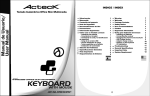
slim multimedia
KEYBOARD
AT-SLX500
0
4
4
4
4
4
4
4
5
5
5
5
6
6
Para reducir el riesgo de lesión, siga estas
precauciones:
Procure lo siguiente, levántese y camine
alrededor varias veces cada hora. Varíe sus
tareas a través del dia. Mantenga sus hombros
relajados con sus codos a los lados. Coloque su
teclado sin que tenga que moverse para
alcanzarlo. Ajuste su silla y teclado para que sus
brazos y muñecas se encuentren rectos. Evite
descansar las muñecas en bordes agudos.
ADVERTENCIAS
Antes de que usted comience.
¡Guarde esta guía de la instalación para
referencias futuras! Contiene la información de
localización de problemas importantes. Guarde
su viejo teclado PS/2 o USB como dispositivo de
reserva.
BIENVENIDO
Gracias por la adquisición de su nuevo Slim
Multimedia Keyboard Acteck
Contenido del Paquete
El paquete del AT-SLX500 contiene lo siguiente:
COMO USAR SU TECLADO
Instalación del Controlador
El controlador requiere de Windows 98, Windows
98/SE, Windows 2000 y Windows XP.
El controlador se instalará
automáticamente si su computadora lo permite,
de otra manera, usted
puede hacer la instalación manualmente con
doble click en el archivo setup.exe en el CDROM.
El icono de instalación del teclado aparecerá en
la barra de Windows después de una instalación
completa y exitosa del controlador.
Teclas Especiales en el teclado
El teclado Multimedia Slim tiene 18 teclas de
acceso directo Multimedia e Internet.
Teclas Especiales Internet
Home
E-mail
Teclas Especiales Multimedia
Reproducir/Pausa
Siguente Track
Versión USB
1 Teclado
1 CD de Instalación
! Manual de Usuario
Sin Sonido
Teclas Especiales PC
El teclado está conectado a su computadora por
un cable USB , y este debe conectado al puerto
USB de su computadora.
NOTA: Si no contiene todo lo mencionado por favor
pongase en contacto inmediatamente con su
distribuidor para su reemplazo.
Dormir
NOTA DE SEGURIDAD
1. Su producto cumple con las reglas del FCC y
CE.
2. Este producto no tiene partes a las que el
usuario pueda darle mantenimiento.
3. Los procedimientos de ajuste o los controles
de uso que no sea otro que el del Manual de
Usuario puede dar resultados peligrosos.
Despertar
Mi Computadora
1.Conecte el enchufe USB al puerto USB de su
computadora.
Buscar
Recargar
Mis Favoritos
Media
Track Anterior
Stop
Encendido
Calculadora
Icono
instalación teclado
Puede dar doble click al icono o click derecho
para programar las funciones de su preferencia.
Puerto USB
PRECAUCIONES:
Los cambios o modificaciones no
expresamente aprobadas por el proveedor
responsable del cumplimiento puede
invalidar la autoridad del usuario para operar
el equipo.
Enchufe USB
Estado del Bloqueo Numérico, Mayúsculas y
Scroll.
El Scroll, Mayúsculas y bloqueo numérico se
mostrarán en la barra (Win 2K y Win XP) o arriba
de la barra (Win 98, Win ME)
Simplemente da click en uno de los botones y se
Ejecutará la aplicación deseada.
NOTA: Para utilizar los botones de acceso fácil es
necesario instalar previamente el controlador.
INFORMACIÓN ERGONÓMICA
Algunos expertos creen que si utilizas cualquier
teclado, puede causarte serios daños en manos,
muñecas, brazos, cuello y espalda. Si sientes
dolor, entumecimiento o la debilidad en estas
áreas, acude a un profesional de salud
calificado.
Teclado
Modo de instalación USB
Bloqueo
Mayúsculas
Bloqueo
Numérico
Bloqueo Scroll
1
2
(2) puede recibir cualquier interferencia,
incluyendo una no deseada.
Precaución de la FCC: Cualquier modificación
no aprobada puede anular la autoridad del
usuario para el funcionamiento del equipo.
ESPECIFICACIONES GENERALES
-18 teclas de acceso directo Multimedia e Internet
-Diseño Ultra Delgado (Slim)
-Diseño Ergonómico
-Teclas Ultra delgadas de bajo perfil de alta calidad
-Control de volumen tipo estéreo
-Dimensiones 395 x 170 x 23 mm
-Interfase USB
-Compatible con Windows 98/ME/2000/XP y
Macintosh OS 8.6 o Superior.
NOTA IMPORTANTE:
Declaración De Exposición De Radiación de la
FCC:
Este equipo se basa a los límites de exposición
de radiación de la FCC dispuestos para un
ambiente incontrolado. Para mantener un buen
resultado evite por favor el contacto directo a la
antena. Los usuarios deben seguir las
instrucciones específicas para su funcionamiento.
Queremos saber de ti. Mándanos cualquier
sugerencia o comentario a [email protected]
Si tienes alguna duda o pregunta acerca de
nuestro producto visita nuestro sitio en internet.
Federal Communication Commission Interference
Statement
Este equipo ha sido aprobado y cuenta con los
límites de la Clase B digital, conformado en el
artículo 15 de las reglas de la FCC.
Estos límites fueron diseñados para proteger
cualquier interferencia dañina en una instalación
casera.
Este equipo genera,usa y puede emitir
radiofrecuencia y, si no se instala y se usa de
acuerdo a las instrucciones puede causar
interferencia dañina a las radiocomunicaciones.
Sin embargo, no hay garantía de que la
interferencia no ocurrirá en una instalación
particular. Si este equipo causa daños a la
recepción de la radio o de televisión, gire su
equipo apagado e intente corregir la interferencia
con las siguientes medidas:
Vuelva a poner la antena Receptora
Aumente la separación entre el equipo y el receptor.
Conecte el equipo a un circuito diferente.
Pida ayuda a un experto en el área.
Este transmisor de funcionamiento no debe ser
re-ubicado cerca de ninguna otra antena o
transmisor.
Este dispositivo forma parte de la regla 15 de la
FCC.
Esta operación conforma dos condiciones:
(1) es probable que este dispositivo no cause
mala interferencia.
3
Este transmisor de funcionamiento no debe
ser re-ubicado con ninguna otra antena o
transmisor.
Este dispositivo forma parte de la regla 15 de la
FCC. Esta operación conforma dos condiciones:
(1) es probable que este dispositivo no cause
mala interferencia.
2) puede recibir cualquier interferencia, incluyendo
una no deseada.
CE - tipo aceptación: Dispositivo de EN300 328
FHSS.
REQUIRIMIENTOS DE SISTEMA
Mouse y teclado compatibles con Windows 98,
Windows ME, Windows 2000, Windows XP y
Macintosh OS 8.6 o superior con CD de
instalación.
To reduce the risk of injury, follow these
caution:
Take frequent breaks, get up and walk around
several times every hour. Vary your tasks
throughout the day.
Keep your shoulders relaxed with your elbows at
your side. Position your keyboard so you do not
have to reach.
Adjust your chair and keyboard so your upper
arms and wrists are straight.
Avoid resting your wrists on sharp edges
WARNING
Before you begin.
Keep this installation guide for future reference! It
contains Important troubleshooting Information.
Keep your old PS/2 or USB keyboard as back-up
devices.
WELCOME
Thanks for the acquirement of this new Slim
Multimedia Keyboard Acteck
Package Contains
Your AT-SLX500 keyboard package includes the
following:
USING YOUR KEYBOARD
USB Version
1 Wired keyboard
1 Installation CD
I User Manual
The keyboard is connected to your computer to a
USB cable, and it plug to USB port of your
computer.
Note:If any part is missing, please contact your dealer for
a replacement immediately.
1. Connect the USB Plug to USB port of your
computer.
SAFETY NOTICE
1. Your product complies with FCC and CE rules.
2. This product has no serviceable parts.
3. Use of controls or adjustments of procedures other
than the user guide may result in dangerous.
USB Port
USER RECOMMENDATIONS
Change or modifications not expressly approved
by the manufacturer responsible for compliance
could void the user's authority to operate the
equipment
ERGONOMIC INFORMATION
Some experts believe that using any keyboard may
cause serious injury to hands, wrists, arms, neck, or
back. If you feel pain, numbness, or weakness in
these areas, see a qualified health professional.
USB Connector
Keyboard
USB port Installation
4
CD Installation
The Installation CD supports Win95, Win98/SE,
Win 2000 an Win XP.
The CD will install automatically if the auto-run is
enable in your computer,
otherwise, you can manually launch the
installation by double clicking the file setup.exe
in the CD-ROM.
The setup applets icon of the keyboard will
appear on the windows taskbar after succesfully
completing software installation.
Hotkeys on the Keyboard
The Slim Multimedia Keyboard has 18
Multimedia and Internet Hot Keys.
Internet Hotkeys
Web Home
My Favorites
E-mail
Search
Refresh
FCC Caution: Any changes or modifications
not expressly approved by the party
responsible for compliance could void the
user's authority to operate this equipment.
GENERAL FEATURES
-18 Multimedia and Internet Hot keys
-Ergonomically Designed
-Ultra Slim and small design
-Hight quality ultra slim and flat keys
-Volume Knob
-Dimensions 15.6 x 6.7 x 0.9 in
-USB Interface
-Compatible with Windows Windows
98/ME/2000/XP and Macintosh OS 8.6 or Higher
IMPORTANT NOTE:
FCC Radiation Exposure Statement:
Multimedia Hotkeys
You can double click or right click the applet, and
setup the fuctions of your preferred selection to
enhance your device.
Next Track
Previous Track
Stop
Play/Pause
Mute
This equipment complies with FCC radiation
exposure limits set forth for an uncontrolled
environment. To maintain compliance with FCC
RF exposure compliance requirements, please
avoid direct contact to the transmitting antenna
during transmitting. End users must follow the
specific operating instructions for satisfying RF
exposure compliance.
We need know about you. Send your suggestions
[email protected]
If you have any question about our products,
please visit our web site.
Media
PC Hotkeys
Sleep
My Computer
Wake
Power
Calculator
Scroll, Caps, Num Lock status
The scroll, Caps, Num Lock status are shown on
the taskbar (Win 2K and Win XP) or above the
taskbar (Win 98, Win ME)
Caps Lock
Just click on the easy access buttons and the
desired application wil be ejecuted.
Number Lock
Scroll Lock
NOTE:
To use the Hot keys on the keyboard first it is
necessary to install the driver in your computer.
5
Federal Communication Commission
Interference Statement
This equipment has been tested and found to
with the limits for a Class B digital device,
pursuant to Part 15 of the FCC Rules. These
limits are designed to provide reasonable
protection against harmful interference in a
residential installation.
This equipment generates, uses and can radiate
radio frequency energy and, if not installed and
used in accordance with the instructions, may
cause harmful interference to radio
communications.
However, there is no guarantee that interference
will not occur in a particular installation. If this
equipment does cause harmful interference to
radio or television reception, which can be
determined by turning the equipment off andon,
the user is encouraged to try to correct the
interference by one of the following measures:
- Reorient or relocate the receiving antenna.
- Increase the separation between the equipment
and receiver.
- Connect the equipment into an outlet on a circuit
different from that to which the receiver is
connected.
- Consult the dealer or an experienced radio/TV
technician for help.
This device complies with Part 15 of the FCC
Rules. Operation is subject to the following two
conditions: (1) This device may not cause
harmful interference, and (2) this device must
accept any interference received, including
interference that may cause undesired
operation.
This transmitter must not be co-located or
operating in conjunction with any
other antenna or transmitter.
This device complies with Part 15 of the FCC
Rules. Operation is subject to the following two
conditions: (1) This device may not cause
harmful interference, and (2) this device must
accept any interference received, including
interference that may cause undesired operation.
CE - Type acceptance: EN300 328 FHSS Device
SYSTEM REQUIREMENT
Keyboard is compatible with Windows 98,
Windows ME, Windows 2000, Windows XP and
Macintosh OS 8.6 or higher. Includes an
Installation CD.
6