1
OFA Kamel 8 UG E/Fr rev
8/15/03
10:17 AM
Page 1
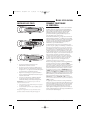
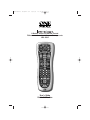
8-Device Universal Remote Control
Télécommande universelle pour 8 composants
URC-9962
User’s Guide
Guide d’utilisation
OFA Kamel 8 UG E/Fr rev
8/15/03
10:17 AM
Page 2
KAMELEON 8-DEVICE REMOTE
TABLE OF CONTENTS
INTRODUCTION
Introduction . . . . . . . . . . . . . . . . . . . . . . . . . . . . . . . . . . . . . . . . . . . . 2
Installing Batteries . . . . . . . . . . . . . . . . . . . . . . . . . . . . . . . . . . . . . 3
How Kameleon™ Works . . . . . . . . . . . . . . . . . . . . . . . . . . . . . . . . . 3
Features And Function . . . . . . . . . . . . . . . . . . . . . . . . . . . . . . . . . . . 4
The OFA Kameleon™ 8-Device Remote (URC-9962)
is a revolutionary universal remote control that
uses Universal Electronics’Kameleon Technology.
Moreover,it allows you to consolidate the clutter of
all of your original remote controls into one easy-touse product.Advanced features include:
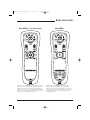
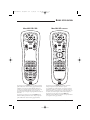
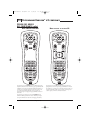
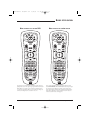
Key Charts . . . . . . . . . . . . . . . . . . . . . . . . . . . . . . . . . . . . . . . . . . . 4
Device Table . . . . . . . . . . . . . . . . . . . . . . . . . . . . . . . . . . . . . . . . . . 7
Adjusting Brightness . . . . . . . . . . . . . . . . . . . . . . . . . . . . . . . . . . . . 8
Programming Device Control . . . . . . . . . . . . . . . . . . . . . . . . . . . . . 8
Programming DVD/VCR Player Combo Control . . . . . . . . . . . . . 10
Searching For Your Code . . . . . . . . . . . . . . . . . . . . . . . . . . . . . . . . 11
Checking The Codes . . . . . . . . . . . . . . . . . . . . . . . . . . . . . . . . . . . . 11
Using The Home Theater Mode. . . . . . . . . . . . . . . . . . . . . . . . . . . 12
Control Organization. . . . . . . . . . . . . . . . . . . . . . . . . . . . . . . . . . . 12
Programming The Home Theater Mode . . . . . . . . . . . . . . . . . . . . . 13
•
Kameleon Technology – dynamic menu
screens that respond to device selection and
illuminate only active keys
•
Home Theater Mode – a custom mode that
groups the most-often-used keys together
for operating convenience in one mode
•
Macros – for instant activation of favorite
key sequences
•
Learning – to capture unique functions
from your devices’ original remote controls
•
Key Mover – for copying keys from one
device to another, or to a different position
in the same mode
•
Direct Code Setup – for easy device
programming with setup codes
•
Innovative Code Search – allows setup of
your devices without looking up codes
•
Favorite Channel Scan – for easy channel
surfing of favorite channels
•
Volume Lock – to assign volume controls to
individual devices or to one global device
•
Extensive Code Library – largest and most
efficient group of IR remote control codes for
virtually every current brand and make
•
Upgradeability – our unique telephone
upgrade system ensures your remote
control always has the latest setup codes
when adding new devices in the future
Changing Volume Lock . . . . . . . . . . . . . . . . . . . . . . . . . . . . . . . . . 14
Locking Volume Control To One Mode . . . . . . . . . . . . . . . . . . . . . . 14
Unlocking Volume Control For A Single Device . . . . . . . . . . . . . . . 15
Unlocking All Volume Control . . . . . . . . . . . . . . . . . . . . . . . . . . . . 15
Using Macros. . . . . . . . . . . . . . . . . . . . . . . . . . . . . . . . . . . . . . . . . . 16
Programming A Favorite Channel Macro . . . . . . . . . . . . . . . . . . . . 16
Programming A Master Power Macro In
The Home Theater Mode . . . . . . . . . . . . . . . . . . . . . . . . . . . . . . . . 16
Clearing A Macro . . . . . . . . . . . . . . . . . . . . . . . . . . . . . . . . . . . . . 17
Using Learning . . . . . . . . . . . . . . . . . . . . . . . . . . . . . . . . . . . . . . . . 18
Learning Precautions . . . . . . . . . . . . . . . . . . . . . . . . . . . . . . . . . . 18
Programming A Learning Key . . . . . . . . . . . . . . . . . . . . . . . . . . . . 18
Deleting A Single Learned Key. . . . . . . . . . . . . . . . . . . . . . . . . . . . 19
Deleting All Learned Keys In A Specific Mode . . . . . . . . . . . . . . . . 19
Reassigning Device Keys. . . . . . . . . . . . . . . . . . . . . . . . . . . . . . . . 20
Using Keymover. . . . . . . . . . . . . . . . . . . . . . . . . . . . . . . . . . . . . . . . 20
Programming Keymover . . . . . . . . . . . . . . . . . . . . . . . . . . . . . . . . 20
Restoring A Single Keymoved Key . . . . . . . . . . . . . . . . . . . . . . . . . 21
Restoring All Keymoved Keys In A Single Mode . . . . . . . . . . . . . . . 21
Using Channel Scan . . . . . . . . . . . . . . . . . . . . . . . . . . . . . . . . . . . 22
Programming Favorite Channel Scan . . . . . . . . . . . . . . . . . . . . . 22
Restoring Factory Default Settings . . . . . . . . . . . . . . . . . . . . . . . 23
Clearing All Custom Programming . . . . . . . . . . . . . . . . . . . . . . . 23
About Upgrading. . . . . . . . . . . . . . . . . . . . . . . . . . . . . . . . . . . . . . . 24
Upgrade Procedure . . . . . . . . . . . . . . . . . . . . . . . . . . . . . . . . . . . . 24
Upgrade Exclusions . . . . . . . . . . . . . . . . . . . . . . . . . . . . . . . . . . . 24
Troubleshooting . . . . . . . . . . . . . . . . . . . . . . . . . . . . . . . . . . . . . . . 25
Device Menu Screens . . . . . . . . . . . . . . . . . . . . . . . . . . . . . . . . . . . 26
Customer Support. . . . . . . . . . . . . . . . . . . . . . . . . . . . . . . . . . . . . . 35
Instructions To The User . . . . . . . . . . . . . . . . . . . . . . . . . . . . . . . . 35
Limited Warranty . . . . . . . . . . . . . . . . . . . . . . . . . . . . . . . . . . . . . . 35
Battery Use And Safety . . . . . . . . . . . . . . . . . . . . . . . . . . . . . . . . . 36
About Battery Life . . . . . . . . . . . . . . . . . . . . . . . . . . . . . . . . . . . . . . 36
Additional Information . . . . . . . . . . . . . . . . . . . . . . . . . . . . . . . . . . 36
Guide d’utilisation . . . . . . . . . . . . . . . . . . . . . . . . . . . . . . . . . . . . . 38
Manufacturer’s Codes . . . . . . . . . . . . . . . . . . . . . . . . . . . . . . . . . . 73
Setup Codes For Audio Amplifiers . . . . . . . . . . . . . . . . . . . . . . . . . 73
Setup Codes For Audio Receivers . . . . . . . . . . . . . . . . . . . . . . . . . 73
Setup Codes For Cable Boxes . . . . . . . . . . . . . . . . . . . . . . . . . . . . 74
Setup Codes For CD Players . . . . . . . . . . . . . . . . . . . . . . . . . . . . . 74
Setup Codes For DVD Players . . . . . . . . . . . . . . . . . . . . . . . . . . . . 74
Setup Codes For DVD Player/VCR Combos. . . . . . . . . . . . . . . . . . . 75
Setup Codes For Home Automation . . . . . . . . . . . . . . . . . . . . . . . . 75
Setup Codes For PVRs. . . . . . . . . . . . . . . . . . . . . . . . . . . . . . . . . . 75
Setup Codes For Satellite Receivers . . . . . . . . . . . . . . . . . . . . . . . 75
Setup Codes For Satellite Receiver/PVR Combos . . . . . . . . . . . . . . 76
Setup Codes For TVs . . . . . . . . . . . . . . . . . . . . . . . . . . . . . . . . . . . 76
Setup Codes For TV/DVD Player Combos . . . . . . . . . . . . . . . . . . . . 77
Setup Codes For TV/VCR Combos . . . . . . . . . . . . . . . . . . . . . . . . . 77
Setup Codes For VCRs . . . . . . . . . . . . . . . . . . . . . . . . . . . . . . . . . 78
Setup Codes For Video Accessories . . . . . . . . . . . . . . . . . . . . . . . 79
2
Table Of Contents/Introduction
After installing four (4) new AAA alkaline
batteries (not included, see next page), you can
immediately use the unit to control a Motorola
Cable Box, a Toshiba DVD Player, a Philips Tivo
PVR (DVR), a Pioneer CD Player and Audio
Receiver, and a RCA TV,VCR, and Satellite Receiver.
To control other brands than the default ones, see
Programming Device Control on page 8.
OFA Kamel 8 UG E/Fr rev
8/15/03
10:17 AM
Page 3
USER’S GUIDE
INSTALLING BATTERIES
❶
HOW KAMELEON™ WORKS
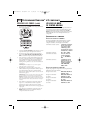
Kameleon™ allows wireless controllers to
dynamically change their appearance and
functionality, to match the home entertainment
environment. Moreover, this technology provides
unparalleled ease-of-use and superior control by
delivering a uniquely intuitive, graphical interface
that intelligently illuminates only the active keys.
The OFA Kameleon 8-Device Remote uses
Kameleon technology to provide the versatility
of an LCD remote control with the feel of a
traditional push-button unit. The result is a
stunning, bright display with engaging animation and touch-sensitive graphics for the user.
❷
❸
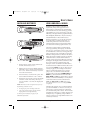
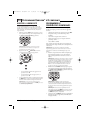
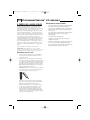
1. On the remote control’s back, push the tab
and lift off the battery cover.
2. Obtain four (4) new AAA alkaline batteries.
Match the + and – marks on the batteries to
the + and – marks in the battery case, then
insert the new batteries.
3. Press the battery cover back into place. The
tab should click when the cover is locked.
4. If batteries are inserted correctly, the display
will turn on and show all keys. If a key is
not pressed after 7 seconds, the display will
turn off.
NOTE: The batteries will need replacement if one of
the following conditions occurs:
1. Pressing any key turns on all keys and icons.
2. The remote control no longer operates and the
display flashes on and off continously.
See “Battery Use And Safety” on page 36 for
additional information.
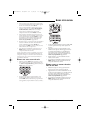
The remote control includes convenient Menu
Driven programming. The displays are divided
into two types of interactive screens: Device Menus
for normal remote control use, and Programming
Menus for feature setup.Acting like its namesake,
Kameleon changes the Device Menu for the device
being selected. For example, selecting TV displays
a main menu that contains channel selection,
volume control, and a keypad. However, selecting a
DVD player still displays a menu with those same
keys as the TV, but now navigation keys and
transport controls are added for the DVD device.
Several devices have additional menus that can be
accessed using SCROLL (see Device Menu Screens,
starting on page 26). For example, TV has three
menus: a main menu with keys for a generalpurpose TV, a second menu screen that adds
navigation keys and removes FORMAT, INPUT and
ENTER keys, and a third menu screen that adds
INPUT, ENTER, and PIP keys. Depending on desired
features, a user has the flexibility to use any menu
screen that works best for the selected device.
NOTE: The AUX, CD, DVD, and PVR modes do not
have additional menu screens, even though SCROLL
is displayed.
Animated key graphics also provided enhanced
operational feedback, so the user can easily see
what mode is active and when the commands
are communicating with a device. The end result
of Kameleon technology is a simple, elegant, and
intelligent way of organizing a large number of
remote control keys for eight different devices in
a relatively small case.
Installing Batteries/How Kameleon Works
3
OFA Kamel 8 UG E/Fr rev
8/15/03
10:17 AM
Page 4
KAMELEON 8-DEVICE REMOTE
FEATURES AND FUNCTIONS
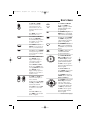
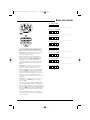
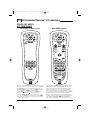
Use the illustration below to locate features on the
OFA Kameleon 8-Device Remote (URC-9962) and
then refer to the Key Charts (starting on the right)
to learn how they function.
NOTE: The illustration shows all remote control keys. In
actual operation, only active keys used by the selected
device are displayed and non-active keys are hidden.
To find out what type of devices can be controlled
by each device key after programming, see the
Device Table on page 7.
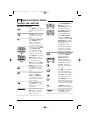
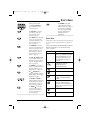
KEY CHARTS
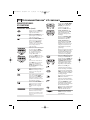
When a key is pressed, the
IR Segments will animate.
Outgoing animation (see
arrows) indicates the remote
control is sending IR signals
to a selected device.
Incoming animation (see
arrows) indicates the
remote control is receiving
IR signals from a device
being learned (see Using
Learning on page 18).
Press a Device Key once
to select a desired home
entertainment device to
control (e.g., DVD).When
selected, the Device Key
will animate to indicate it
is currently active.Also see
the Device Table on page 7.
After programming, press
the Home Theater key once
to select the home theater
mode (see Using The Home
Theater Mode on page 12).
Press POWER once to turn
on or off a selected device.
During programming,
the HOME key will appear.
Use it to exit the program
screen or to return to the
last-selected device key
screen.
In the AUX, CBL/SAT, and
TV modes, use FAV to scan
through all channels, or
after programming, to
scan through 10 favorite
channels.
In the AUX, CBL/SAT, TV,
AUDIO, and VCR modes,
use SCROLL to view
additional key screens for
the selected device.
4
Features And Functions
OFA Kamel 8 UG E/Fr rev
8/15/03
10:17 AM
Page 5
USER’S GUIDE
Use VOL ▲ (or VOL▼)
to raise (or lower) the
sound volume for the
selected device (also see
Changing Volume Lock on
page 14).
Press MUTE once to turn
the sound off or on.
In the DVD mode, press
AUDIO once to access DVD
audio formats (if available).
In the AUX and CBL/SAT
modes, use PVR/VOD to
access PVR/VOD programs
(if available on your cable
or satellite service).
In all modes except AUDIO,
use GUIDE to display your
selected device’s program
guide or setup menu.
In the AUDIO mode, use
PRESET to access preset stations on your audio device.
In the AUDIO mode, use
DSP to access DSP features
(if available) on your audio
device.
In the TV mode,use FORMAT
to change the aspect ratio or
zoom (if feature is available
on your TV).
Use INFO to display the
current channel and
program information.
In the DVD or PVR mode,
press REPLAY once to
replay a DVD chapter or
a recorded program on
your PVR (or DVR).
In the CBL/SAT and AUX
modes, press SCROLL once
to display REPLAY and then
press REPLAY once to
replay a VOD program (if
available on your cable or
satellite service).
or
In the AUX and CBL/SAT
modes, use PAGE+ or
PAGE- to page up or down
through channels in the
program guide.
Use CH ▲ (or CH ▼) to
select the next higher (or
lower) channel.
In all modes except CD,DVD,
and PVR,press LAST once to
recall the last channel.
In the PVR mode, use LAST
to select live or recorded
video.
In the CD or DVD modes,
press RAND to play random
tracks or chapters.
In the AUX, CBL/SAT, CD,
DVD, and PVR modes, use
the Cursor Keys to move
the cursor in the program
guide and menu screens.
Use OK to choose options
from your selected device’s
menu or guide.
In the TV or VCR mode,
press SCROLL once to access
the Cursor and OK Keys.
In the AUDIO mode, press
SCROLL twice to access the
Cursor and OK Keys.
In the AUDIO mode, use the
Cursor Keys to move the
cursor to select or test
surround sound channels
on your audio device.Also
see VOL keys (above left).
Use OK to choose options
from your audio device’s
menu or guide.
continued on next page...
Features And Functions
5
OFA Kamel 8 UG E/Fr rev
8/15/03
10:17 AM
Page 6
KAMELEON 8-DEVICE REMOTE
FEATURES AND FUNCTIONS
KEY CHARTS (CONTINUED)
Press MENU once to display
your selected device’s main
menu.
Use EXIT to exit from your
selected device’s guide or
menu.
In the DVD or AUDIO mode,
press SUBTITLE once to
display (or turn off)
subtitles, if available on
your DVD or audio device.
or
In all modes except AUDIO,
use the Number Keys
(1 ~ 9 and 0) to directly
select channels (e.g., 009
or 031) or enter numbers.
In the AUDIO mode, use the
Number Keys to directly
select inputs 1 ~ 9 and 10.
To enter channels in the
AUDIO mode,press SCROLL
three times to view channel
Number Keys (see above).
Use INPUT to change the
input source for a selected
device.
For certain brands in all
modes except CD and
AUDIO, press ENTER once
after entering numbers (if
required on your original
remote control).
For CD or AUDIO modes,
press SKIP once to skip to
the next track on your
audio device.
After programming, press
Macro Key 1 ~ 4 once to
run a macro (see Using
Macros on page 16).
6
Features And Functions
or
In the CD, DVD, AUDIO, and
VCR modes, use the
Transport Keys to control
the device’s transport.
In the PVR mode, use the
LIVE Transport Keys to
control PVR/DVR video.
In the CBL/SAT or AUX
mode, press SCROLL once
to display and use the LIVE
Transport Keys to control
VOD (Video On Demand)
if available on your
cable/satellite service.
In all modes except TV,
press ● twice to record a
program on your device
(if function is available).
In the TV mode,press PIP
once (or press SCROLL
twice) to display the
PIP Keys.Use them to
control the following
Picture-In-Picture features
(if available) on your TV:
Use PIP to switch the
Picture-In-Picture feature
on or off.
Use SWAP to switch images
and sound between the
main and window pictures.
Use SIZE to select a different picture window size.
Press FREEZE once to capture a frame of video in the
main picture. Press it again
to resume normal viewing.
Use MOVE to move the
window picture to different
places in the main picture.
Use SETUP to enable the
programming screen.
OFA Kamel 8 UG E/Fr rev
8/15/03
10:18 AM
Page 7
USER’S GUIDE
Use OTHER to program
other functions. See the
Table of Contents on page 2
for sections on Checking
The Codes, Programming
Favorite Channel Scan,
Using Keymover, or
Upgrading.
In the program mode,
use the Program Keys to
personalize the remote
control as follows:
Use DEV SET to program
your device codes. See
Programming Device
Control on page 8.
Use SEARCH as an alternate
way to set up a device by
searching available codes.
See Searching For Your
Code on page 11.
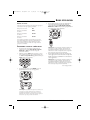
DEVICE TABLE
Use THEATER to create a
custom mode with favorite
remote control keys from
different devices in your
home theater system. See
Using The Home Theater
Mode on page 12.
After programming, the OFA Kameleon 8-Device
Remote will be able to control the following
types of devices:
Use VOL (Volume Lock)
to set volume controls for
individual or global device
use. See Changing Volume
Lock on page 14.
Use MACRO to program a
series of commands on five
available macro keys. See
Using Macros on page 16.
Use (Brightness) to
adjust the brightness level of
the EL display. See Adjusting
Brightness on page 8.
Use IR LRN and IR DEL to
add and delete key functions
learned from your original
device remote controls.See
Using Learning on page 18.
Use MODE to reassign
an unused device key to
control a second device.
See Reassigning Device
Keys on page 20.
NOTE: Please refer to the table below when performing
the instructions in “Programming Device Control” on
page 8.
DEVICE KEY
CONTROLS THESE DEVICES
Video Accessory or second
device (e.g., Cable Box, Satellite
Receiver, DVD Player, etc.) by
reassigning device keys (see
Reassigning Device Keys on
page 20)
Cable Box (Converter),
Satellite Receiver, or
Satellite/PVR Combo
CD Player or Home Automation
Television
DVD Player, TV/DVD Player
Combo, or DVD/VCR Player
Combo
Audio Amplifier,Audio
Receiver, or Home-Theater
In-A-Box Device (listed under
Setup Codes For Audio Receivers
on page 73)
VCR or TV/VCR Combo
PVR (DVR)
Features And Functions
7
OFA Kamel 8 UG E/Fr rev
8/15/03
10:18 AM
Page 8
KAMELEON 8-DEVICE REMOTE
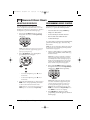
ADJUSTING BRIGHTNESS
PROGRAMMING DEVICE CONTROL
The OFA Kameleon 8-Device Remote has five
levels of brightness adjustment and is set to the
middle one at the factory. To increase or decrease
the brightness, perform the following steps:
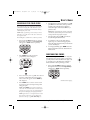
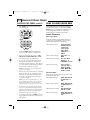
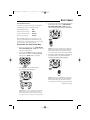
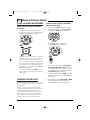
The OFA Kameleon 8-Device Remote is preset at
the factory to operate the following devices:
1. Press and hold SETUP until the two bottom
IR segments flash twice. The Program Keys
will appear:
•
Motorola Cable Box (using the AUX key)
•
Philips Tivo PVR (DVR)
•
Pioneer CD Player and Audio Receiver
•
RCA TV,VCR, and Satellite Receiver
•
Toshiba DVD Player
To control devices other than the default brands,
perform the following steps; otherwise skip
this section:
NOTE: If the display turns off because of inactivity,
you will need to start the programming sequence
again by repeating this step.
2. Press (Brightness) once.The Brightness
programming screen will appear:
NOTE: To control a DVD Player/VCR Combo, perform
the instructions in “Programming DVD Player/VCR
Combo Control” on page 10.
1. Turn on a desired device (e.g.,VCR or DVD
player) and, if applicable, insert media (e.g.,
cassette or disc).
NOTE: Please read steps 2 through 9 completely
before proceeding. Before starting step 2, review
the “Manufacturer’s Codes” (starting on page 73).
Brands are listed alphabetically in order of most
popular codes first. Highlight or write down the
devices and the codes you wish to program.
2. Press and hold SETUP until the two bottom
IR segments flash twice. The Program Keys
will appear as SETUP flashes repeatedly:
•
To increase brightness, press ▲ one or
more times.
•
To decrease brightness, press ▼one or
more times.
3. When the desired brightness is achieved, press
HOME twice to exit programming and return
to the last-selected device menu screen.
NOTE: Otherwise, to program other features, press
HOME only once to return to the Program Keys.
NOTE: If the display turns off due to inactivity,
the remote control will exit programming and
return to the last-selected device menu screen.
To start programming again, repeat this step.
NOTE: To stop programming at any time, press
HOME once to return to the Program Keys screen.
Press HOME once more to exit completely.
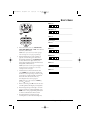
3. Press DEV SET once. The Device Setup
programming screen will appear (as shown on
the next page):
8
Adjusting Brightness/Programming Device Control
OFA Kamel 8 UG E/Fr rev
8/15/03
10:18 AM
Page 9
USER’S GUIDE
AUX Code:
Device Type:_______________________
CBL/SAT Code:
Device Type:_______________________
CD Code:
Device Type:_______________________
TV Code:
4. Press a device key once (i.e., AUX, CBL/SAT,
CD, TV, DVD, AUDIO, VCR, or PVR). The selected
device key will animate.
NOTE: Please refer to the Device Table on page 7
when choosing a device key for programming.
5. Use the Manufacturer’s Codes (starting on
page 73) to locate the type of device and
brand name and then use the Number Keys
to enter the first four-digit code for your
device. If performed correctly, the bottom two
IR segments will flash twice.
NOTE: If the bottom two IR segments displayed one
long flash instead, a mistake has occurred. Try
entering the same code again.
DVD Code:
Device Type:_______________________
AUDIO Code:
Device Type:_______________________
VCR Code:
Device Type:_______________________
PVR Code:
6. Aim the remote control at the device and
press POWER once. The device should turn
off. If it does not, repeat steps 5 and 6, trying
each code for your brand until you find one
that works. If it still doesn’t work, try
Searching For Your Code on page 11.
NOTE: If the device does not have a POWER key,
press the (Play) key.
7. If the code works, press OK once. The two bottom IR segments will display one long flash.
8. If desired, repeat steps 4 through 7 for each
device you want to control. If finished, press
HOME twice to exit programming and return
to the last-selected device menu screen.
9. For future reference, write down each
working device code in the following boxes:
Programming Device Control
9
OFA Kamel 8 UG E/Fr rev
8/15/03
10:18 AM
Page 10
KAMELEON 8-DEVICE REMOTE
PROGRAMMING DVD PLAYER/
VCR COMBO CONTROL
NOTE: If the two bottom IR segments displayed
one long flash instead, an error has occurred.
Try entering the same code again.
1. Turn on the DVD Player/VCR Combo and
insert a DVD.
6. Aim the remote control at the device and press
POWER once. The device should turn off.
NOTE: Please read steps 2 through 10 completely
before proceeding. Before starting step 2, review
the “Setup Codes For DVD Player/VCR Combos” (on
page 75). Brands are listed alphabetically in order of
most popular codes first. Highlight or write down
the devices and the codes you wish to program.
2. Press and hold SETUP until the two bottom
IR segments flash twice. The Program Keys
will appear as SETUP flashes repeatedly:
7. If the code works, press OK once. The two bottom IR segments will display one long flash.
8. (Optional) If you’ve located a setup code that
works, but it also has a separate VCR code as
listed on page 75, you’ll also need to program it
into the remote control to access VCR controls
as follows:
a. Press VCR once.
b. Using the Number Keys, enter the fourdigit VCR code for your DVD Player/VCR
Combo. If performed correctly, the
two bottom IR segments will flash twice.
c. Press OK once. The two bottom IR
segments will display one long flash.
3. Press DEV SET once.The Device Setup
programming screen will appear:
NOTE: If a separate VCR setup code is not listed,
you can use the VCR key to program a separate VCR
device or another device (see “Reassigning Device
Keys” on page 20).
9. To exit programming, press HOME twice. The
display will return to the last-selected device
menu screen.
10. For future reference, write down the working
DVD Player/VCR Combo code in the below
boxes:
DVD Player/VCR Code:
VCR Code (if used):
4. Press DVD once. The key will animate.
5. Use the Setup Codes For DVD Player/VCR
Combos (on page 75) to locate the brand
name and then use the Number Keys to enter
the first four-digit code for your device.
If performed correctly, the two bottom
IR segments will flash twice.
10 Programming DVD Player/VCR Combo Control
OFA Kamel 8 UG E/Fr rev
8/15/03
10:18 AM
Page 11
USER’S GUIDE
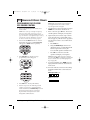
SEARCHING FOR YOUR CODE
5. Aim the remote control at the device (e.g., TV),
press ▲ one or more times, and stop when a
working code performs the test function
selected in step 4. If desired, use ▼ to try a
previous code.
If your device does not respond to the remote
control after trying all codes listed for your
brand, or if your brand is not listed at all, try
searching for your code.
NOTE: In the search mode, the remote control will
send IR codes from its library to the selected device,
starting with the most popular code first.
NOTE: Before performing a code search for a CD or
DVD player or a VCR, turn on the device and insert
the required media.
6. To lock in the code, press OK once. The two
bottom IR segments flash twice.
For example, to search for a code for your TV:
1. Press and hold SETUP until the two bottom
IR segments flash twice. The Program Keys
will appear as SETUP flashes repeatedly:
7. To search for codes of your other devices,
repeat steps 3 to 6, but use the appropriate
device key and test function key for the device
you are searching for.
8. To exit programming, press HOME twice. The
display will return to the last-selected device
menu screen.
CHECKING THE CODES
2. Press SEARCH once.The Search Codes
programming screen will appear:
If you have set up the remote control using the
Searching For Your Code procedure (on the left),
you may need to find out which four-digit code
is operating your equipment. For example, to
find out which code is operating your TV:
1. Press and hold SETUP until the two bottom
IR segments flash twice. The Program Keys
will appear as SETUP flashes repeatedly:
3. Press a device key once (e.g., TV). The selected
device key will animate.The device’s Main
Menu screen will appear with the HOME key
still displayed.
continued on next page...
4. Press POWER once to select it as the search
test function. The Search Programming screen
will appear again.
NOTE: With POWER as the search test function, a
“Power On” IR command will be sent to the device
each time a test code is sent. As a confirmation, the
IR segments will display an outgoing animation.
NOTE: If your device or its original remote control
does not have a Power key, select a different test
function in this step (e.g., CH+, VOL+, Play, etc).
Searching For Your Code/Checking The Codes 11
OFA Kamel 8 UG E/Fr rev
8/15/03
10:18 AM
Page 12
KAMELEON 8-DEVICE REMOTE
CHECKING THE CODES (cont’d)
USING THE HOME THEATER MODE
2. Press OTHER once.The Other programming
screen will appear:
The OFA Kameleon 8-Device Remote includes a
custom Home Theater mode. After the Home
Theater key is programmed, it will allow you to
access four groups of remote control keys
without having to change device modes.
CONTROL ORGANIZATION
ABOUT CONTROL GROUPS
For Home Theater programming, the remote
control’s keys are grouped by type of control
into the following four control groups:
Video Playback Group:
Transport Controls
(Rewind,Play,Fast
Forward,Stop,
Pause,Record,
Skip Forward,
Skip Back),and
LIVE TV
Volume Controls Group:
VOL+, VOL-, and
MUTE
Channel Controls Group:
CH+, CH-, INPUT,
Keypad (0 ~ 9),
FAV, ENTER, and LAST
Menu Controls Group:
Cursor Controls
(Up, Down, Left, and
Right), OK, PAGE+,
PAGE-, MENU, INFO,
GUIDE, and EXIT
3. Using the Number Keys, enter 9 9 0. The
bottom two IR segments will flash twice.
4. Press a desired device key once (i.e., AUX,
CBL/SAT, CD, TV, DVD, AUDIO, VCR, or PVR).
The selected device key will animate.
5. To view the code for the first digit, press 1
once. Count the number of times the two
bottom IR segments flash (e.g., three flashes
= 3) and write down the number in leftmost
box in the TV code boxes on page 9.
NOTE: If a code digit is “0”, the two bottom IR
segments will not flash.
6. Repeat step 5 three more times for remaining
digits. Use 2 for the second digit, 3 for the
third digit, and 4 for the fourth digit.Write
down the code digits in the remaining TV
code boxes on page 9.
NOTE: If you enter an invalid number (e.g., 7) or
key (e.g., Play), the two bottom IR segments will
display one long flash and return to the “Other”
programming screen. Start again with step 2 above.
7. To check for codes of other devices, repeat
steps 4 to 6, but substitute the appropriate
device key for each device you are checking.
Write down the device’s code digits in the
appropriate code boxes on page 9.
ABOUT DEVICE MODES
Moreover, the above Control Groups can be used
in the following modes:
Video Playback Group:
AUDIO, AUX, CBL/SAT,
CD, DVD, PVR, and
VCR
Volume Controls Group:
AUDIO, AUX, CBL/SAT,
CD, DVD, PVR, TV, and
VCR
Channel Controls Group:
AUX, CBL/SAT, DVD,
PVR, TV, and VCR
Menu Controls Group:
AUDIO, AUX, CBL/SAT,
CD, DVD, PVR, TV, and
VCR
8. To exit programming, press HOME twice. The
display will return to the last-selected device
menu screen.
12 Checking The Codes/Using The Home Theater Mode
OFA Kamel 8 UG E/Fr rev
8/15/03
10:18 AM
Page 13
USER’S GUIDE
FACTORY DEFAULT SETTINGS
At the factory, the Control Groups are assigned
the following modes as default settings:
Video Playback Group:
DVD
Volume Controls Group:
AUDIO
Channel Controls Group:
CBL/SAT
Menu Controls Group:
CBL/SAT
4. To assign a mode to the Video Playback group,
press a device key once (i.e., AUX, CBL/SAT,
CD, TV, DVD, AUDIO, VCR, or PVR). Then the
Volume Controls programming screen will appear:
If the default settings fit your needs, you can
skip programming this mode. Otherwise, perform the steps in the following section to assign
device modes to the Control Groups.
PROGRAMMING THE HOME THEATER MODE
1. Press any device key once (i.e., AUX, CBL/SAT,
CD, TV, DVD, AUDIO, VCR, or PVR). The selected
device key will animate.
2. Press and hold SETUP until the two bottom
IR segments flash twice. The Program Keys
will appear as SETUP flashes repeatedly:
NOTE: If a device key is animated, it is assigned to
this function group. To continue programming the
Home Theater mode, you must select a device key,
even if it is the same one that is currently animated.
5. To assign a mode to the Volume Controls group,
press a device key once. Then the Channel
Controls programming screen will appear:
3. Press THEATER once.The Video Playback
programming screen will appear:
NOTE: If a device key is animated, it is assigned to
this function group. To continue programming the
Home Theater mode, you must select a device key,
even if it is the same one that is currently animated.
continued on next page...
NOTE: If a device key is animated, it is assigned to
this function group. To continue programming the
Home Theater mode, you must select a device key,
even if it is the same one that is currently animated.
Using The Home Theater Mode 13
OFA Kamel 8 UG E/Fr rev
8/15/03
10:18 AM
Page 14
KAMELEON 8-DEVICE REMOTE
USING THE HOME THEATER MODE
PROGRAMMING THE HOME THEATER MODE
(CONTINUED)
6. To assign a mode to the Channel Controls
group,press a device key once. Then the Menu
Controls programming screen will appear:
LOCKING VOLUME CONTROL TO ONE MODE
(GLOBAL VOLUME LOCK)
1. Press and hold SETUP until the two bottom
IR segments flash twice. The Program Keys
will appear as SETUP flashes repeatedly:
2. Press VOL once. The Volume Lock
programming screen will appear:
NOTE: If a device key is animated, it is assigned to
this function group. To continue programming the
Home Theater mode, you must select a device key,
even if it is the same one that is currently animated.
7. To assign a mode to the Menu Controls group,
press a device key once. Since Home Theater
programming is now complete, the Program
Keys will appear again.
8. To exit programming, press HOME once. The
display will return to the last-selected device
menu screen.
CHANGING VOLUME LOCK
The OFA Kameleon 8-Device Remote is set at the
factory for independent volume control of each
selected device.
3. Press a device key once (i.e., AUX, CBL/SAT,
CD, TV, DVD, AUDIO, VCR, or PVR) where you
want the volume controls locked to. The two
bottom IR segments will flash twice and the
Program Keys will appear again.
4. To exit programming, press HOME once. The
display will return to the last-selected device
menu screen.
5. Now, when you press VOL ▲, VOL▼, or MUTE,
the selected device’s volume will be controlled, regardless of the mode selected.
However, you may change the Volume Lock
setting to Global Volume Lock so that a device’s
volume will be locked to one mode (e.g., to
control TV volume in all other modes). After
that, if desired, you can perform Individual
Volume Unlock on a selected device to set its
volume control for independent operation.
14 Using The Home Theater Mode/Changing Volume Lock
OFA Kamel 8 UG E/Fr rev
8/15/03
10:18 AM
Page 15
USER’S GUIDE
UNLOCKING VOLUME CONTROL FOR A SINGLE
DEVICE (INDIVIDUAL VOLUME UNLOCK)
UNLOCKING ALL VOLUME CONTROL
(RESTORING DEFAULT SETTING)
1. Press and hold SETUP until the two bottom
IR segments flash twice. The Program Keys
will appear as SETUP flashes repeatedly:
1. Press and hold SETUP until the two bottom
IR segments flash twice. The Program Keys
will appear as SETUP flashes repeatedly:
2. Press VOL once. The Volume Lock
programming screen will appear:
2. Press VOL once. The Volume Lock
programming screen will appear:
3. Press VOL▼ once. Then press a device key
once (i.e., AUX, CBL/SAT, CD, TV, DVD, AUDIO,
VCR, or PVR) where you want the volume
controls unlocked. The two bottom IR segments will flash four times and the Program
Keys will appear again.
3. Press VOL ▲ once. The two bottom IR
segments will flash four times and the
Program Keys will appear again.
NOTE: The programming mode is still active as
denoted by the flashing SETUP key. If desired, use the
other Program Keys to continue programming (see
Table of Contents on page 2 for related sections).
4. To exit programming, press HOME once. The
display will return to the last-selected device
menu screen.
5. Volume will again be independently
controlled according to its default states
for all programmed devices.
4. If desired, repeat steps 2 through 3 (of this
section) for each device that you want volume
to be unlocked.
5. To exit programming, press HOME once. The
display will return to the last-selected device
menu screen.
6. Now, after you select a device that has
volume unlocked, pressing VOL ▲, VOL▼, or
MUTE will control the device’s volume only in
its own mode.
Changing Volume Lock 15
OFA Kamel 8 UG E/Fr rev
8/15/03
10:18 AM
Page 16
KAMELEON 8-DEVICE REMOTE
USING MACROS
The OFA Kameleon 8-Device Remote includes
five Macro Keys, M1 through M4 and POWER.
Each one can be set up to perform a repetitive,
time-consuming operation with the press of a
single key.
NOTE: A macro programmed onto the POWER key can
only be accessed in the Home Theater mode. Pressing it
in any other mode will only send a “Power On/Off”
IR command to the selected device.
A macro can be used to control a home theater
operation, to set a favorite channel, or for other
multiple functions you would like to control
with one key press. Moreover, each Macro Key
can hold up to 15 key presses total.
NOTE: Programming a new macro over an existing
one will erase the original macro.
PROGRAMMING A FAVORITE CHANNEL MACRO
With so many channels available on your cable
or satellite system, you can program a macro
that directly selects a favorite channel with one
key press.
For example, let’s assume your favorite cable
programs are on channel 71. Use the following
instructions to program a macro for direct access
of this channel:
NOTE: The following example assumes all equipment
is turned off and that the TV is connected through the
Cable Box with TV tuning set to channel 3.
1. Press and hold SETUP until the two bottom
IR segments flash twice. The Program Keys
will appear as SETUP flashes repeatedly:
3. Press an open Macro Key (e.g., M1, M2, M3,
or M4). The last-selected device menu screen,
including HOME, will be displayed.
4. Enter a desired macro sequence of up to 15
key presses. For this example, press TV once,
followed by POWER once, and then enter 0 3
for the TV’s channel number. Next, press
CBL/SAT once, followed by POWER once,
and then enter 0 7 1 for the Cable Box’s
channel number.
NOTE: If there are more than 15 key presses in the
sequence, the bottom IR segments will display a
long flash denoting an error. The display will return
to the last-selected device menu screen. To program
the macro, start again with step 3.
5. To save the macro, press and hold SETUP until
the two bottom IR segments flash twice. The
Program Keys will appear again.
6. Exit programming by pressing HOME once.
The display will return to the last-selected
device menu screen.
7. Now, if you aim the remote control at the
devices selected in step 4 and press the
programmed Macro Key once, the TV will
turn on and tune to channel 3. Then, the Cable
Box will turn on, and tune to channel 071.
PROGRAMMING A MASTER POWER MACRO IN
THE HOME THEATER MODE
2. Press MACRO once. The Macro programming
screen will appear (as shown above right):
16 Using Macros
A macro can be programmed onto the POWER
key to turn on or off as many as seven Home
Theater devices.
NOTE: This following example assumes the Home
Theater system contains a Satellite Receiver, a DVD
Player, an Audio Receiver, and a TV.
OFA Kamel 8 UG E/Fr rev
8/15/03
10:18 AM
Page 17
USER’S GUIDE
1. Press and hold SETUP until the two bottom
IR segments flash twice. The Program Keys
will appear as SETUP flashes repeatedly:
2. Press MACRO once. The Macro programming
screen will appear:
3. Press POWER once.The last-selected
device menu screen, including HOME,
will be displayed.
4. Enter the macro sequence. For this example,
press CBL/SAT once, followed by POWER once.
Next, press DVD once, followed by POWER
once. Then press AUDIO once, followed by
POWER once. Finally, press TV once, followed
by POWER once.
5. To save the power macro, press and hold
SETUP until the two bottom IR segments flash
twice. The Program Keys will appear again.
CLEARING A MACRO
1. Press and hold SETUP until the two bottom
IR segments flash twice. The Program Keys
will appear as SETUP flashes repeatedly.:
2. Press MACRO once. The Macro programming
screen will appear:
3. Select the Macro Key to be cleared and press
it once. The last-selected device menu screen
will be displayed.
4. Press and hold SETUP until the two bottom IR
segments flash twice. The Program Keys will
appear again.
5. To exit programming, press HOME once. The
display will return to the last-selected device
menu screen.
6. Exit programming by pressing HOME once.
The display will return to the last-selected
device menu screen.
7. To test the power macro, first make sure all
home theater devices selected in step 4 are
turned on.Aim the remote control at the
devices and press the Home Theater key once,
followed by POWER once. The devices should
turn off in this order: Satellite Receiver, DVD
Player,Audio Receiver, and TV.
To turn on the devices on again in the same
order as above, press POWER once.
Using Macros 17
OFA Kamel 8 UG E/Fr rev
8/15/03
10:18 AM
Page 18
KAMELEON 8-DEVICE REMOTE
USING LEARNING
The OFA Kameleon 8-Device Remote includes a
Learning feature so you can add functions that
are unique to your home entertainment devices
(e.g., VCR Tracking Up or Down). However,
there are some considerations:
LEARNING PRECAUTIONS
•
Your original remote controls must be in
working order for learning to work properly.
•
Learned keys are mode specific, so each one
can store a unique function for each mode.
•
Learned keys can be used in macros (see
Using Macros on page 16).
•
Do not use the following keys for learning:
Device Keys, M1~M4, SETUP, FAV, SCROLL,
PRESET, PVR VOD, or Record (•) Key.
•
Learning capacity is approximately 16 to 25
keys, depending on the code being learned.
•
If both learned and keymoved functions
are assigned to the same key, the last
programmed function will be stored.
•
A learned function cannot be used as a
source for Keymover (see Using Keymover on
page 20).
•
Certain device codes are not learnable
including multi-frequency types, some high
frequency ones, and other unusual formats.
•
For optimum learning, avoid high levels of
ambient light such as natural sunlight or
energy-efficient fluorescent lights.
NOTE: Please have your original remote controls
handy before programming learning. Be sure to press
each teaching key within 5 seconds of the previous
entry. Otherwise, the OFA Kameleon 8-Device Remote
will exit the programming mode.
PROGRAMMING A LEARNING KEY
1. Press and hold SETUP until the two bottom
IR segments flash twice. The Program Keys
will appear (as shown above right) as SETUP
flashes repeatedly.
2. Press IR LRN once. The IR Learn
programming screen will appear:
3. Press a device key once (i.e., AUX, CBL/SAT,
CD, TV, DVD, AUDIO, VCR, or PVR) to assign a
mode for learning. The selected device menu
screen, including HOME, will be displayed.
4. Place the OFA Kameleon 8-Device Remote
head-to-head (about 2" apart) from your
original remote control.Also locate the key
(on your original remote control) that will
serve as the teaching function.
2"
5. On the OFA Kameleon 8-Device Remote,
select and press a desired key where the
learned function will be stored. The IR
segments will display an incoming
animation, continue for three revolutions,
and then the entire display will turn off.
After the display is off, press and hold the
teaching key (on your original remote control)
until the display (on the OFA Kameleon
8-Device Remote) turns on again.The two
bottom IR segments will flash twice when the
code is successfully captured.
NOTE: If the two bottom IR segments display one long
flash, a learning error has occurred. Try repeating this
step again until a successful capture occurs.
18 Using Learning
OFA Kamel 8 UG E/Fr rev
8/15/03
10:18 AM
Page 19
USER’S GUIDE
If the function is still not captured, press HOME twice
to exit programming and review the “Learning
Precautions”on the previous page. If needed, also see
“Troubleshooting”on page 31. After review, start
programming again at step 1.
6. To learn other functions, repeat steps 3
through 5 as desired.
DELETING ALL LEARNED KEYS IN A
SPECIFIC MODE
1. Press and hold SETUP until the two bottom
IR segments flash twice. The Program Keys
will appear as SETUP flashes repeatedly.
7. To exit programming, press HOME twice. The
display will return to the last-selected device
menu screen.
DELETING A SINGLE LEARNED KEY
1. Press and hold SETUP until the two bottom
IR segments flash twice. The Program Keys
will appear as SETUP flashes repeatedly.
2. Press IR DEL once. The IR Delete
programming screen will appear:
2. Press IR DEL once. The IR Delete
programming screen will appear:
3. Press a device key once (i.e., AUX, CBL/SAT, CD,
TV, DVD, AUDIO, VCR, or PVR) for the mode
where the learned keys to be deleted reside.
The selected device menu screen, including
HOME, will be displayed.
4. Press the same device key (as in step 3) once.
Upon deletion, the two bottom IR segments
will flash twice as confirmation. The Program
Keys will appear again.
3. Press a device key once (i.e., AUX, CBL/SAT,
CD, TV, DVD, AUDIO, VCR, or PVR) for the mode
where the learned key to be deleted resides.
The selected device menu screen, including
HOME, will be displayed.
5. If desired, repeat steps 2 through 4 to delete
other learned keys from another mode.
6. Exit programming by pressing HOME once.
The display will return to the last-selected
device menu screen.
4. Press the learned key to be deleted twice.
Upon deletion, the two bottom IR segments
will flash twice as confirmation. The Program
Keys will appear again.
5. If desired, repeat steps 2 through 4 to delete
another learned key.
6. Exit programming by pressing HOME once.
The display will return to the last-selected
device menu screen.
Using Learning 19
OFA Kamel 8 UG E/Fr rev
8/15/03
10:18 AM
Page 20
KAMELEON 8-DEVICE REMOTE
REASSIGNING DEVICE KEYS
USING KEYMOVER
The OFA Kameleon 8-Device Remote can be set
to control a second device. For example, to control a TV, a cable box, and two DVD players, you
can reassign the unused AUX key to operate the
second DVD player as follows:
The OFA Kameleon 8-Device Remote includes a
Keymover feature that allows you to map (or
copy) keys from one mode (i.e., source mode) to
another mode (i.e., destination mode).
1. Press and hold SETUP until the two bottom
IR segments flash twice. The Program Keys
will appear as SETUP flashes repeatedly.
NOTE: Do not use any of the Device Keys as a source
or destination key. Also, do not use POWER as a
destination key.
PROGRAMMING KEYMOVER
For example, if your DVD player does not have
volume control, you can map those keys (i.e.,
VOL▲, VOL▼, and MUTE) from the TV mode to
DVD mode as follows:
2. Press MODE once. The Mode Mover
programming screen will appear:
1. Press and hold SETUP until the two bottom
IR segments flash twice. The Program Keys
will appear as SETUP flashes repeatedly.
2. Press OTHER once.The Other programming
screen will appear:
3. For the source mode, press a device key once
(i.e., AUX, CBL/SAT, CD, TV, DVD, AUDIO, VCR,
or PVR). For this example, press DVD once.
The selected device menu screen, including
HOME, will be displayed.
NOTE: Only one device can be assigned to an
unused device key at a time.
4. For the destination mode, press a device key
once (i.e., AUX, CBL/SAT, CD, TV, DVD, AUDIO,
VCR, or PVR). For this example, press AUX
once. Upon reassignment, the two bottom IR
segments will flash twice as confirmation.
The Program Keys will appear again.
5. For this example, the AUX key is now ready to
be set up to control your second DVD player.
See Programming Device Control on page 8.
If desired, repeat steps 2 to 4 to reassign
another device.
6. Exit programming by pressing HOME once.
The display will return to the last-selected
device menu screen.
20 Reassigning Device Keys/Using Keymover
3. Using the Number Keys, enter 9 9 4. The two
bottom IR segments will flash twice.
4. For the source mode, press a desired device
key once (i.e., AUX, CBL/SAT, CD, TV, DVD,
AUDIO, VCR, or PVR). For this example, press
TV once. The selected source device menu
screen, including HOME, will be displayed.
OFA Kamel 8 UG E/Fr rev
8/15/03
10:18 AM
Page 21
USER’S GUIDE
5. For the source key, press a key to be moved
once. For this example press VOL ▲ once.
6. For the destination mode, press a desired
device key once (i.e., AUX, CBL/SAT, CD, TV,
DVD, AUDIO, VCR, or PVR). For this example,
press DVD once. The selected destination
device menu screen, including HOME, will
be displayed.
7. For the destination key, press a key to be
moved once. For this example press VOL▲
once. Upon keymoving, the two bottom IR
segments will flash twice as confirmation.
The Program Keys will appear again.
8. Repeat steps 2 through 7 two more times to
map the remaining volume control keys,
substituting VOL▼ and MUTE as source and
destination keys in steps 5 and 7.
9. Exit programming by pressing HOME once.
The display will return to the last-selected
device menu screen.
Upon completion of the above procedure, you
can now use your OFA Kameleon 8-Device
Remote to control the TV’s volume and mute in
the DVD mode, as well as in the TV mode.
RESTORING A SINGLE KEYMOVED KEY
1. Press and hold SETUP until the two bottom
IR segments flash twice. The Program Keys
will appear as SETUP flashes repeatedly.
3. Using the Number Keys, enter 9 9 4. The two
bottom IR segments will flash twice.
4. Press the destination mode once where the
keymoved key is stored. Then press the
destination key twice. Upon key restoration,
the two bottom IR segments will flash twice
as confirmation. The Program Keys will
appear again.
5. If desired, repeat steps 1 and 2 to restore
another key.
6. Exit programming by pressing HOME once.
The display will return to the last-selected
device menu screen.
RESTORING ALL KEYMOVED KEYS IN A
SINGLE MODE
1. Perform steps 1 through 3 of Programming
Keymover on the previous page.
2. Press the destination mode once where the
keymoved key is stored. Then press OTHER
once.The Other programming screen will appear
(as shown above right):
2. Press the destination mode twice where
the keymoved keys are stored. Upon key
restoration, the two bottom IR segments will
flash twice as confirmation. The Program
Keys will appear again.
3. Exit programming by pressing HOME once.
The display will return to the last-selected
device menu screen.
Using Keymover 21
OFA Kamel 8 UG E/Fr rev
8/15/03
10:18 AM
Page 22
KAMELEON 8-DEVICE REMOTE
USING CHANNEL SCAN
In the AUX, CBL/SAT, or TV mode, use the FAV
key to start a 3-second scan of all channels.
If programmed, use the FAV key to scan only
your favorite channels to view a desired channel
(see Programming Favorite Channel Scan below).
1. Press AUX, CBL/SAT, or TV once. The two
bottom IR segments flash once.
2. Press FAV once. The IR segments will display
outgoing animation as each channel
is changed.
•
If Favorite Channel Scan has been set up,
scanning of favorite channels will start
and cycle through stored channels for
3 minutes or until stopped by pressing
any key.
•
If Favorite Channel Scan has not been set
up, scanning will start with the current
channel, then proceed to the next channel
up and cycle through all channels for
3 minutes or until stopped by pressing
any key.
2. Select a Favorite Channel Mode by pressing
AUX, CBL/SAT, or TV once. The two bottom IR
segments flash once as the selected device
key animates.
3. Press OTHER once.The Other programming
screen will appear:
3. To stop scanning channels at any time, press
any key once.
PROGRAMMING
FAVORITE CHANNEL SCAN
In the AUX, CBL/SAT, or TV mode, you can store
a list of up to 10 favorite channels, in any order,
that will be immediately scanned when FAV is
pressed (see Using Channel Scan above).
NOTE: Favorite channels can only be programmed
for one mode. After programming, if FAV is pressed
while in another mode, the remote control will start a
normal channel scan instead (if applicable to the
selected device).
1. Press and hold SETUP until the two bottom
IR segments flash twice. The Program Keys
will appear (as shown above right) and SETUP
flashes repeatedly.
4. Using the Number Keys, enter 9 9 6. The two
bottom IR segments will flash twice and
display the Favorite Channel programming
screen.
NOTE: If the the two bottom IR segments display
one long flash, an error has occurred. Try repeating
this step.
5. Using the Number Keys, enter a favorite
channel number (e.g., 0 1 2). Then press
SETUP once. The two bottom IR segments will
flash three times confirming your entry.
NOTE: If the original remote control required
pressing an Enter key to change the channel, also
press the ENTER key after the channel number
(e.g., 0 1 2 ENTER).
6. If desired, repeat step 5 for each channel to be
stored, up to a total of 10 channels.
NOTE: After storing 10 channels, the remote control
will exit the Favorite Channel programming screen
and again display the Program Keys.
22 Using Channel Scan/Programming Favorite Channel Scan
OFA Kamel 8 UG E/Fr rev
8/15/03
10:18 AM
Page 23
USER’S GUIDE
7. To exit programming with less than 10 favorite
channels stored, press and hold SETUP until
the two bottom IR segments flash twice and
then press HOME once. The display will return
to the last-selected device menu screen.
3. Using the Number Keys, enter 9 7 7. The two
bottom IR segments will flash twice, pause,
and flash twice again to confirm the unit has
been restored to factory default settings.
4. Exit programming by pressing HOME once.
The display will return to the last-selected
device menu screen.
RESTORING FACTORY
DEFAULT SETTINGS
The OFA Kameleon 8-Device Remote includes a
Setup Code Reset program.You can use it to
restore all your programmed codes to factory
settings and delete all custom programming.
IMPORTANT: Executing this program will erase
all code settings and all custom settings for Home
Theater, Macros, Learned Keys, Reassigned Device
Keys, Keymoved Keys, Favorite Channels, and all
device settings.
1. Press and hold SETUP until the two bottom
IR segments flash twice. The Program Keys
will appear as SETUP flashes repeatedly.
2. Press OTHER once.The Other programming
screen will appear:
CLEARING ALL
CUSTOM PROGRAMMING
The OFA Kameleon 8-Device Remote contains a
Custom Programming Reset program.You can use
it to remove all custom programming, except
your setup codes and reassigned device keys.
IMPORTANT: Executing this program will erase all
custom settings for Home Theater, Macros, Learned
Keys, Keymoved Keys, and Favorite Channels.
1. Press and hold SETUP until the two bottom
IR segments flash twice. The Program Keys
will appear as SETUP flashes repeatedly.
2. Press OTHER once.The Other programming
screen will appear.
3. Using the Number Keys, enter 9 8 0. The two
bottom IR segments will flash twice, pause,
and flash twice again to confirm the unit has
been restored to factory default settings.
4. Exit programming by pressing HOME once.
The display will return to the last-selected
device menu screen.
Restoring Factory Default Settings/Clearing All Custom Programming 23
OFA Kamel 8 UG E/Fr rev
8/15/03
10:18 AM
Page 24
KAMELEON 8-DEVICE REMOTE
ABOUT UPGRADING
Your OFA Kameleon 8-Device Remote has
the largest infrared code library available and
contains a unique feature that allows new codes
to be added to its memory over the phone. In a
matter of seconds, your OFA Kameleon 8-Device
Remote will quickly and reliably record the new
information without complex plugs, adapters,
or attachments.
3. After your OFA Kameleon 8-Device Remote
has been successfully upgraded by telephone,
stay on the line. Our customer service agent
will ensure that your unit is working properly
with your device(s) and answer any other
questions you may have.
UPGRADE EXCLUSIONS
•
This means that as you buy new products in the
future, the OFA Kameleon 8-Device Remote will
never become obsolete. Simply call our
consumer help-line, and one of our customer
service representatives will assist you through
the entire process of upgrading your OFA
Kameleon 8-Device Remote.
Home entertainment or home automation
devices controlled by radio frequency
(RF/UHF), wired, or ultrasonic remote
controls. Only devices controlled by infrared
remote controls are covered.
•
Home entertainment or home automation
devices not controlled by remote controls.
•
Broken or defective product.
Consumer Help-Line: (330) 405-8620
•
Products that operate over 100 kHz.
NOTE: Universal Electronics reserves the right to
replace a returned remote control with a new one of
equal or superior functionality.
•
Infrared keyboards and infrared pointing
devices (such as mouse substitutes).
•
All products for sale and/or use outside the
continental United States, Hawaii, Alaska,
or Canada.
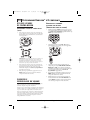
UPGRADE PROCEDURE
1. Call our Consumer Help-Line at:
(330) 405-8620 on any business day,
between 9 AM and 5:30 PM, EST.
2. Our customer service agent will ask for
and record the brand name(s) and model
number(s) of your device(s). Then the agent
will lead you through the upgrade procedure
by asking you to place your telephone’s
speaker next to the CH keys on the OFA
Kameleon 8-Device Remote (as shown below).
NOTE: Only use a land-line phone for the upgrade
procedure. Do not use a mobile phone, because it
will not transmit the signals correctly.
In a matter of seconds, new setup codes
for your device(s) will be transmitted
through the telephone and stored in your
OFA Kameleon 8-Device Remote.
24 About Upgrading
OFA Kamel 8 UG E/Fr rev
8/15/03
10:18 AM
Page 25
USER’S GUIDE
TROUBLESHOOTING
PROBLEM:
No display at all times.
SOLUTION:
Replace batteries with four new
AAA alkaline batteries.
PROBLEM:
No display when programming.
SOLUTION:
Display has turned off due to
inactivity. Start programming
again and do not pause while
performing instructions.
PROBLEM:
During programming, the two
bottom IR segments display a
long flash.
PROBLEM:
Favorite channel function does
not work properly.
SOLUTION:
Some devices (e.g., Cable Boxes
or Satellite Receivers) use twodigit channel numbers. During
programming, press ENTER or
OK once after entering a channel
number (e.g., 0 2 ENTER for
channel 2). See Programming
Favorite Channel Scan on page 22.
PROBLEM:
Changing channels does not
work properly.
SOLUTION:
If the original remote control
required pressing ENTER to
change channels, then press
ENTER on the remote control
after entering channel numbers.
SOLUTION:
An invalid entry has occurred.
Check the keys to be pressed
and start program again.
PROBLEM:
How do I stop programming?
PROBLEM:
No remote control of volume.
SOLUTION:
Press HOME once to return to the
Program Keys screen. Press HOME
once more to exit completely.
SOLUTION:
See Changing Volume Lock on
page 14 to lock/unlock volume.
PROBLEM:
PROBLEM:
The unit does not control home
entertainment devices or commands are not working properly.
Two bottom IR segments flash
when a key is pressed, but home
entertainment device does
not respond.
SOLUTION:
Try all listed codes for the device
brands being set up. Make sure
they can be operated with an
infrared remote control.
SOLUTION:
Make sure the remote control
is aimed at your home
entertainment device and is
not farther than 15 feet away.
PROBLEM:
Tried Searching For Your Code
method and still could not find a
working code.
PROBLEM:
CH▲ and CH▼ do not work for
your RCA TV.
SOLUTION:
SOLUTION:
Perform Restoring Factory
Default Settings on page 23. Then
repeat Searching For Your Code
on page 11.
Due to RCA design (1983-1987),
only the original remote control
will operate these functions.
PROBLEM:
Pressing SCROLL one or times in
CD, DVD, PVR or Home Theater
mode does not display a
secondary menu screen.
SOLUTION:
Even though SCROLL is displayed
for these modes, there are no
additional menu screens.
PROBLEM:
Cannot program a macro onto
M1~ M4 or POWER keys.
SOLUTION :
Make sure the total number of
key presses being programmed is
less than 15.
PROBLEM :
Power macro does not execute.
SOLUTION :
First, press the Home Theater key
once, then press POWER once.
Troubleshooting 25
OFA Kamel 8 UG E/Fr rev
8/15/03
10:18 AM
Page 26
KAMELEON 8-DEVICE REMOTE
DEVICE MENU SCREENS
PROGRAMMING MAIN MENU
AUDIO MAIN MENU
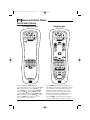
Pressing and holding SETUP displays the
Programming Main Menu screen.Use the Program
Keys to program device control (DEV SET),code
search (SEARCH),home theater mode (THEATER),
volume lock (VOL ),macros (MACRO),display
brightness ( ),function learning (IR LRN and IR
DEL),device key reassignment (MODE ),or other
functions (OTHER).See the Table of Contents on
page 2 to locate a section of interest.
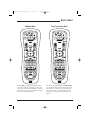
Pressing AUDIO once displays the AUDIO Main
Menu screen.After device programming, use these
keys to remotely control your Audio Receiver’s or
Amplifier’s volume and stations, select source
inputs, operate transport functions on a built-in
CD player (or DVD player, if HTIB device), and
access menu, surround, or preset functions.
26 Device Menu Screens
Pressing SCROLL one or more times will display
secondary AUDIO menus (see next two pages).
OFA Kamel 8 UG E/Fr rev
8/15/03
10:18 AM
Page 27
USER’S GUIDE
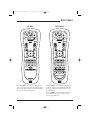
AUDIO SURROUND MENU
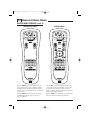
Pressing SCROLL once (on the AUDIO Main Menu,
as shown on the previous page, right side)
displays the AUDIO Surround Menu screen. Use
these keys to remotely control your Audio
Receiver’s or Amplifier’s volume, stations, and
surround functions.
AUDIO MENU
Pressing SCROLL once (on the AUDIO Surround
Menu,as shown on the left) displays the AUDIO
Menu screen.Use these keys to remotely control
your Audio Receiver’s or Amplifier’s volume,
stations,and surround functions.
Device Menu Screens 27
OFA Kamel 8 UG E/Fr rev
8/15/03
10:18 AM
Page 28
KAMELEON 8-DEVICE REMOTE
DEVICE MENU SCREENS (cont’d)
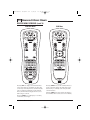
AUDIO PRESETS MENU
AUX MAIN MENU
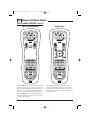
Pressing SCROLL once (on the AUDIO Menu,as
shown on the previous page,right side),displays
the AUDIO Presets Menu screen.Use these keys to
remotely access your Audio Receiver’s or Amplifier’s
preset stations.
Pressing AUX once displays the AUX Main Menu
screen.After device programming, use these keys
to remotely control all your device’s common
features, such as volume and channels, and menu,
guide, and navigation functions.
Pressing SCROLL once more returns the display to
the AUDIO Main Menu screen (as shown on
page 26,right side).
Pressing SCROLL once will display a secondary AUX
menu (on shown on the next page,left side).
28 Device Menu Screens
OFA Kamel 8 UG E/Fr rev
8/15/03
10:18 AM
Page 29
USER’S GUIDE
AUX PVR/VOD MENU
CBL/SAT MAIN MENU
Pressing SCROLL once (on the AUX Main Menu,as
shown on previous page,right side) displays the
AUX PVR/VOD Menu screen.Use these keys to
remotely control all your device’s VOD and PVR
functions,such as transport keys,replay,and live TV.
Pressing CBL/SAT once displays the CBL/SAT Main
Menu screen.After Cable Box or Satellite Receiver
programming,use these keys to remotely control all
common features, such as volume and channels,
and menu, guide, and navigation functions.
Pressing SCROLL once more returns the display to
the AUX Main Menu screen (as shown on the previous page,right side).
Pressing SCROLL once will display a secondary
CBL/SAT menu (on shown on the next page,
left side).
Device Menu Screens 29
OFA Kamel 8 UG E/Fr rev
8/15/03
10:18 AM
Page 30
KAMELEON 8-DEVICE REMOTE
DEVICE MENU SCREENS (cont’d)
CBL/SAT PVR/VOD MENU
CD MAIN MENU
Pressing SCROLL once (on the CBL/SAT Main Menu,
as shown on previous page,right side) displays the
CBL/SAT PVR/VOD Menu screen.Use these keys to
remotely control all your device’s VOD and PVR
functions,such as transport keys,replay,and live TV.
Pressing CD once displays the CD Main Menu
screen.After device programming,use these keys
to remotely control all your CD player’s common
features,such as transport keys and skip,menu,and
random functions.
Pressing SCROLL once more returns the display to
the CBL/SAT Main Menu screen (as shown on the
previous page,right side).
30 Device Menu Screens
OFA Kamel 8 UG E/Fr rev
8/15/03
10:18 AM
Page 31
USER’S GUIDE
DVD MAIN MENU
HOME THEATER MAIN MENU
Pressing DVD once displays the DVD Main Menu
screen.After device programming,use these keys
to remotely control all your DVD player’s common
features,such as transport keys and menu,navigation,subtitle,and audio functions.
After mode programming,pressing Home Theater
once displays the Home Theater Main Menu screen.
Use these keys to remotely access all common features and functions of your home theater system.
For details,see Using The Home Theater Mode on
page 12.
Device Menu Screens 31
OFA Kamel 8 UG E/Fr rev
8/15/03
10:18 AM
Page 32
KAMELEON 8-DEVICE REMOTE
DEVICE MENU SCREENS (cont’d)
PVR MAIN MENU
TV MAIN MENU
Pressing PVR once displays the PVR Main Menu
screen.After device programming, use these keys
to remotely control all your PVR’s (or DVR’s) common features, such as transport keys and menu,
guide, navigation, replay, and live TV functions.
Pressing TV once displays the TV Main Menu
screen.After device programming, use these
keys to remotely control all your TV’s common
features, such as volume and channels, and last
channel, menu, and information/display functions.
Pressing SCROLL one or more times will display
secondary TV menus (see the next page).
32 Device Menu Screens
OFA Kamel 8 UG E/Fr rev
8/15/03
10:18 AM
Page 33
USER’S GUIDE
TV MENU
Pressing SCROLL once (on the TV Main Menu,as
shown on previous page,right side) displays the TV
Menu screen.Use these keys to remotely control all
your TV’s common menu features.
TV PIP MENU
Pressing SCROLL once (on the TV Menu,as shown
on the left) displays the TV PIP Menu screen.Use
these keys to remotely control all your TV’s common PIP features.
Pressing SCROLL once more returns the display to
the TV Main Menu screen (as shown on the
previous page,right side).
Device Menu Screens 33
OFA Kamel 8 UG E/Fr rev
8/15/03
10:18 AM
Page 34
KAMELEON 8-DEVICE REMOTE
DEVICE MENU SCREENS (cont’d)
VCR MAIN MENU
Pressing VCR once displays the VCR Main Menu
screen.After device programming,use these keys
to remotely control all your TV’s common features,
such as volume and channels, and last channel,
menu, and information/display functions, and
VCR transport controls.
Pressing SCROLL once will display a secondary
VCR menu (on the right).
34 Device Menu Screens
VCR MENU
Pressing SCROLL once (on the VCR Main Menu,as
shown on the left) displays the VCR Menu screen.
Use these keys to remotely control all your VCR’s
common features.
Pressing SCROLL once more returns the display to
the VCR Main Menu screen (as shown on the left).
OFA Kamel 8 UG E/Fr rev
8/15/03
10:18 AM
Page 35
USER’S GUIDE
CUSTOMER SUPPORT
LIMITED WARRANTY
For assistance, please contact us in any of the
following ways:
Universal Electronics warrants, to the original
purchaser only, that this product will be free
from defects in materials and workmanship,
under normal use, for ninety (90) days from the
date of original purchase.
•
E-mail: [email protected]
•
Internet: http://www.oneforall.com
•
Consumer Help-Line: (330) 405-8620
INSTRUCTIONS TO THE USER
This equipment has been tested and found to
comply with the limits for a class B digital device,
pursuant to part 15 of the FCC Rules. These limits
are designed to provide a reasonable protection
against harmful interference in a residential
installation. This equipment generates, uses, and
can radiated radio frequency energy and if not
installed and used in accordance with the
instructions, may cause harmful interference to
radio communications.
However, there is no guarantee that interference
will not occur in a particular installation. If this
equipment does cause harmful interference to
radio or television reception, which can be determined by turning the equipment off and on, the
user is encouraged to try to correct the interference by one or more of the following measures:
•
Reorient or relocate the receiving antenna.
•
Increase the separation between the
equipment and receiver.
•
Connect the equipment into an outlet or a
circuit different from that to which the
receiver is connected.
•
Consult the dealer or an experienced
radio/TV technician for help
This limited warranty is valid only on Universal
Electronics product purchased and used in the
United States of America or Canada, and does
not apply to products used for industrial or
commercial purpose.
The limited warranty does not cover damage
or failure caused by products or services not
supplied by Universal Electronics , or which
result from accident, misuse, abuse, neglect,
mishandling, misapplication, faulty installation,
set-up adjustment, improper maintenance,
alteration, maladjustment of consumer controls,
modifications, commercial use, or that is attributable to acts of God.
There are no express warranties except as listed
above. Universal Electronics SHALL NOT BE
LIABLE FOR INCIDENTAL OR CONSEQUENTIAL DAMAGES RESULTING FROM THE USE
OF THIS PRODUCT OR ARISING OUT OF ANY
BREACH OF WARRANTY.ALL EXPRESS AND
IMPLIED WARRANTIES, INCLUDING THE
WARRANTIES OF MERCHANTABILITY AND
FITNESS FOR A PARTICULAR PURPOSE,ARE
LIMITED TO THE WARRANTY PERIOD SET
FORTH ABOVE. Some states do not allow the
exclusion or limitation of incidental or consequential damages, or limitations on how long an
implied warranty lasts, so the above exclusions or
limitations may not apply to you. This warranty
gives you specific legal rights and you may also
have other rights which vary from state to state.
To obtain warranty service for a defective product
during the warranty period, please return the
product, preferably in the original carton, along
with your purchase receipt, to the store of original
purchase.A note detailing the complaint would be
helpful. The store, at its option, will replace or
repair this product if found to be defective.
For warranty information only, call:
(330) 405-8655
Customer Support/Instructions To The User/Limited Warranty 35
OFA Kamel 8 UG E/Fr rev
8/15/03
10:18 AM
Page 36
KAMELEON 8-DEVICE REMOTE
BATTERY USE AND SAFETY
•
Dispose of old batteries promptly
and properly.
•
Do not burn or bury batteries.
•
Use only new batteries of the required size.
•
Do not mix old and new batteries, different
types of batteries (e.g., standard, alkaline, or
rechargeable), or rechargeable batteries of
different capacities.
•
If you do not plan to use the remote control
for an extended period, remove the batteries.
They can leak chemicals that can destroy
electronic parts.
ABOUT BATTERY LIFE
As with all battery-operated devices, battery life
will vary depending on use, including frequency
and duration of key presses on the Kameleon
screen. Battery life may be extended by reducing
the brightness level of the display screen (see
Adjusting Brightness on page 8).
ADDITIONAL INFORMATION
Kameleon is a trademark (registration pending)
of Universal Electronics.
Copyright 2003 by Universal Electronics. No
part of this publication may be reproduced,
transmitted, transcribed, stored in any retrieval
system,or translated to any language, in any
form or by any means, electronic, mechanical,
magnetic, optical, manual, or otherwise, without
the prior written permission of Universal
Electronics Inc.
The OFA Kameleon 8-Device Remote (URC-9962)
is compatible for use in North America, excluding Mexico.
URC-9962B00
08/03
36 Battery Use And Safety/About Battery Life/Additional Information
OFA Kamel 8 UG E/Fr rev
8/15/03
10:18 AM
Page 37
USER’S GUIDE
NOTES
Notes 37
OFA Kamel 8 UG E/Fr rev
8/15/03
10:18 AM
Page 38
TÉLÉCOMMANDE KAMELEON
MC
À
8 COMPOSANTS
TABLE DES MATIÈRES
INTRODUCTION
Introduction . . . . . . . . . . . . . . . . . . . . . . . . . . . . . . . . . . . . . . . . . . . 38
Installer les piles . . . . . . . . . . . . . . . . . . . . . . . . . . . . . . . . . . . . . . 39
Comment fonctionne la Kameleonmc . . . . . . . . . . . . . . . . . . . . . . 39
Caractéristiques et fonctions . . . . . . . . . . . . . . . . . . . . . . . . . . . . 40
La Télécommande Kameleonmc à 8 composants d’OFA
(URC-9962) est une télécommande révolutionnaire qui utilise
la technologie Kameleonmc de Universal Electronics. Elle vous
permet de réunir toute vos télécommandes originales
en un seul accessoire facile à utiliser.Voici quelques unes des
fonctions avancées :
Tableaux des touches . . . . . . . . . . . . . . . . . . . . . . . . . . . . . . . . . . 40
Tableau des composants . . . . . . . . . . . . . . . . . . . . . . . . . . . . . . . 43
Ajuster la luminosité . . . . . . . . . . . . . . . . . . . . . . . . . . . . . . . . . . . 44
Programmer le contrôle des composants. . . . . . . . . . . . . . . . . . 44
Programmer un combiné lecteur DVD/magnétoscope . . . . . . . 46
Rechercher votre code . . . . . . . . . . . . . . . . . . . . . . . . . . . . . . . . . . 47
Vérifier les codes . . . . . . . . . . . . . . . . . . . . . . . . . . . . . . . . . . . . . . 47
Utiliser le mode de cinéma maison. . . . . . . . . . . . . . . . . . . . . . . 48
•
Technologie Kameleonmc – Les écrans dynamiques
du menu répondent à la sélection des composants et
n’allument que les touches actives
•
Mode de cinéma maison – Un mode personnalisé
permettant de regrouper en un seul mode les touches
les plus utilisées pour plus de convivialité
•
Macro-instructions – Elles activent instantanément
vos séquences de touches préférées
•
Fonction d’apprentissage – Permet de saisir les
fonctions uniques de vos télécommandes originales
Programmer la macro-instruction d’un canal préféré . . . . . . . . . . 52
Programmer une macro-instruction pour la mise en aarche/arrêt . . 52
Principale en mode du cinéma maison . . . . . . . . . . . . . . . . . . . . . 52
Effacer une macro-instruction . . . . . . . . . . . . . . . . . . . . . . . . . . . 53
•
Déplacement des touches ‘Keymover’ – Permet de
copier les touches d’un composant à un autre ou à une
position différente au sein d’un même mode
Utiliser la fonction d’apprentissage . . . . . . . . . . . . . . . . . . . . . . 54
•
Initialisation directe des codes – Permet de
programmer facilement les composants à l’aide des
codes d’initialisation
•
Recherche des codes innovatrice – Permet de
programmer les codes d’un composant sans consulter
la liste des codes
•
Balayage des canaux préférés – Permet de surfer
aisément à travers vos canaux préférés
•
Verrouillage du volume – Permet d’assigner les
commandes de volume à des composants
individuels ou à un seul composant général
•
Base de données préprogrammée complète –
La plus grande base de données au monde vous
procurant un accès aux codes infrarouges de presque
tous les modèles de toutes les marques
•
Capacité de mise à jour – Notre système de mise à
jour par ligne téléphonique de conception unique vous
garantit que votre télécommande possédera les
derniers codes d’initialisation lorsque vous ajouterez
de nouveaux composants audio et vidéo dans le futur
Organisation des commandes . . . . . . . . . . . . . . . . . . . . . . . . . . . 48
Programmer le mode de cinéma maison. . . . . . . . . . . . . . . . . . . . 49
Changer le verrouillage du volume . . . . . . . . . . . . . . . . . . . . . . . 50
Verrouiller la commande de volume sur un mode . . . . . . . . . . . . . 50
Déverrouiller la commande de volume pour un seul composant . . 51
Déverrouiller toutes les commandes de volume. . . . . . . . . . . . . . . 51
Utiliser les macro-instructions . . . . . . . . . . . . . . . . . . . . . . . . . . 52
Précautions relatives a la fonction d’apprentissage . . . . . . . . . . . 54
Programmer une touche programmée . . . . . . . . . . . . . . . . . . . . . . 54
Effacer une seule touche programmée . . . . . . . . . . . . . . . . . . . . . 55
Effacer toutes les touches d’apprentissage
dans un mode spécifique . . . . . . . . . . . . . . . . . . . . . . . . . . . . . . . 55
Réassigner les touches des composants . . . . . . . . . . . . . . . . . . 56
Utiliser le déplacement des touches. . . . . . . . . . . . . . . . . . . . . . 56
Programmer le déplacement des touches . . . . . . . . . . . . . . . . . . . 56
Rétablir une seule touche déplacée . . . . . . . . . . . . . . . . . . . . . . . 57
Rétablir toutes les touches déplacées dans un seul mode . . . . . . 57
Utiliser le balayage des canaux . . . . . . . . . . . . . . . . . . . . . . . . . . 58
Programmer le balayage des canaux préférés . . . . . . . . . . . . . 58
Rétablir les réglages par défaut . . . . . . . . . . . . . . . . . . . . . . . . . 59
Effacer la programmation personnalisée en entier . . . . . . . . . 59
À propos de la mise à jour . . . . . . . . . . . . . . . . . . . . . . . . . . . . . . 60
Procédure de mise à jour . . . . . . . . . . . . . . . . . . . . . . . . . . . . . . . 60
Exclusions de la mise à jour . . . . . . . . . . . . . . . . . . . . . . . . . . . . . 60
Guide de dépannage . . . . . . . . . . . . . . . . . . . . . . . . . . . . . . . . . . . 61
Écrans des modes des composants . . . . . . . . . . . . . . . . . . . . . . 62
Support à la clientèle. . . . . . . . . . . . . . . . . . . . . . . . . . . . . . . . . . . 71
Instructions destinées à l’utilisateur . . . . . . . . . . . . . . . . . . . . . 71
Garantie limitée à vie . . . . . . . . . . . . . . . . . . . . . . . . . . . . . . . . . . 71
Précautions relatives à l’utilisation des piles . . . . . . . . . . . . . . 72
Durée de vie des piles . . . . . . . . . . . . . . . . . . . . . . . . . . . . . . . . . . 72
Renseignements additionnels . . . . . . . . . . . . . . . . . . . . . . . . . . . 72
Codes des fabricants . . . . . . . . . . . . . . . . . . . . . . . . . . . . . . . . . . . 73
Codes de réglage des amplificateurs audio . . . . . . . . . . . . . . . . . 73
Codes de réglage des récepteurs audio. . . . . . . . . . . . . . . . . . . . . 73
Codes de réglage des câblosélecteurs . . . . . . . . . . . . . . . . . . . . . 73
Codes de réglage des lecteurs CD. . . . . . . . . . . . . . . . . . . . . . . . . 74
Codes de réglage des lecteurs DVD. . . . . . . . . . . . . . . . . . . . . . . . 74
Codes de réglage des combinés lecteur DVD/Magnétoscope . . . . . 75
Codes de réglage des composants
d’automatisation domestique . . . . . . . . . . . . . . . . . . . . . . . . . . . . 75
Codes de réglage des enregisteurs vidéo personnels. . . . . . . . . . . 75
Codes de réglage des récepteurs d’antenne parabolique . . . . . . . 75
Codes de réglage des combinés récepteur d’antenne
parabolique/enregistreur vidéo personnel . . . . . . . . . . . . . . . . . . . 76
Codes de réglage des téléviseurs . . . . . . . . . . . . . . . . . . . . . . . . . 76
Codes de réglage des combinés télé/lecteur DVD . . . . . . . . . . . . . 77
Codes de réglage des combinés télé/magnétoscope . . . . . . . . . . . 77
Codes de réglage des magnétoscopes . . . . . . . . . . . . . . . . . . . . . 78
Codes de réglage des accessoires vidéo . . . . . . . . . . . . . . . . . . . . 79
38 Table des matières/introduction
Après avoir installé quatre (4) piles alcalines neuves (non
incluses, consultez la page suivante), la télécommande peut
immédiatement contrôler un câblosélecteur de Motorola,
un lecteur DVD de Toshiba, un enregistreur vidéo personnel
TIVO de Philips, un lecteur CD et un récepteur audio de
Pioneer et un téléviseur, magnétoscope et récepteur
d’antenne parabolique de RCA. Pour contrôler d’autres
marques que celles par défaut, consultez la section programmer le contrôle de vos composants de la page 44.
OFA Kamel 8 UG E/Fr rev
8/15/03
10:18 AM
Page 39
GUIDE D’UTILISATION
INSTALLER LES PILES
COMMENT FONCTIONNE
LA KAMELEONMC
Kameleonmc permet à tous les dispositifs de contrôle à distance
sans fil de changer leur apparence et leur fonctionnalité afin
mieux s’intégrer à votre environnement de divertissement à la
maison.De plus,cette technologie vous offre une facilité
d’utilisation sans égal et un contrôle supérieur en vous
procurant une interface graphique intuitive unique en son
genre qui n’éclaire que les touches actives.
❶
La télécommande Kameleonmc à 8 composants d’OFA met de
l’avant la technologie Kameleonmc qui affiche toute la versatilité
d’une télécommande à écran ACL et la sensation d’un dispositif
à boutons-poussoirs.Il en résulte un affichage d’une brillance
étonnante,aux animations invitantes et aux graphiques à
effleurement,ce qui en facilite l’utilisation.
La télécommande comprend une programmation pilotée
par menus des plus pratiques. Les affichages sont divisés en
deux types d’écrans interactifs : les menus des composants
pour l’utilisation normale de la télécommande et les menus
de programmation pour l’initialisation des fonctions. Tout
comme le suggère son surnom, la Kameleonmc agit comme
tel : elle change le menu des composants pour le composant
sélectionné. Par exemple, si vous choisissez le téléviseur, un
menu principal sera affiché contenant la sélection des
canaux, la commande du volume et un clavier. Toutefois,
en choisissant le lecteur DVD, vous affichez quand-même
un menu comportant les mêmes touches que celles du
téléviseur, en plus des touches de navigation et des
commandes de transport pour le lecteur.
❷
❸
1.
Appuyez sur la languette à l'arrière de votre
télécommande et retirez le couvercle.
2.
Procurez-vous quatre (4) piles AAA alcalines neuves.
Insérez les piles en vous assurant de bien apparier les
inscriptions + et - des piles avec les mêmes inscriptions
se trouvant dans le compartiment des piles.
3.
Replacez le couvercle jusqu’à ce qu’il se verrouille en
place. La languette devrait émettre un déclic lorsque le
couvercle est verrouillé.
Plusieurs composants possèdent des menus supplémentaires
accessibles à l’aide de la fonction de défilement SCROLL
(consultez les écrans du menu du composant commençant à la
page 62). Par exemple, le téléviseur comporte trois menus :
un menu principal doté de touches pour un téléviseur d’usage
général, un deuxième écran de menu qui ajoute les touches
de navigation et retire les touches de FORMAT, INPUT (entrée)
et ENTER (validation d’entrée), ainsi qu’un troisième menu qui
ajoute les touches INPUT (entrée), ENTER (validation d’entrée)
et PIP (image en médaillon).Selon les fonctions que vous désirez
utiliser,l’utilisateur possède la flexibilité d’utiliser tout écran de
menu qui fonctionner le mieux pour le composant choisi.
4.
Si les piles sont bien insérées, l’affichage s’allumera
et exposera toutes les touches.Après 7 secondes
d’inactivité, l’affichage s’éteindra automatiquement.
REMARQUE : Les modes AUX, CD, DVD, et PVR ne possèdent pas
d’écrans de menu additionnels même si la fonction de défilement
SCROLL est affichée.
REMARQUE : Vous devez remplacer les piles si l’une des
conditions suivantes survient :
1.
Toutes les touches et icônes s’allument lorsque vous appuyez
sur n’importe quelle touche.
2.
La télécommande ne fonctionne plus et l’affichage clignote
continuellement.
Pour plus de renseignements à ce sujet, consultez la section
précautions relatives à l'utilisation des piles de la page 72.
Les graphiques animés au niveau des touches permettent de
rehausser la réponse opérationnelle, ainsi l’utilisateur peut voir
avec plus de facilité le mode qui est actif, ainsi que le moment
où les commandes communiquent avec un composant.Vous
détenez, grâce à la technologie de Kameleonmc, une façon
simple, élégante et intelligente d’organiser un bon nombre de
touches de télécommandes pour huit composants différents, au
sein d’un boîtier relativement petit.
Installer les piles/comment fonctionne la Kameleonmc 39
OFA Kamel 8 UG E/Fr rev
8/15/03
10:18 AM
Page 40
TÉLÉCOMMANDE KAMELEON
MC
CARACTÉRISTIQUES
ET FONCTIONS
Utilisez le schéma ci-dessous afin de trouver les caractéristiques de votre Télécommande Kameleonmc à 8 composants
d’OFA (URC-9962) et consultez ensuite les tableaux des
touches (commençant à droite) afin d’apprendre la façon dont
ils fonctionnent.
REMARQUE : Le schéma ci-dessous illustre toutes les touches de
la télécommande. En réalité, lors du fonctionnement, seules les
touches actives utilisées par le composant sélectionné sont
affichées et les touches non actives sont cachées.
Afin de connaître le type de composants pouvant être contrôlé
par chaque touche de composant après la programmation,
consultez le tableau des composants de la page 43.
À
8 COMPOSANTS
TABLEAUX DES TOUCHES
Lorsque vous appuyez sur une
touche, les segments infrarouges
s’animeront. Une animation vers
l’extérieur (voir le sens des
flèches) indique que la télécommande émet les signaux infrarouges au composant sélectionné.
Une animation vers l’intérieur
(voir le sens des flèches) indique
que la télécommande reçoit les
signaux d’un composant pendant
le processus d’apprentissage
(consultez utiliser la fonction
d’apprentissage de la page 54).
Appuyez une fois sur une touche
de composant afin de choisir le
composant de divertissement
domestique que vous désirez contrôler (par exemple, DVD).Après
l’avoir sélectionné, la touche du
composant s’animera pour vous
indiquer qu’elle est active.
Consultez également le tableau
des composants de la page 43.
Lorsque la programmation est
complétée, appuyez une fois sur
home theater afin de choisir le
mode de cinéma maison (référezvous à la section utiliser le mode
cinéma maison de la page 48).
Appuyez une fois sur la touche
POWER afin de mettre le
composant sélectionné en
marche/arrêt.
Pendant la programmation, la
touche HOME apparaîtra. Utilisez
la pour quitter l’écran de
programmation ou retourner à
l’écran de la dernière touche de
composant que vous avez
sélectionnée.
Dans les modes AUX, CBL/SAT, et
TV, utilisez la touche FAV pour
effectuer un balayage à travers
tous les canaux ou après la
programmation, pour balayer à
travers vos 10 canaux préférés.
Dans les modes AUX, CBL/SAT, TV,
AUDIO, et VCR, utilisez la fonction
de défilement SCROLL afin de
visionner les écrans de touches
additionnels pour le composant
sélectionné.
40 Caractéristiques et fonctions
OFA Kamel 8 UG E/Fr rev
8/15/03
10:18 AM
Page 41
GUIDE D’UTILISATION
Utilisez les touches de montée
(diminution) du volume VOL ▲
(ou VOL ▼) afin d’augmenter
(ou diminuer) le niveau de volume du composant sélectionné
(consultez également la section
changer le verrouillage du
volume de la page 50).
Appuyez une fois sur la touche de
suppression du son MUTE afin de
couper le son; appuyez une autre
fois pour le remettre en fonction.
Dans les modes AUX et CBL/SAT,
utilisez PVR/VOD pour accéder
programmations de l’enregistreur
vidéo personnel/vidéo à la demande
(si ce service est offert par votre
fournisseur de câblodistribution ou
antenne parabolique).
Dans le mode AUDIO, utilisez la
touche des préréglages PRESET
pour accéder aux stations préréglées de votre composant audio.
Dans le mode TV,utilisez la touche
FORMAT pour changer le rapport
d’aspect ou zoom (si cette fonction
est disponible sur votre téléviseur).
Dans le mode DVD ou PVR,
appuyez une fois sur REPLAY afin
de rejouer le chapitre d’un disque
DVD ou une programmation
vidéo enregistrée sur votre
enregistreur vidéo personnel
numérique (PVR ou DVR).
Dans les modes CBL/SAT et AUX,
appuyez une fois sur SCROLL afin
d’afficher REPLAY et appuyez une
fois sur REPLAY pour rejouer une
programmation de vidéo à la
demande VOD (si ce service est
offert par votre fournisseur de
câblodistribution ou antenne
parabolique).
ou
Utilisez la touche de montée
(diminution) des canaux CH ▲
(ou CH ▼) pour choisir le canal
suivant ou précédent.
Dans tous les modes à l’exception
des modes CD, DVD, et PVR,
appuyez une fois sur LAST pour
rappeler le dernier canal.
Dans le mode PVR, utilisez la
touche LAST pour choisir la
programmation vidéo en direct
ou enregistrée.
Dans les modes AUX et CBL/SAT,
utilisez la touche de montée
(diminution) des pages PAGE+ ou
PAGE- afin de monter ou descendre d’une page à travers les canaux
dans le guide de programmation.
Dans le mode DVD, appuyez une
fois sur AUDIO afin d’accéder aux
formats audio du disque DVD (si
ceux-ci sont disponibles).
Dans tous les modes à l’exception
du composant AUDIO, utilisez la
touche GUIDE afin d’afficher le
guide de programmation ou le
menu des réglages du composant
sélectionné.
Dans le mode AUDIO, utilisez la
touche DSP pour accéder aux
fonctions du son ambiophonique
DSP (si elles sont disponibles) de
votre composant audio.
Utilisez la touche INFO afin
d’afficher le canal en cours et
les données relatives à la
programmation.
Dans les modes AUX, CBL/SAT, CD,
DVD, et PVR, utilisez les touches
du curseur pour déplacer le
curseur au sein du guide de
programmation et des écrans
du menu.
Utilisez la touche OK pour choisir
les options du menu ou guide du
composant sélectionné.
Dans le mode TV ou VCR, appuyez
une fois sur SCROLL afin d’accéder
aux touches du curseur et OK.
Dans le mode AUDIO,appuyez deux
fois sur SCROLL afin d’accéder
aux touches du curseur et OK.
Dans le mode AUDIO, utilisez
les touches du curseur pour
sélectionner ou tester les canaux
du son ambiophonique de votre
composant audio.Voyez également la section se rapportant au
volume (en haut de la page, à
gauche).
Utilisez la touche OK pour choisir
les options du menu ou guide de
votre composant audio.
suite à la page suivante…
Dans les modes CD ou DVD,
appuyez sur la touche RAND pour
jouer les pistes ou les chapitres
dans le désordre.
Caractéristiques et fonctions 41
OFA Kamel 8 UG E/Fr rev
8/15/03
10:18 AM
Page 42
TÉLÉCOMMANDE KAMELEON
MC
À
8 COMPOSANTS
CARACTÉRISTIQUES
ET FONCTIONS
TABLEAUX DES TOUCHES (SUITE)
Appuyez une fois sur MENU afin
d’afficher le menu principal du
composant sélectionné.
Utilisez la touche EXIT pour
quitter le guide ou le menu du
composant sélectionné.
Dans le mode DVD ou AUDIO,
appuyez une fois sur la touche
des sous-titres SUBTITLE afin
d’afficher (ou désactiver) les
sous-titres, s’ils sont disponibles
sur votre disque DVD ou
composant audio.
ou
Dans tous les modes à l’exception
du composant audio AUDIO,
utilisez les touches numériques
(1 ~ 9 et 0) afin de choisir
directement les canaux (par
exemple, 009 ou 031).
Dans le mode AUDIO, utilisez les
touches numériques pour choisir
directement les entrées 1 ~ 9
et 10.
Pour entrer les canaux dans le
mode AUDIO, appuyez trois fois
sur la touche de défilement
SCROLL afin de visionner les
touches numériques des canaux
(voir ci-dessus).
Utilisez la touche des entrées
INPUT afin de changer la source
d’entrée pour un composant
sélectionné.
Pour certaines marques, dans tous
les modes (sauf CD et AUDIO),
appuyez une fois sur ENTER après
avoir entré les chiffres (si cette
opération est nécessaire sur votre
télécommande originale).
Pour les modes CD et AUDIO,
appuyez une fois sur la touche
SKIP afin de sauter à la piste
suivante de votre composant
audio.
Après la programmation, appuyez
une fois sur la touche dacro de 1
à 4 afin d’exécuter une macroinstruction (consultez la section
utiliser les macro instructions de
la page 52).
42 Caractéristiques et fonctions
Dans les modes CD, DVD, AUDIO,
et VCR, utilisez les touches de
transport pour contrôler les
fonctions du composant.
ou
Dans le mode PVR, utilisez les
touches de transport de la
programmation en direct LIVE
pour contrôler l’image de
l’enregisteur vidéo personnel
numérique.
Dans le mode CBL/SAT ou AUX,
appuyez une fois sur SCROLL
afin d’afficher et utiliser les
touches de transport de la
programmation en direct LIVE
afin de contrôler la vidéo à la
demande (si ce service vous est
offert par votre fournisseur de
câblodistribution ou antenne
parabolique).
Dans tous les modes à l’exception
du téléviseur TV, appuyez deux
fois sur ● afin d’enregistrer une
émission sur votre composant
(si la fonction est disponible).
Dans le mode TV,appuyez une fois
sur l’image en médaillon PIP (ou
appuyez deux fois sur SCROLL) afin
d’afficher les touches de l’image
en médaillon.Utilisez-les pour
contrôler les fonctions de l’image
en médaillon (si celles-ci sont
disponibles) sur votre téléviseur:
Utilisez la touche PIP pour
permuter entre la mise en/hors
fonction de l’image en médaillon.
Utilisez la touche de changement
SWAP pour permuter l’image et le
son entre la fenêtre en médaillon
et l’image principale.
Utilisez la touche de la dimension
SIZE afin de choisir une
dimension de fenêtre différente.
Appuyez une fois sur la touche de
gel d’image FREEZE afin de figer
une image à l’écran principal.
Appuyez de nouveau pour revenir
au visionnement normal.
Utilisez la touche de déplacement
MOVE afin de déplacer l’image à
différents endroits à l’écran.
Utilisez la touche des réglages
SETUP afin d’activer l’écran de
programmation.
OFA Kamel 8 UG E/Fr rev
8/15/03
10:18 AM
Page 43
GUIDE D’UTILISATION
Dans le mode de programmation,
utilisez les touches de programmation afin personnaliser la
télécommande ainsi :
Utilisez la touche DEV SET afin
de programmer vos codes de
composant. Consultez la section
programmer le contrôle du
composant de la page 44.
Utilisez la touche de recherche
SEARCH en tant que façon alternative d’initialiser un composant en
recherchant les codes disponibles.
Consultez la section rechercher
votre code de la page 47.
Utilisez la touche de cinéma
maison THEATER afin de créer
un mode personnalisé avec les
touches préférées de la télécommande provenant des différents
composants de votre système de
cinéma maison. Consultez la
section utiliser le mode de cinéma
maison de la page 48.
Utilisez la touche de verrouillage
du volume VOL
afin de régler
les commandes de volume pour
une utilisation individuelle ou
générale. Consultez la section
changer le verrouillage du volume
de la page 50.
Utilisez la touche MACRO afin
de programmer une série de
commandes dans les cinq
touches de macro-instructions
disponibles. Consultez la section
utiliser les macro-instructions de
la page 52.
Utilisez la touche (Luminosité)
pour ajuster le niveau de luminosité de l’affichage électroluminescent. Consultez la section
ajuster la luminosité de la page 44.
Utilisez les touches IR LRN et IR
DEL pour ajouter et effacer les
fonctions (touches) apprises à
partir de vos télécommandes
originales.Consultez la section
utiliser la fonction d’apprentissage
de la page 54.
Utilisez la touche OTHER pour
programmer d’autres fonctions.
Consultez la table des matières de la
page 38 pour vérifier les sections
vérifier les codes,programmer le
balayage des canaux préférés,
utiliser le déplacement des
touches, ou mise a jour.
TABLEAU DES COMPOSANTS
REMARQUE : Veuillez consulter le tableau ci-dessous lorsque
vous effectuez les instructions de la section programmer le
contrôle des composants à la page 44.
Après la programmation, la Télécommande Kameleonmc à 8
composants d’OFA pourra contrôler les composants
suivants :
TOUCHE DU CONTRÔLE CES COMPOSANTS
COMPOSANT
Accessoire vidéo ou deuxième
composant (par exemple,
câblosélecteur, récepteur d’antenne
parabolique, lecteur DVD, etc.) en
réassignant les touches des composants
(voir la section réassigner les touches
des composants à la page 56)
Câblosélecteur, récepteur d’antenne
parabolique, ou combiné récepteur
d’antenne parabolique/enregistreur
vidéo personnel
Lecteur CD ou dispositif
d’automatisation domestique
Téléviseur
Lecteur DVD, combiné
téléviseur/lecteur DVD, ou combiné
lecteur DVD/magnétoscope
Amplificateur audio, récepteur audio.
ou système de cinéma maison dans
une boîte (apparaissant à la section
codes de réglage des récepteur audio
de la page 73)
Magnétoscope ou combiné
téléviseur/magnétoscope
Enregistreur vidéo
personnel/numérique
Utilisez la touche MODE pour
réassigner une touche de composant inutilisée pour contrôler un
deuxième composant.Consultez la
section réassigner les touches des
composants de la page 56.
Caractéristiques et fonctions 43
OFA Kamel 8 UG E/Fr rev
8/15/03
10:18 AM
Page 44
TÉLÉCOMMANDE KAMELEON
MC
AJUSTER LA LUMINOSITÉ
mc
La Télécommande Kameleon à 8 composants d’OFA
possède un ajustement de la luminosité à cinq niveaux;
la luminosité est réglée à la position du milieu à l’usine.
Pour augmenter ou réduire la luminosité, effectuez les
étapes suivantes :
1.
Maintenez la touche SETUP enfoncée jusqu’à ce que les
deux segments infrarouges du bas clignotent deux fois.
Les touches de programmation apparaîtront :
À
8 COMPOSANTS
PROGRAMMER LE
CONTRÔLE DES COMPOSANTS
À l’usine, la Télécommande Kameleonmc A 8-Composants
D’OFA est préréglée pour faire fonctionner les appareils
suivants:
•
Câblosélecteur de Motorola (à l’aide de la touche AUX)
•
Enregistreur vidéo personnel/numérique TIVO
de Philips
•
Lecteur CD et récepteur audio de Pioneer
•
Téléviseur, magnétoscope, et récepteur d’antenne
parabolique de RCA
•
Lecteur DVD de Toshiba
Pour contrôler des composants autres que les marques par
défaut, effectuez les étapes suivantes, sinon, sautez par-dessus
cette section :
REMARQUE : Si l’affichage s’éteint à la suite d’une
inactivité, vous devrez recommencer la séquence de
programmation en répétant cette étape.
2.
Appuyez une fois sur (Luminosité). L’écran de
programmation de la luminosité apparaîtra :
REMARQUE : Pour contrôler un combiné lecteur DVD/
magnétoscope, effectuez les instructions décrites à la section
programmer un combiné lecteur DVD/magnétoscope de la
page 46.
1.
Mettez le composant désiré en marche (magnétoscope,
lecteur DVD par exemple) et, s’il y a lieu, insérez le
support d’enregistrement ou de lecture (cassette ou
disque).
REMARQUE : Veuillez lire entièrement les étapes 2 à 9 avant
de procéder. Avant de commencer l’étape 2, révisez les codes
des fabricants (à partir de la page 73). Les marques sont
énumérées en ordre alphabétique et les codes individuels
apparaissent dans l’ordre des plus populaires en premier.
Mettez ces codes en surbrillance ou transcrivez les composants et les codes que vous désirez programmer.
2.
3.
•
Pour augmenter la luminosité, appuyez une ou
plusieurs fois sur ▲.
•
Pour diminuer la luminosité, appuyez une ou
plusieurs fois sur ▼.
Maintenez la touche SETUP enfoncée jusqu’à ce que les
deux segments infrarouges du bas clignotent deux fois.
Les touches de programmation apparaîtront tandis que
SETUP clignote successivement :
Lorsque la luminosité désirée est atteinte, appuyez deux
fois HOME afin de quitter la programmation et revenir à
l’écran du menu du dernier composant sélectionné.
REMARQUE : Si vous désirez programmer d’autres
fonctions, appuyez seulement une fois sur HOME pour revenir
aux touches de programmation.
REMARQUE : Si l’affichage s’éteint à la suite d’une
inactivité, la télécommande quittera la programmation et
retournera à l’écran du menu du composant sélectionné en
dernier. Pour lancer de nouveau la programmation, répétez
cette étape.
REMARQUE : Pour arrêter la programmation en tout
temps, appuyez une fois sur HOME afin de retourner à l’écran
des touches de programmation. Appuyez une fois de plus
sur HOME afin de quitter complètement.
3.
Appuyez une fois sur DEV SET. L’écran de programmation
du réglage du composant apparaîtra (selon l’illustration
de la page suivante) :
44 Ajuster la luminosité/programmer le contrôle des composants
OFA Kamel 8 UG E/Fr rev
8/15/03
10:18 AM
Page 45
GUIDE D’UTILISATION
Code d’utilisation AUX:
Type de composant :_________________________
Code d’utilisation CBL/SAT:
Type de composant :_________________________
Code d’utilisation CD:
Type de composant :_________________________
Code d’utilisation TV:
Code d’utilisation DVD:
4.
5.
6.
Appuyez une fois sur la touche d’un composant (par
exemple, AUX, CBL/SAT, CD, TV, DVD, AUDIO, VCR, ou
PVR). La touche du composant sélectionné s’animera.
Type de composant :_________________________
REMARQUE : Veuillez consulter le tableau des composants
de la page 43 lorsque vous choisissez la touche d’un
composant pour la programmation.
Code d’utilisation AUDIO:
Utilisez les codes des fabricants (commençant à la
page 73) afin de trouver le type de composant et la
marque, puis utilisez les touches numériques pour
entrer le premier code à quatre chiffres pour votre
composant. Si la procédure est effectuée correctement,
les deux segments infrarouges du bas clignoteront
deux fois.
Type de composant :_________________________
REMARQUE : Si les deux segments infrarouges du bas
ont affiché un clignotement prolongé, une erreur s’est
produite. Essayez d’entrer le même code de nouveau.
Code d’utilisation PVR:
Code d’utilisation VCR:
Type de composant :_________________________
Pointez la télécommande vers le composant et appuyez
une fois sur POWER. Le composant devrait s’éteindre.
S’il ne s’éteint pas, répétez les étapes 5 et 6, essayez
chaque code pour votre marque jusqu’à ce que vous en
trouviez un qui fonctionne. Si malgré tout cela ne
fonctionne pas, essayez la méthode rechercher votre code
à la page 47.
REMARQUE : Si le composant ne possède pas de touche de
mise en marche-arrêt POWER, appuyez sur la touche
(de lecture PLAY).
7.
Si le code fonctionne,appuyez une fois sur OK.Les deux
segments infrarouges du bas afficheront un flash prolongé.
8.
Si désiré, répétez les étapes 4 à 7 pour chaque composant
que vous désirez contrôler. Si vous avez terminé, appuyez
deux fois sur HOME afin de quitter la programmation et
retourner à l’écran du menu du composant sélectionné
en dernier.
9.
Pour toute référence ultérieure, transcrivez chaque
composant fonctionnel et son code correspondant dans
les espaces ci-après :
Programmer le contrôle des composants 45
OFA Kamel 8 UG E/Fr rev
8/15/03
10:18 AM
Page 46
TÉLÉCOMMANDE KAMELEON
MC
PROGRAMMER UN COMBINÉ
LECTEUR DVD/MAGNÉTOSCOPE
1.
Mettez votre combiné lecteur DVD/magnétoscope en
marche et insérez un disque DVD.
À
6.
Pointez la télécommande vers le composant et appuyez
une fois sur POWER. Le composant devrait s’éteindre.
7.
Si le code fonctionne,appuyez une fois sur OK.Les deux
segments infrarouges du bas afficheront un flash prolongé.
8.
(Optionnel) Si vous avez trouvé un code de réglage
qui fonctionne, mais il possède également un code de
Magnétoscope séparé, tel qu’il est indiqué à la page 75,
vous devrez également le programmer dans la télé
commande afin d’accéder aux commandes du
Magnétoscope en suivant cette procédure :
REMARQUE : Veuillez lire entièrement les étapes 2 à 10 avant
de procéder. Avant de commencer l’étape 2, révisez les codes de
réglage pour le combiné lecteur DVD/magnétoscope”, (de la
page 75). Les marques sont énumérées en ordre alphabétique
et les codes individuels apparaissent dans l’ordre des plus
populaires en premier. Mettez ces codes en surbrillance ou
transcrivez les composants et les codes que vous désirez
programmer.
2.
8 COMPOSANTS
a.
Appuyez une fois sur VCR.
b.
À l’aide des touches numériques, entrez le code du
magnétoscope à quatre chiffres correspondant à
votre combiné lecteur DVD/magnétoscope. Si la
procédure a été effectuée correctement, les deux
segments infrarouges du bas clignoteront deux fois.
c.
Appuyez une fois sur OK. Les deux segments
infrarouges du bas afficheront un flash prolongé.
Maintenez la touche SETUP enfoncée jusqu’à ce que les
deux segments infrarouges du bas clignotent deux fois.
Les touches de programmation apparaîtront tandis que
SETUP clignote successivement :
REMARQUE : Si un code de magnétoscope séparé n’est pas
indiqué, vous pouvez utiliser la touche de magnétoscope VCR
afin de programmer un magnétoscope ou autre composant
séparé (voir la section section réassigner les touches des
composant de la page 56).
9.
3.
Appuyez une fois sur DEV SET. L’écran de programmation
du réglage du composant apparaîtra :
Pour quitter la programmation, appuyez deux fois sur
HOME. L’affichage retournera à l’écran du menu du
composant sélectionné en dernier.
10. Pour toute référence ultérieure, transcrivez le code
fonctionnel du combiné lecteur DVD/magnétoscope
dans les espaces ci-après:
Code du combiné lecteur DVD/magnétoscope:
Code du magnétoscope (si utilisé):
4.
Appuyez une fois sur la touche DVD. La touche
correspondante s’animera.
5.
Utilisez les codes de réglage pour les combinés lecteur
DVD/magnétoscope (à la page 75) afin de trouver la
marque, puis utilisez les touches numériques pour entrer
le premier code à quatre chiffres pour votre composant.
Si la procédure est effectuée correctement, les deux
segments infrarouges du bas clignoteront deux fois.
REMARQUE : Si les deux segments infrarouges du bas ont
affiché un clignotement prolongé, une erreur s’est produite.
Essayez d’entrer le même code de nouveau.
46 Programmer un combiné lecteur DVD/magnétoscope
OFA Kamel 8 UG E/Fr rev
8/15/03
10:18 AM
Page 47
GUIDE D’UTILISATION
RECHERCHER VOTRE CODE
Si, après avoir essayé tous les codes correspondant à votre
marque, votre composant ne répond pas à la télécommande
ou si votre marque n'apparaît pas sur les listes, vous pouvez
effectuer une recherche de code.
REMARQUE : Si votre composant ou sa télécommande
originale ne possède pas de touche de mise en marche-arrêt
Power, choisissez une fonction de test différente à cette
étape-ci (par exemple, la touche de montée des canaux et du
volume CH+, VOL+, Lecture, etc.).
5.
REMARQUE : Avant d’effectuer une recherche de code pour un
lecteur CD ou DVD, mettez le composant en marche et insérez le
support requis.
Par exemple, pour trouver manuellement le code de votre
téléviseur :
1.
2.
Maintenez la touche SETUP enfoncée jusqu’à ce que les
deux segments infrarouges du bas clignotent deux fois.
Les touches de programmation apparaîtront tandis que
SETUP clignote successivement :
Pointez la télécommande en direction du composant
(par exemple, le téléviseur) et appuyez une ou plusieurs
fois sur la touche ▲ et arrêtez lorsqu’un code fonctionnel
active la fonction de test choisie à l’étape 4.Au besoin,
utilisez la touche ▼ pour essayer un code précédent.
REMARQUE : En mode de recherche, la télécommande
émettra des codes infrarouges à partir de sa banque de
données en direction du composant sélectionné, en
commençant par le code le plus populaire.
6.
Pour verrouiller le code en mémoire, appuyez une fois
sur OK. Les deux segments infrarouges du bas clignotent
deux fois.
7.
Pour rechercher les codes de vos autres composants,
répétez les étapes 3 à 6 mais utilisez la touche du
composant approprié et la touche de fonction de test
pour le composant que vous recherchez.
8.
Pour quitter la programmation, appuyez deux fois sur
HOME. L’affichage retournera à l’écran du menu du
composant sélectionné en dernier.
Appuyez une fois sur la touche SEARCH. L’écran de
programmation de recherche des codes Search Codes
apparaîtra :
VÉRIFIER LES CODES
Si vous avez réglé la télécommande à l’aide de la procédure
rechercher votre code (à gauche), vous serez peut-être
intéressé(e) à connaître lequel des codes à quatre chiffres
fait fonctionner votre composant. Par exemple, si vous
désirez connaître le code qui active les fonctions de votre
téléviseur :
1.
3.
Appuyez une fois sur la touche du composant désiré (en
l’occurrence, le téléviseur TV). La touche du composant
sélectionné s’anime. L’écran du menu principal du composant apparaît et la touche HOME est toujours allumée.
4.
Appuyez une fois sur la touche POWER afin de la choisir
en tant que fonction de test au cours de la recherche.
L’écran de recherche de la programmation apparaîtra de
nouveau.
REMARQUE : Avec la touche POWER en tant que fonction de
test pendant la recherche, une commande de mise en marche
sera envoyée par l’entremise de signaux infrarouges chaque
fois qu’un code de test est émis. En tant que confirmation, les
segments infrarouges afficheront une animation symbolisant
l’émission du signal (sortie).
Maintenez la touche SETUP enfoncée jusqu’à ce que les
deux segments infrarouges du bas clignotent deux fois.
Les touches de programmation apparaîtront tandis que
SETUP clignote successivement:
suite à la page suivante…
Rechercher votre code/vérifier les codes 47
OFA Kamel 8 UG E/Fr rev
8/15/03
10:18 AM
Page 48
TÉLÉCOMMANDE KAMELEON
MC
VÉRIFIER LES CODES (suite)
2.
Appuyez une fois sur OTHER. L’écran de programmation
Other (autre) apparaît :
À
8 COMPOSANTS
UTILISER LE MODE
DE CINÉMA MAISON
La Télécommande Kameleonmc à 8 composants d’OFA est
dotée d’un mode personnalisé de cinéma maison. Après
avoir programmé la touche de cinéma maison home
theater, vous pourrez accéder à quatre groupes de touches
télécommandées sans avoir à changer les modes des
composants.
ORGANISATION DES COMMANDES
À PROPOS DES GROUPES DE COMMANDES
Pour la programmation du cinéma maison, les touches
de la télécommande sont regroupées dans les quatre
catégories suivantes, selon le type de commandes :
3.
À l’aide des touches numériques, entrez 9 9 0. Les deux
segments infrarouges du bas clignoteront deux fois.
4.
Appuyez une fois sur la touche du composant désiré
(par exemple, AUX, CBL/SAT, CD, TV, DVD, AUDIO, VCR, ou
PVR). La touche du composant sélectionné s’animera.
5.
Pour visionner le code du premier chiffre, appuyez une
fois sur 1. Comptez le nombre de fois que clignotent les
deux segments infrarouges du bas (par exemple, trois
clignotements = 3) et transcrivez le numéro dans la
boîte le plus à la gauche des cases du code du téléviseur
à la page 45.
REMARQUE : Si un chiffre est le ‘0’, les deux segments
infrarouges du bas ne clignoteront pas.
6.
Répétez l’étape 5 trois fois de plus pour les autres
chiffres. Utilisez le 2 pour le deuxième chiffre, le 3 pour
le troisième chiffre et le 4 pour le quatrième chiffre.
Transcrivez les chiffres dans les autres cases du code du
téléviseur à la page 45.
REMARQUE : Si vous entrez un numéro qui n’est pas valide
(le 7 par exemple) ou une touche incorrecte (la touche de
lecture par exemple), les deux segments infrarouges du bas
afficheront un clignotement prolongé et retourneront à l’écran
de programmation “Other” (autre). Recommencez à l’étape 2
ci-dessus.
7.
Pour vérifier les codes d’autres composants, répétez les
étapes 4 à 6, en substituant la touche de composant
approprié pour chaque composant que vous vérifiez.
Transcrivez les chiffres du code dans les cases appropriées
à la page 45.
8.
Pour quitter la programmation, appuyez deux fois sur
HOME. L’affichage retournera à l’écran du menu du
composant sélectionné en dernier.
Commandes de lecture (vidéo) :
Commandes de transport
(lecture, arrêt, avance,
recul, avance rapide,
rembobinage, pause,
enregistrement, saut vers
l’avant/arrière) et LIVE TV
Commandes de volume :
VOL+, VOL-, et MUTE
Commandes des canaux :
CH+, CH-, clavier des
touches numériques
(0 ~ 9 ), FAV, ENTER, et
LAST
Commandes des menus :
commande du curseur
(déplacements vers le
haut, le bas la gauche et
la droite), OK, PAGE+,
PAGE-, MENU, INFO,
GUIDE, et EXIT
À PROPOS DES GROUPES DE COMPOSANTS
De plus, les groupes de composants ci-dessus peuvent être
utilisés dans les modes suivants :
Groupe de lecture vidéo :
AUDIO, AUX, CBL/SAT, CD,
DVD, PVR, et VCR
Groupe des commandes
de volume:
AUDIO, AUX, CBL/SAT, CD,
DVD, PVR, TV, et VCR
Groupe des commandes
des canaux:
AUX, CBL/SAT, DVD, PVR,
TV, et VCR
Groupe des commandes
des menus:
AUDIO, AUX, CBL/SAT, CD,
DVD, PVR, TV, et VCR
48 Vérifier les codes/utiliser le mode de cinéma maison
OFA Kamel 8 UG E/Fr rev
8/15/03
10:18 AM
Page 49
GUIDE D’UTILISATION
RÉGLAGES PAR DÉFAUT
4.
À l’usine, les modes suivants sont assignés aux groupes de
commandes en tant que réglages par défaut:
Groupe de lecture vidéo :
DVD
Groupe des commandes
de volume :
AUDIO
Groupe des commandes
des canaux :
CBL/SAT
Groupe des commandes
des menus :
CBL/SAT
Pour assigner un mode au groupe des dommandes de
lecture vidéo, appuyez une fois sur une touche de
composant (par exemple, AUX, CBL/SAT, CD, TV, DVD,
AUDIO, VCR, ou PVR). Ensuite, l’écran de programmation
des commandes de volume apparaîtra :
Si les réglages par défaut correspondent à vos besoins,
vous pouvez sauter par-dessus la programmation de ce
mode. Sinon, effectuez les étapes décrites dans cette
section afin d’assigner les modes des composants aux
groupes des commandes.
PROGRAMMER LE MODE DE CINÉMA MAISON
1.
Appuyez une fois sur n’importe quelle touche de
composant (par exemple, AUX, CBL/SAT, CD, TV, DVD,
AUDIO, VCR, ou PVR). La touche du composant
sélectionné s’animera.
2.
Maintenez la touche SETUP enfoncée jusqu’à ce que les
deux segments infrarouges du bas clignotent deux fois.
Les touches de programmation apparaîtront tandis que
SETUP clignote successivement :
REMARQUE : Si la touche d’un composant est animée, elle
est assignée à ce groupe de fonctions. Pour continuer la
programmation du mode de cinéma maison, vous devez
sélectionner une touche de composant, même s’il s’agit de la
même touche que celle qui s’anime actuellement.
5.
Pour assigner un mode au groupe des commandes de
volume, appuyez une fois sur une touche de composant.
Ensuite, l’écran de programmation des commandes des
canaux apparaîtra :
REMARQUE : Si la touche d’un composant est animée, elle
est assignée à ce groupe de fonctions. Pour continuer la
programmation du mode de cinéma maison, vous devez
sélectionner une touche de composant, même s’il s’agit de la
même touche que celle qui s’anime actuellement.
suite à la page suivante…
3.
Appuyez une fois sur la touche THEATER. L’écran de
programmation de la lecture vidéo apparaîtra :
REMARQUE : Si la touche d’un composant est animée, elle
est assignée à ce groupe de fonctions. Pour continuer la
programmation du mode de cinéma maison, vous devez
sélectionner une touche de composant, même s’il s’agit de la
même touche que celle qui s’anime actuellement.
Utiliser le mode de cinéma maison 49
OFA Kamel 8 UG E/Fr rev
8/15/03
10:18 AM
Page 50
TÉLÉCOMMANDE KAMELEON
MC
UTILISER LE MODE
DE CINÉMA MAISON
PROGRAMMER LE MODE DE CINÉMA MAISON
(SUITE)
6.
À
8 COMPOSANTS
VERROUILLER LA COMMANDE
DE VOLUME SUR UN MODE
(VERROUILLAGE GLOBAL DU VOLUME)
1.
Maintenez la touche SETUP enfoncée jusqu’à ce que les
deux segments infrarouges du bas clignotent deux fois.
Les touches de programmation apparaîtront tandis que
SETUP clignote successivement :
2.
Appuyez une fois sur la touche VOL .L’écran de
programmation du verrouillage du volume apparaîtra :
3.
Appuyez une fois sur n’importe quelle touche de
composant (par exemple, AUX, CBL/SAT, CD, TV, DVD,
AUDIO, VCR, ou PVR) où vous désirez verrouiller les
commandes de volume. Les deux segments infrarouges
du bas clignoteront deux fois et les touches de
programmation réapparaîtront.
4.
Pour quitter la programmation, appuyez une fois sur
HOME. L’affichage retournera à l’écran du menu du
composant sélectionné en dernier.
5.
Maintenant, lorsque vous appuyez sur la touche de
montée/diminution du volume VOL ▲ ,VOL ▼,ou de
sourdine MUTE, le volume du composant sélectionné
sera contrôlé, peu importe le mode sélectionné.
Pour assigner un mode au groupe des commandes des
canaux, appuyez une fois sur une touche de composant.
Ensuite, l’écran de programmation des commandes des
menus apparaîtra :
REMARQUE : Si la touche d’un composant est animée, elle
est assignée à ce groupe de fonctions. Pour continuer la
programmation du mode de cinéma maison, vous devez
sélectionner une touche de composant, même s’il s’agit de la
même touche que celle qui s’anime actuellement.
7.
Pour assigner un mode au groupe des commandes des
menus, appuyez une fois sur une touche de composant.
Puisque la programmation du cinéma maison est
maintenant complétée, les touches de programmation
apparaîtront de nouveau.
8.
Pour quitter la programmation, appuyez une fois sur
HOME. L’affichage retournera à l’écran du menu du
composant sélectionné en dernier.
CHANGER LE
VERROUILLAGE DU VOLUME
Par défaut, la Télécommande Kameleonmc à 8 composants
d’OFA est réglée pour contrôler indépendamment le
volume de chaque composant sélectionné.
Toutefois, vous pouvez changer le réglage du verrouillage du
volume au mode de verrouillage global du volume de façon à
ce que le volume d’un composant soit verrouillé sur un
mode (par exemple, pour contrôler le volume du téléviseur
dans tous les autres modes). Après ceci, si vous le désirez,
vous pouvez effectuer le déverrouillage individuel du volume
d’un composant sélectionné afin de pouvoir contrôler
indépendamment son volume.
50 Utiliser le mode de cinéma maison/changer le verrouillage du volume
OFA Kamel 8 UG E/Fr rev
8/15/03
10:18 AM
Page 51
GUIDE D’UTILISATION
DÉVERROUILLER LA COMMANDE
DÉVERROUILLER TOUTES
DE VOLUME POUR UN SEUL COMPOSANT
(DÉVERROUILLAGE INDIVIDUEL DU VOLUME)
LES COMMANDES DE VOLUME
(RÉTABLIR LE RÉGLAGE PAR DÉFAUT)
1.
Maintenez la touche SETUP enfoncée jusqu’à ce que les
deux segments infrarouges du bas clignotent deux fois.
Les touches de programmation apparaîtront tandis que
SETUP clignote successivement :
1.
Maintenez la touche SETUP enfoncée jusqu’à ce que les
deux segments infrarouges du bas clignotent deux fois.
Les touches de programmation apparaîtront tandis que
SETUP clignote successivement :
2.
Appuyez une fois sur la touche VOL .L’écran de
programmation du verrouillage du volume apparaîtra :
2.
Appuyez une fois sur la touche VOL . L’écran de
programmation du verrouillage du volume apparaîtra :
3.
Appuyez une fois sur la touche de diminution du volume
VOL ▼. Ensuite, appuyez une fois sur la touche du
composant (par exemple, AUX, CBL/SAT, CD, TV, DVD,
AUDIO, VCR, ou PVR) où vous désirez déverrouiller les
commandes de volume. Les deux segments infrarouges
du bas clignoteront quatre fois et les touches de
programmation réapparaîtront.
3.
Appuyez une fois sur la touche de montée du volume
VOL ▲. Les deux segments infrarouges du bas
clignoteront quatre fois et les touches de programmation réapparaîtront.
4.
Pour quitter la programmation, appuyez une fois sur
HOME. L’affichage retournera à l’écran du menu du
composant sélectionné en dernier.
5.
Le volume sera de nouveau contrôlé indépendamment,
selon sa condition par défaut pour tous les composants
programmés.
REMARQUE : Le mode de programmation est encore actif,
selon la touche SETUP clignotante. Si désiré, utilisez les
autres touches de programmation pour continuer la
programmation (voir la table des matières de la page 38
pour trouver les sections qui s’y rapportent).
4.
Si vous le désirez, répétez les étapes 2 à 3 (de cette
section) pour chaque composant dont vous désirez
déverrouiller le volume.
5.
Pour quitter la programmation, appuyez une fois sur
HOME. L’affichage retournera à l’écran du menu du
composant sélectionné en dernier.
6.
Maintenant, après avoir choisi un composant dont le volume est déverrouillé, lorsque vous appuyez sur la touche
de montée/diminution du volume VOL ▲ ,VOL ▼,ou de
sourdine MUTE, le volume du composant sélectionné ne
sera contrôlé que dans son propre mode.
Changer le verrouillage du volume 51
OFA Kamel 8 UG E/Fr rev
8/15/03
10:18 AM
Page 52
TÉLÉCOMMANDE KAMELEON
MC
À
8 COMPOSANTS
UTILISER LES
MACRO-INSTRUCTIONS
La Télécommande Kameleonmc à 8 composants d’OFA
comprend cinq touches de macro-instructions, de M1 à M4
et la touche de mise en marche-arrêt POWER. Chaque
touche de macro-instructions peut être réglée pour
effectuer une suite de fonctions répétitives et longues à la
simple pression d’une touche.
REMARQUE : Vous ne pouvez accéder à une macro-instruction
programmée dans la touche de mise en marche-arrêt POWER
qu’en mode de cinéma maison. Si vous appuyez sur cette touche
dans tout autre mode, vous enverrez uniquement une commande
infrarouge de mise en marche-arrêt au composant sélectionné.
Une macro-instruction peut être utilisée pour contrôler
une opération de cinéma maison, régler un canal préféré
ou pour d’autres fonctions diverses que vous désirez
contrôler à la pression d’une seule touche. De plus, chaque
touche macro peut contenir un maximum de 15 pressions
de touches.
3.
Appuyez sur une touche de macro-instruction ouverte
(par exemple, M1, M2, M3, ou M4). L’écran du menu du
composant sélectionné en dernier, incluant HOME, sera
affiché.
4.
Entrez une séquence de macro-instruction désirée
d’au plus 15 pressions de touches. Pour notre exemple,
appuyez une fois sur la touche TV, suivi d’une pression
de la touche POWER, puis entrez 0 3 pour le numéro
du canal du téléviseur. Ensuite, appuyez une fois sur
CBL/SAT, suivi d’une pression de la touche POWER,
puis entrez 0 7 1 pour le numéro du canal du
câblosélecteur.
REMARQUE : Vous effacerez la macro-instruction originale en
programmant une nouvelle macro-instruction.
PROGRAMMER LA MACRO-INSTRUCTION
D’UN CANAL PRÉFÉRÉ
Avec la grande quantité de canaux disponibles sur votre
système de câblodistribution ou d’antenne parabolique, il
est possible de programmer une macro-instruction qui
choisit directement un canal préféré à la pression d’une
seule touche.
REMARQUE : Si la séquence comporte plus de 15 pressions
des touches, les segments infrarouges du bas afficheront un
clignotement prolongé vous signifiant une erreur. L’affichage
reviendra à l’écran du menu du dernier composant
sélectionné. Pour programmer la macro-instruction,
recommencez à l’étape 3.
5.
Par exemple, présumons que vos émissions de télévision
préférées sont sur le canal 71. Utilisez les instructions
suivantes pour programmer une macro-instruction qui
vous donnera un accès direct à ce canal :
Pour sauvegarder la macro-instruction, maintenez la
touche SETUP jusqu’à ce que les deux segments
infrarouges du bas clignotent deux fois. Les touches de
la programmation réapparaîtront.
6.
REMARQUE : L’exemple suivant présume que tous les
composants sont mis hors tension et que le téléviseur est raccordé
par l’entremise de la câblosélecteur et syntonisé au canal 3.
Quittez la programmation en appuyant une fois sur
HOME. L’affichage reviendra à l’écran du menu du
dernier composant sélectionné.
7.
Maintenant, si vous pointez la télécommande en
direction des composants sélectionnés à l’étape 4 et
appuyez une fois sur la touche macro. Le téléviseur se
mettra en marche et syntonisera le canal 3. Ensuite, le
câblosélecteur se mettra en marche et syntonisera le
canal 071.
1.
Maintenez la touche SETUP enfoncée jusqu’à ce que les
deux segments infrarouges du bas clignotent deux fois.
Les touches de programmation apparaîtront tandis que
SETUP clignote successivement :
PROGRAMMER UNE MACRO-INSTRUCTION POUR
LA MISE EN MARCHE-ARRÊT PRINCIPALE EN
MODE DU CINÉMA MAISON
Vous pouvez programmer une macro-instruction sur la
touche POWER afin de mettre en marche-arrêt un maximum
de sept composants de cinéma maison.
2.
Appuyez une fois sur la touche MACRO. L’écran de
programmation macro apparaîtra (tel qu’il est illustré
ci-dessus, à droite) :
52 Utiliser les macro-instructions
REMARQUE : L’exemple suivant présume que votre système de
cinéma maison comporte un récepteur d’antenne parabolique,
un lecteur DVD, un récepteur audio, et un téléviseur.
OFA Kamel 8 UG E/Fr rev
8/15/03
10:18 AM
Page 53
GUIDE D’UTILISATION
1.
2.
Maintenez la touche SETUP enfoncée jusqu’à ce que les
deux segments infrarouges du bas clignotent deux fois.
Les touches de programmation apparaîtront tandis que
SETUP clignote successivement :
EFFACER UNE MACRO-INSTRUCTION
1.
Maintenez la touche SETUP enfoncée jusqu’à ce que les
deux segments infrarouges du bas clignotent deux fois.
Les touches de programmation apparaîtront tandis que
SETUP clignote successivement :
2.
Appuyez une fois sur la touche MACRO. L’écran de
programmation macro apparaîtra :
3.
Choisissez la touche de macro-instruction que vous
désirez effacer et appuyez une fois sur celle-ci. L’écran du
menu du dernier composant sélectionné sera affiché.
4.
Maintenez la touche SETUP enfoncée jusqu’à ce que les
deux segments infrarouges du bas clignotent deux fois.
Les touches de programmation réapparaîtront.
5.
Pour quitter la programmation, appuyez une fois sur
HOME. L’affichage retournera à l’écran du menu du
composant sélectionné en dernier.
Appuyez une fois sur la touche MACRO. L’écran de
programmation macro apparaîtra :
3.
Appuyez une fois sur POWER. L’écran du menu du
composant sélectionné en dernier, incluant HOME,
sera affiché.
4.
Entrez la séquence de macro-instruction. Pour cet
exemple, appuyez une fois sur la touche CBL/SAT, suivi
d’une pression de la touche POWER. Ensuite, appuyez
une fois sur DVD, suivi d’une pression de la touche
POWER. Ensuite, appuyez une fois sur AUDIO, suivi d’une
pression de la touche POWER. Finalement, appuyez une
fois sur TV, suivi d’une pression de la touche POWER.
5.
Pour sauvegarder la macro-instruction, maintenez la
touche SETUP enfoncée jusqu’à ce que les deux segments
infrarouges du bas clignotent deux fois. Les touches de
programmation réapparaîtront.
6.
Pour quitter la programmation, appuyez une fois sur
HOME. L’affichage retournera à l’écran du menu du
composant sélectionné en dernier.
7.
Pour tester la macro-instruction de la touche de mise en
marche-arrêt POWER, assurez-vous de mettre en marche
tous les composants de cinéma maison choisis à l’étape 4.
Pointez la télécommande en direction des composants et
appuyez une fois sur la touche home theater, suivi d’une
pression de la touche POWER. Les composants devraient
se mettre hors tension dans l’ordre suivant : récepteur
d’antenne parabolique, lecteur DVD, récepteur audio,
et téléviseur.
Pour mettre les composants en marche dans le même
ordre que celui décrit ci-dessus, appuyez une fois sur
POWER.
Utiliser les macro-instructions 53
OFA Kamel 8 UG E/Fr rev
8/15/03
10:18 AM
Page 54
TÉLÉCOMMANDE KAMELEON
MC
À
8 COMPOSANTS
UTILISER LA FONCTION
D’APPRENTISSAGE
La Télécommande Kameleonmc à 8 composants d’OFA
comporte un mode d’apprentissage qui vous permet
d’ajouter des fonctions uniques à vos composants de
cinéma maison (par exemple, l’ajustement +/- du pistage
de votre magnétoscope tracking). Par contre, vous devez
considérer les points suivants:
2.
Appuyez une fois sur la touche IR LRN. L’écran de
programmation de l’apprentissage infrarouge IR learn
apparaîtra :
3.
Appuyez une fois sur la touche du composant (par
exemple, AUX, CBL/SAT, CD, TV, DVD, AUDIO, VCR, ou PVR)
afin d’assigner un mode d’apprentissage. L’écran du
menu du composant sélectionné, incluant HOME,
sera affiché.
4.
Positionnez la Télécommande Kameleonmc à 8
composants d’OFA devant votre télécommande originale
(à une distance approximative de 2 po). De plus, trouvez la
touche (de votre télécommande originale) qui servira de
fonction à transmettre.
PRÉCAUTIONS RELATIVES
À LA FONCTION D’APPRENTISSAGE
•
Votre télécommande originale doit être fonctionnelle
pour que le mode d’apprentissage puisse être activé
correctement.
•
Les touches programmées sont spécifiques à chacun
des modes, ainsi chacune d’elles peut stocker une
fonction unique pour chaque mode.
•
Les touches programmées peuvent être utilisées dans
les macro-instructions (référez-vous à la section
utiliser les macro-instructions de la page 52).
•
N’utilisez pas les touches suivantes pour la fonction
d’apprentissage: touches des composants, M1 à M4,
SETUP, FAV, SCROLL, PRESET, PVR VOD, ou record (•).
•
La capacité d’apprentissage est d’environ 16 à 25
touches, selon le code en cours d’apprentissage.
•
Si la fonction programmée par l’entremise de la
fonction d’apprentissage et la fonction de déplacement
des touches sont assignées sur la même touche, la
dernière fonction programmée sera stockée.
•
Une fonction programmée ne peut pas être utilisée en
tant que source pour la fonction de déplacement des
touches (voir la section utiliser le déplacement des
touches de la page 56).
•
Certains codes de composants ne peuvent pas être
appris, dont les types à fréquences multiples,
certains dispositifs à haute fréquence et d’autres
formats inusuels.
•
Pour optimiser la fonction d’apprentissage, évitez les
niveaux élevés de lumière ambiante, telle que la
lumière du soleil ou les tubes au néon.
REMARQUE : Veuillez avoir votre télécommande à portée de la
main avant de programmer la fonction d’apprentissage.
Assurez-vous d’appuyer sur chaque touche d’apprentissage en
moins de 5 secondes après avoir appuyé sur la touche précédente.
Sinon, la Télécommande Kameleonmc à 8 composants d’OFA
quittera le mode de programmation.
PROGRAMMER UNE TOUCHE D’APPRENTISSAGE
1.
Maintenez la touche SETUP enfoncée jusqu’à ce que les
deux segments infrarouges du bas clignotent deux fois.
Les touches de programmation apparaîtront (tel qu’il
est illustré ci-dessus, à droite) tandis que SETUP clignote
successivement :
54 Utiliser la fonction d’apprentissage
2"
5. Sur la Télécommande Kameleonmc à 8 composants d’OFA,
choisissez la touche sur laquelle vous désirez stocker la
fonction d’apprentissage et appuyez sur celle-ci. Les segments infrarouges afficheront une animation, effectueront
trois rotations et l’affichage en entier s’éteindra.
Lorsque l’affichage est éteint, maintenez enfoncée la
touche de transmission (sur votre télécommande
originale) jusqu’à ce que l’affichage (sur la
Télécommande Kameleonmc à 8 composants d’OFA ) se
mette en marche de nouveau. Les deux segments
infrarouges du bas clignoteront deux fois lorsque le code
aura été saisi avec succès.
REMARQUE : Si les deux segments infrarouges du bas
affichent un clignotement prolongé, une erreur
d’apprentissage s’est produite. Essayez de répéter cette étape
jusqu’à ce que vous réussissiez la capture du signal.
Si la fonction n’est pas saisie, appuyez deux fois sur la touche
HOME afin de quitter la programmation et réviser les précautions relatives a la fonction d’apprentissage . Au besoin, consultez également la section guide de dépannage à la page 61.
Après avoir révisé ces conseils, recommencez la fonction
d’apprentissage à l’étape 1.
OFA Kamel 8 UG E/Fr rev
8/15/03
10:18 AM
Page 55
GUIDE D’UTILISATION
6.
Pour apprendre d’autres fonctions, répétez les étapes 3 à
5, si désiré.
EFFACER TOUTES LES TOUCHES PROGRAMMÉES
7.
Pour quitter la programmation, appuyez une fois sur
HOME. L’affichage retournera à l’écran du menu du
composant sélectionné en dernier.
1.
Maintenez la touche SETUP enfoncée jusqu’à ce que les
deux segments infrarouges du bas clignotent deux fois.
Les touches de programmation apparaîtront tandis que
SETUP clignote successivement :
2.
Appuyez une fois sur la touche IR DEL. L’écran de
programmation de l’effacement de l’apprentissage
infrarouge IR delete apparaîtra :
3.
Appuyez une fois sur la touche du composant (par
exemple,AUX, CBL/SAT, CD, TV, DVD, AUDIO, VCR, ou PVR)
pour le mode où se trouve la touche programmée que
vous désirez effacer. L’écran du menu du composant
sélectionné, incluant HOME, sera affiché.
4.
Appuyez une fois sur la même touche de composant
(qu’à l’étape 3). Lors de l’effacement, les deux segments
infrarouges du bas clignoteront deux fois en guise de
confirmation. Les touches de programmation
réapparaîtront.
DANS UN MODE SPÉCIFIQUE
EFFACER UNE SEULE TOUCHE PROGRAMMÉE
1.
2.
3.
4.
Maintenez la touche SETUP enfoncée jusqu’à ce que les
deux segments infrarouges du bas clignotent deux fois.
Les touches de programmation apparaîtront tandis que
SETUP clignote successivement :
Appuyez une fois sur la touche IR DEL. L’écran de
programmation de l’effacement de l’apprentissage
infrarouge IR delete apparaîtra :
Appuyez une fois sur la touche du composant (par
exemple, AUX, CBL/SAT, CD, TV, DVD, AUDIO, VCR, ou PVR)
pour le mode où se trouve la touche programmée que
vous désirez effacer. L’écran du menu du composant
sélectionné, incluant HOME, sera affiché.
Appuyez deux fois sur la touche programmée que vous
désirez effacer. Lors de l’effacement, les deux segments
infrarouges du bas clignoteront deux fois en guise de
confirmation. Les touches de programmation
réapparaîtront.
5.
Pour effacer d’autres fonctions programmées par
l’entremise de la fonction d’apprentissage, répétez les
étapes 2 à 5, si désiré.
6.
Pour quitter la programmation, appuyez une fois sur
HOME. L’affichage retournera à l’écran du menu du
composant sélectionné en dernier.
5. Pour effacer d’autres fonctions programmées par
l’entremise de la fonction d’apprentissage, répétez les
étapes 2 à 5, si désiré.
6.
Pour quitter la programmation, appuyez une fois sur
HOME. L’affichage retournera à l’écran du menu du
composant sélectionné en dernier.
Utiliser la fonction d’apprentissage 55
OFA Kamel 8 UG E/Fr rev
8/15/03
10:18 AM
Page 56
TÉLÉCOMMANDE KAMELEON
MC
À
8 COMPOSANTS
RÉASSIGNER LES
TOUCHES DES COMPOSANTS
UTILISER LE DÉPLACEMENT
DES TOUCHES
Vous pouvez utiliser la Télécommande Kameleonmc à 8
composants d’OFA afin de faire fonctionner un deuxième
composant. Par exemple, vous pouvez programmer votre
télécommande pour qu'elle puisse contrôler un téléviseur,
un câblosélecteur et deux lecteurs DVD. Pour ce faire, vous
devez réassigner la touche AUX pour qu'elle active le
composant désiré, en l'occurrence, un deuxième lecteur
DVD, tel qu’il est décrit ci-dessous:
La Télécommande Kameleonmc à 8 composants d’OFA possède une fonction de déplacement des touches qui vous
permet d’attribuer (ou mettre en correspondance; ‘mapping’) les touches d’un mode (mode de source, par exemple) dans un autre mode (mode de destination).
1.
2.
3.
Maintenez la touche SETUP enfoncée jusqu’à ce que les
deux segments infrarouges du bas clignotent deux fois.
Les touches de programmation apparaîtront tandis que
SETUP clignote successivement :
REMARQUE : N’utilisez pas les touches de composant en tant
que touches de source ou de destination. N’utilisez pas la touche
POWER en tant que touche de destination.
PROGRAMMER LE DÉPLACEMENT DES TOUCHES
Pour notre exemple, si votre lecteur DVD ne possède pas de
commande de volume, vous pourrez attribuer les touches
de montée/diminution du volume VOL ▲ , VOL ▼, et de
sourdine MUTE, du mode du téléviseur au mode du lecteur
DVD en suivant les directives ci-dessous:
1.
Maintenez la touche SETUP enfoncée jusqu’à ce que les
deux segments infrarouges du bas clignotent deux fois.
Les touches de programmation apparaîtront tandis que
SETUP clignote successivement :
2.
Appuyez une fois sur la touche OTHER (autre). L’autre
écran de programmation other apparaîtra :
3.
À l’aide des touches numériques, entrez les chiffres 9 9 4.
Les deux segments infrarouges du bas clignoteront
deux fois.
4.
Pour le mode de source, appuyez une fois sur la touche
du composant (par exemple, AUX, CBL/SAT, CD, TV, DVD,
AUDIO, VCR, ou PVR). Pour notre exemple, appuyez une
fois sur TV. L’écran du menu du composant sélectionné,
incluant HOME, sera affiché.
Appuyez une fois sur la touche des modes MODE .
L’écran de programmation du déplacement des modes
mode mover apparaîtra :
Pour le mode de source, appuyez une fois sur la touche du
composant (par exemple, AUX, CBL/SAT, CD, TV, DVD,
AUDIO, VCR, ou PVR). Pour notre exemple, appuyez une
fois sur DVD. L’écran du menu du composant sélectionné,
incluant HOME, sera affiché.
REMARQUE : Un seul composant peut être assigné à une
touche de composant inutilisée en même temps.
4.
Pour le mode de destination, appuyez une fois sur la
touche du composant (par exemple, AUX, CBL/SAT, CD, TV,
DVD, AUDIO, VCR, ou PVR). Pour notre exemple, appuyez
une fois sur AUX. Lors de la réassignation, les deux
segments infrarouges du bas clignoteront deux fois en
guise de confirmation. Les touches de programmation
réapparaîtront.
5.
Pour notre exemple, la touche AUX est maintenant prête à
être réglée pour contrôler votre deuxième lecteur DVD.
Consultez la section programmer le contrôle des composants de la page 44. Si vous le désirez, répétez les
étapes 2 à 5 afin de réassigner un autre composant.
6.
Pour quitter la programmation, appuyez une fois sur
HOME. L’affichage retournera à l’écran du menu du
composant sélectionné en dernier.
56 Réassigner les touches des composants/utiliser le déplacement des touches
OFA Kamel 8 UG E/Fr rev
8/15/03
10:18 AM
Page 57
GUIDE D’UTILISATION
5.
Pour le mode de source, appuyez une fois sur la touche
que vous désirez déplacer. Pour notre exemple, appuyez
une fois sur la montée du volume VOL ▲.
6.
Pour le mode de destination, appuyez une fois sur la
touche du composant (par exemple, AUX, CBL/SAT, CD,
TV, DVD, AUDIO, VCR, ou PVR). Pour notre exemple,
appuyez une fois sur DVD. L’écran du menu du
composant sélectionné, incluant HOME, sera affiché.
7.
Pour la touche de destination, appuyez une fois sur la
touche à déplacer. Pour notre exemple, appuyez une fois
sur la touche de montée du volume VOL ▲. Lors de la
réassignation, les deux segments infrarouges du bas c
lignoteront deux fois en guise de confirmation. Les
touches de programmation réapparaîtront.
8.
Répétez les étapes 2 à 7 deux fois de plus afin d’attribuer
les autres commandes du volume, en substituant les
touches de diminution du volume VOL ▼ et de
suppression du son MUTE en tant que touches de source
et de destination, dans les étapes 5 et 7.
9.
Pour quitter la programmation, appuyez une fois sur
HOME. L’affichage retournera à l’écran du menu du
composant sélectionné en dernier.
Lorsque la procédure ci-dessus est terminée, vous pouvez
maintenant utiliser votre Télécommande Kameleonmc à 8
composants d’OFA pour contrôler le volume du téléviseur
et la suppression du son en mode du lecteur DVD, ainsi
qu’en mode du téléviseur.
RÉTABLIR UNE SEULE TOUCHE DÉPLACÉE
1.
2.
Maintenez la touche SETUP enfoncée jusqu’à ce que les
deux segments infrarouges du bas clignotent deux fois.
Les touches de programmation apparaîtront tandis que
SETUP clignote successivement :
Appuyez une fois sur le mode de destination où est
stockée la touche déplacée.Appuyez une fois sur la
touche OTHER (autre). L’autre écran de programmation
other apparaîtra (tel qu’il est illustré ci-dessus, à droite) :
3.
À l’aide des touches numériques, entrez les chiffres 9 9 4.
Les deux segments infrarouges du bas clignoteront
deux fois.
4.
Appuyez une fois sur le mode de destination où est
stockée la touche déplacée. Ensuite, appuyez deux fois
sur la touche de destination. Lors du réblissement
de la touche, les deux segments infrarouges du bas
clignoteront deux fois en guise de confirmation. Les
touches de programmation réapparaîtront.
5.
Répétez les étapes 1 et 2 afin de rétablir une autre
touche, si vous le désirez.
6.
Pour quitter la programmation, appuyez une fois sur
HOME. L’affichage retournera à l’écran du menu du
composant sélectionné en dernier.
RÉTABLIR TOUTES LES TOUCHES DÉPLACÉES
DANS UN SEUL MODE
1.
Effectuez les étapes 1 à 3 de la programmation du
déplacement des touches de la page précédente.
2.
Appuyez deux fois sur le mode de destination où sont
stockées les touches déplacées. Lors du réblissement de
la touche, les deux segments infrarouges du bas
clignoteront deux fois en guise de confirmation. Les
touches de programmation réapparaîtront.
3.
Pour quitter la programmation, appuyez une fois sur
HOME. L’affichage retournera à l’écran du menu du
composant sélectionné en dernier.
Utiliser le déplacement des touches 57
OFA Kamel 8 UG E/Fr rev
8/15/03
10:18 AM
Page 58
TÉLÉCOMMANDE KAMELEON
MC
UTILISER LE BALAYAGE
DES CANAUX
À
infrarouges du bas clignotent une fois tandis que la
touche du composant sélectionné s’anime.
3.
Appuyez une fois sur la touche OTHER (autre). L’autre
écran de programmation other apparaîtra :
4.
À l’aide des touches numériques, entrez les chiffres 9 9 6.
Les deux segments infrarouges du bas clignoteront
deux fois et afficheront l’écran de programmation du
canal préféré.
Dans les modes AUX, CBL/SAT, ou TV, utilisez la touche FAV
pour initier un balayage de 3 secondes de tous les canaux
préférés (s’ils sont programmés, consultez la section
programmer le balayage des canaux préférés ci-dessus).
1.
Appuyez une fois sur AUX, CBL/SAT, ou TV. Les deux
segments infrarouges du bas clignoteront une fois.
2.
Appuyez une fois sur FAV.
3.
•
Si le balayage des canaux préférés a été programmé,
le balayage commencera et, lorsqu’il sera terminé,
effectuera un cycle de tous les canaux vers le haut
pendant 3 minutes ou jusqu’à ce que vous l’arrêtiez
en appuyant sur n’importe quelle touche.
•
Si le balayage des canaux préférés n’a pas été
programmé, le balayage commencera avec le canal
en cours, puis effectuera un cycle de tous les canaux
vers le haut pendant 3 minutes ou jusqu’à ce que
vous l’arrêtiez en appuyant sur n’importe quelle
touche.
8 COMPOSANTS
Pour arrêter le balayage des canaux en tout temps,
appuyez une fois sur n’importe quelle touche.
REMARQUE : Si les deux segments infrarouges du bas
affichent un clignotement prolongé, il s’est produit une erreur.
Essayez de répéter cette étape.
PROGRAMMER LE BALAYAGE
DES CANAUX PRÉFÉRÉS
5.
Dans les modes AUX, CBL/SAT ou TV, vous pouvez
programmer une liste de 10 canaux préférés, dans
n’importe quel ordre, qui sera balayée immédiatement en
appuyant sur FAV (voir la section utiliser le balayage des
canaux ci-dessus).
REMARQUE : Les canaux préférés ne peuvent être programmés
que pour un mode. Après la programmation, si vous appuyez sur
FAV pendant que vous êtes dans un autre mode, la télécommande
initiera plutôt un balayage normal des canaux (si cela s’applique
au composant sélectionné).
1.
2.
Maintenez la touche SETUP enfoncée jusqu’à ce que les
deux segments infrarouges du bas clignotent deux fois.
Les touches de programmation apparaîtront tandis que
SETUP clignote successivement :
À l’aide des touches numériques, entrez le numéro d’un
canal préféré (par exemple, le 0 1 2). Ensuite, appuyez
une fois sur la touche SETUP. Les deux segments
infrarouges du bas clignoteront deux fois en guise de
confirmation.
REMARQUE : Si la télécommande original nécessite la
touche d’entrée Enter pour changer le canal, appuyez
également sur ENTER après le chiffre du canal (par exemple,
0 1 2 ENTER).
6.
Au besoin, répétez l’étape 5 pour chaque canal que vous
désirez stocker, jusqu’à 10 canaux en tout.
REMARQUE : Après avoir entré 10 canaux en mémoire,
la télécommande quittera l’écran de programmation des
canaux préférés et affichera de nouveau les touches de
programmation.
7.
Pour quitter la programmation après avoir entré moins
de 10 canaux préférés en mémoire, appuyez sur la
touche SETUP et maintenez-la enfoncée jusqu’à ce que le
bas voyant IR clignote deux fois, puis appuyez une fois
sur la touche HOME. L’affichage retournera à l’écran du
menu du composant sélectionné en dernier.
Choisissez le mode du canal préféré en appuyant une
fois sur AUX, CBL/SAT ou TV. Les deux segments
58 Utiliser le balayage des canaux/programmer le balayage des canaux préférés
OFA Kamel 8 UG E/Fr rev
8/15/03
10:18 AM
Page 59
GUIDE D’UTILISATION
RÉTABLIR LES RÉGLAGES
PAR DÉFAUT
EFFACER LA PROGRAMMATION
PERSONNALISÉE EN ENTIER
La Télécommande Kameleonmc à 8 composants d’OFA
comprend un programme de réinitialisation des codes de
réglage que vous pouvez utiliser pour rétablir tous les codes
selon leurs réglages à l’usine et effacer toutes les
programmations personnalisées.
La Télécommande Kameleonmc à 8 composants d’OFA
comprend un programme de réinitialisation de la programmation personnalisée.Vous pouvez l’utiliser pour retirer la
programmation personnalisée en entier, à l’exception de vos
codes de réglage et les touches de composants réassignées.
IMPORTANT : L’exécution de ce programme effacera tous
les réglages personnalisés des codes, incluant les réglages
personnalisés du cinéma maison, les macro-instructions,
les touches d’apprentissage, les touches déplacées, les
canaux préférés, et autres réglages des composants.
IMPORTANT : L’exécution de ce programme effacera tous
les réglages personnalisés du cinéma maison, les macroinstructions, les touches d’apprentissage, les touches
déplacées, les canaux préférés, et autres réglages des
composants.
1.
Maintenez la touche SETUP enfoncée jusqu’à ce que les
deux segments infrarouges du bas clignotent deux fois.
Les touches de programmation apparaîtront tandis que
SETUP clignote successivement :
1.
Maintenez la touche SETUP enfoncée jusqu’à ce que les
deux segments infrarouges du bas clignotent deux fois.
Les touches de programmation apparaîtront tandis que
SETUP clignote successivement :
2.
Appuyez une fois sur la touche OTHER (autre). L’autre
écran de programmation other apparaîtra :
2.
Appuyez une fois sur la touche OTHER (autre). L’autre
écran de programmation other apparaîtra :
3.
À l’aide des touches numériques, entrez les chiffres 9 7 7.
Les deux segments infrarouges du bas clignoteront deux
fois. effectueront une pause, puis clignoteront encore deux
fois en guise de confirmation que l’appareil a été rétabli
selon les réglages par défaut.
3.
À l’aide des touches numériques, entrez les chiffres 9 8 0.
Les deux segments infrarouges du bas clignoteront deux
fois. effectueront une pause, puis clignoteront encore deux
fois en guise de confirmation que l’appareil a été rétabli
selon les réglages par défaut.
4.
Pour quitter la programmation, appuyez une fois sur
HOME. L’affichage retournera à l’écran du menu du
composant sélectionné en dernier.
4.
Pour quitter la programmation, appuyez une fois sur
HOME. L’affichage retournera à l’écran du menu du
composant sélectionné en dernier.
Rétablir les réglages par défaut/effacer la programmation personnalisée en entier 59
OFA Kamel 8 UG E/Fr rev
8/15/03
10:18 AM
Page 60
TÉLÉCOMMANDE KAMELEON
MC
À PROPOS DE LA MISE À JOUR
À
8 COMPOSANTS
EXCLUSIONS DE LA MISE À NIVEAU
La Télécommande Kameleon à 8 composants d’OFA
possède la plus grande banque de données de codes
infrarouges disponible ; elle est dotée d’une fonction unique
qui lui permet d’ajouter de nouveaux codes dans sa
mémoire par le biais du téléphone. En quelques secondes,
votre Télécommande Kameleonmc à 8 composants d’OFA
pourra enregistrer rapidement les nouvelles données sans
devoir raccorder de fiches, adaptateurs ni autres accessoires.
•
Les composants de divertissement ou d’automatisation
domestique contrôlés par des télécommandes à
fréquences radio (RF/UHF), avec fils ou ultrasoniques.
Seuls les composants contrôlés par signal infrarouge
sont couverts.
•
Les composants de divertissement ou d’automatisation
domestique qui ne sont pas contrôlés par des
télécommandes.
Ceci signifie que chaque fois que vous ajouterez un
nouveau composant à votre système de divertissement, la
Télécommande Kameleonmc à 8 composants d’OFA ne sera
jamais désuète. Appelez simplement notre ligne d’assistance à la clientèle et l’un de nos représentants se fera un
plaisir de vous aider à travers tout le processus de mise à
jour de votre Télécommande Kameleonmc à 8 composants
d’OFA.
•
Les produits brisés ou défectueux.
•
Les produits qui fonctionnent sur des fréquences
supérieures à 100 kHz.
•
Les claviers et dispositifs de pointage (qui remplacent
les souris) fonctionnant par signaux infrarouges.
•
Tous les produits vendus et/ou utilisés à l’extérieur des
États-Unis, d’Hawaï, d’Alaska,ou du Canada.
mc
Ligne d’assistance à la clientèle: (330) 405-8620
REMARQUE : Universal Electronics se réserve le droit de
remplacer une télécommande qui lui est retournée par une autre
télécommande dont les fonctions sont égales ou supérieures.
PROCÉDURE DE MISE À JOUR
1.
Appelez notre ligne d’assistance aux consommateurs,
au : (330) 405-8620 du lundi au vendredi, de 9h00 à
17h30, heure de l’est.
2.
Nos agents du service à la clientèle vous demanderont
les noms des marques et les numéros de modèle de votre
(vos) appareil(s). Ensuite, l’agent vous guidera à travers
la procédure de mise à jour en vous demandant de placer le haut-parleur de votre téléphone à côté des touches
CH de la Télécommande Kameleonmc à 8 composants
d’OFA (tel qu’il est illustré ci-dessous).
REMARQUE : N’utilisez qu’une ligne terrestre pour effectuer
la procédure. N’utilisez pas de téléphone mobile/cellulaire car
il ne transmettra pas correctement les signaux.
En quelques secondes, les nouveaux codes de réglage
pour votre (vos) composant(s) seront transmis par le
téléphone et stockés dans la mémoire de votre
Télécommande Kameleonmc à 8 composants d’OFA.
3.
Lorsque votre Télécommande Kameleonmc à 8 composants d’OFA a été mise à jour par téléphone avec
succès, demeurez en ligne. Notre agent du service à la
clientèle s’assurera que votre télécommande fonctionne
bien avec votre (vos) composant(s) et répondra à d’autres
questions que vous pourriez avoir.
60 À propos de la mise à jour
OFA Kamel 8 UG E/Fr rev
8/15/03
10:18 AM
Page 61
GUIDE D’UTILISATION
GUIDE DE DÉPANNAGE
PROBLÈME :
La fonction des canaux préférés ne
fonctionne pas adéquatement.
PROBLÈME :
Aucun affichage en tout temps.
SOLUTION :
SOLUTION :
Remplacez les piles avec quatre (4) piles
alcalines ‘AAA’ neuves.
PROBLÈME :
Aucun affichage lors de la programmation.
SOLUTION:
L’affichage s’est éteint à la suite d’une
inactivité prolongée. Relancez la
programmation et ne faites pas de pause
pendant la procédure.
Certains composants (tels que les
câblosélecteurs ou récepteurs d’antenne
parabolique) nécessitent des numéros de
canal à deux chiffres pour les canaux
inférieurs à 10.Pendant la programmation,
appuyez une fois sur ENTER ou OK après
avoir entré le numéro du canal (par
exemple, 0 2 ENTER pour le canal 2).
Consultez programmer le balayage des
canaux préférés’ de la page 58.
PROBLÈME :
Pendant la programmation, les deux
segments infrarouges du bas affichent un
clignotement prolongé.
PROBLÈME :
Vous éprouvez des difficultés à changer
les canaux.
SOLUTION :
Une entrée invalide s’est produite.Vérifiez
les touches sur lesquelles vous devez
appuyer et recommencez la programmation.
SOLUTION :
Si votre télécommande originale nécessite
la pression de la touche d’entrée ENTER,
appuyez sur la touche ENTER de la après
avoir sélectionné le numéro du canal.
PROBLÈME :
Comment puis-je arrêter la
programmation?
PROBLÈME :
Le volume ne peut pas être télécommandé.
SOLUTION :
Voir la section changer le verrouillage du
volume, à la page 50 afin de verrouiller ou
déverrouiller le volume.
PROBLÈME :
Deux segments infrarouges du bas
clignotent lorsque vous appuyez sur une
touche, mais le composant de divertissement domestique ne répond pas.
SOLUTION :
Assurez-vous que la télécommande soit
orientée en direction de votre composant
de divertissement domestique et qu’elle
ne soit pas à plus de 15 pieds de celui-ci.
PROBLÈME :
Les fonctions de montée/diminution des
canaux CH ▲ et CH ▼ ne fonctionnent
pas sur votre téléviseur RCA.
SOLUTION :
Appuyez une fois sur HOME afin de revenir
à l’écran des touches de programmation.
Appuyez une fois de plus sur HOME afin de
quitter complètement.
PROBLÈME :
La télécommande ne fait pas fonctionner
vos composants de divertissement
domestique ou n'active pas bien certaines
fonctions.
SOLUTION :
Essayez d'intégrer tous les codes
correspondant à la marque de votre
composant.Vérifiez si les composants
que vous désirez initialiser peuvent être
activés par une télécommande à
infrarouge.
PROBLÈME :
Même après avoir essayé la méthode de
reecherche des codes, il n’y aucun code qui
ne fonctionne.
SOLUTION :
À cause du design des téléviseurs RCA
(de 1983 à 1987), ces fonctions
nécessitent la télécommande originale.
SOLUTION :
Rétablissez les réglages d’usine en
consultant la section rétablir les
réglages par défaut de la page 59.
Ensuite, répétez la méthode de recherche
des codes décrite à la section rechercher
votre code de la page 47.
PROBLÈME :
Lorsqu’on appuie une ou plusieurs fois
sur la touche de défilement SCROLL dans
les modes CD, DVD, PVR ou de cinéma
maison home theater, le menu
secondaire n’est pas affiché à l’écran.
SOLUTION :
PROBLÈME :
Je ne peux pas programmer de macroinstruction sur les touches M1 à M4 ni sur
POWER.
Même si la fonction du défilement
SCROLL est affichée, ces modes ne
comportent pas de menus additionnels.
SOLUTION :
Assurez-vous que le nombre total de
pressions des touches que vous
programmez est inférieur à 15.
PROBLÈME :
La macro-instruction de la mise en
marche-arrêt ne peut être exécutée.
SOLUTION :
D’abord, appuyez une fois sur la touche
home theater, puis une fois sur POWER.
Guide de dépannage 61
OFA Kamel 8 UG E/Fr rev
8/15/03
10:18 AM
Page 62
TÉLÉCOMMANDE KAMELEON
MC
À
8 COMPOSANTS
ÉCRANS DES MENUS
DES COMPOSANTS
PROGRAMMER LE MENU PRINCIPAL
MENU AUDIO PRINCIPAL
Maintenez la touche SETUP enfoncée afin d’afficher l’écran
de la programmation de l’écran principal. Utilisez les touches
de programmation pour programmer le contrôle du composant (DEV SET), la recherche du code (SEARCH), le mode
de cinéma maison (THEATER), le verrouillage du
volume (VOL ), les macro-instructions (MACRO), la
luminosité de l’affichage ( ), l’apprentissage des
fonctions (IR LRN et IR DEL), la réassignation des touches
de composants (MODE ) ou les autres fonctions (OTHER).
Consultez la table des matières de la page 38 afin de trouver
la section qui s’y rapporte.
Appuyez une fois sur AUDIO afin d’afficher l’écran du menu
AUDIO principal. Après la programmation du composant,
utilisez ces touches pour contrôler à distance le niveau de
volume et les stations de votre récepteur/amplificateur
Audio, choisir les entrées de la source, effectuer les opérations de transport d’un lecteur CD intégré (ou lecteur DVD,
s’il s’agit d’un composant de ‘cinéma maison dans une
boîte’) et accéder aux fonctions du menu, du son ambiophonique ou des préréglages. Appuyez une ou plusieurs fois
sur la touche de défilement SCROLL afin d’afficher les
menus AUDIO secondaires (voir les deux pages suivantes).
62 Écrans des menus des composants
OFA Kamel 8 UG E/Fr rev
8/15/03
10:18 AM
Page 63
GUIDE D’UTILISATION
MENU AUDIO DU SON AMBIOPHONIQUE
MENU AUDIO
Appuyez une fois sur SCROLL (au menu AUDIO principal tel
qu’il est illustré au côté droit de la page précédente) afin
d’afficher l’écran du menu AUDIO du son ambiophonique.
Utilisez ces touches pour contrôler à distance le volume, les
stations et les fonctions du son ambiophonique du volume
du récepteur ou de l’amplificateur audio.
Appuyez une fois sur SCROLL (au menu AUDIO du son
ambiophonique tel qu’il est illustré à la gauche) afin
d’afficher l’écran du menu AUDIO. Utilisez ces touches pour
contrôler à distance le volume, les stations et les fonctions
du son ambiophonique du volume du récepteur ou de
l’amplificateur audio.
Écrans des menus des composants 63
OFA Kamel 8 UG E/Fr rev
8/15/03
10:18 AM
Page 64
TÉLÉCOMMANDE KAMELEON
MC
À
8 COMPOSANTS
ÉCRANS DES MENUS
DES COMPOSANTS (suite)
MENU DES PRÉRÉGLAGES AUDIO
MENU AUX PRINCIPAL
Appuyez une fois sur SCROLL (au menu AUDIO tel qu’il est
illustré au côté droit de la page précédente) afin d’afficher
l’écran du menu des préréglages AUDIO. Utilisez ces touches
pour contrôler à distance le volume, les stations préréglées
du récepteur ou de l’amplificateur audio.
Appuyez une fois sur AUX afin d’afficher l’écran du menu
AUX principal. Après la programmation de ces composants,
utilisez ces touches pour contrôler à distance toutes les
fonctions générales de vos composants, telles que le
volume, les canaux, le guide, le menu, et la navigation.
Appuyez une fois de plus sur la touche SCROLL afin de
ramener l’affichage à l’écran du menu AUDIO principal (tel
qu’il est illustré au côté droit de la page 62).
Appuyez une fois de plus sur la touche SCROLL afin
d’afficher un menu AUX secondaire (tel qu’il est illustré au
côté gauche de la page suivante).
64 Écrans des menus des composants
OFA Kamel 8 UG E/Fr rev
8/15/03
10:18 AM
Page 65
GUIDE D’UTILISATION
MENU AUX PVR/ VOD
MENU CBL/SAT PRINCIPAL
Appuyez une fois sur SCROLL (au menu AUX principal tel
qu’il est illustré au côté droit de la page précédente) afin
d’afficher l’écran du menu AUX PVR/VOD. Utilisez ces
touches pour contrôler à distance toutes les fonctions de
vos composants PVR/VOD, telles que les touches de
transport, la reprise ‘Replay’ et la programmation vidéo en
direct live.
Appuyez une fois sur CBL/SAT afin d’afficher l’écran du
menu principal du composant CBL/SAT. Après la
programmation du câblosélecteur ou récepteur d’antenne
parabolique, utilisez ces touches pour contrôler à distance
toutes les fonctions générales de vos composants, telles que
le volume, les canaux, le guide, le menu et la navigation.
Appuyez une fois de plus sur la touche SCROLL afin de
ramener l’affichage àl’écran du menu AUX principal (tel
qu’il est illustré au côté droit de la page précédente).
Appuyez une fois de plus sur la touche SCROLL afin
d’afficher un menu CBL/SAT secondaire (tel qu’il est illustré
au côté gauche de la page suivante).
Écrans des menus des composants 65
OFA Kamel 8 UG E/Fr rev
8/15/03
10:18 AM
Page 66
TÉLÉCOMMANDE KAMELEON
MC
À
8 COMPOSANTS
ÉCRANS DES MENUS
DES COMPOSANTS (suite)
MENU CBL/SAT PVR/VOD
MENU PRINCIPAL DU LECTEUR CD
Appuyez une fois sur SCROLL (au menu CBL/SAT principal
tel qu’il est illustré au côté droit de la page précédente) afin
d’afficher l’écran du menu CBL/SAT PVR/VOD. Utilisez ces
touches pour contrôler à distance toutes les fonctions de
vos composants PVR/VOD, telles que les touches de
transport, la reprise replay, et la programmation vidéo en
direct live.
Appuyez une fois sur CD afin d’afficher l’écran du menu
principal du lecteur CD. Après la programmation du lecteur
CD, utilisez ces touches pour contrôler à distance toutes ses
fonctions générales, telles que les touches de transport, le
saut des pistes, le menu et la lecture aléatoire.
Appuyez une fois de plus sur la touche SCROLL afin de
ramener l’affichage àl’écran du menu CBL/SAT principal
(tel qu’il est illustré au côté droit de la page précédente).
66 Écrans des menus des composants
OFA Kamel 8 UG E/Fr rev
8/15/03
10:18 AM
Page 67
GUIDE D’UTILISATION
MENU PRINCIPAL DU LECTEUR DVD
MENU PRINCIPAL DU CINÉMA MAISON
Appuyez une fois sur DVD afin d’afficher l’écran du menu
principal du lecteur DVD. Après la programmation du lecteur
DVD, utilisez ces touches pour contrôler à distance toutes
ses fonctions générales, telles que les touches de transport,
le menu, la navigation, les sous-titres et le son.
Après la programmation du mode, appuyez une fois sur la
touche home theater afin d’afficher l’écran du menu principal
du cinéma maison. Utilisez ces touches pour accéder à distance aux fonctions générales du système de cinéma maison.
Pour plus de détails à ce sujet, consultez la section utiliser le
mode de cinéma maison de la page 48.
Écrans des menus des composants 67
OFA Kamel 8 UG E/Fr rev
8/15/03
10:18 AM
Page 68
TÉLÉCOMMANDE KAMELEON
MC
À
8 COMPOSANTS
ÉCRANS DES MENUS
DES COMPOSANTS (suite)
MENU PRINCIPAL PVR
Appuyez une fois sur PVR afin d’afficher l’écran du menu
principal de l’enregistreur vidéo numérique. Après la
programmation du composant, utilisez ces touches pour
contrôler à distance toutes les fonctions générales de
l’enregisteur vidéo personnel/numérique, telles que les
touches de transport, le menu, le guide, la navigation, la
reprise replay, et la programmation vidéo en direct live.
68 Écrans des menus des composants
MENU PRINCIPAL DU TÉLÉVISEUR
Appuyez une fois sur TV afin d’afficher l’écran du menu
principal du téléviseur. Après la programmation du
téléviseur, utilisez ces touches pour contrôler à distance
toutes les fonctions générales du téléviseur, telles que le
volume, les canaux, le dernier canal visionné, le menu et les
données de l’affichage à l’écran.
Appuyez une fois de plus sur la touche SCROLL afin
d’afficher un menu TV secondaire (tel qu’il est illustré à la
page suivante).
OFA Kamel 8 UG E/Fr rev
8/15/03
10:18 AM
Page 69
GUIDE D’UTILISATION
MENU DU TÉLÉVISEUR
Appuyez une fois sur SCROLL (au menu principal du
téléviseur, tel qu’il est illustré au côté droit de la page
suivante) afin d’afficher l’écran du menu principal du
téléviseur. Utilisez ces touches pour contrôler à distance
toutes les fonctions générales du menu du téléviseur.
MENU DU TÉLÉVISEUR PIP
Appuyez une fois sur SCROLL (au menu du téléviseur, tel
qu’il est illustré à gauche) afin d’afficher l’écran du menu de
l’image en médaillon du téléviseur. Utilisez ces touches pour
contrôler à distance toutes les fonctions de l’image en
médaillon de votre téléviseur.
Appuyez une fois de plus sur SCROLL afin de ramener
l’affichage à l’écran du menu principal du téléviseur (tel qu’il
est illustré au côté droit de la page précédente).
Écrans des menus des composants 69
OFA Kamel 8 UG E/Fr rev
8/15/03
10:18 AM
Page 70
TÉLÉCOMMANDE KAMELEON
MC
À
8 COMPOSANTS
ÉCRANS DES MENUS
DES COMPOSANTS (suite)
MENU PRINCIPAL DU MAGNÉTOSCOPE
Appuyez une fois sur VCR afin d’afficher l’écran du menu
principal du magnétoscope. Après la programmation du
téléviseur, utilisez ces touches pour contrôler à distance
toutes les fonctions générales du téléviseur, telles que le
volume, les canaux, le dernier canal visionné, le menu et
les données de l’affichage à l’écran et les commandes de
transport de magnétoscope.
Appuyez une fois de plus sur la touche SCROLL afin
d’afficher un menu VCR secondaire (tel qu’il est illustré
à droite).
70 Écrans des menus des composants
MENU DU MAGNÉTOSCOPE
Appuyez une fois sur SCROLL (au menu du magnétoscope, tel
qu’il est illustré à gauche) afin d’afficher l’écran du menu
menu du magnétoscope.Utilisez ces touches pour
contrôler à distance toutes les fonctions générales du
magnétoscope.
Appuyez une fois de plus sur SCROLL afin de ramener
l’affichage à l’écran du menu principal du magnétoscope
(tel qu’il est illustré à gauche).
OFA Kamel 8 UG E/Fr rev
8/15/03
10:18 AM
Page 71
GUIDE D’UTILISATION
SUPPORT À LA CLIENTÈLE
GARANTIE LIMITÉE À VIE
Si vous avez besoin d’assistance, veuillez communiquer
avec nous de l’une des façons suivantes:
Universal Electronics garantit à l’acheteur original seulement
que ce produit sera exempt de tout défaut de fabrication,
dans ses pièces et sa main-d’oeuvre, dans des conditions
d’utilisation normales, pendant une période de quatre-vingtdix (90) jours à partir de la date de l’achat original.
•
Courrier Électronique: [email protected]
•
Internet: http://www.oneforall.com
•
Ligne d’assistance a la clientèle: (330) 405-8620
INSTRUCTIONS DESTINÉES
À L’UTILISATEUR
Cet appareil a été testé et s'avère conforme aux restrictions
relatives aux équipements numériques de classe B, d’après
l'article 15 des règlements de la Commission fédérale des
communications (FCC). Ces restrictions ont été instaurées
pour offrir une protection raisonnable contre les interférences
nuisibles au sein d’une installation résidentielle. Cet appareil
génère, utilise et peut émettre des fréquences radio et s’il
n’est pas installé selon les instructions, peut nuire aux radio
communications.
Toutefois, rien ne garantit que des parasites ne surviendront
pas dans une installation particulière. Si cet appareil cause
des interférences nuisibles à la réception du téléviseur ou de
la radio, ce que vous pouvez déterminer en ouvrant et en
fermant votre appareil, nous vous invitons à essayer l’une
des mesures correctives suivantes:
•
Réorientez l’antenne de réception installée sur
l’appareil qui manifeste les parasites.
•
Éloignez l’appareil du composant qui reçoit les ondes.
•
Branchez l’appareil dans une prise de courant la
différente de celle du composant qui reçoit les ondes.
•
Au besoin, consultez votre marchand électronique ou
un technicien spécialisé dans le service des radios/
téléviseurs pour des suggestions supplémentaires.
Cette garantie limitée n’est valide que pour les produits
Universal Electronics achetés et utilisés aux Etats-Unis et
au Canada et ne s’applique pas aux produits utilisés à des
fins industrielles ni commerciales.
Cette garantie limitée ne couvre pas les dommages ni pannes
causés par des produits ou services non fournis par OFA et
elle ne s’applique pas aux appareils ni aux pièces endommagés lors d'altérations, d'une mauvaise manipulation,
utilisation ou installation, des négligences ou accidents, d’un
ajustement fautif en cours d’initialisation, d’un manque
d’entretien, d’un mauvais réglage des commandes ajustables
par l'usager, de toute utilisation commerciale ni suite à un
désastre naturel.
Il n’y a aucune garantie expresse à l’exception des conditions
ci-haut mentionnées. UNIVERSAL ELECTRONICS NE SERA
PAS TENUE RESPONSABLE DES DOMMAGES-INTÉRÊTS
DIRECTS OU INDIRECTS RÉSULTANT D’UNE UTILISATION
DE CE PRODUIT NON-CONFORME AUX EXIGENCES DE
CETTE GARANTIE. TOUTES LES GARANTIES, FORMELLES
OU TACITES, INCLUANT LES GARANTIES EN QUALITÉ
LOYALE ET MARCHANDE À DES FINS PARTICULIÈRES, SE
LIMITENT À LA PÉRIODE DE GARANTIE MENTIONNÉE
CI-HAUT. Certains états ou certaines provinces ne permettent
pas d’exclusions ni de restrictions en ce qui a trait aux
dommages-intérêts directs ou indirects ou à la durée d’une
telle garantie et il se peut que les restrictions décrites ci-dessus
ne s’appliquent pas à votre cas. Cette garantie vous donne des
droits légaux spécifiques et il se peut que vous possédiez
d’autres droits pouvant varier d’un état ou d’une province à
l’autre.
Afin d’obtenir tout service selon les termes de cette
garantie, le produit doit être expédié, port payé, de
préférence dans sa boîte originale, chez le marchand qui
vous l’a vendu; celui-ci doit être accompagné d'une preuve
de la date d'achat.Veuillez inclure une note décrivant le(s)
problème(s) en détail. S’il s'avère que le produit est
défectueux, le marchand pourra le remplacer ou le réparer,
à sa discrétion.
Pour les questions relatives à la garantie seulement,
composez le: (330)-405-8655.
Support à la clientèle/instructions destinées à l’utilisateur/garantie limitée à vie 71
OFA Kamel 8 UG E/Fr rev
8/15/03
10:18 AM
Page 72
TÉLÉCOMMANDE KAMELEON
MC
À
8 COMPOSANTS
PRÉCAUTIONS RELATIVES À
L’UTILISATION DES PILES
•
Veuillez jeter rapidement les piles mortes et faites-le de
façon écologique.
•
Ne brûlez pas et n’enterrez pas les piles.
•
N’utilisez que le type de piles spécifié dans les
instructions.
•
Ne mélangez pas différents types de piles ensemble
(par exemple, des piles alcalines avec des piles
standard ou rechargeables) ni des piles rechargeables
de capacités différentes.
•
Si vous croyez ne pas utiliser l’appareil pendant une
longue période de temps, retirez les piles afin d’empêcher
les fuites d’électrolyte, ce qui risquerait d’endommager
les pièces électroniques de votre appareil.
DURÉE DE VIE DES PILES
Comme pour tous les dispositifs alimentés par piles, la
durée de vie des piles dépend de l’utilisation. Le nombre de
pressions des touches à l’écran du Kameleon et la durée de
ces pressions sont des facteurs qui influencent la longévité
des piles, mais voici une autre façon d’en prolonger la durée
de vie :
•
Réduisez le niveau de luminosité de l’écran d’affichage
(consultez la section Ajuster la luminosité à la page 44 du
guide d’utilisation).
RENSEIGNEMENTS
ADDITIONNELS
Kameleon est une marque de commerce de Universal
Electronics.
Copyright © 2003 par Universal Electronics.Aucune partie de
ce guide d'utilisation ne peut être reproduite, transmise,
transcrite, conservée dans un quelconque système de
traitement de données ni traduite dans aucune langue, sous
aucun format et par aucun moyen, que ce soit électronique,
mécanique, magnétique, optique, manuel ou autre, sans le
consentement écrit d’Universal Electronics.
La Télécommande Kameleonmc à 8 composants d’OFA
(URC-9962) est compatible avec les appareils utilisés en
Amérique du Nord, sauf au Mexique.
URC-9962B00
08/03
72 Précautions relatives a l’utilisation des piles/durée de vie des piles/renseignements additionnels
OFA Kamel 8 UG E/Fr rev
8/15/03
10:18 AM
Page 73
USER’S GUIDE/GUIDE D’UTILISATION
MANUFACTURER’S CODES
CODES DES FABRICANTS
Oritron
SETUP CODES FOR AUDIO AMPLIFIERS:
CODES DE RÉGLAGE DES AMPLIFICATEURS AUDIO :
GE
0078
Harman/Kardon
0892
JVC
0331
Left Coast
0892
Marantz
0892
Optimus
0395
Philips
0892
Polk Audio
0892
Realistic
0395
Soundesign
0078
Victor
0331
Wards
0078
Yamaha
0354
SETUP CODES FOR AUDIO RECEIVERS:
CODES DE RÉGLAGE DES RÉCEPTEURS AUDIO :
ADC
1366, 1380
Panasonic
1518, 0039
Philips
1089, 1189, 1269, 0189
Pioneer
1023, 0014, 0150, 0531, 0630, 1384
Polk Audio
0189
Proscan
1254
Quasar
0039
RCA
1023, 1254, 0531, 1390, 1609
Samsung
1295
Sansui
1089, 0189
Sharp
0186
Sharper Image
1385
Sherwood
1653
Sony
1058, 1258, 1158, 0158, 1558, 1658, 1758
Soundesign
0670
Stereophonics
1023
Sunfire
1313
Technics
1308, 1309, 1518, 0039
Thorens
1189
Venturer
1390
Victor
0074
Wards
0014, 0158, 0189
Yamaha
0176, 0186, 1176, 1375
0531
Aiwa
1089, 1405, 0121, 0158, 0189, 1388
Alco
1390
Anam
1609
Apex Digital
1257
Audiotronic
1189
Audiovox
1390
Bose
1229
Capetronic
0531
Carver
1089, 1189, 0189
Classic
1352
Denon
1360
Harman/Kardon
0110, 0189
Integra
0135, 1298
JBL
0110, 1306
JVC
0074, 1374
KLH
1390
Kenwood
1313, 1027, 1570, 1569, 0186
Koss
1366
Lasonic
1798
Linn
0189
MCS
0039
Magnavox
1089, 1189, 1269, 0189, 0531
Marantz
1089, 1189, 0039, 0189
Musicmagic
1089
Norcent
1389
Onkyo
0135, 0842, 1298
Optimus
1023, 0186, 0531, 0670
SETUP CODES FOR CABLE BOXES:
CODES DE RÉGLAGE DES CÂBLOSÉLECTEURS :
ABC
0003, 0008, 0014
Americast
0899
Bell & Howell
0014
Bell South
0899
Director
0476
General Instrument
0476, 0003, 0276, 0810
GoldStar
0144
Hamlin
0009, 0273
Jerrold
0476, 0003, 0276, 0014, 0810
Memorex
0000
Motorola
0476, 0276, 0810
Pace
0237
Panasonic
0000, 0107
Paragon
0000
Philips
0305, 0317
Pioneer
0877, 0144, 0533, 1877
Pulsar
0000
Quasar
0000
Regal
0273, 0279
Runco
0000
Samsung
0144
Scientific Atlanta
0877, 0008, 0477, 1877
continued on next page...
(suite à la page suivante…)
Manufacturer’s Codes/Codes des fabricants 73
OFA Kamel 8 UG E/Fr rev
8/15/03
10:18 AM
Page 74
KAMELEON 8-DEVICE REMOTE/TÉLÉCOMMANDE KAMELEON À 8 COMPOSANTS
MC
MANUFACTURER’S CODES
CODES DES FABRICANTS
Realistic
0420
Rotel
0157, 0420
SAE
0157
SETUP CODES FOR CABLE BOXES, CONTINUED:
CODES DE RÉGLAGE DES CÂBLOSÉLECTEURS, SUITE :
Sansui
0157
Sony
1006
Starcom
0003
Supercable
0276
Torx
0003
Toshiba
0000
Zenith
0000, 0525, 0899
SETUP CODES FOR CD PLAYERS:
CODES DE RÉGLAGE DES LECTEURS CD :
Aiwa
Sharp
0861
Sonic Frontiers
0157
Sony
0490, 0000, 0100
TAG McLaren
0157
TDK
1208
Tascam
0420
Teac
0420
Technics
0029
Victor
0072
Wards
0157
Yamaha
0888, 0036, 1292
0157
Burmester
0420
California Audio Labs
0029
Carver
0157
Classic
1297
DKK
0000
DMX Electronics
SETUP CODES FOR DVD PLAYERS:
CODES DE RÉGLAGE DES LECTEURS DVD :
Aiwa
0641
Apex Digital
0672, 0717, 0755, 0794, 0795, 0796, 0797,
0830
0157
Blaupunkt
0717
Denon
0873
Blue Parade
0571
Garrard
0420
Broksonic
0695
Genexxa
0032
Cinevision
0876
Harman/Kardon
0157
DVD2000
0521
Hitachi
0032
Daewoo
0784
JVC
0072
Denon
0490, 0634
KLH
1318
Emerson
0591
0591
0681, 0626, 0028
Enterprise
Krell
0157
Fisher
0670
Linn
0157
GE
0522, 0717, 0815
MCS
0029
Go Video
0715, 0783
MTC
0420
Greenhill
0717
Magnavox
0157
Harman/Kardon
0582, 0702
Marantz
0626, 0029, 0157
Hitachi
0573, 0664
Miro
0000
Hiteker
0672
Mission
0157
IRT
0783
NSM
0157
Integra
0627
Onkyo
0868
JBL
0702
Optimus
1063, 0000, 0032, 0420
JVC
0558, 0623, 0867
Panasonic
0029
KLH
0717
Parasound
0420
Kenwood
0490, 0534, 0682
Philips
0626, 0157
Magnavox
0503, 0675
Pioneer
1063, 1062, 0032
Marantz
0539
0157
Microsoft
0522
Proton
0157
Mintek
0717
QED
0157
Mitsubishi
0521
Quasar
0029
Nesa
0717
RCA
1062, 0032
Norcent
0872
Kenwood
Polk Audio
74 Manufacturer’s Codes/Codes des fabricants
OFA Kamel 8 UG E/Fr rev
8/15/03
10:18 AM
Page 75
USER’S GUIDE/GUIDE D’UTILISATION
Onkyo
0503, 0627
Panasonic
0490, 0632, 1362, 1462, 1490
Philips
0503, 0539, 0646, 0854
Pioneer
0525, 0571, 0632
Polk Audio
0539
Proscan
0522
RCA
0522, 0571, 0717, 0822
Rotel
0623
Sampo
0698
Samsung
0573, 0820
Sansui
0695
Sanyo
0670, 0695
Sharp
0630
Sherwood
0633
SETUP CODES FOR PVRS:
CODES DE RÉGLAGE DES ENREGISTEURS
VIDÉO PERSONNELS :
Panasonic
0616
Philips
0618
ReplayTV
0614, 0616
Sonic Blue
0614, 0616
Sony
0636
Tivo
0618, 0636
Shinsonic
0533
SETUP CODES FOR SATELLITE RECEIVERS:
CODES DE RÉGLAGE DES RÉCEPTEURS D’ANTENNE
PARABOLIQUE :
Sony
0533, 0864
AlphaStar
0772
Sylvania
0675, 0821
Chaparral
0216
0490
Crossdigital
1109
0571
DirecTV
0392, 0566, 0639, 1142, 0247, 0749, 0819,
1109, 1749, 1856
Dish Network System
1005, 0775
Technics
Theta Digital
Toshiba
0503, 0695, 1045
Tredex
0799
Urban Concepts
0503
XBox
0522
Yamaha
0490, 0539, 0545, 0817
Zenith
0503, 0591
DishPro
1005, 0775
Echostar
1005, 0775
Expressvu
0775
GE
0566
GOI
0775
General Instrument
0869
SETUP CODES FOR DVD PLAYER/VCR COMBOS:
CODES DE RÉGLAGE DES COMBINÉS LECTEUR
DVD/MAGNÉTOSCOPE :
HTS
0775
Hitachi
0819
Go Video
Hitachi
RCA
Hughes Network Systems
1142, 0749, 1749
JVC
0775
0715
Magnavox
0724, 0722
0664 (for VCR use 0000)
Memorex
0724
0822 (for VCR use 0060)
Mitsubishi
0749
Samsung
0820
Motorola
0869
Sansui
0695
Next Level
0869
Sharp
0630 (for VCR use 0848)
Panasonic
0247, 0701
Sony
0864
Paysat
0724
Sylvania
0675 (for VCR use 0000)
Philips
1142, 0749, 0724, 1076, 0722, 1749
Toshiba
0503
Proscan
0392, 0566
RCA
0392, 0566, 0855, 0143
SETUP CODES FOR HOME AUTOMATION:
CODES DE RÉGLAGE DES COMPOSANTS
D’AUTOMATISATION DOMESTIQUE :
RadioShack
0869
SKY
0856
Samsung
1109, 1276
Sony
0639
0869
GE
0240
Star Choice
One For All
0167
Toshiba
0749, 0790, 1749
RadioShack
0240
UltimateTV
0392, 0639
Security System
0167
Uniden
0724, 0722
Universal X10
0167
Zenith
0856, 1856
X10
0167
Manufacturer’s Codes/Codes des fabricants 75
OFA Kamel 8 UG E/Fr rev
8/15/03
10:18 AM
Page 76
KAMELEON 8-DEVICE REMOTE/TÉLÉCOMMANDE KAMELEON À 8 COMPOSANTS
MC
MANUFACTURER’S CODES, cont’d
CODES DES FABRICANTS, suite
Curtis Mathes
Daewoo
0451, 0092, 0623
SETUP CODES FOR SATELLITE RECEIVER/PVR COMBOS:
CODES DE RÉGLAGE DES COMBINÉS RÉCEPTEUR
D’ANTENNE PARABOLIQUE/ENREGISTREUR
VIDÉO PERSONNEL :
Denon
0145
Echostar
1005, 0775
Expressvu
0775
Hughes Network Systems
1142
Philips
1142
Proscan
0392
RCA
0392
Sony
0639
SETUP CODES FOR TVS:
CODES DE RÉGLAGE DES TÉLÉVISEURS :
0047, 0054, 0154, 0451, 0093, 0060, 0030,
0145, 0056, 0016, 0166, 0466, 0702, 0747,
1147, 1347
Dumont
0017
Dwin
0720, 0774
Electroband
0000
Emerson
0154, 0236, 0463, 0180, 0178, 0179, 0623
Envision
0030
Fisher
0154
Fujitsu
0179, 0683
Funai
0180, 0179, 0171
Futuretech
0180
GE
0047, 0051, 0451, 0178, 0021, 0747, 1147,
1347
Gibralter
0017, 0030
GoldStar
0030, 0178
Gradiente
0053, 0056
Grunpy
0180, 0179
0178
AOC
0030
Hallmark
Admiral
0093, 0463
Harley Davidson
0179
Advent
0761
Harman/Kardon
0054
Aiko
0092
Harvard
0180
Aiwa
0701
Havermy
0093
0030, 0702
Hitachi
0145, 0056, 0016, 1145
Alaron
0179
Infinity
0054
America Action
0180
Inteq
0017
Ampro
0751
JBL
0054
Anam
0180
JCB
0000
Apex Digital
0748, 0765
JVC
0463, 0053
Audiovox
0451, 0180, 0092, 0623
KEC
0180
Baysonic
0180
KTV
0180, 0030
0154, 0016
Kenwood
0030
Bradford
0180
Konka
0707
Broksonic
0236, 0463
LG
0056
CXC
0180
LXI
0047, 0054, 0154, 0156, 0178, 0747
Candle
0030, 0056
Logik
0016
Carnivale
0030
Luxman
0056
Carver
0054
MGA
0150, 0030, 0178
Celebrity
0000
MTC
0060, 0030, 0056
0765
Magnavox
0054, 0030, 0179, 1254, 1454
0765
Majestic
0016
0054, 0030
Akai
Bell & Howell
Celera
Changhong
0451, 0092
Marantz
Citizen
0060, 0030, 0056, 0092
Matsushita
0250
Clarion
0180
Megatron
0178, 0145
Concerto
0056
Memorex
0154, 0250, 0463, 0150, 0178, 0179, 0016
Contec
0180
Midland
0047, 0017, 0051, 0747
Craig
0180
Minutz
0021
Crosley
0054
Mitsubishi
0093, 0150, 0178
0180
Motorola
0093
Multitech
0180
Cineral
Crown
76 Manufacturer’s Codes/Codes des fabricants
OFA Kamel 8 UG E/Fr rev
8/15/03
10:18 AM
Page 77
USER’S GUIDE/GUIDE D’UTILISATION
NAD
0156, 0178, 0166
Tandy
NEC
0030, 0056
Technics
0250, 0051
NTC
0092
Technol Ace
0179
Nikko
0030, 0178, 0092
Techwood
0051, 0056
Norcent
0748
Teknika
Onwa
0180
0054, 0180, 0150, 0060, 0179, 0056, 0016,
0092
Optimus
0154, 0250, 0166
Optonica
0093
Orion
0236, 0463, 0179
Panasonic
0250, 0051
Penney
0047, 0156, 0051, 0060, 0030, 0178, 0021,
0747, 1347
0093
Telefunken
0056, 0702
Toshiba
0154, 0156, 0060, 1256, 1356
Vector Research
0030
Victor
0053
Vidikron
0054
Vidtech
0178
0054, 0030, 0178, 0021, 0179, 0056, 0016
Philco
0054, 0463, 0030, 0145
Wards
Philips
0054, 0690, 1454
Waycon
0156
Pilot
0030
White Westinghouse
0463, 0623
Pioneer
0166, 0679
Yamaha
0030
Portland
0092
Zenith
0017, 0463, 0178, 0016, 0092
Princeton
0717
Prism
0051
Proscan
0047, 0747
Proton
0178, 0466
Pulsar
0017
SETUP CODES FOR TV/DVD PLAYER COMBOS:
CODES DE RÉGLAGE DES COMBINÉS
TÉLÉ/LECTEUR DVD :
Quasar
0250, 0051
Apex Digital
RCA
0047, 0090, 0679, 0747, 1047, 1147, 1247,
1347, 1447
Broksonic
0695, 0868
Panasonic
1490
Philips
0854
RadioShack
0047, 0154, 0180, 0030, 0178, 0056, 0747
Realistic
0154, 0180, 0030, 0178, 0056
Runco
0017, 0030, 0603
SSS
0180
Sampo
0030
Samsung
0060, 0030, 0178, 0056, 0702
Sansei
0451
Sansui
0463
0830
Sharp
0630
Sylvania
0821
Toshiba
0695
Sanyo
0154, 0799
Scotch
0178
SETUP CODES FOR TV/VCR COMBOS:
CODES DE RÉGLAGE DES COMBINÉS
TÉLÉ/MAGNÉTOSCOPE :
Scott
0236, 0180, 0178, 0179
Broksonic
0047, 0054, 0154, 0156, 0178, 0179, 0056,
0171, 0747
Citizen
1278
Curtis Mathes
1035
Semivox
0180
Daewoo
1278
Semp
0156
Emerson
1278, 1479
Sharp
0093, 0688, 0689
Funai
0000
Signature
0016
GE
0240, 0807, 1035, 1060
Sony
0000, 1100
GoldStar
1237
Soundesign
0180, 0178, 0179
Harley Davidson
0000
Squareview
0171
Hitachi
0000
Starlite
0180
Lloyd’s
0000
Supreme
0000
MGA
0240
Sylvania
0054, 0030, 0171
Magnasonic
1278
Symphonic
0180, 0171
Magnavox
0000, 1781
TMK
0178, 0056
Magnin
0240
TNCi
0017
TVS
0463
Sears
1479
continued on next page...
(suite à la page suivante…)
Manufacturer’s Codes/Codes des fabricants 77
OFA Kamel 8 UG E/Fr rev
8/15/03
10:18 AM
Page 78
KAMELEON 8-DEVICE REMOTE/TÉLÉCOMMANDE KAMELEON À 8 COMPOSANTS
MC
MANUFACTURER’S CODES
CODES DES FABRICANTS
Denon
0042
Dynatech
0000
Electrohome
0037
SETUP CODES FOR TV/VCR COMBOS, CONTINUED:
CODES DE RÉGLAGE DES COMBINÉS TÉLÉ/MAGNÉTOSCOPE, SUITE :
Electrophonic
0037
Emerex
0032
Emerson
0037, 0184, 0000, 0121, 0043, 0209, 0002,
0278, 0479, 1278, 1479
Memorex
0037, 1162, 1237
Fisher
0047, 0104
Mitsubishi
0807
Fuji
0035, 0033
Optimus
1162
Funai
0000
Orion
1479
GE
0060, 0035, 0240, 0760, 1035, 1060
Panasonic
1162, 1035
Garrard
0000
Penney
0240, 1035, 1237
Go Video
0432
Quasar
1162, 1035
GoldStar
0037, 1237
1060, 0240, 0807, 1035
Gradiente
0000
Sansui
0000, 1479
HI-Q
0047
Sanyo
0240
Harley Davidson
0000
0081
0000, 0042
RCA
0000, 1237
Harman/Kardon
Sharp
0807
Hitachi
Sony
0000, 1232
Hughes Network Systems
0042
Sylvania
1781
JVC
0067
Symphonic
0000
KEC
0037, 0278
0000
Kenwood
0067
0845
Kodak
0035, 0037
White Westinghouse
1278
LXI
0037
Zenith
0000, 1479
Lloyd’s
0000
MEI
0035
MGA
0240, 0043
Sears
Thomas
Toshiba
SETUP CODES FOR VCRS:
CODES DE RÉGLAGE DES MAGNÉTOSCOPES :
MGN Technology
0240
MTC
0240, 0000
Admiral
0048, 0209
Magnasonic
1278
Adventura
0000
Magnavox
0035, 0039, 0081, 0000, 1781
Aiko
0278
Magnin
0240
Aiwa
0037, 0000
Marantz
0035, 0081
America Action
0278
Marta
0037
0035
Matsushita
0035, 0162
0240
Memorex
0035, 0162, 0037, 0048, 0039, 0047, 0240,
0000, 0104, 0209, 0479, 1162, 1237
Minolta
0042
American High
Asha
Audiovox
0037, 0278
Beaumark
0240
Bell & Howell
0104
Broksonic
0184, 0121, 0209, 0002, 0479, 1479
CCE
0278
Calix
0037
Canon
0035
Carver
0081
Cineral
0278
Citizen
0037, 0278, 1278
Craig
0037, 0047, 0240
Curtis Mathes
0060, 0035, 0162, 0760, 1035
Cybernex
0240
Daewoo
0045, 0278, 1278
78 Manufacturer’s Codes/Codes des fabricants
Mitsubishi
0067, 0043
Motorola
0035, 0048
Multitech
0000
NEC
0104, 0067
Nikko
0037
Noblex
0240
Olympus
0035
Optimus
0162, 0037, 0048, 0104, 0432, 1162
Orion
0184, 0209, 0002, 0479, 1479
Panasonic
0035, 0162, 0225, 0616, 1035, 1162
Penney
0035, 0037, 0240, 0042, 1035, 1237
Pentax
0042
OFA Kamel 8 UG E/Fr rev
8/15/03
10:18 AM
Page 79
USER’S GUIDE/GUIDE D’UTILISATION
Philco
0035, 0209, 0479
Philips
0035, 0081, 0618, 1081, 1181
Pilot
0037
Pioneer
0067
Polk Audio
0081
Profitronic
0240
Proscan
0060, 0760, 1060
Pulsar
0039
Quasar
0035, 0162, 1035, 1162
RCA
0060, 0240, 0042, 0760, 0880, 1035, 1060
RadioShack
0000
Radix
0037
Randex
0037
Realistic
0035, 0037, 0048, 0047, 0000, 0104
ReplayTV
0614, 0616
Runco
0039
STS
0042
Samsung
0240, 0045
Sanky
0048, 0039
Sansui
0000, 0067, 0209, 0479, 1479
Sanyo
0047, 0240, 0104
Scott
0184, 0045, 0121, 0043
Sears
0035, 0037, 0047, 0000, 0042, 0104, 1237
Semp
0045
Sharp
0048, 0848
Shogun
0240
Sonic Blue
0614, 0616
Sony
0035, 0032, 0000, 0033, 0636, 1232
Sylvania
0035, 0081, 0000, 0043, 1781
Symphonic
0000
TMK
0240
Teac
0000
Technics
0035, 0162
Teknika
0035, 0037, 0000
Thomas
0000
Tivo
0618, 0636
Toshiba
0045, 0043, 0845
Totevision
0037, 0240
Unitech
0240
Vector
0045
Video Concepts
0045
Videomagic
0037
Videosonic
0240
Villain
0000
Wards
0060, 0035, 0048, 0047, 0081, 0240, 0000,
0042, 0760
White Westinghouse
0209, 1278
XR-1000
0035, 0000
Zenith
0039, 0000, 0209, 0033, 0479, 1479
SETUP CODES FOR VIDEO ACCESSORIES:
CODES DE RÉGLAGE DES ACCESSOIRES VIDÉO :
Panasonic
1120
Pioneer
1010
Princeton
0113, 0295
Samsung
1190
Sensory Science
1126
Sharp
1010
Manufacturer’s Codes/Codes des fabricants 79
OFA Kamel 8 UG E/Fr rev
8/15/03
10:18 AM
Page 80