1
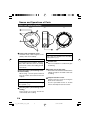
Names and Operations of Parts
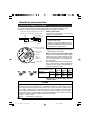
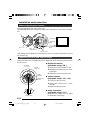
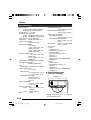
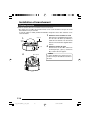
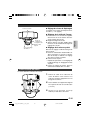
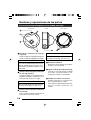
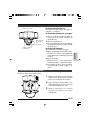
Camera unit
View when the dome and inner covers are removed.
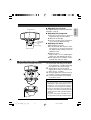
SPOT RESET
CORRECTION
1 Head
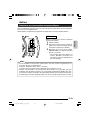
4 [D/N - ON/OFF] Easy Day & Night switch
For adjusting the lens, focus, or camera
angle.
( page 14)
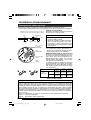
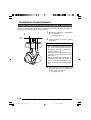
2 [IRIS LEVEL] Iris level adjustment
For adjusting the level of the automatic
aperture control lens. This adjustment
only needs to be made when required.
Use this to accommodate particular
shooting conditions.
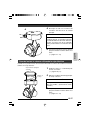
Turning direction of level
To darken image
Counterclockwise (L side)
To capture a subject with continually
changing brightness (day/night), set this
switch to “ON.” The camera automatically
uses color mode when the subject is bright,
and black and white mode when it is dark.
(Default setting: OFF)
CAUTION
The Easy Day & Night feature on this camera uses a sensitized black and white
mode unlike other black and white surveillance cameras that use infra-red lighting.
To brighten image Clockwise (H side)
MEMO
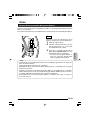
When adjusting the iris level, set the AGC
switch to “OFF”. Otherwise, when the level
is turned too far toward L, the AGC function activates increasing sensitivity and the
picture may look uneven.
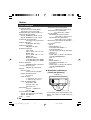
5 [FOCUS ADJ. - ON/OFF] focus
adjustment switch
When adjusting the fsocus during installation, setting this switch to “ON” will open
the iris.
(Default setting: OFF)
( page 14)
3 MONITOR terminal (RCA pin)
For connecting a monitor when mounting the camera for adjusting the lens or
determining the camera angle. (High impedance)
E-6
03_e_TK-C205VPU_02_20_e.p65
6
05.4.22, 9:37 AM