1
PLAYING GAMES
NES
GENESIS
SNES
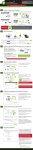
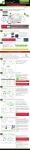
1. Insert the cartridge into its appropriate slot (NES, SNES, or Genesis).
2. Turn the Game Selector Knob to the corresponding system (NES, SNES, or Genesis).
3. Turn ON the RetroN 3 by pressing the Power button.
Note: There is a switch on the back labeled “O/J” which lets you switch the region of your Genesis slot.
“O” for Genesis and “J” for Mega Drive (Japan).
Using NES, SNES, or Genesis Controllers
B
NES Controller
SNES Controller
Genesis Controller
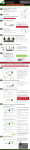
With the RetroN 3 turned OFF, insert the controller(s) into their corresponding slot (NES, SNES, or Genesis).
Note: NES, SNES, and Genesis controllers (not included) are only playable with their corresponding systems.
6