1
4. CONNECTIONS
APPLIED SYSTEM (B MODE)
This system accepts the connection of up to 16 cameras.
The video is recorded by means of a switcher, etc.
Read the "Instruction Manual" for each piece of equipment to be
connected before performing the connection.
Contact your JVC sales agent for the switcher, etc. details.
CAMERA 1
Setting Procedure
1.
Connect all the equipment.
(All of the cameras must be synchronized)
2.
Set the system mode selection to B Mode, and set
the rear DIP Switch1 to "ON".
3.
To set a camera ( REF. : Instruction Manual of the
camera being used)
· Match the ID with the VIDEO INPUT number.
· Set to MULTIDROP and DUPLEX
4.
5.
Preset positions ( REF. : page 27)
AC24V
Operational setting values can be changed as required.
· P/T SPEED: 8 STEPS ( REF. : page 29)
ID:1
CAMERA 2
AC24V
ID:2
CAMERA 3
AC24V
ID:3
MONITOR
1
2
3
4 5 6 7 8
V. OUT
SWITCHER, etc
V. OUT
VCR
OUTPUT
VIDEO INPUT 1
TO
CAMERA
TO CAMERA
RX+ RX
RX
RX- TX
TX+ TX
TX-
COM
1
2
3
4
5
6
7
8
DATA I / O
UNIT
CAMERA
COM 9/1 10/2 11/3 12/4 13/5 14/6 15/7 16/8 COM AUTO ALARM COM SW COM
VIDEO
IN
SERIAL-1
SERIAL-2
REC
POWER
OFF
ON
REC
1
2
3
4
VIDEO INPUT
5
6
7
V.IN
STOP
REC
CHECK
EJECT
OPERATE
OPERATE
8
AC`INPUT
MONITOR MONITOR
OUTPUT OUTPUT
1
2
1 2 3 4 5 6 7 8
ON
Set Pin 1 to "ON" for B Mode.
1
2
3
4
5
VIDEO OUTPUT
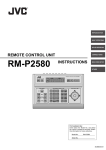
RM-P2580
6
7
TIMELAPSE VCR
8
MONITOR
OUTPUT 1
V.IN
MASTER MONITOR
E-21
RM-P2580E-E
21
03.4.22, 10:21 AM