1
Service Manual
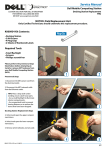
5. Disconnect the Ethernet Ethernet
cable from the wireless router located
beneath the lower compartment shelf.
Wireless Router
Cable Diagram
Dell Mobile Computing Station
6. Use a 2 mm hex wrench to remove
the screw holding the "P" clip in place
around the Ethernet Cord in the lower
compartment.
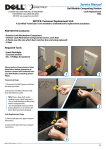
7. Unwrap the Power Cord and Ethernet
connector in the cord bay. Use a Phillips
Screwdriver to remove the ten screws
holding the cord bay in place on the
exterior wall.
8. Taking care not to damage the
Ethernet Cord, dislodge the cord bay
from the MCS. Pull the faulty Ethernet
Cord out of the lower compartment and
through the opening in the Cord Bay,
DC Power Connection
Exterior
Interior
2mm hex
9. Route the new Ethernet Cord into the
lower compartment and connect it to
the wireless router in the same location
as before, (refer to diagram).
10. Use a Phillips screwdriver to reattach the cord bay with the provided ten
screws.
11. Reattach the "P" clip around the new
Ethernet Cord in the lower compartment using a 2 mm hex wrench.
"P" Clip
Screw
6
12. Close and lock the lower compartment doors.
13. Close and lock the upper compartment doors.
14. Plug in network and power cables.
15. Verify system operation.
ETHERNET CORD REPLACEMENT
IS NOW COMPLETE
7
8
CUSTOM SOLUTION FOR DELL BY ERGOTRON
FOR SERVICE CALL (800) 888-8458
OR VISIT www.ergotron.com/Dell
888-97-067-W-01 rev. B • 08/09
2/4