1
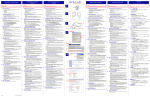
User Guide On Windows Vista: Right-click Computer on the desktop and click Properties > Device Manager. On Windows XP: Right-click My Computer on the desktop and click Properties > (Hardware) > Device Manager. In the Network adapters group, an item named ASIX AX88179 USB 3.0 to Gigabit Ethernet Adapter should be displayed. If there is a question or exclamation mark next to that item, then the driver is not properly installed. Please delete the item, select the Delete the driver software for this device option (if provided), unplug the adapter from your computer and then repeat the installation steps. Mac OS: To verify the driver , follow the below steps to open “About this Mac” 1. When the screen below appears and click More Info. 2. When the screen below appears, please click System Report…