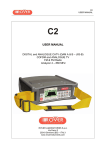
1
TAB 7
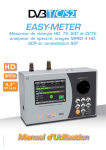
Manuel d’utilisation
TFT 16:9
www.roverinstruments.com
A LA DÉCOUVERTE DU HD TAB 7
FACE AVANT ______________________________________________________
• Mise en route
Pour met tre en
marche, appuyez sur
le bouton ‘home’
Pour éteindre,
maintenez le bouton
‘home’ appuyé.
• Molet te Tournez la molette pour naviguer sur l’écran et changer les paramètres.
Appuyez sur la molette pour sélectionner l’icône ou l’objet choisi.
Tournez
pour
naviguer
• RESET MATERIEL
Maintenez le bouton
“HOME ” appuyé pendant
10 secondes et rallumez
ensuite.
2
Appuyez pour
sélectionner
Maintenez
appuyé
• RESET LOGICIEL
+
Maintenez appuyé le bouton
“HOME ” pour allumer et
tout de suite après appuyez
sur le bouton “VOLUME ”.
COTE _________________________________________________________________
6
4
1
2
3
5
• COTé GUACHE
• COTé DROIT
1 = connecteur RJ 45 (utilisé pour un usage
interne à Rover)
4=CONNECTEUR D’ENTRéE
IF/RF T YPE “F” 75 Ω
2= CONNECTEUR USB OTG
POUR PC
3= ALIMENTATION (12 V DC - 1A)
5=CONNECTEUR D’ENTRéE
vidéo
6=ventilateur.
3
HD TAB 7 Multi-purpose bag
Make work easier by taking advantage of your multi-purpose bag.
1
Work safely and without restrictions with both hands free.
Connect the shoulder
strap to the two hooks at the
corners of the bag (top left
and bottom right), so you can
hang your meter around your
neck leaving both hands free.
3
The sunlight shield flap allows improved visibility of the
high brightness display.
Secure your meter by connecting it to the antenna
mast or in your car using the practical
ring belt with quick attachment.
5
2
4
If you change the configuration of the shoulder strap, you can
easily carry the meter vertically by your side.
You can also carry your instrument using its practical handle.
7
4
6
You can use the bag’s convenient stand flap for operation on a counter.
Page d’accueil ‘HOME’
ÉCRAN ‘HOME’ _________________________________________________
Appuyez sur le bouton ‘home’ pour afficher l’écran d’accueil puis tournez la molette sur
‘SAT’ ‘TV’ ou ‘CATV’ pour sélectionner le mode de mesure désiré
Appuyez sur l’icône ’HOME’ à tout moment pour revenir à la page d’accueil
ÉCRAN de navigation_______________________________________
Utilisez l’écran tactile ou la molette pour naviguer sur l’écran et changer les paramètres
• Zones d’affichage
Paramètres de réglage
Image en temps réel
Mesures
Information sur les canaux
Information sur le transport stream
Menu infos supplémentaires
• Changement de valeur
Allez sur un onglet, sélectionnez-le et tournez la molette pour en changer les paramètres
• MenuS déroul antS
Appuyez sur un des onglets du menu déroulant puis appuyez sur la valeur à sélectionner
Tournez la molette pour choisir le canal ou la fréquence et appuyez pour le sélectionner
• Saisie de valeurs numériques
Sélectionnez la valeur à modifier, appuyez sur les chiffres du clavier qui s’affichent à l’écran puis validez.
Appuyez sur la molette pour sélectionner une fréquence ou un canal
5
Volume et Configuration
Menu de configuration
de l’afficheur et des
autres paramètres du
mesureur
ECONOMISEUR de BATTERIES et TIMER off
Paramètrage du mode économie d’énergie.
En mode ON, si vous n’appuyez sur
aucun bouton pendant 30 secondes,
la luminosité de l’afficheur se
réduit et après 5 minutes, le
mesureur s’éteint automatiquement.
Appuyez sur n’importe quel bouton
pour resetter temporairement le
mode économie de batteries.
6
Navigation en “CONFIGURATION
MENU”: appuyez sur “METER” dans
l’écran volume et choisissez la
durée du “TIMER OFF”. Le mesureur
s’éteindra après 5 ou 10 minutes
d’inactivité. Appuyez sur n’ importe
quelle touche pour interrompre le
timer off
TOUCHSCREEN CALIBR ATION ________________________
if the touchscreen does not respond to the commands, it may be necessary to calibrate:
Navigate in “configuration menu”
from the volume window;
Now touch the center of the squares that
appear in the corners of the screen,
repeat four times.
Select “meter”
then “calibrate touchscreen”;
N.B.: use the pen and touch the
the screen exactly in the center of
the circle. if you do not carry out
this procedure correctly the touch
commands may be inaccurate.
7
DISCOVERY _______________________________________________________
Identifie la modulation d’un canal TV sélectionné dans le TV master PLAN (Plan TV
MAster)
Sélectionnez “CONFIGURATION MENU”
en mode VOLUME
T V Mode _____________________
CATV (cable) Mode ____________
Sélectionnez “DISCOVERY” puis le mode
d’identification:
- TERR ONLY (seulement terrestre)
- TERR & CABLE (terrestre et câble)
Sélectionnez “CATV” puis “DISCOVERY”
pour choisir le mode d’utilisation:
- CABLE
- TERR & CABLE
NOTES:
- Le mode DISCOVERY est actif seulement si le câble d’antenne est raccordé
au mesureur
- DISCOVERY mode n’est pas actif en cas d’utilisation du plan automatique
ou manuel (Manual Memory ou Auto-memory)
8
C/N T YPE DE MESURE _____________________________________
Sélection du mode de mesure du C/N (dans la bande - hors bande)
choisir “menu configuration” depuis
l’écran de volume
Sélectionnez TV, puis C/N TYPE
MODE DE MESURE C/N “DANS LA BANDE”
Le rapport Porteuse/bruit est mesuré
entre le niveau de la porteuse vidéo
(marqueur rouge) et le niveau de bruit
(noise) estimé dans la bande comprise
entre la sous porteuse couleur et la
porteuse audio (marqueur blanc)
MODE DE MESURE C/N “HORS BANDE”
Le rapport Porteuse/bruit est mesuré
entre le niveau de la porteuse vidéo
(marqueur rouge) et le niveau de bruit
(noise) estimé dans la bande de garde
(-1.250 MHz de la porteuse vidéo,
marqueur blanc)
9
SAT
SAT ANALYSE DES SIGNAUX DE LA TELEVISION SATELLITE
Sélectionnez le mode SAT_______________________________
p
u
i
s
o
u
SAT
a
p
p
u
y
e
z
Ecran Plan canaux SAT
Les informations sur les satellites
(DATES MuX) sont disponibles grâce à la
collaboration de LyngSat : www.lyngsat.com”
Écrans de mesure SAT DVB-S et DVB-S2_________________
Principales mesures et images
en temps réel
Appuyez sur la photo pour ZOOMER.
APPUYEZ encore pour retourner aux
mesures
visualisation de la
constellation 8psk
Appuyez sur “ZOOM ” et sélectionnez Appuyez sur « MEAS » pour aller sur
la partie de l’écran de la
les différents écrans de mesures SAT
constellation que vous souhaitez
agrandir.
FONCTIONS COMPLEMENTAIRES ___________________
Analyseur
de spectre
SAT
10
Selection
Plan des
canaux
satellite
MPEG SERVICE Listes des
services
MPEG
Reconnaissance
d’un signal
inconnu
Visualize NIT ____________________________________________________
Navigate in “MENU&?” from the
MAIN MEASUREMENTS & PICTURES
screen and select
“VISUALIZE NIT”.
Example 1:
“NIT Info Visualization” referring to an
ASTRA 19 East transponder
11
TV
TV
ANALYSE DES SIGNAUX DE TELEVISION ET RADIO
Sélectionnez le mode TV
(Tous les canaux en terrestre)
________________________________
p
u
i
s
o
u
TV
a
p
p
u
y
e
z
Écran du Plan des
canaux “TV”
ECRAN DE MESURE RADIO ANALOGIQUE________________________
Appuyez sur “CHAN” puis
sélectionnez “FMH” ou “FML”,
Appuyez sur “MODULAT” puis
sélectionnez “FM Radio”,Appuyez
sur “FREQ” puis sélectionnez la
fréquence.
ECRAN DE MESURE TV ANALOGIQUE_________________________________
Appuyez sur “CHAN” et sélectionnez le canal, (exemple d’écran pour un canal analogique)
Mesure de niveau et image
autres mesures
Appuyez sur la touche TV pour consulter les autres écrans de mesure
12
ECRANS TV NUMERIQUE DVB-T ET DVB-T2 M-PLP_______________________
Appuyez sur “CHAN” et sélectionnez le canal, (exemple d’écran pour un
canal numérique):
Principales mesures et images en temps
réel
visualisation de la constellation DVB-T2
Ecran de visualisation de la réponse
impulsionnelle (écho)
Appuyez sur la touche TV pour consulter
les autres écrans de mesures
Appuyez sur “TYPE”
Appuyez sur “ZOOM ” et
sélectionnez la partie de
la constellation que vous
souhaitez agrandir
sélectionnez le mode de mesure de l’écho:
DISTANCe
ou
Temp
Visualisation Microéchoes ______________________________
Appuyez sur “MENU” puis surl’écran ECHOES,
Appuyez sur “TYPE” puis sélectionnez
“µECHOES”
Visualisation des
MicroEchoes
N.B.: Other echo visualization modes are available in the “TYPE” menus
13
Mesure Des eCHos et MiCroeCHos DAns les reseAuX sfn
comment reduire les interFerences dans les reseauX “sFn”
Certains pays comme l’Espagne et l’Italie ont décidé d’installer des réseaux TV numériques « SFN » (réseaux à une seule
fréquence): en d’autres mots une chaîne de TV nationale a la même fréquence à travers tout le pays. C’est une opportunité
fantastique, mais cela signifie également qu’il est possible de recevoir les mêmes signaux de plusieurs émetteurs. Si le réseau
« SFN » a été correctement élaboré, le temps de propagation des signaux SFN (que nous allons appeler «échos»), provenant
des différentes distances correspondant à l’emplacement des émetteurs est intégré par la fonction INTERVALLE DE GARDE,
présente dans la modulation DVB-T & T2 (COFDM) et il n’y aura donc pas de problème de réception. Dans tous les cas, notre
expérience a démontré que la réalité est différente de la théorie, surtout en présence de plusieurs réseaux de TV régionaux
pouvant générer des interférences.On peut en effet recevoir un signal suffisamment puissant, mais sans image sans que l’on
sache pourquoi. Dans ce cas là, il est indispensable de mesurer la REPONSE IMPULSIONNELLE en temps réel, de mesurer
la différence de temps de l’écho par rapport au signal le plus important. Il est possible d’optimiser la réception en modifiant
l’orientation de l’antenne, en rendant maximale la puissance du signal le plus important et en minimisant la puissance des
échos d’interférence.
Une fois de plus, ROVER INSTRUMENTS est la première entreprise à fournir des mesureurs pour les installateurs qui peuvent
mesurer jusqu’à 16 ECHOS et PRE-ECHOS en temps réel.
Les mesureurs ROVER vous permettent de voir les ECHOS, mesure la puissance et la différence de temps en µS et la
distance du programme interférant en km.
Il y a peu de mesureurs qui permettent de mesurer les ECHOS et PRE-ECHOS, en temps réel et à une distance allant jusqu’
à 75 km, et même au delà de l’INTERVALLE DE GARDE et qui, en plus, peuvent mettre en surbrillance, par un masque vert,
l’aire de réception, dans l’intervalle de garde.La largeur de l’INTERVALLE DE GARDE varie en fonction des paramètres de
modulation: voir le tableau ci-dessous pour la largeur de l’INTERVALLE DE GARDE et toutes les configurations DVB-T.
Fig. 1:
RECEPTION OPTIMALE:*
Pas d’écho à l’intérieur ou à l’extérieur du
champ de l’intervalle de garde (zone verte)
N.B.* exemples pour un signal de
8k avec une largeur de bande de
8MHz et 1/8 d’intervalle de garde.
Ces données apparaissent sur les
mesureurs ROVER à droite de la
constellation, voir fig 4.
Fig. 2:
BONNE RECEPTION:* Présence de 2
échos , le champ de l’intervalle de garde
(zone verte verte provenant d’une distance de
- 1er écho : 15 km, temps de retard de 50µs
- 2ième écho : 25 km, temps de retard de
Fig. 3:
RECEPTION PASSABLE (OU IMPOSSIBLE):*
2 échos présents à l’extérieur de l’intervalle de
garde ( zone verte), provenant d’une distance de
- 1er écho : 40 km, temps de retard de 133µs
- 2ième écho : 45 km, l temps de retard de
REPRESENTATION TEMPORELLE DE l’INTERVALLE DE GARDE
(automatiquement affiché par le mesureur dans la partie VERTE)
DVB-T 2.000 porteuses (2K DVB-T)
INTERVALLE de GARDE
1/4
1/8
1/16
1/32
Temps max. (microsecondes)
56
28
14
7
16.8
8.4
4.2
2.1
Distance max (Km)
DVB-T 8.000 porteuses (8K DVB-T)
Fig. 4:
CONSTELLATION DVB-T-64Q:
Le tableau à droite donne tous
les paramètres de réception en
modulation.
INTERVALLE de GARDE
1/4
1/8
1/16
1/32
Temps max. (microsecondes)
224
112
56
28
Distance max (Km)
67.2
33.6
16.8
8.4
FONCTIONS COMPLEMENTAIRES ___________________
SPECTRE
TV
14
Sélection
Plan
canaux TV
terrestre
BARSCAN Barscan MPEG SERVICE Liste des
services
MPEG
Détection des
paramètres
du canal
numérique
sélectionné
MER vs CARRIER MEASUREMENT (opt.)________________________
The meter has a MER measurement for carriers, this allows you to carry out an
analysis of the MER for single COFDM carriers in a DVB-T or DVB-T2 signal.
to visualize this window, repeatedly press the “TV” key.
It is shown after the echoes window:
MER vs CARRIER:
Visualization mode
“VIS. TYPE: NORMAL”
and “PICTURE: FULL”
To obtain different visualization
modes, navigate in “MENU & ?”:
Example 1:
Example 2:
MER vs CARRIER :
Visualization mode
“VIS. TYPE: REVERSE”
and “PICTURE: FULL”
MER vs CARRIER :
Visualization mode
“VIS. TYPE: NORMAL”
and “PICTURE: CONTOURS”.
Example 3:
MER vs CARRIER:
Visualization mode
“VIS. TYPE: NORMAL”, “PICTURE: FULL”
and “START/STOP CARR from 3000 to
4000”.
15
TV: LTE Interference Autotest _____________________
Press the “BARSCAN” key twice to go to the LTE INTERFERENCE
AUTOTEST function.
EXAMPLE 1:
low LTE interference.
The lower part of the display shows the following information:
PASS = NO filter required
EXAMPLE 2:
High LTE interference.
The lower part of the display shows the following information:
FAIL = 30dB ATTEN SUGGESTED
(the instrument suggests attenuating the interfering LTE signals by
30 dB)
N.B.:
you can reach LTE AUTOTEST directly from the SPECIAL FUNCTIONS.
FONCTIONS COMPLEMENTAIRES ___________________
Press the HOME key and navigate in
“SPECIAL FUNCT”
16
Navigate in “LTE AUTOTEST” and press ENTER
CATV
CATV
ANALYSE DES SIGNAUX DU câble
toutes les chaines de la bande S et les chaines terrestres
Sélectionnez le mode CATV_________________________________________
p
u
i
s
o
u
CATV
a
p
p
u
y
e
z
Écran du Plan des canaux “CATV”
Écrans de mesures numériques CATV DVB-C_________
Principales mesures et images en temps réel
Appuyez sur l’image pour zoomer
Appuyer encore pour revenir aux
mesures
Écran de visualisation de la constellation
Appuyez sur “ZOOM ” et
sélectionnez l’écran de
la constallation que vous
souhaitez agrandir
Appuyez sur « CATV » pour
aller sur les différents
écrans de mesures CATV
FONCTIONS COMPLEMENTAIRES ___________________
SPECTRE
CATV
Sélection
plan de
canaux
CATV
Barscan
MPEG SERVICE Liste
des
services
MPEG
Détection des
paramètres du
canal numérique
sélectionné
17
SPECT
SPECT
ANALYSEUR DE SPECTRE
Sélectionnez le mode SPECT__________________________
Ou
SPECT
Écrans de l’analyseur de spectre_________________
Appuyez sur SPAN pour modifier la
valeur ou appuyez directement sur la
valeur du SPAN active
ou
Spectre rapide
Appuyez sur la touche spectre pour
activer la fonction “MAX HOLD”
Spectre rapide avec mémorisation des
valeurs max
Tournez pour
changer de
fréquence
Appuyez
sur Enter
pour
confirmer
Appuyez sur « SPECT » pour passer
sur les différents écrans de
l’analyseur de spectre
FONCTIONS COMPLEMENTAIRES ___________________
Help (Détecter les
paramètres d’un signal
inconnu)
18
Naviguez en “MENU” pour
visualiser les autres
fonctions du mode spectre
RBW Filter_______________________________________________________________________________
EXAMPLE 1:
Visualization of an SCPC transponder
with settings:
“RBW FILTER 5 MHz” and “dB DIV 5dB” (Span 50 MHz)
Navigate in “MENU&?” from the SAT SPECTRUM screen,
select “dB DIV 2dB” and “RBW FILTER 1 MHz”.
EXAMPLE 2:
Visualization of a SAT SCPC transponder
(SPAN 10 MHz).
N.B.: You can only select RBW filter in SAT mode.
FONCTIONS COMPLEMENTAIRES ___________________
Navigate in “MENU” to
visualize the additional
spectrum functions
Finds the tuning
parameters of a digital
signal
19
MPEG SERVICE
(MPEG
LIST
service)
SÉLECTION ET AFFICHAGE DES SERVICES MPEG DISPONIBLES
MPEG SERVICE
ou appuyez sur VpidApid dans l’écran de
mesure TV-CATV-SAT
tourner
pour
naviguer
Naviguez sur Vpid-Apid
pour retourner aux
mesures
Liste des services MPEG
(programme)
BARSCAN
LEVEL
BARSCANGRAPH
CONTRÔLE DE TOUS LES CANAUX (NIVEAU/PUISSANCE)
dans le plan de canaux TV standard l’appareil visualise le niveau/puissance
de tous les canaux tv. En AUTOMEMORY ou MANUAL MEMORY l’appareil visualise
les canaux mémorisés et fait une distinction entre les signaux analogiques et numériques
avec deux couleurs differentes.
BARSCAN
Ou
Appuyez sur
“menu” pour
choisir le mode
bargraphe:
niveau ou pente
Barscan (graphique de NIVEAU)
CHAINES
ANALOGIQUES
CHAINES
NUMERIQUES
Appuyez sur “pilot 1” et “pilot
2” pour sélectionner les deux
canaux pour la mesure de la pente
(différence de niveau)
N.B. Fonction disponible uniquement en mode TV ou CATV
20
“APP” Sat Expert (opt.)______________________________________________
Navigate in “SAT”, then in “SAT EXPERT”
and select “ON”
Navigate in “Configuration Menu”
from the VOLUME screen
N.B.:
1. in SAT mode, press the PLAN key and select the satellite to be pointed, for example HBIR
13.
2. Press the SPECT key, navigate in “SPAN” and select “FULL”.
EXAMPLE 1:
EXAMPLE 2:
The satellite you have pointed is not correct.
the lower part of the display shows the
following information:
EUTE 16 > G0 WEST
(move the satellite dish west).
Satellite found.
the lower part of the display shows the
following information:
HBIR13 FOUND!
(the satellite that has been pointed is correct)
EXAMPLE 3:
SAT to
be found
*N.B.:
the correct satellite has been pointed.
The lower part of the display shows the
following information: EBIR9 < G0 EAST
(move the satellite dish EAST).
SAT
detected
• For more information or clarifications regarding the “APP”s, contact your local
supplier or call +39.030.9198.1
21
HD LTE FILTER “APP” (opt.)_________________________________________
The meter has a built-in LTE hardware FILTER, It reduces any signal interference
from the BTS of mobile telephones including the 790-1000MHz band. The proximity
of the receiving antennas and the antennas of the TV CELLS could compromise DTT
signal reception due to intermodulations, that may develop in the antenna amplifiers,
or directly in the decoder’s tuner. With the LTE filter you can see if the poor quality
of the signals of several channels is due to interference / beats that is formed in the
headend.
Navigate in “LTE FILTER”
and select “ON” in the volume screen
EXAMPLE 1:
EXAMPLE 2:
FULL TV SPECTRUM:
visualization of an RF signal*
in lte filter mode “OFF”
FULL TV SPECTRUM:
visualizATION of an RF signal*
in lte filter mode “ON”.
N.B.:
• You can check the LTE filter function in spectrum mode, check the LTED filter
function in spectrum, measurement and barscan mode.
• * The RF signals shown in the FULL TV SPECTRUM screens were generated using
ROVER noise generator Mod. CNG 90 STC;
• for more information about the “APP”s, contact your distributor or call
+39.030.9198.1
22
HELP
Analyse d’un signal inconnu
Le menu HELP permet de découvrir les paramètres du transpondeur selectionné.
Comment utiliser la fonction “HELP”
_________
o
u
En mode spectre, positionnez le marqueur au centre du
transpondeur numérique inconnu que vous souhaitez identifier
Si l’icone
est ouvert
(le signal n’est pas vérrouillé)
Appuyez sur
la molette
pour lancer
la recherche
Dans le menu
principal
selectionnez
“HELP
Le menu HELP
permet de
détecter les
paramètres du
transpondeur
selectionné
A la fin de la recherche, (le mot “found” s’affichera dans les trois boites) le mesureur
affiche automatiquement les mesures et l’image de la porteuse selectionnée
SPECIAL
FONCTIONS SPÉCIALES
SPECIAL
N.B: Les fonctions spéciales
dépendent du mode de
fontionnement actif:
TV, SAT ou CATV
TV: Buzzer & Marge de Bruit graphique _______
Appuyez sur:
BUZZ&NOIS.MARG.GR
Analyse auditive et graphique de la MARGE DE BRUIT du
canal sélectionné en fonction du temps.
Tons aigus = niveau de marge de bruit le meilleur
Tons graves = niveau de marge de bruit le moins bon
Marge de Bruit = Marge de bruit en temps réel
n.marge = marge de bruit maximum memorisé
N.B.: La fonction est aussi disponible en mode CATV et SAT
23
SAT: SAT SCR ___________________________________________________
Naviguez sur: SAT SCR
Appuyez sur “LNB TYPE” et sur le
modèle de LNB/commutateur installé.
Appuyez sur “SCR USER” et sur le
numéro d’utilisateur à tester (val.: 1-8).
Appuyez sur “SCR CABLE TEST” pour
lancer en mode SPECTRE la verification
des 8 fréquences en sortie (val.: 1-8) du
LNB/commutateur.
Appuyez sur “SPECT” pour visualiser
le spectre ou “SAT” pour effectuer les
mesures.
SAT: SAT Finder _______________________________________________
Naviguez sur: SAT FINDER
Pour changer manuellement les
transpondeurs, appuyez sur stop et
choisissez les TP/TS désirés. Sélectionnez
“START SEARCH” pour démarrer
Si le satellite selectionné est correct, le buzzer sonne, dans le cas contraire
recherchez le bon satellite. Optimisez le pointage de la parabole et la crosspolarisation pour obtenir la valeur maximale de NsMAR (Marge de Bruit)
N.B.:
Pour bien utiliser la fonction SAT FINDER, vérifiez le réglage des paramètres de réception
des transpondeurs sélectionnés (freq, polarité, bande, symbol rate) et le type de LNB utilisé
(universel ou quattro) Avec un LNB quattro, les 3 transpondeurs sélectionnés doivent être
sur la polarisation correspondant à la sortie du LNB sur laquelle on est raccordé.
Visitez le site www.Lyngsat.com site pour vérifier les paramètres des transpondeurs
24
MEMORY
MEMORISATION
PL AN ET DATA LOGGER
MEMORY
AUTOMEMORY ( TV ) __________________________________________
Memorisation automatique de tous les canaux présents dans une ville, un réseau ou un
immeuble
Choisissez les paramètres souhaités:
Appuyez sur “to FILE N” et sélectionnez le fichier de destination “AUTO” où
sauvegarder la recherche
Appuyez sur “LEVEL” pour régler le niveau minimum de détection des canaux
analogiques à rechercher
Appuyez sur “POWER” pour régler la puissance minimum de détection des canaux
numériques à rechercher
Appuyez sur “DISCOVERY” et choisissez le mode de recherche des canaux:- TERR ONLY
(seulement terrestre) - TERR & CABLE (terrestre & cÂble)
Appuyez sur “START SAVE” pour créer un nouveau plan de canaux et pour commencer la
recherche. NB: Si “START OVERWRITE” s’affiche le fichier sélectionné sera ré-écrit.
Une fois mémorisé, le nouveau plan de fréquence
est automatiquement sélectionné
25
Data Logger _____________________________________________________
Configurez les paramètres souhaités
et sélectionnez « SAVE» pour créer un
nouveau fichier de connexion.
Recherche DATA LOGGER en cours
N.B.: si le plan MANUEL contient des programmes TV et SAT, la fonction STOP&GO vous assiste
pendant le LOGGER et vous demande de changer la connection de cable TV ou SAT.
LOGGER RECALL _____________________________________________
Configurez les paramètres pour
sélectionner le nouveau fichier de
connexion et sélectionnez «RECALL »
pour le visualiser.
Naviguez à travers les mesures sauvegardées dans le fichier de connexion
Tournez la
molette pour
naviguer
ProGrAMMe s.M.A.r.t.
le s.m.a.r.t. sert à interfacer votre mesureur au Pc, avec la version Pro du
programme s.m.a.r.t. il est possible de gérer la mémoire interne (manu File,
automemory , loGGer) par exemple, créer ou modifier les plans de mémoire, les
imprimer ou les exporter sous excel®.
® eXcel est une marque enregistrée de microsoft corporation
26
service et support/création comptes
utilisateurs et mise à jour firmware
Mise à jour gratuites et service de Newsletter
•
ROVER vous offre la possibilité de mettre à jour gratuitement le
firmware et les plans de mémoire (fichiers.mem) de votre mesureur
de champs, simplement en vous enregistrant dans la section
Téléchargement de ROVER (Update SW/FW).
•
Après enregistrement, vous pouvez télécharger gratuitement le logiciel
d’interface S.M.A.R.T. ROVER nécessaire pour appliquer les mises à
jour à votre mesureur.
•
ROVER vous offre aussi un service de newsletter vous permettant de
recevoir gratuitement par e-mail toutes les informations relatives aux
nouvelles mises à jour firmware, aux communications techniques, aux
séminaires de formation, aux articles techniques, aux nouveautés sur
les produits, aux participations aux salons et événements itinérants, et
à bien d’autres choses encore.
Enregistrement dans la section Téléchargement
Si vous n’êtes pas encore enregistré, allez sur le site web ROVER (www.roverinstruments.com)
et cliquez sur le menu “Update SW/FW” en haut à droite de la page d’accueil.
•
Cliquez sur “Créer un compte” “register now”.
•
Saisissez vos données personnelles ainsi que votre nom d’utilisateur dans le formulaire qui
apparaît à l’écran.
•
Après avoir entièrement rempli le formulaire, confirmez en appuyant sur Envoyer en bas de
la page.
•
Après envoi, le site affichera une page récapitulative contenant toutes vos données
d’enregistrement; vous pouvez modifier les données (bouton BLEU), les imprimer (bouton
NOIR) ou accéder directement à la section de téléchargement (bouton ROUGE).
•
Vous recevrez un e-mail récapitulatif contenant votre nom d’utilisateur et le mot de passe
assigné par ROVER Conservez-le dans un lieu sûr et utilisez-les pour accéder à la section
de téléchargement du site web ROVER afin de télécharger les mises à jour du firmware et
des plans de mémoires de votre mesureur.
Logiciel d’interface S.M.A.R.T. ROVER
Après enregistrement vous devrez télécharger et installer sur votre ordinateur le logiciel
d’interface S.M.A.R.T. nécessaire pour connecter votre mesureur avec votre ordinateur et
appliquer la mise à jour du firmware ou des plans de mémoires.
Le logiciel d’interface S.M.A.R.T. est disponible en deux versions:
•
S.M.A.R.T. FAST, utilisable seulement pour les appareils de la série FAST
•
S.M.A.R.T., utilisable avec tous les autres appareils de mesure ROVER. Chaque version du
logiciel S.M.A.R.T. est disponible en deux configurations:
•
Configuration STANDARD permettant seulement la mise à jour du firmware de votre
équipement;
•
Configuration PRO permettant la mise à jour du firmware et des plans de mémoires
(fichiers.mem), la gestion de la mémoire interne (Fichiers MANU, Auto-Memory, loggers,
etc.), la création de plans de mémoires personnalisés, leur impression et exportation en
format XLS.
Une fois installé sur votre ordinateur, le logiciel d’interface S.M.A.R.T. ROVER s’activera
directement en configuration PRO et après une période de 30 jours il passera en
configuration STANDARD.
Pour utiliser le logiciel S.M.A.R.T. en configuration PRO après les premiers 30 jours, vous
devrez contacter le Service Après-vente EVICOM au +04 93 44 70 71 et demander une clé
d’activation.
27
Procédure de mise à jour du firmware
Mise à jour du firmware
• Dans la section téléchargement du site web ROVER, cherchez le NOM/MODEL
correspondant à votre équipement et cliquez sur son image. Un menu contextuel s’ouvrira
en correspondance de l’image sélectionné.
• Dans la colonne de droite, cliquez sur le nom du fichier de mise à jour firmware
NomProduit_ver_x-xx.rvr; le téléchargement démarrera automatiquement (une boite
de dialogue peut s’ouvrir, selon la configuration de votre browser internet, pour vous
demander confirmation de l’opération).
• Si vous désirez connaitre les informations relatives au contenu de la mise à jour que vous
avez téléchargé, cliquez sur l’icône +INFO+ dans le même menu contextuel.
Procédure de mise à jour du firmware. Notes préliminaires:
• Avant d’effectuer la mise à jour, nous vous conseillons de fermer toutes les autres
applications actives sur votre ordinateur: logiciel bureautique, client e-mail, browser
internet, etc.
• Assurez-vous que l’équipement est connecté à l’alimentation électrique pendant les
opérations de mise à jour pour éviter les coupures intempestives.
• Si la fenêtre montrant la barre de progression semble se bloquer ou ne pas avancer, ne
fermez pas le logiciel S.M.A.R.T. Il s’agit simplement d’un problème de rafraichissement de
l’IHM; la mise à jour se déroule quand même correctement.
• Si la mise à jour s’interrompt ou ne se déroule pas correctement, nous vous conseillons de
vérifier les connexions et relancer la procédure.
Procédure:
1. Brancher la prise d’alimentation électrique à votre équipement et allumez-le.
2. Une fois le démarrage terminé, brancher le câble USB à l’équipement et à l’ordinateur; si
c’est la première fois que vous le connectez, une procédure guidée d’installation du pilote
logiciel s’ouvrira automatiquement. Suivez les étapes de la procédure jusqu’à la fin. Votre
équipement de mesure est maintenant connecté et reconnu par votre ordinateur.
3. Ouvrez le logiciel d’interface S.M.A.R.T. en utilisant le raccourci sur le bureau de votre
ordinateur.
4. Sélectionnez le menu “Instrument”, puis “Upgrade Firmware”. Dans la boite de dialogue
qui s’ouvrira, sélectionnez le fichier de mise à jour du firmware.rvr que vous avez
précédemment téléchargé depuis le site internet ROVER
5. Après sélection du fichier, cliquez sur “Ouvrir” pour confirmer la sélection.
La procédure de mise à jour commence automatiquement.
6. Si le logiciel S.M.A.R.T. ne reconnaît pas automatiquement votre équipement, une boîte de
sélection s’ouvrira en vous demandant de choisir le modèle de votre appareil; après avoir
effectué la sélection, appuyer sur Upgrade pour démarrer la procédure de mise à jour.
7. La durée de la mise à jour du firmware est normalement de quelques minutes, après
lesquelles l’équipement sera automatiquement éteint par le logiciel S.M.A.R.T. Un message
apparaîtra à l’écran de votre ordinateur: “Power on the meter to activate FW **
PROGRAM SUCCESSFUL**”
8. Si l’équipement ne s’éteint pas automatiquement, éteignez-le et redémarrez-le en vérifiant
sur l’écran de démarrage que la version firmware affichée correspond à la mise à jour que
vous venez d’appliquer.
ATTENTION:
Si les opérations décrites dans le paragraphe ci-dessus ne s’exécutent pas correctement,
contactez EVICOM:
• Téléphone: (+33) 4 93 44 70 71
• E-mail: [email protected]
Référez-vous à la section service et support technique-infos mise à jour firmware.
28
Mise À Jour Des PlAns De MéMoires
Note préliminaire:
Pour modifier les plans de mémoires (fichiers.mem) vous devez avoir installé sur votre ordinateur
le logiciel d’interface S.M.A.R.T. en configuration PRO.
• Accédez à la section téléchargement du site internet ROVER et identifiez-vous dans la liste
Model/Nom correspondant à votre équipement de mesure. Si disponible, cliquez sur son
image; un menu contextuel s’ouvrira en correspondance de l’image sélectionnée.
• Dans la colonne de droite, cliquez sur le nom du fichier Plans and Satellites…..Mem
Procédure de mise à jour des plans de mémoires:
1. Branchez la prise d’alimentation électrique à votre équipement et allumez-le.
2. Une fois le démarrage complété, branchez le câble USB à l’équipement et à l’ordinateur; si
c’est la première fois que vous le connectez, une procédure guidée d’installation du pilote
logiciel s’ouvrira automatiquement. Suivez les étapes de la procédure jusqu’à la fin. Votre
équipement de mesure est maintenant connecté et reconnu par votre ordinateur.
3. Ouvrez le logiciel d’interface S.M.A.R.T. en utilisant le raccourci sur le bureau de votre
ordinateur et assurez-vous qu’il soit en configuration PRO.
4. Sélectionnez le menu “Instrument”, puis “Connect Instrument”. Si la connexion s’exécute
correctement, dans la barre d’état du logiciel S.M.A.R.T. (en bas sur l’écran de votre
ordinateur) vous pouvez voir le nom et numéro de série de votre équipement de mesure.
5. Sélectionnez le menu “Tools”, puis “Open Mem”. Dans la boite de dialogue qui s’ouvrira,
sélectionnez le fichier .mem que vous avez précédemment téléchargé depuis le site internet
ROVER.
6. Après sélection du fichier, cliquez sur “Ouvrir” pour confirmer la sélection.
7. Sélectionnez le menu “Tools”, puis “Mem” et dans le sous-menu, sélectionnez l’option
“Write Mem to Instrument”. Le message suivant apparaîtra à l’écran de votre ordinateur:
“WARNING: This operation will delete all previous plans stored in the meter”.
8. Cliquez sur “OK” pour confirmer et démarrer le chargement du fichier .mem sur l’équipement.
9. Une fenêtre avec une barre de progression vous informe sur l’état d’avancement de
l’opération; après quelques instants, à la fin du chargement, un message apparaitra à l’écran
de votre ordinateur: “Plan Memory downloaded successfully”.
29
BAtterie li-ion PolYMer
IMPORTANT:
• TOUJOURS ETEINDRE LE MESUREUR AVANT DE LE METTRE EN CHARGE.
• NE PAS LAISSER LES BATTERIES DECHARGEES SUR UNE LONGUE PERIODE
• CHARGER TOUJOURS LES BATTERIES LA NUIT PENDANT AU MINIMUM 7 HEURES MEME SI ELLES NE
SONT PAS COMPLETEMENT DECHARGEES.
INFORMATIONS UTILES:
1. Les batteries fournies avec les mesureurs sont de très haute qualité, et sont testées
individuellement. L’autonomie de la batterie peut varier en fonction des conditions d’utilisations suivantes:
– La consommation des LNB : Universel, Twin ou Quattro,
– La température extérieure : avec des températures inférieures à 10°C, la capacité de la batterie
chute de 20%
– L’âge de la batterie: perte de capacité de 10% par an,
– Rappelez-vous que la fonction TIMER OFF, qui arrête le mesureur après 5 minutes d’inactivité permet
d’économiser jusqu’à 30%.
2. L’indicateur de charge de la batterie a une tolérance (comme tous les appareils électroniques
alimentés par une batterie) en fonction des éléments suivants:
- Du pourcentage de charge de la batterie
- De la température extérieure
- De l’état d’usure de la batterie
- +/– 2%.
ICONES ILLUSTRANT l’ETAT DE CHARGE DE LA BATTERIE:
L’autonomie de la batterie est 5 heures.
AvertisseMent
Batterie rechargeable _____________________________________
cet appareil contient une batterie intégrée li -ion Polimer qui peut être rechargée un grand
nombre de fois, mais un nombre de fois cependant limité. la batterie est un composant chimique
qui s’use même si l’appareil n’est pas en fonctionnement. merci de déposer la batterie dans un
lieu dédié à son recyclage. ne pas démonter la batterie ni l’exposer à des températures extrêmes
(au-delà de 50°c). si la batterie a été exposée à de très basses ou de très fortes températures,
laissez-la reposer à température ambiante avant usage.
Comment recharger la batterie ______________________
la batterie doit être rechargée à température ambiante ( autour de 20°c) avec l’appareil éteint.
Pour éviter des défaillances prématurées de la batterie, ne jamais laisser l’appareil avec une
batterie vide pendant une trop longue durée.
30
BAtterY test
& BAtterY reGenerAtion
tHis ProCeDure eXPlAins HoW to reGenerAte/CHeCK Your BAtteries AnD CAliBrAte tHe BAtterY CHArGe inDiCAtor
useful advice:
• CHArGe tHe BAtteries everY niGHt After use, even if tHeY Are not CoMPletelY DisCHArGeD;
• Always use the “battery save” & “timer off” functions to increase your meter’s autonomy;
• tHe MAXiMuM CAPACit Y of tHe BAtteries AnD BAtterY CHArGe inDiCAtor’s ACCurACY
iMProves BY uP to 20% if You CArrY out MAnY BAtterY test CYCles;
• Do not rePlACe tHe BAtteries: first CArrY out 3 to 5 BAtterY test CYCles until You
reCover tHe MAXiMuM CAPACit Y of tHe BAtteries.
“BAtterY test” instruCtions & ProCeDure:
1. Before carrying out the test connect the meter to the original battery charger:
• turn on the meter;
• Press the volume key and select “configuration menu” (fig. 1);
• select the word “meter” and press “enter” (fig. 2) & press “enter” to confirm;
• select “battery test” and select “on” (fig. 2);
• Press “enter” to confirm;
• Carefully read the various screens, pressing “enter” in succession;
• in the last instructions window, select “start” and press “enter” to start the test.
WArninG: the procedure will be cancelled if you select “exit” on any screen.
iMPortAnt ADviCe:
•
•
Do not connect any type of load to the “f” input connector (lnb, tv head-end, amplifiers, etc.).
extract the conditional access module (cam), if it is present in your meter.
FiG. 1*
FiG. 2*
FiG. 3a*
FiG. 3b*
2. the battery test takes approx. 12/18 Hours according to the model (charging/discharging/
recharging activities and measurement of the battery autonomy), during this time the meter must not
be used. At the end of the test the meter will turn off automatically. in order to make sure that
the test has been carried out correctly, all the meter’s commands are blocked except for the reset
function, which remains active so that the meter can be turned off if necessary.
3. the batteries will be completely charged at the end of the test.
4. to check the battery test results, enter once again into “meter” in the “configuration menu” and
read the results that vary according to the model (fig. 3A and fig 3B):
- for example 396 100 675 (fig. 3A):
• 396 indicates the minutes necessary to completely charge the batteries
• 100 provides the battery status in percentage form
• 675 indicates the battery autonomy in minutes.
- for example 380CHlY (fig.3B) = 380 minutes.
the “Y” of Yes confirms that the battery is still good enough, whereas an “n” for no indicates that
it could be faulty, too deteriorated or that the cycle was interrupted.
iMPortAnt notes:
if the test is interrupted using “reset”, the battery charge indicator may provide incorrect indications,
therefore repeat the battery test procedure.
* the displays shown in this guide may change according to the model and are subject to change without
notice. if you connect your meter, using the s.M.A.r.t. Pro program, from the usb port to the pc, you
can download the screens shown above.
31
AliMentAtion (seCteur) et CHArGe
Des BAtteries (CHrG) etAt des leDs
32
MESUREUR
CONNECTE AU
RESEAU
OFF
OUI
ON
ON
Batteries en charge rapide
OFF
OUI
ON
OFF
Batteries complètement chargées
OFF
OUI
ON
Clignote
0.5 SECONDS OFF
0.5 SECONDS ON
Température anormale des batteries. Le cycle
de charge est temporairement suspendu et va
redémarrer automatiquement.
LED PRIN.
LED BATT CHRG
NOTES
entretien du Mesureur
NETTOYAGE DU MESUREUR
Nettoyez le mesureur de la poussière et de la saleté est simple et contribue à le maintenir
dans des conditions de fonctionnement optimales pendant de nombreuses années. La
procédure de nettoyage est simple et rapide et ne nécessite que peu de précautions.
Toujours utiliser un tissu doux, humidifié d’une solution composée d’eau et d’alcool ou de
savon liquide non abrasif dégraissant.
Le clavier et l’écran doivent être nettoyés avec précaution. Frotter le clavier et/ou le(s)
écran(s) peut sérieusement endommager leurs fonctions.
Ne jamais utiliser de produit chimique agressif (diluant) et/ou abrasif ou des tissus rêches
qui peuvent endommager le plastique et les écrans.
ENTRETIEN ET SOIN DU MESUREUR
Ce mesureur a été conçu pour résister à des conditions d’utilisation difficiles. Pourtant, sa
durée de vie peut être prolongée si l’on respecte quelques règles simples et efficaces:
• Le mesureur n’a pas été conçu pour résister à de fortes températures (supérieures à
60°C ou 140° F). Ces températures peuvent être facilement atteintes si vous laissez
le mesureur dans une voiture, et en particulier derrière le pare-brise ou dans le coffre.
L’écran LCD et/ou d’autres éléments peuvent être facilement endommagés par les fortes
températures.
• La batterie interne peut rapidement perdre son efficacité si l’appareil est exposé à des
températures trop élevées ou trop faibles. Il en résultera une diminution de l’autonomie
du mesureur lorsqu’il sera alimenté par la batterie interne.
• Lorsque vous rechargez la batterie interne, veillez à ce que l’air circule bien autour du
mesureur et de l’adaptateur: ne recouvrez pas de linge et ne rechargez pas la batterie
avec le mesureur enfermé dans sa boîte.
• Le mesureur n’est pas étanche, même s’il possède une protection contre d’accidentelles
gouttes d’eau. Dans le cas de contact avec de l’eau, les circuits électroniques peuvent
être endommagés. Faites alors sécher le mesureur avant de le mettre en marche.
N’utilisez pas de sèche-cheveux ou de fortes sources de chaleur, laissez-le sécher à l’air
libre. Si nécessaire, contactez l’assistance technique EVICOM.
33
notes De serviCe et reGleMentAtions De GArAntie
(France)
ROVER LABORATORIES garantie ses appareils pendant une durée de 24 mois.
REGLEMENTATIONS DE LA GARANTIE:
1. IMPORTANT: la garantie n’est valide que sur présentation de la facture ou du reçu à EVICOM. La
date d’achat doit être clairement mentionnée sur la facture/le reçu.
2. La garantie couvre le remplacement gratuit pour les seuls éléments dont le mauvais
fonctionnement est uniquement dû à une erreur de fabrication. Les problèmes doivent être
identifiés et définis par le personnel de Rover uniquement.
3. La garantie ne s’applique pas si:
a. l’appareil a été modifié ou réparé par une personne non autorisée à le faire.
b. le dommage a été causé par une mauvaise utilisation de l’appareil en raison du non-respect
des consignes données dans le Guide de l’Utilisateur fourni avec l’appareil.
c. le dommage a été causé par l’utilisation de l’appareil dans un environnement non conforme à
son bon fonctionnement.
4. Les éléments suivants ne sont pas couverts par la garantie:
a. Eléments sujets à l’usure, tels que des éléments esthétiques, le clavier, le chassis en
plastique.
b. Les batteries.
c. Les sacs et attaché-cases, bretelles incluses.
5. L’appareil ne peut être remplacé et la garantie n’est pas prolongée après réparation du
dommage.
NOTES DE SERVICE ET PROCEDURES:
6. L’appareil ne peut être réparé que par le fabriquant ou par un centre de service autorisé par
EVICOM:
a. Avant de retourner le mesureur pour réparation, contactez toujours le distributeur auquel
vous avez acheté l’appareil ou un centre de service autorisé s’il en existe un dans votre
région pour obtenir la procédure de retour de votre analyseur. Si aucun centre de service
autorisé par ROVER n’existe près de chez vous, contactez directement EVICOM aux numéros
de téléphone/fax suivants ou/et par e-mail:
•
04 93 44 70 71
Numéro de téléphone
•
04 93 44 99 60
Numéro de fax
•
[email protected]
b. Important : veuillez noter que les retours à EVICOM non autorisés à la réparation seront
refusés.
c. Lors de l’envoi du mesureur, joignez toujours la documentation suivante:
•
le FORMULAIRE D’IDENTIFICATION DU PROBLEME dûment rempli
•
le document de transport
•
la demande éventuelle de devis de réparation
d. Toute demande de devis de réparation doit être accompagné du FORMULAIRE
d’IDENTIFICATION DU PROBLEME. Si le devis n’est pas accepté, EVICOM se réserve le droit de
facturer le coût d’analyse du devis.
34
7.
La garantie ne couvre pas la compensation des dommages corporels ou matériels causés
par l’utilisation de l’appareil et/ou la compensation causée par l’arrêt de l’utilisation dû aux
réparations éventuelles.
8.
ROVER n’est pas responsable des modifications non autorisées effectuées sur l’appareil qui
rendraient alors l’appareil non conforme aux réglementations Européennes de la “CEE”, en
particulier les réglementations concernant l’EMC et la sécurité.
9.
ROVER est reconnu et dûment conforme aux réglementations DVB et aux spécifications (ETS
300 421-12/94) et affiche par conséquent le logo DVB.
fin De vie D’un APPAreil éleCtrique
Fin de vie d’un appareil électrique/électronique (applicable dans les pays de la CEE et partout
où le système de collecte des déchets est appliqué).
Ce symbole sur l’emballage indique que le produit ne doit pas être considéré comme un
déchet ménager. Le produit, au moment où vous vous en débarrassez, devra être apporté
à un point de collecte possédant les installations adéquates pour recycler des appareils.
électriques/électroniques. Les appareils électriques/électroniques, s’ils ne
sont pas recyclés correctement, peuvent avoir de graves conséquences
sur votre santé et sur l’environnement. De plus, une bonne procédure
de recyclage contribue à préserver les ressources naturelles.Pour plus
d’information sur le bon traitement de ce produit, veuillez contacter les
bureaux de traitement des déchets de votre région ou le magasin dans
lequel le produit a été acheté.
35
forMulAire D’iDentifiCAtion Du ProBleMe
A: EVICOM FRANCE
Fax: 04 93 44 99 60
ou E-mail: [email protected]
Sujet: Formulaire d’identification du PROBLEME
VEUILLEZ REMPLIR TOUTES LES ZONES ENCADREES Date: ................................................
INFORMATION CLIENT
•
•
•
•
•
•
•
•
•
Nom et Prénom: .........................................................................................................
Société et Raison à contacter: ......................................................................................
Personne à contacter: ................................................................................................
Adresse: ....................................................................... Code Postal: .........................
Pays: ........................................................................................................................
Tel: .........................................................Cell: ...........................................................
Fax: ..........................................................................................................................
E-mail: ......................................................................................................................
Skype: ......................................................................................................................
INFORMATIONS SUR LE MESUREUR
•
•
•
•
•
Type de Mesureur: ......................................................................................................
Date d’achat: .......................................... Numéro de facture: .......................................
Acheté à: ..................................................................................................................
Version Logicielle (FW): .............................Version Matérielle (HW): ................................
Numéro de série (S.NO): .............................................................................................
NOTE: Les information relatives à: Type, Numéro de Série, Version Logicielle/Matérielle sont disponibles sur
l’écran initial de mise en marche (Start Up) ou sur l’écran INFORMATIONS du mesureur. Dans le cas où le mesureur
ne s’allume pas il est possible récupérer le numéro de série directement sur l’étiquette appliquée au dos du
mesureur.
DESCRIPTION DU PROBLEME.
Décrivez ci-dessous (*) brièvement mais précisément le problème survenu et transmettez ce
formulaire à notre Département Service après-vente pour plus d’information sur la procédure.
Si nécessaire, vous pouvez nous fournir une photo ou un log et une sauvegarde d’écran en utilisant
le software d’interface SMART PC (disponible sur notre site web www.roverinstruments.com).
....................................................................................................................................
....................................................................................................................................
....................................................................................................................................
....................................................................................................................................
....................................................................................................................................
....................................................................................................................................
....................................................................................................................................
....................................................................................................................................
....................................................................................................................................
(*) Ajoutez des lignes si nécessaire pour compléter votre description.
ne retourneZ PAs le Mesureur sAns notre nuMéro
D’AUTorisAtion et sAns les instruCtions D’eXPéDition eviCoM.
AuCun Mesureur ne serA ACCePté sAns Ces 2 éléMents.
Pour oBtenir le nuMéro D’AutorisAtion, CoMPoseZ le
+04 93 44 70 71
36
vAleurs Conseillées
la table ci-dessous présente les mesures conseillées à la prise utilisateur pour les
principales modulations digitales.
�
DVB-T2 &
GB COFDM
40
dBµV
PE R
–7
MER
25
256 QAM
2/3 FEC
MER
256 QAM
3/4 FEC
MER
256 QAM
5/6 FEC
dB
50
dBµV
28
dB
26,5 29,5
dB
dB
28,5 31,5
dB
dB
37
ACCESSORIES SUPPLIED
List of provided accessories:
• Soft BAG
• Removeable side pocket for tools and accessories
• Shoulder strap
• Safety antenna mast attachment Strap
• USB 2.0 cable for PC connection
• Battery charger power supply
• Vehicle battery charger adapter
• Plastic pen for touch screen display
• User guide (CD)
• Quick guide
• F Female - F Female connector
• BNC Female - F Female connector
• IEC Female - F Female connector
• QUICK F Male - F Female connector
N.B.:
This list of accessories is subject to change without notice and depends on the meter’s
configuration.
38
INDICE
2 –A la découverte de votre HD TAB 7
4 – Page d’acceuil et navigation
5 – volume et configuration
SAT
9 -SAT: Analyse des signaux SATELLITE
TV
10 –TV: Analyse des signaux TERRESTRE
12– Mesure des échos & microéchos dans les réseaux “sfn”
CATV
13 –CATV: Analyse des signaux CATV (réseaux cablés)
SPECT
14 –SPECT: Analyseur de spectre
15
MPEG SERVICE
–
LIST: Affichage et sélection des services du flux MPEG (programme)
15
BARSCAN
–
BARSCAN: Vérification graphique des niveaux et puissances
16
–
HELP: Détection des paramètres d’un signal inconnu
16
SPECIAL
–
Fonctions complémentaires
MEMORY
18 –MEMORY: Plan de canaux et DATA LOGGER
19 – programme S.M.A.R.T.
20
–
Service & support d’enregistrement web & mise à jour sw
21 – Procédure de mise à jour logiciel du mesureur
22– Procédure de téléchargement des fichiers MEM
23 –Batteries LI-ION POLIMER
23–Avertissement
24 –Tests et régénartion des batteries
25– Alimentation & charge batterie état des LED
26 –Entretien du mesureur
27 –Notes de service et réglementation de la garantie
28 Fin de vie et recyclage des équipement électronique
29 – Formulaire d’identification de problème
30
–
Valeurs conseillées
39
SERVICE en france
EVICOM
ZI Secteur A 33 Allée des Pêcheurs 06700 St Laurent du Var France
Téléphone : 04 93 44 70 71
Fax : 04 93 44 99 60
Adresse mail : [email protected]
International
Customer Support
[email protected]
+39 030 9198 299
skype ® only for call
wecare.roverinstruments
UG-HDTAB7-FR-V1,1
RO.VE.R. LABORATORIES S.p.A. Via Parini 2, 25019 Sirmione (BS) Italy tel. +39 030 9198 1 fax +39 030 990 6894
Les produits dont le design a été créé en Europe et qui sont assemblés en Europe sont sujets à des modifications sans préavis.
Toutes les marques déposées sont la propriété de leurs créateurs respectifs.