1
Manuel d'utilisation Profibus DP Rev. 1.1
X
X
Ideacod – hohner AUTOMATION S.A.
X
X
X
X
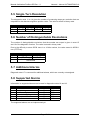
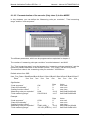
Encoder Address(0 to 125)
X
ON
OFF
Address by SAP55
Address from Switch
Address 126 is reserved for Set Slave Adress
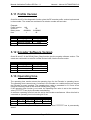
6.1.4 Switch signification
Address
0
1
2
3
...
124
125
Dip 1 Dip 2
OFF OFF
ON OFF
OFF ON
ON
ON
OFF
ON
OFF
OFF
Dip 3
OFF
OFF
OFF
OFF
Dip 4
OFF
OFF
OFF
OFF
Dip 5
OFF
OFF
OFF
OFF
Dip 6
OFF
OFF
OFF
OFF
Dip 7
OFF
OFF
OFF
OFF
Dip 8
OFF
OFF
OFF
OFF
ON
ON
ON
ON
ON
ON
ON
ON
ON
ON
OFF
OFF
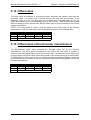
6.1.5 Set_Slave_Address
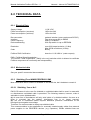
The master can change the encoder address via the Set_Slave_Address (SAP55) (only
accepted in the power-on mode). Once the encoder address is changed, the new address is
securely stored in case of voltage breakdown in the encoder EEPROM.
The address by default is 126 (0FEh). To reset the address stored in the encoder EEPROM,
just turn off the dip switch 8 end power on the encoder : the new address in the encoder
EEPROM will be the default address 126 (FE hex).
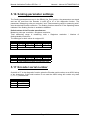
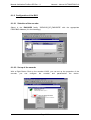
6.1.6 Line termination
The last device of the bus has to terminate the line with 3 resistors. To activate them, switch
ON to activate them.
6.1.7 Type File
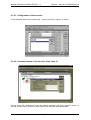
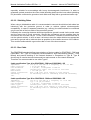
To run the encoder on Profibus-DP Master, A GSD file named IDEA1658.GSD has been
written, which is stored on the floppy disk included with the encoder on request.
Refer to your Profibus-DP documentation to insert this file in the right place in your
configuration device.
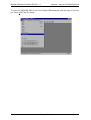
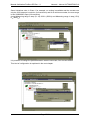
For example, location where the files can be copied:
IDEA1658.GSD
in C:\SINEC\COMPB.W95\GSD
IDEACOD?.BMP
in C:\SINEC\COMPB.W95\BITMAP\
Page 21/21