1
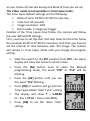
Setting the Image Resolution in PIR mode
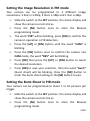
Your camera can be programmed to 3 different image
resolutions: 3 Stars is 12Mp, 2 Stars is 5Mp and 1 Star is 3Mp.
•
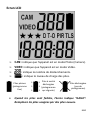
Slide the switch to the SET position, the status display will
show the camera current status.
•
Press the [M] button once to enter the Manual
programming mode.
•
The word “PIR” will be blinking, press [OK] to confirm the
camera’s operation is PIR detection.
•
Press the [UP] or [DN] button until the word “CAM” is
blinking.
•
Press the [OK] button once to confirm the camera into
CAM mode, the word “RES” will be blinking.
•
Press [OK] then press the [UP] or [DN] button to select
the desired resolution.
•
Press [OK] to save your selection, then the word “burst”
(Burst shoot) will be blinking. Press the [OK] button to
enter the burst shoot setting or the [M] button to exit.
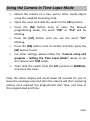
Setting the Burst Shoot in PIR mode
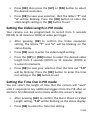
Your camera can be programmed to shoot 1 to 10 pictures per
trigger.
•
Slide the switch to the SET position, the status display will
show the camera current status.
•
Press the [M] button once to enter the Manual
programming mode.
55/80