1
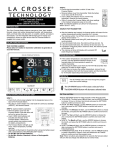
Set Time Alarm Select Temperature Alert Values In normal mode, press and release the TIME ALARM button once to show alarm time. Hold the TIME ALARM button for three seconds to enter alarm set mode. HOUR: The Hour will flash, use the ARROW buttons to set the hour, and press TIME ALARM button to confirm. Then press the TIME ALARM button again switch to minute setting. MINUTES: The Minutes will flash, use the ARROW buttons to set the minutes, and press TIME ALARM button to confirm. Press the TIME/DATE button to return to normal mode Note: When no buttons are pressed for ten seconds the Temperature Station will save the last change and default back to normal mode. Hold the TEMP ALERTS button for three seconds to enter alert setting. OUTDOOR HI alert will flash where the outdoor temperature shows. Press the ARROW buttons to set the alert value, and press the TEMP ALERTS button to confirm. Then press the TEMP ALERTS button again switch to OUTDOOR LOW setting. OUTDOOR LO alert will flash where the outdoor temperature shows. Press the ARROW buttons to set the alert value, and press the TEMP ALERTS button to confirm and exit. Note: After selecting temperature alert values use the next step to turn individual alerts ON or OFF. Temperature Alerts ON/OFF Activate/Deactivate Time Alarm In normal mode, press and release the TIME ALARM button once to show alarm time. Press and release the TIME ALARM button repeatedly to turn the alarm ON/OFF. The alarm icon appears when alarm is activated. In normal mode, press and release the TEMP ALERTS button to toggle between: o Outdoor HI o Outdoor LO Snooze When the alarm sounds press the TIME ALARM button to snooze the alarm for 10 minutes. The snooze option can be repeated three times. Note: while the alarm sounds press any button except the TIME ALARM button to turn the alarm off. LOW BATTERY Press the UP ARROW button (Alert ON) to turn the selected alert ON. The alert icon appears when alarm is activated. Press the DOWN ARROW button (Alert OFF) to turn the selected alert OFF. Note: When no temperature alerts are set the Temperature Alert area will show ALERTS OFF. Temperature alert rings When this icon appears in the outdoor (OUT) readings section, replace the batteries in the outdoor transmitter. MIN/MAX The Temperature Station will show the daily minimum and maximum temperatures each day starting at midnight (12:00 AM). The Temperature Station automatically resets the min/max temperatures at midnight (12:00 AM). View MIN data: Press and release the MIN button to view the minimum Indoor and Outdoor Temperatures. Reset MIN data: Hold the MIN button for 3 seconds and the Indoor and all Outdoor Minimum Temperatures will be reset to current temperatures. View MAX data: Press and release the MAX button to view the maximum Indoor and Outdoor Temperatures. Reset MAX data: Hold the MAX button for 3 seconds and the Indoor and all Outdoor Maximum Temperatures will be reset to current temperatures. TEMPERATURE ALERTS: Press and release the TEMP ALERTS button to toggle between the temperature alerts. Hold the TEMP ALERTS button to set individual high and low alerts. The UP ARROW button (on back) will increase temperature alert value in alert set mode (flashing). Turn alert ON when alert is selected but not flashing. The DOWN ARROW button (on back) will decrease values when temperature alert flashes. Turn alert OFF when alert is selected but not flashing. When temperature alert is ringing, corresponding alert icon will flash. The alert will ring for five seconds every minute, until the temperature is out of alert range. Press any button to stop alert. The alert icon will still show. Turn alert OFF: In normal mode, press and release the TEMP ALERTS button to select the alert to turn off. With HI or LO alert selected, press the DOWN ARROW button to turn that alert OFF. TEMPERATURE TREND ICONS: The indoor and outdoor temperature trend indicators will update every 30 minutes or less. These trends represent temperature changes over the past three hours. Temperature rising more than 1°C/ 2°F in the past three hours Temperature has not changed more than 1°C/2°F in the past three hours. Temperature falling more than 1°C/ 2°F in the past three hours POSITION THE TEMPERATURE STATION: Choose a location for the Temperature Station that is within range of the outdoor transmitter. The Temperature Station has a built in base to sit on a table or desk. Choose a location 6 feet or more from electronics such as cordless phones, gaming systems, televisions, microwaves, routers, baby monitors, etc., which can prevent signal reception. Be aware of electrical wires and plumbing within a wall. Best reception is achieved when the front or the back of the Temperature Station is facing the outdoor transmitter. This allows a larger portion of the antenna to receive a signal. POSITION THE WIRELESS OUTDOOR TRANSMITTER: The bell icon indicates an alert is active. One or all the temperature alerts may be set. Range for outdoor temperature alert: -40°C to 60°C (-40°F to 140°F) Once the Temperature Station shows the outdoor temperature, place it and the transmitter in the desired locations and wait approximately 1hour before permanently mounting the transmitter to ensure that there is proper reception. The transmitter should be mounted vertically, in a shaded, protected area, at least 6 feet from the ground to avoid 2