1
FRONT PANEL CONTROLS AND
FEATURES
POWER UP ROUTINE
When power is applied to the unit, a self-test is
performed. The LCD text display shows SELF TEST
followed by the current phase selection, SINGLE
PHASE, THREE PHASE 123 or THREE PHASE 132.
When the self test is passed, the display will show either
PARADIME READY (followed by a scrolling message) if
the menu is locked, or ‘DMX START nnn OK’ if the menu
is unlocked. OK is shown on the far right hand side of
the display while the dimmer checks for an incoming
signal. If no valid DMX signal is present it will disappear
after three seconds.
SETTING / CHANGING FEATURES
All the features of the dimmer are set using the four
push-buttons in conjunction with instructions and options
shown in the LCD display. All features are accessed
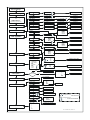
through menu choices. The complete menu structure
can be followed on the diagram at the end of this
manual. Each individual menu screen has an exclusive
reference number to guide you through the process.
MENU - USER LOCKS
If your button presses appear to be ignored, it may be
because the menus have been ‘locked’ to prevent
accidental changes being made. The menus must be
‘unlocked’ before changes can be made and if required,
re-locked again afterwards. Menu locking is controlled
by the MENU ACCESS function within Menu 8 READ
INFO.
MENU - INSTALLER LOCKS
Certain items may be protected by an internal hardware
‘lock’. These items should not normally need to be
changed and you should contact your installer/supplier
before attempting to do so.
MISE SOUS TENSION
ROUTINE D’INITIALISATION
Lors de la mise sous tension un autotest est effectué.
L’afficheur montre SELF TEST, suivi de la sélection des
phases actuellement en vigueur, SINGLE PHASE,
THREE PHASE 123 ou THREE PHASE 132. Après le
test le display affiche READY (suivi d'un message
défilant) si le menu est bloqué ou ' DMX START nnn
OK' si le menu est ouvert. Vous verrez OK tout à droite
du display pendant que le bloc cherche un signal de
contrôle. S'il n'y a pas de signal valide, il disparaîtra au
bout de trois secondes.
SELECTION / CHANGEMENT DES
CARACTERISTIQUES
Toutes les caractéristiques du Paradime sont
sélectionnées au moyen des quatre boutons poussoirs
en conjonction avec les instructions et les options
affichées dans le display. Vous avez l'accès à toutes les
caractéristiques au moyen des choix de ce menu.
Voyez la structure entière du menu dans le diagramme
sur la page 41 de ce manuel. Chaque élément du menu
porte un numéro de référence pour vous guider par la
procédure.
BLOCAGE DU MENU - UTILISATEUR
S'il semble que vos pressions de boutons ne produisent
aucun effet, il pourrait être parce que le menu a été
bloqué contre les changements accidentaux. Il vous
faut le débloquer, avant de pouvoir faire les
changements, et le rebloquer après, si vous voulez.
Voyez la fonction MENU ACCESS dans le menu No. 8,
READ INFO.
BLOCAGE DU MENU - INSTALLATEUR
De certaines options de menu peuvent être bloquées en
hardware. Vous n'aurez pas normalement besoin de les
changer. Référez-vous à votre installateur/fournisseur
avant de l'essayer.
Paradime, all versions, March, 2000
English, Français, Deutsch, Español
Page 1