1
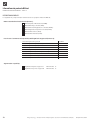
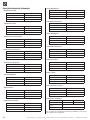
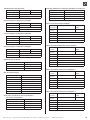
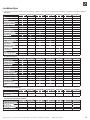
Table des matières

INFORMATIONS DESTINÉES AUX UTILISATEURS ET AU
PERSONNEL QUALIFIÉ
OBJETS............................................................................................... 4
FONCTIONS SUPPLÉMENTAIRES DE L'OUTIL BACNET-TOOL................ 11
Enregistrer le protocole IBN – partie 1......................................... 11
Enregistrer le protocole IBN – partie 2......................................... 11
Enregistrer le protocole IBN – partie 3......................................... 11
Fonctions supplémentaires......................................................... 11
Fonctions supplémentaires – Fichiers EDE.................................. 11
OBJETS MIS À DISPOSITION................................................................ 4
FENÊTRE D'INFORMATION SUR LA VERSION (AUTO-UPDATE)............. 11
SERVICES........................................................................................... 5
INFORMATIONS DE PROTOCOLE BACNET .......................................... 12
Description du produit :............................................................... 12
Standard Object Types Supported:..............................................13
Data Link Layer Options:..............................................................13
Networking Options:...................................................................13
Character Sets Supported:..........................................................13
CONTENU DE L'EMBALLAGE................................................................ 3
GÉNÉRALITÉS BACNET ....................................................................... 3
Terme........................................................................................... 3
FONCTIONS ....................................................................................... 3
FONCTIONS PRISES EN CHARGE......................................................... 5
SYSTÈMES DE TRANSPORT / VOIES DE TRANSMISSION...................... 5
BACNET POINTS DE DONNÉES RÉGLAGE DE LA POMPE À CHALEUR ... 5
DONNÉES NÉCESSAIRES POUR L'INTÉGRATION BACNET (LISTE DE
VÉRIFICATION) :............................................................................ 6
DESCRIPTION DES POINTS DE DONNÉES...........................................14
CONFIGURER BACNET ........................................................................ 7
LISTE BACNET OBJECT....................................................................... 17
RÉGLAGES DU RÉSEAU....................................................................... 7
Condition ..................................................................................... 7
Variante A :
régulateur de pompe à chaleur comme serveur DHCP............. 7
Variante B :
régulateur de pompe à chaleur comme DHCP Client............... 7
Variante C : configuration manuelle des réglages IP..................... 7
CE QU’IL CONVIENT DE RESPECTER :..................................................18
OUTIL DE CONFIGURATION (SUR CLÉ USB).......................................... 7
Sélection de la langue.................................................................. 7
Sélection de la carte réseau......................................................... 8
Barre de menu.............................................................................. 8
Types d'exécution......................................................................... 8
Type d'exécution : mode standard................................................ 8
Information IP............................................................................... 8
Recherche.................................................................................... 8
Pompes à chaleur trouvées.......................................................... 8
Fenêtre de sélection..................................................................... 8
Fenêtre de boutons...................................................................... 8
Passer en mode Expert................................................................. 9
Type d'exécution : Expert............................................................. 9
Entrée manuelle – partie 1............................................................ 9
Entrée manuelle – partie 2........................................................... 9
Configuration............................................................................... 9
Test – partie 1............................................................................... 9
Test – partie 2.............................................................................10
Test – partie 3.............................................................................10
Après la configuration.................................................................10
Activer avec le dongle.................................................................10
FIN DE LA CONFIGURATION................................................................10
2
FR830088/210303 – Traduction du mode d'emploi original – Sous réserve de modifications techniques. © Alpha-InnoTec GmbH