1
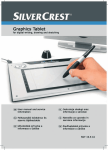
SilverCrest graphics tablet SGT 10.6 A2
Contents
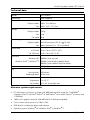
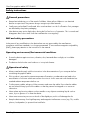
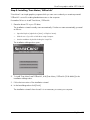
Registered trademarks..................................................................................... 68 Introduction...................................................................................................... 68 Intended use .................................................................................................... 68 Supplied items .................................................................................................. 69 Supplied software .......................................................................................................................... 70 Licence terms – licence agreement .................................................................... 70 Operating elements and connections ............................................................... 71 Technical data .................................................................................................. 73 Minimum system requirements ...................................................................................................... 73 Safety instructions ............................................................................................ 74 General precautions ...................................................................................................................... 74 EMC and safety precautions ........................................................................................................ 74 Operating environment/Environmental conditions...................................................................... 74 Operational safety ......................................................................................................................... 74 Prior to use ....................................................................................................... 75 Step 1: Inserting the battery into the digital pen.......................................................................... 75 Step 2: Installing the graphics tablet driver and Macro Key Manager ..................................... 76 Step 3: Connecting the graphics tablet ........................................................................................ 77 Step 4: Adjusting the active area to the screen format ............................................................... 78 Step 5: Installing "Free Notes / Office Ink" ................................................................................. 79 Step 6: Installing "Power Presenter RE II" ..................................................................................... 80 Step 7: Installing "CorelDRAW® Essentials OEM" ...................................................................... 81 First use ............................................................................................................ 84 Working with the function keys and the control button ............................................................... 84 Working with the digital pen (for example when using "Free Notes") ...................................... 86 Configuration ................................................................................................... 88 Programming macro keys.............................................................................................................. 88 Customising the digital pen ........................................................................................................... 92 Troubleshooting ............................................................................................... 94 Replacing the battery .................................................................................................................... 95 Replacing the pen nib.................................................................................................................... 95 Cleaning / maintenance ................................................................................... 96 Disposal of old devices ................................................................................................................. 96 Conformity information .................................................................................... 96 Warranty and servicing information ................................................................ 97
English - 67