1
Black plate (19,1)
Section
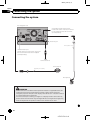
Connecting the system
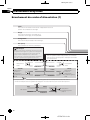
! This mode is available when the setting of
video input 1 (AV1) is set to “On”. (For details, refer to Operation Manual.)
English
When connecting the
external video component
02
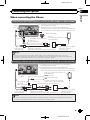
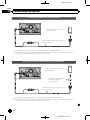
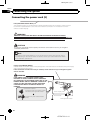
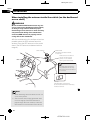
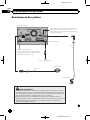
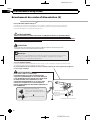
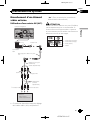
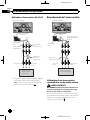
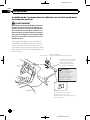
Using an AV input (AV1)
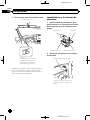
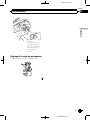
CAUTION
The navigation unit
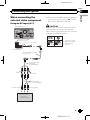
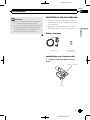
Be sure to use a mini-jack AV cable (CD-RM10)
(sold separately) for wiring. If you use other
cables, the wiring position might differ resulting
in disturbed images and sounds.
OK
15 cm (5-7/8 in.) AUX input
L
V G R
L:
R:
V:
R G V G:
L
Left audio (White)
Right audio (Red)
Video (Yellow)
Ground
RCA connector
Mini-jack extension cable
2 m (6 ft. 7 in.)
Mini-jack AV cable
(CD-RM10)
(sold separately)
Yellow
Red, white
RCA cables
(sold separately)
To video output
To audio outputs
External video
component
(sold separately)
En
<CRD4732-A>19
19