1
Black plate (2,1)
Contents
Precautions
Your new navigation system and this
manual 3
Important safeguards 3
Connecting the system
Precautions before connecting the
system 5
Before installing this product 5
To prevent damage 6
– Notice for the blue/white lead 6
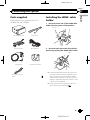
Parts supplied 7
Installing the HDMI® cable holder 7
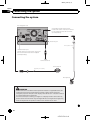
Connecting the system 8
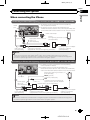
When connecting the iPhone 9
When connecting the Android™ device (for
AVIC-Z150BH and AVIC-X950BH) 11
Connecting the power cord (1) 12
Connecting the power cord (2) 14
When connecting to separately sold power
amp 16
When connecting a rear view camera 18
When connecting the external video
component 19
– Using an AV input (AV1) 19
– Using an AV input (AV2) 20
When connecting the rear display 20
– When using a rear display connected to
rear video output 20
– Fastening the detachable faceplate 24
Installing the GPS antenna 25
– Installation notes 25
– Parts supplied 25
– When installing the antenna inside the
vehicle (on the dashboard or rear
shelf) 26
Installing the microphone 27
– Parts supplied 27
– Mounting on the sun visor 27
– Installation on the steering column 28
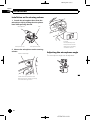
– Adjusting the microphone angle 28
Installation
Precautions before installation 21
To avoid electromagnetic interference 21
Before installing 21
– For AVIC-Z150BH users 22
Installing the navigation system 22
– Installation notes 22
– Parts supplied 23
– Installation using the screw holes on
the side of the navigation unit 23
2
En
<CRD4732-A>2