1
Step
1
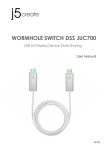
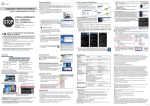
Step 1. Driver Installation on both computers:
1. Insert the Driver CD into the drive; the setup program should launch automatically.
( * Make sure that JUC700 is NOT connected to your host computer. )
2. Click on “ Install the Latest Driver” or press “Install Driver” to start the installation
( * Please make sure the network is available. )
3. When Install Shield Wizard is complete, select “Yes, I want to restart my computer now”.
* Update Driver is available at www.j5create.com in “support > download” area.
Step 1. Instalación del controlador en ambos equipos
1. Inserte el CD de controladores en la unidaddeCD ; el programa de configuración
debe iniciarse automáticamente.
( * Asegúrese que el JUC700 NO está conectado a su computadora. )
2. clic en “Instalar el último controlador”. o presione “Instalar controlador” para
iniciar la instalación
( * Asegúrese de que la red esté disponible )
3. Cuando el Asistente para la instalación InstallShield Wizard haya finalizado, seleccione
“Si, deseo reiniciar el equipo ahora.”
* La descarga de los controladores está disponible en www.j5create.com en el
área "support > download".
Step 1. Treiberinstallation auf beiden Computern:
1. Treiber-CD einlegen; das Einstellungsprogramm sollte jetzt automtaisch starten
2