1
ST 7609-68
Training
Personal exercising specifications
General
-
Without particular preliminary settings, the values in
the individual functions [TIME, DISTANCE; CALORIES
and PULSE] count from >0< upwards.
-
For reasonable exercising, it is sufficient to merely set a
target value in one function [TIME, DISTANCE, CALORIEN or PULSE].
-
If a personal target value is set as an exercise specification, the computer counts from this value downwards.
When reaching the target value >0<, an acoustic signal sounds off. If afterwards, without setting of a new
target value, you continue exercising, the computer
counts in this mode from >0< upwards again.
-
Once target values have been set, during exercising
these cannot be changed, only during a standstill.
Target value specifications
The setting of the target values is the same with all functions: e.g. DISTANCE
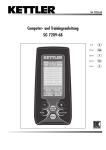
1. Press the MODE key until in the field the number blinks
in the field DISTANCE and the large number is in the
display (identification > DST).
2. Through shortly pressing the key SET, you increase the
value. E.g. DISTANCE in 0.5 km steps. If you press and
hold the SET key, the set value is counted quicker.
3. If you would like to reduce the target value again,
shortly press the RESET KEY: Counting will begin again
from >0<. Press the SET key again until the target value
has been reached.
4. If you have set the target value, press the MODE key.
The value is then stored in this function and you go to
the next function, e.g. CALORIES.
5. Enter the specification values if possible only in one
function because otherwise the exercise goals will be
overlapped. E.g. if you would reach the preset time
goal earlier than the preset distance goal.
6. The specified values in the other functions [TIME;
CALORIES or PULSE] are, as described with 1-4, also
entered with the keys SET, RESET and MODE.
After finishing the presettings, you can begin with exercising.
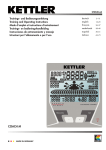
During the exercise session, in the display the display of
the different functions changes every 6 seconds. If you
press the MODE key during this display, the selected function remains in the display in large numbers. In the small
display the function name blinks, e.g. PULSE.
Pressing the MODE key again operates the SCAN operation > display change every 6 seconds.
17
GB