1
dgps_e_n.qxd
02.03.99 08:21
Seite 24
CONFIGURATION AND OPERATION
3.6 Automatic Beacon Search (ABS) Mode
The VDO DGPS-Receiver is able to operate autonomously, selecting
and tuning to the most appropriate beacon for a certain area without
operator intervention.
We recommend that Automatic Beacon Search mode be used for navigation.
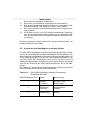
To switch from Manual Tune mode to Automatic Beacon Search mode,
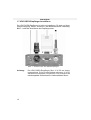
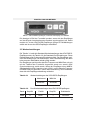
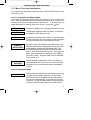
the following list provides instructions for initiating ABS Mode upon receiver power-up:
1.
Press the
BCN.
key and the VDO DGPS-Receiver will display ALT
2.
Press the
key to display AUTO SRCH, followed by pressing
. This places the receiver into Automatic Beacon Search
mode.
3.
The receiver will display WAIT… while it configures itself for automatic operation. It will then return to Level 1 of the software menu
tree, and display Frq XXX.XX, where XXX.XX is the currently tuned frequency. The receiver will not conduct a Global Search if a
valid Auto Search Table is present in memory, otherwise it will initiate the search sequence.
3.7 Global Search
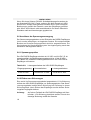
When powered for the first time, the VDO DGPS-Receiver immediately
initiates a Global Search during which it examines each available frequency assessing signal strength, and develops a Global Beacon Table.
Upon completion of this search, the receiver examines each of the nonzero signal strength frequencies at both 100 and 200 bps MSK rates in
order to identify valid RTCM data. Once the VDO DGPS-Receiver determines which beacon has the best overall signal, it will tune to that frequency and MSK rate, before initiating the background search.
Upon subsequent receiver power up, the Automatic Beacon Table remains in memory. The VDO DGPS-Receiver will not perform a Global
Search until this table becomes invalid. If this occurs, the receiver will
68