1
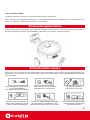
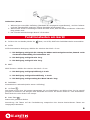
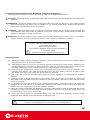
1. Take out the battery before disposing of the cleaner.
2. Always remember to cut off the power before removing the battery.
3. Recycle or dispose of the battery properly.
4. To avoid explosion, never throw it into fire!
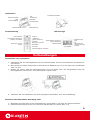
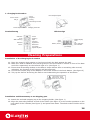
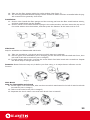
How to Use the Virtual Wall
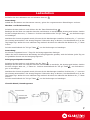
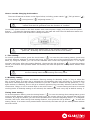
01. The virtual wall should generally be placed at the doorway of the room you planned to clean
02. You can also place the virtual wall in any proper place to prevent the cleaner entering the blocked area.
03. Ensure no obstacle is placed in front of the virtual wall when you plan to block a particular area..
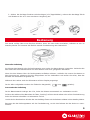
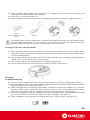
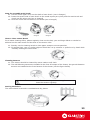
Dustbin
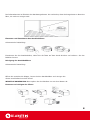
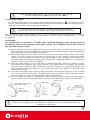
01. Press the button on the dustbin by hand. (See figure 1)
02. The dustbin will be ejected. (See figure 2)
03. Then you can take it out easily. (See figure 3)
04. Just push it by force to install the dustbin.
Figure 1
Figure 2
Figure 3
How to Clean the Dustbin 01. First, open the dustproof clapboard and dump the dust and
debris collected. (See Figure 1) 02. Then clean it with cleaning brush (See Figure 2)
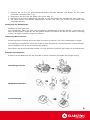
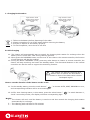
How to Clean the Dustbin
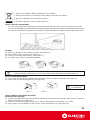
01. First, open the dustproof clapboard and dump the dust and debris collected. (See Figure 1)
02. Then clean it with cleaning brush (See Figure 2)
Rinse by water
is prohibited!
Figure 1
Figure 2
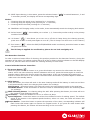
How to Replace and Clean the Filter
Removal and cleaning:
01. Hold the middle part of the filter bracket located on the suction inlet by hand (See figure 1) and then
draw horizontally (See figure 2).
02. Take out the scouring pad (See figure 3) and the filter sponge (See figure 3) in order.
03. Put a finger into the bottom of the suction outlet and draw it out (See figure 4).
21