1
Using the cordless handset
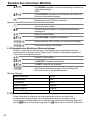
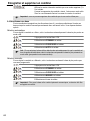
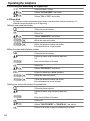
5.12 Phone book
You can store 50 entries in the phone book. Names may be up to 16 characters long and telephone
numbers up to 24 digits long.
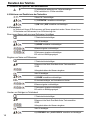
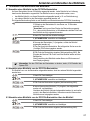
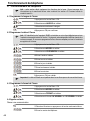
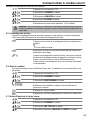
Adding a phone book entry
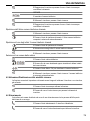
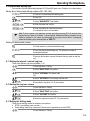
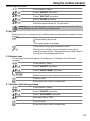
1 Press the phone book key.
2 Press the OK key twice.
3 Enter the name and confirm.
4 Enter the desired telephone number and confirm.
A confirmation tone is now sounded.
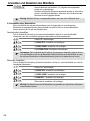
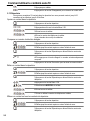
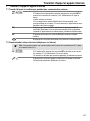
Dialling an abbreviated number
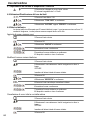
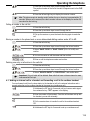
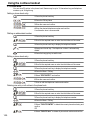
1 Press the phone book key.
2 Scroll to the required name or enter the initial letters of the name.
3 Press the phone book key to display the telephone number.
4 Now press the call key. The telephone number is automatically
dialled.
5 Press the hang up key to end the call.
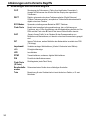
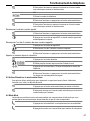
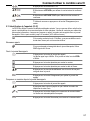
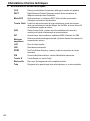
Editing a phone book entry
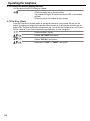
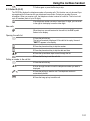
1 Press the phone book key.
2 Scroll to the required name or enter the initial letters of the name.
3 Press the phone book key to display the telephone number.
4 Press the Menu / OK key.
5 Select "EDIT ENTRY" and confirm.
6 Enter the name and confirm.
7 Enter or edit the telephone number and confirm.
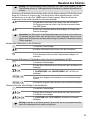
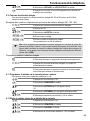
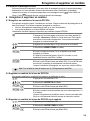
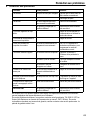
Deleting one entry or all entries in the phone book
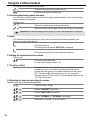
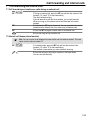
1 Press the phone book key.
2 Scroll to the required name or enter the initial letters of the name.
3 Press the phone book key to display the telephone number.
4 Press the Menu / OK key.
5 Select "DELETE ENTRY" to delete the current phone book entry and
confirm.
OR
6 Select "DELETE ALL" to delete all phone book entries and confirm.
120