1
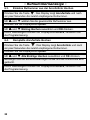
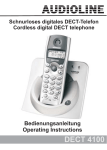
Schnurloses digitales DECT-Telefon
Cordless digital DECT telephone
Bedienungsanleitung
Operating Instructions
DECT 8600SIM
DECT8600SIM
Bedienungsanleitung ______ 3
Operating Instructions ____ 53
- Inhaltsverzeichnis 1.
2.
3.
3.1.
3.2.
3.3.
3.4.
3.5.
3.6.
3.7.
4.
4.1.
4.2.
4.3.
4.4.
4.5.
4.6.
4.7.
4.8.
4.9.
4.10.
4.11.
4.12.
5.
5.1.
5.2.
5.3.
5.4.
5.5.
5.6.
5.7.
6.
6.1.
6.2.
6.3.
6.4.
Allgemeine Hinweise ................................................................ 6
Bedienelemente......................................................................... 8
Inbetriebnahme ......................................................................... 9
Sicherheitshinweise .................................................................... 9
Verpackungsinhalt prüfen ........................................................... 9
Basisstation anschliessen........................................................... 9
Standard-Akkus einbauen......................................................... 10
Gürtelclip anbringen .................................................................. 11
Displaysprache einstellen ......................................................... 11
Wandmontage........................................................................... 11
Bedienung................................................................................ 12
Displaymeldungen..................................................................... 12
Anrufe entgegennehmen .......................................................... 13
Anrufe führen ............................................................................ 13
Freisprechen ............................................................................. 14
Einstellen der Hörer- und Freisprechlautstärke ........................ 14
Anzeige der Gesprächsdauer ................................................... 14
Mikrofon im Handapparat stummschalten ................................ 14
Wahlwiederholung..................................................................... 15
Tastatursperre........................................................................... 15
Paging von der Basisstation zum Handapparat........................ 15
Headsetanschluss..................................................................... 16
Temporäre Tonwahl .................................................................. 16
Das Telefonbuch ..................................................................... 17
Rufnummern aus dem Telefonbuch wählen ............................. 17
Rufnummern in das Telefonbuch eingeben .............................. 17
Erklärung der Namenseingabe ................................................. 18
Gespeicherte Rufnummern aus dem Telefonbuch anzeigen.... 18
Gespeicherte Rufnummern im Telefonbuch ändern ................. 19
Gespeicherte Rufnummern aus dem Telefonbuch löschen...... 19
Gesamtes Telefonbuch löschen ............................................... 19
Rufnummernanzeige (CLIP) ................................................... 20
Die Anruferliste.......................................................................... 21
Einzelne Rufnummer der Anruferliste in das Telefonbuch
speichern................................................................................... 21
Einzelne Rufnummer aus der Anruferliste löschen................... 22
Komplette Anruferliste löschen ................................................. 22
3
- Inhaltsverzeichnis 7.
7.1.
7.2.
7.3.
7.4.
7.5.
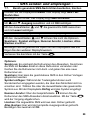
SMS senden und empfangen ................................................. 23
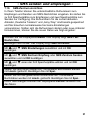
Allgemeine Voraussetzungen und Hinweise............................. 23
Provider auswählen................................................................... 24
Hinweise zur Speicherkapazität ................................................ 25
Neue SMS-Nachrichten versenden oder speichern.................. 26
Empfangene SMS-Nachrichten lesen, beantworten,
löschen...................................................................................... 27
7.6. Im Ordner Vorlagen gespeicherte SMS-Nachrichten senden... 28
7.7. Bereits gesendete SMS-Nachrichten bearbeiten, löschen ....... 29
7.8. Hinweiston bei neuen SMS-Nachrichten ausschalten .............. 29
7.9. Sende-Zentrum auswählen ....................................................... 30
7.10. SMS-Zentrum einrichten ........................................................... 30
8.
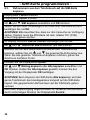
Sim-Karte programmieren...................................................... 32
8.1. SIM-Karte einlegen oder entfernen ........................................... 32
8.2. Rufnummern aus der SIM-Karte in das Telefonbuch
kopieren .................................................................................... 33
8.3. Rufnummern aus dem Telefonbuch auf die SIM-Karte
kopieren .................................................................................... 34
9.
Nebenstellenanlagen/T-NET................................................... 35
9.1. “R” Taste an Nebenstellenanlagen ........................................... 35
9.2. “R” Taste und das T-Net der DEUTSCHEN TELEKOM .......... 35
9.3. Flashzeit ändern........................................................................ 35
9.4. Pause einfügen ......................................................................... 36
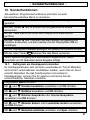
10. Sonderfunktionen ................................................................... 37
10.1. Rufsignale am Handapparat einstellen ..................................... 37
10.2. Tastenklick ein- oder ausschalten............................................. 38
10.3. Anrufe automatisch entgegennehmen ...................................... 38
10.4. Displaynamen ändern ............................................................... 38
10.5. Displaykontrast einstellen ......................................................... 39
10.6. Ton oder Puls - Wahlverfahren ................................................. 39
10.7. Wahlsperren einrichten ............................................................. 39
10.8. SYS PIN-Code ändern .............................................................. 40
10.9. Wartemusik ein- ausschalten .................................................... 40
10.10. Werkseinstellungen wieder herstellen .................................... 41
4
- Inhaltsverzeichnis 11. Mehrere Handapparate ........................................................... 42
11.1. Intern telefonieren ..................................................................... 43
11.2. Externe Gespräche auf einen anderen Handapparat
verbinden .................................................................................. 43
11.3. Telefonbuch kopieren................................................................ 44
11.4. Vorrang beim Klingeln............................................................... 44
11.5. Abmelden von Handapparaten ................................................. 45
11.6. Anmelden von AUDIOLINE DECT8600SIM Handapparaten.... 45
11.7. Anmelden eines fremden Handapparates an die
Basisstation............................................................................... 46
11.8. Anmelden eines DECT8600SIM Handapparates an andere
Basisstationen........................................................................... 46
11.9. Zusätzliche Basisstationen ....................................................... 46
12. Fehlerbeseitigung ................................................................... 48
13. Wichtige Informationen .......................................................... 49
13.1. Wichtiger Hinweis...................................................................... 49
13.2. Technische Daten ..................................................................... 49
13.3. Telefonkabel austauschen ........................................................ 49
13.4. Garantie .................................................................................... 50
13.5. Konformitätserklärung ............................................................... 51
5
- Allgemeine Hinweise 1. Allgemeine Hinweise
Bitte lesen Sie diese Bedienungsanleitung sorgfältig durch. Bei eventuell auftretenden
Fragen, wenden Sie sich bitte an unseren Service unter der Service-Hotline
0180 5 00 13 88. Öffnen Sie das Gerät in keinem Fall selbst und führen Sie keine
eigenen Reparaturversuche aus. Bei Gewährleistungsansprüchen wenden Sie sich
bitte an Ihren Fachhändler.
Bestimmungsgemäße Verwendung - Dieses Telefon ist für den Betrieb an einem
analogen Telefonanschluss (PSTN) innerhalb Deutschlands entwickelt worden.
Allerdings kann, wegen der Unterschiede zwischen den verschiedenen TelekomNetzbetreibern, keine Garantie für einwandfreie Funktion an jedem TelekomEndgeräteanschluss übernommen werden. Das Telefon besitzt die Voraussetzung an
einer TAE-Steckdose mit F/N-Codierung gemeinsam mit anderen Anschlussgeräten
wie Fax, Anrufbeantworter oder einem Modem benutzt zu werden. Schließen Sie das
Anschlusskabel des Telefons nur an die dafür bestimmten Telefonsteckdosen an.
Wechseln Sie den Stecker des Anschlusskabels nicht aus.
Stromausfall - Bei einem eventuellen Stromausfall kann mit dem Telefon nicht
telefoniert werden. Halten Sie für eventuelle Notfälle ein schnurgebundenes Telefon
bereit, welches ohne eine externe Stromversorgung arbeitet.
Aufladbare Standard-Akkus- Keine anderen aufladbaren Batterien oder Akkupacks
verwenden. Diese können möglicherweise einen Kurzschluss verursachen. Verwenden
Sie beim Austauschen immer nur Standard-Akkus des Typs AAA 1,2V 550mA.
Standard-Akkus nicht ins Feuer werfen oder ins Wasser tauchen. Alte oder defekte
Standard-Akkus nicht mit dem normalen Hausmüll entsorgen.
Die angegebenen maximalen Standby- und Gesprächszeiten gelten für die
mitgelieferten wiederaufladbaren Standard-Akkus bei optimalen Bedingungen.
Umgebungstemperatur, Aufladezyklus und weitere äußere Einflussfaktoren, wie z.B.
Funkbelastung an der Einsatzumgebung können die Leistungszeiten erheblich
verringern. Die Ladekapazität reduziert sich darüber hinaus technisch bedingt im
Verlauf der Nutzung oder durch Lagerung bei sehr hohen oder niedrigen Temperaturen.
Laden des Handapparates - Sollte sich der Handapparat beim Laden erwärmen, so ist
dies normal und ungefährlich. Laden Sie den Handapparat nicht mit fremden
Aufladegeräten, da sonst Beschädigungen auftreten können.
Nebenstellenanlagen - Das Telefon kann auch an einer Nebenstellenanlage
angeschlossen werden. Ob Ihr Telefon an Ihrer Nebenstellenanlage einwandfrei
funktioniert, erfahren Sie bei dem Händler, bei dem die Anlage gekauft wurde. Durch
die große Anzahl verschiedener Nebenstellenanlagen kann eine Funktionsgarantie
nicht übernommen werden.
6
- Allgemeine Hinweise Netzteil - Verwenden Sie nur das mitgelieferte AUDIOLINE Steckernetzteil, da andere
Netzteile das Telefon zerstören können. Es besteht Lebensgefahr, wenn das
Steckernetzteil geöffnet und nicht vom Stromnetz getrennt wird.
Aufstellort - Am Aufstellort muss sich eine Netzsteckdose 230Volt befinden. Stellen
Sie die Basisstation nicht in die unmittelbare Umgebung von anderen elektronischen
Geräten wie z. B. Mikrowellen oder HiFi-Geräten, da es sonst zu gegenseitiger
Beeinflussung kommen kann. Der Aufstellort hat einen entscheidenden Einfluss auf
einen einwandfreien Betrieb des Telefons.
Stellen Sie die Basisstation auf eine ebene und rutschfeste Fläche. Normalerweise
hinterlassen die Füße der Basisstation keine Spuren auf der Aufstellfläche. Wegen der
Vielzahl der verwendeten Lacke und Oberflächen kann es jedoch nicht ausgeschlossen
werden, dass durch die Gerätefüße Spuren auf der Abstellfläche entstehen.
Verwenden Sie den Handapparat nicht in explosionsgefährdeten Bereichen.
Übermäßige Belastungen durch Rauch, Staub, Erschütterungen, Chemikalien,
Feuchtigkeit, Hitze oder direkte Sonneneinstrahlung müssen vermieden werden.
Hinweis für medizinische Geräte - Das Telefon arbeitet mit einer sehr geringen
Sendeleistung. Diese geringe Sendeleistung schließt eine gesundheitliche Gefährdung
nach dem derzeitigen Stand von Forschung und Technik aus. Es hat sich aber gezeigt,
dass eingeschaltete tragbare Telefone medizinische Geräte beeinflussen können.
Halten Sie deshalb bei medizinischen Geräten einen Abstand von mindestens einem
Meter ein.
Entsorgung - Ist die Gebrauchszeit der Standard-Akkus oder der gesamten Anlage
abgelaufen, entsorgen Sie diese bitte umweltfreundlich gemäß den gesetzlichen
Bestimmungen.
Temperatur und Umgebungsbedingungen - Das Telefon ist für den Betrieb in
geschützten Räumen mit einem Temperaturbereich von 10 °C bis 30 °C ausgelegt. Die
Basisstation darf nicht in Feuchträumen wie Bad oder Waschküche aufgestellt werden.
Vermeiden Sie die Nähe zu Wärmequellen wie Heizkörpern und setzen Sie das Gerät
keiner direkten Sonnenbestrahlung aus.
Reinigung und Pflege - Die Gehäuseoberflächen können mit einem trockenen,
weichen und fusselfreien Tuch gereinigt werden. Niemals Reinigungsmittel oder gar
aggressive Lösungsmittel verwenden. Außer einer gelegentlichen Gehäusereinigung ist
keine weitere Pflege erforderlich. Die Gummifüße der Basisstation sind nicht gegen alle
Reinigungsmittel beständig. Der Hersteller kann daher nicht für evtl. Schäden an
Möbeln o. ä. haftbar gemacht werden.
CE-Zeichen- Das Telefon stimmt mit den grundlegenden Anforderungen der R&TTEDirective überein. Dies wird durch das CE-Zeichen bestätigt.
7
- Bedienelemente 2. Bedienelemente
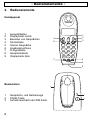
Handapparat
AUDIOLINE
1
2
3
4
5
6
7
8
9
Auswahltasten
Displaytaste rechts
Beenden von Gesprächen
Stummtaste
Interne Gespräche
Headsetanschluss
R-Signaltaste
Gesprächstaste
Displaytaste links
1
2
3
DECT 8600 SIM
9
8
2ABC
3DEF
GHI
5
JKL
6MNO
PQRS
8
TUV
9WXYZ
1
4
7
0
7
R
#
4
5
INT
6
Basisstation
3
~
1
2
3
Gesprächs- und Netzanzeige
PAGE-Taste
Aufnahmeschacht der SIM Karte
2
AUDIOLINE
8
1
- Inbetriebnahme 3. Inbetriebnahme
3.1.
Sicherheitshinweise
ACHTUNG! Lesen Sie vor der Inbetriebnahme unbedingt die
Sicherheitshinweise am Anfang dieser Anleitung.
3.2.
Verpackungsinhalt prüfen
Zum Lieferumfang gehören:
eine Basisstation
ein Handapparat mit Standardakkus
ein Telefonanschlusskabel
zwei Schrauben
ein Headset
ein Steckernetzteil
ein Gürtelclip
eine Bedienungsanleitung
zwei Dübel
3.3.
Basisstation anschliessen
1. Stellen Sie die Basisstation in der Nähe Ihrer
Telefonanschlussdose und einer
Netzsteckdose auf. Stecken Sie den Stecker
des Netzteils in die Buchse auf der
Unterseite der Basisstation und das
Steckernetzteil in eine vorschriftsmässig installierte Netzsteckdose
mit 230V. Das Steckernetzteil der Basisstation muss immer
angeschlossen sein. Verwenden Sie aus Sicherheitsgründen nur
das mitgelieferte Steckernetzteil.
2. Verbinden Sie das beiliegende Telefonkabel
mit der Telefonsteckdose und der
Telefonbuchse auf der Unterseite der
Basisstation. Verwenden Sie nur das neue
beiliegende Telefonkabel.
3. Verlegen Sie die beiden Kabel durch die
beiden Klemmen und die zwei Kabelkanäle
zur Rückseite der Basisstation.
9
- Inbetriebnahme 3.4.
Standard-Akkus einbauen
Die wiederaufladbaren Batterien besitzen eine Standby-Zeit von max.
120 Std. und eine max. Gesprächsdauer von bis zu 10 Std.
Um die mitgelieferten wiederaufladbaren Standard-Akkus in den
Handapparat einzulegen, drücken Sie auf den Batteriefachdeckel am
oberen Rand und schieben Sie ihn nach unten. Legen Sie nun die
Batterien ein und achten Sie auf die richtige Polung. Schließen Sie den
Batteriefachdeckel.
Verwenden Sie nur wiederaufladbare Batterien des Typs AAA 2 x 1,2V,
550mAh.
Die aktuelle Batteriekapazität wird im Display angezeigt:
Voll
Halb
Schwach
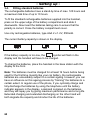
Ist die Batteriekapazität zu gering, blinkt im Display das Symbol
und der Handapparat muss geladen werden.
Zum Laden der Batterien stellen Sie den Handapparat mit dem Display
nach vorne in die Basisstation.
Hinweis: Vor der ersten Inbetriebnahme müssen die Batterien für
mindestens 16 Stunden geladen werden. Die aufladbaren Batterien
unterliegen genau wie Ihre Autobatterie unvermeidlich einer gewissen
Alterung. Allerdings können Sie auf diesen Alterungsprozess Einfluss
nehmen, indem Sie die Batterien gewissermassen "trainieren". Wenn
Sie bei regelmässiger Benutzung Ihres Telefons die Batterien zyklisch
aufladen und dann wieder "leer" telefonieren, bis die Batterieanzeige
im Display erscheint, werden die Batterien gefordert und danken dies
durch volle Leistungsfähigkeit und eine lange Lebensdauer.
Dauerladung und Dauerentladung schaden dagegen sowohl der
Kapazität wie auch der Lebensdauer der Batterien.
10
- Inbetriebnahme 3.5.
Gürtelclip anbringen
Mit dem mitgelieferten Gürtelclip können Sie den Handapparat
immer bei sich tragen.
Um den Gürtelclip zu befestigen,
stecken Sie den Gürtelclip in
waagerechter Position in den
Handapparat und drehen ihn dann in
eine senkrechte Position.
3.6.
Displaysprache einstellen
Die Displayanzeigen sind in den Sprachen Deutsch und Englisch
einstellbar (Werkseinstellung Deutsch).
Displaytaste Menü drücken.
Mit
und
drücken.
Handset einstellen (Handset Settings) wählen und OK
Mit
Sprache (Language) wählen und OK drücken.
und
Mit
und
eine Sprache wählen und Spei. drücken.
Nach kurzer Zeit ist die Sprache umgestellt und das Display zeigt
wieder den Bereitschaftsmodus an.
3.7.
Wandmontage
Benutzen Sie zur Befestigung
die zwei Schrauben und
Dübel, bohren Sie zwei
Löcher im Abstand von 75
mm und lassen Sie die
Schrauben ca. 7,5 mm der
Wand herausstehen. Stecken
Sie nun das Telefon auf die
Schrauben und schieben Sie
es etwas nach unten.
11
- Bedienung 4. Bedienung
4.1.
Displaymeldungen
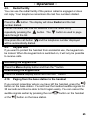
Das beleuchtete Klarschriftdisplay zeigt alle Menüpunkte in deutscher
Sprache an. Während des normalen Betriebes zeigt das Display den
Namen des Handapparates und die aktuelle Batteriekapazität.
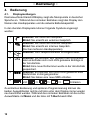
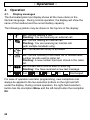
In der obersten Displayzeile können folgende Symbole angezeigt
werden:
1
2
3
4
5
6
Leuchtet: Sie führen ein Gespräch.
Blinkt: Sie erreicht ein externes Gespräch.
Leuchtet: Sie führen ein internes Gespräch.
Blinkt: Sie erreicht ein internes Gespräch.
(Nur bei mehreren Handapparaten)
Leuchtet: Die Freisprechfunktion ist eingeschaltet.
Leuchtet: Sie befinden sich gerade in der Anruferliste
oder es befinden sich noch nicht gelesene Einträge in
der Anruferliste.
Blinkt: Eine neue Rufnummer wurde in der Anruferliste
gespeichert.
SMS Leuchtet: Es befinden sich noch nicht gelesene SMS
Nachrichten im Eingangsordner.
Blinkt: Sie haben eine neue SMS erhalten.
Voll
=>
=>
=>
Entladen.
Zu einfachen Bedienung und späteren Programmierung können die
beiden Auswahltasten rechts und links unter dem Display immer wieder
neu beschriftet werden. Während des normalen Betriebes ist die rechte
Auswahltaste mit Menü und die linke mit T-Buch beschriftet.
12
- Bedienung 4.2.
Anrufe entgegennehmen
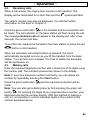
Erreicht Sie ein Anruf, ertönt das Ruftonsignal am Handapparat. Das
Display wird kurz beleuchtet und es blinkt das Symbol
.
Möglicherweise wird auch die Rufnummer des Anrufers angezeigt.
Weitere Informationen zu diesem Thema finden Sie im Kapitel 6.
am Handapparat und die
Drücken Sie die grüne Gesprächstaste
Verbindung wird hergestellt. Die Gesprächsanzeige der Basisstation
blinkt während des Gesprächs. Im Display erscheint die Anzeige
Externes Gespräch und nach ein paar Sekunden die aktuelle
Gesprächszeit.
Um das Gespräch zu beenden, stellen Sie den Handapparat zurück in
die Basisstation oder drücken Sie die rote Taste
Handapparat.
am
Wenn die automatische Rufannahme eingeschaltet ist, wird der Anruf
automatisch entgegengenommen, sobald Sie den Handapparat von der
Basisstation nehmen. Wie Sie die automatische Rufannahme
einschalten, erfahren Sie im Kapitel 10.3.
4.3.
Anrufe führen
Geben Sie die gewünschte Telefonnummer mit max. 24 Stellen über
das Tastenfeld ein. Die gedrückten Zahlen werden im Display
angezeigt.
Hinweis: Haben Sie eine falsche Zahl eingegeben, können Sie durch
mehrmaliges Drücken der Displaytaste Lösch. die Telefonnummer
löschen.
Drücken Sie die grüne Gesprächstaste
Verbindung wird hergestellt.
und die gewünschte
Hinweis: Sie können auch zuerst die grüne Gesprächstaste
drücken und erhalten damit das Freizeichen. Durch Eingabe der Zahlen
Ihrer gewünschten Rufnummer wählt Ihr Telefon die Rufnummer direkt
an. Eine Korrektur einzelner Zahlen der Rufnummer, wie oben erwähnt,
ist bei dieser Form des Gesprächaufbaus nicht möglich.
13
- Bedienung 4.4.
Freisprechen
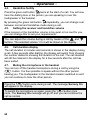
Drücken Sie zu Beginn eines Gesprächs zweimal die grüne
Gesprächstaste
. Nun hören Sie das Freizeichen oder den
Gesprächspartner über den Lautsprecher des Handapparates.
Durch mehrmaliges Drücken der grünen Gesprächstaste
Sie während eines Gesprächs zwischen dem Normal- und
Freisprechbetrieb umschalten.
können
4.5.
Einstellen der Hörer- und Freisprechlautstärke
Ist Ihnen die Hörer- oder Freisprechlautstärke zu leise oder zu laut,
können Sie diese Ihren Bedürfnissen anpassen.
Mit den Tasten
und
können Sie während eines Gesprächs die
Lautstärke anpassen. Im Display wird die gewählte Lautstärke 1 bis 4
angezeigt.
4.6.
Anzeige der Gesprächsdauer
Während eines Gesprächs wird die Gesprächszeit im Display in
Minuten und Sekunden angezeigt. Einige Sekunden nach dem Wählen
wird im Display von Anzeige der gewählten Nummer auf Anzeige der
Gesprächsdauer umgeschaltet. Nach Beendigung des Gesprächs
bleibt die Anzeige noch für einige Sekunden im Display erhalten.
4.7.
Mikrofon im Handapparat stummschalten
können Sie während eines TelefonMit der Stummtaste
gespräches das Mikrofon des Handapparates abschalten. So ist es
möglich zu sprechen, ohne dass der Gesprächspartner Sie hört. Der
Lautsprecher im Handapparat bleibt eingeschaltet, und Sie können den
Gesprächspartner weiterhin verstehen.
Drücken Sie einmal die Taste
während eines Gesprächs. Im
Display erscheint die Anzeige STUMM.
Um das Mikrofon wieder einzuschalten, drücken Sie erneut die Taste
. Die Anzeige STUMM erlischt und Sie können das Gespräch
normal fortsetzen.
14
- Bedienung 4.8.
Wahlwiederholung
Die Wahlwiederholung nutzen Sie, wenn der angerufene Teilnehmer
besetzt ist oder sich nicht meldet. Ihr Telefon speichert die fünf zuletzt
gewählten Rufnummern.
Drücken Sie die Taste
. Das Display zeigt Wahlwiederh. und die
zuletzt gewählte Telefonnummer.
Durch mehrmaliges Drücken der Taste
können nun weitere
Rufnummern der Wahlwiederholung angewählt werden. Mit der Taste
blättern Sie in der Liste wieder zurück.
Drücken Sie nun die Gesprächstaste
und die angezeigte
Telefonnummer wird automatisch gewählt.
4.9.
Tastatursperre
Möchten Sie den Handapparat vor ungewollter Bedienung schützen,
kann die Tastatursperre eingeschaltet werden. Ist die Tastatursperre
eingeschaltet, können nur noch Gespräche entgegengenommen
werden.
Tastatursperre einschalten
Displaytaste Menü und danach Taste * drücken
Tastatursperre ausschalten
Displaytaste Aufheb und danach Taste * drücken
4.10. Paging von der Basisstation zum Handapparat
Wenn Sie sich nicht mehr erinnern können, wo Sie Ihren Handapparat
liegen gelassen haben, drücken Sie die Taste
der Basisstation. Sie
werden für 30 Sekunden die Tonsignale des Handapparates hören und
ihn so leicht wiederfinden. Mit der roten Taste
oder der Taste
beenden.
am Handapparat
der Basisstation können Sie die Tonsignale vorher
15
- Bedienung 4.11. Headsetanschluss
Auf der Unterseite des Handapparates befindet sich die
Anschlussmöglichkeit für das Headset.
Ist das Headset mit dem Handapparat verbunden, werden die
Gespräche normal entgegengenommen. Sie hören dann den
Gesprächspartner über den Ohrhörer und über das Mikrofon am
Headset wird Ihre Stimme übertragen.
Das Umschalten auf den Freisprechmodus ist auch im Headsetbetrieb
möglich.
4.12. Temporäre Tonwahl
Können Sie Ihr Telefon nur mit dem IMPULS-Wahlverfahren betreiben,
brauchen Sie nicht auf die Vorteile des TON-Wahlverfahren (z.B:
Abfrage eines Anrufbeantworters) zu verzichten.
für zwei Sekunden
Halten Sie während eines Gesprächs die Taste
gedrückt. Im Display erscheint die Anzeige T. Das Telefon arbeitet nun
vorübergehend im TON-Wahlverfahren.
Nach Gesprächsende wird wieder auf das PULS-Wahlverfahren
zurückgeschaltet.
16
- Telefonbuch 5. Das Telefonbuch
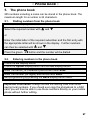
In das Telefonbuch können 255 Rufnummern inklusive eines Namens
gespeichert werden. Die maximale Länge einer Rufnummer beträgt 24
Stellen.
5.1.
Rufnummern aus dem Telefonbuch wählen
Displaytaste T-Buch drücken
Mit
und
die gewünschte Rufnummer auswählen
oder
Geben Sie den Anfangsbuchstaben des gewünschten Teilnehmers
ein und der erste Eintrag mit dem entsprechenden Buchstaben wird
im Display angezeigt. Mit
und
Rufnummern ausgewählt werden.
Drücken Sie die grüne Taste
5.2.
können dann weitere
und die Rufnummer wird gewählt.
Rufnummern in das Telefonbuch eingeben
Displaytaste T-Buch drücken
Displaytaste Option drücken und Displaytaste OK drücken.
Namen (16 Stellen) eingeben und mit Spei. bestätigen.
Rufnummer (24 Stellen) eingeben und mit Spei. bestätigen.
Durch zweimaliges Drücken der Displaytaste Zurück, verlassen Sie
die Programmierung.
Wichtige Information: Geben Sie auch beim Speichern von
Rufnummern aus Ihrem Ortsnetz immer die Vorwahl mit ein. Sollten Sie
das Telefonbuch einmal auf eine SIM-Karte kopieren, können Sie diese
Rufnummern dann ohne weitere Bearbeitung direkt auf Ihrem Handy
nutzen.
17
- Telefonbuch 5.3.
Erklärung der Namenseingabe
Zur Eingabe des Namens sind die Zahlentasten mit Buchstaben
beschriftet. Durch mehrmaliges Drücken der entsprechenden Taste
können Grossbuchstaben sowie Zahlen und Sonderzeichen
eingegeben werden.
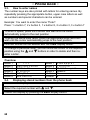
Beispiel: Sie möchten den Namen "Peter" eingeben.
Drücken Sie: 1 x Taste 7, 2 x Taste 3, 1 x Taste 8, 2 x Taste 3, 3 x
Taste 7
Um ein Leerzeichen einzugeben, drücken Sie die Taste 0 warten Sie
bis der Cursor automatisch eine Stelle weiter springt
Um den gleichen Buchstaben zweimal einzugeben, drücken Sie den
entsprechenden Buchstaben und warten Sie dann bis der Cursor
automatisch eine Stelle weiter springt.
Falsche Eingaben können mit der Displaytaste Lösch. gelöscht
werden.
Um einen bestimmten Buchstaben zu ändern, können Sie mit den
Tasten
und
den Cursor an die gewünschte Stelle bewegen, um
dann einen Buchstaben zu löschen und neu einzugeben.
Übersicht
Taste 1
Taste 2
Taste 3
Taste 4
Taste 5
Taste 6
5.4.
,. ‘ ?-!1
ABCabc2öüäß
DEFdef3
G HIghi4
JKLjkl5
MNOmno6
Taste 7
Taste 8
Taste 9
Taste 0
Taste *
Taste #
PQRSpqrs7
TUVtuv8
W XYZwxyz 9
Leerzeichen 0
*
#
Gespeicherte Rufnummern aus dem Telefonbuch anzeigen
Displaytaste T-Buch drücken
Mit
und
die gewünschte Rufnummer auswählen.
Durch Drücken der Displaytaste Zurück, verlassen Sie die Anzeige.
18
- Telefonbuch 5.5.
Gespeicherte Rufnummern im Telefonbuch ändern
Displaytaste T-Buch drücken
Mit
und
die gewünschte Rufnummer auswählen und
Displaytaste Option drücken.
Mit
und
Eintrag bearbeiten auswählen und OK drücken.
Mit Lösch. die Buchstaben löschen und Namen neu eingeben. Mit
und
können Sie auch Buchstaben an einer beliebigen Stelle
einfügen.
Mit Spei. bestätigen.
Mit Lösch. die Rufnummer löschen und neu eingeben. Mit
und
können Sie auch Zahlen an einer beliebigen Stelle einfügen.
Mit Spei. bestätigen.
Durch zweimaliges Drücken der Displaytaste Zurück, verlassen Sie
die Programmierung.
5.6.
Gespeicherte Rufnummern aus dem Telefonbuch löschen
Displaytaste T-Buch drücken
Mit
und
die gewünschte Rufnummer auswählen und
Displaytaste Option drücken.
Mit
und
Eintrag löschen auswählen und OK drücken.
Durch Drücken der Displaytaste Zurück, verlassen Sie die
Programmierung.
5.7.
Gesamtes Telefonbuch löschen
Displaytaste T-Buch drücken
Displaytaste Option drücken.
Mit
und
Alle Einträge löschen auswählen und OK drücken.
Zum Löschen erneut OK drücken.
Durch Drücken der Displaytaste Zurück, verlassen Sie die
Programmierung.
19
- Rufnummernanzeige 6. Rufnummernanzeige (CLIP)
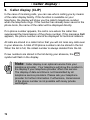
Mit der Rufnummernanzeige können Sie bei eingehenden Gesprächen
erkennen, wer Sie anruft. Wenn diese Funktion an Ihrer Telefonleitung
zur Verfügung steht, zeigt Ihnen das Display bereits die Rufnummer
des Anrufers, wenn das Telefon klingelt. Ist diese Rufnummer bereits
im Telefonbuch gespeichert, wird direkt der Name des Anrufers
angezeigt.
Erscheint keine Rufnummer, handelt es sich um einen Anruf, bei dem
das Senden der Rufnummer vom Anrufer unterdrückt wurde. Erscheint
die Meldung Anruf kann die Rufnummer aus technischen Gründen
nicht angezeigt werden.
Alle Anrufe werden in einer Anruferliste gespeichert, so dass Sie auch
während Ihrer Abwesenheit keinen Anruf verpassen werden. Insgesamt
können 50 Rufnummern in der Liste gespeichert werden. Sobald die
Liste voll ist, wird immer die älteste Rufnummer aus der Liste gelöscht.
Wurden während Ihrer Abwesenheit neue Rufnummern in der
Anruferliste gespeichert, blinkt im Display das Symbol
.
Achtung!
Die Rufnummernanzeige ist ein optionaler Service Ihres
Telefonproviders. Ihr Telefon zeigt die Rufnummern im
Display, wenn Ihr Telefonprovider diesen Service anbietet.
Die Anzeige des Datums und der Uhrzeit wird nicht von
allen Telefonprovidern übertragen. Bitte fragen Sie Ihren
Telefonprovider für weitere Informationen. Auch bei
manchen Nebenstellenanlagen ist eine Übertragung der
Rufnummer nicht möglich.
20
- Rufnummernanzeige 6.1.
Die Anruferliste
Um die Rufnummern der Anruferliste im Display zu sehen, gehen Sie
bitte wie folgt vor:
Drücken Sie die Taste
. Das Display zeigt Anruferliste und nach
ein paar Sekunden die zuletzt empfangene Rufnummer.
Durch mehrmaliges Drücken der Taste
können nun weitere
Rufnummern der Anruferliste angewählt werden. Mit der Taste
blättern Sie in der Liste wieder zurück.
Möchten Sie eine Rufnummer der Anruferliste direkt zurückrufen,
drücken Sie einfach die Gesprächstaste
Telefonnummer wird automatisch gewählt.
6.2.
und die angezeigte
Einzelne Rufnummer der Anruferliste in das Telefonbuch
speichern
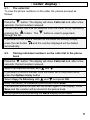
Drücken Sie die Taste
. Das Display zeigt Anruferliste und nach
ein paar Sekunden die zuletzt empfangene Rufnummer.
Mit
und
wählen Sie die gewünschte Rufnummer aus.
Möchten Sie eine Rufnummer der Anruferliste in das Telefonbuch
speichern, drücken Sie die Displaytaste Option.
Mit
und
Zum T-Buch kopieren auswählen und OK drücken.
Namen (16 Stellen) eingeben und mit Spei. bestätigen.
Die ausgewählte Rufnummer wird noch einmal im Display angezeigt.
Drücken Sie Spei. und die Rufnummer ist im Telefonbuch
gespeichert.
Durch zweimaliges Drücken der Displaytaste Zurück, verlassen Sie
die Programmierung.
21
- Rufnummernanzeige 6.3.
Einzelne Rufnummer aus der Anruferliste löschen
Drücken Sie die Taste
. Das Display zeigt Anruferliste und nach
ein paar Sekunden die zuletzt empfangene Rufnummer.
Mit
und
wählen Sie die gewünschte Rufnummer aus.
Drücken Sie die Displaytaste Option.
Mit
und
Eintrag löschen auswählen und OK drücken.
Durch zweimaliges Drücken der Displaytaste Zurück, verlassen Sie
die Programmierung.
6.4.
Komplette Anruferliste löschen
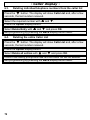
Drücken Sie die Taste
. Das Display zeigt Anruferliste und nach
ein paar Sekunden die zuletzt empfangene Rufnummer.
Drücken Sie die Displaytaste Option.
Mit
und
Alle Einträge löschen auswählen und OK drücken.
Bestätigen Sie die Sicherheitsabfrage mit OK und die Anruferliste wird
gelöscht.
Durch zweimaliges Drücken der Displaytaste Zurück, verlassen Sie
die Programmierung.
22
- SMS senden und empfangen 7. SMS senden und empfangen
Die beliebte Kommunikation mit kurzen Nachrichten (SMS) ist jetzt
auch im Festnetz möglich. Sie können mit Ihrem Telefon
Textmeldungen (SMS) senden und empfangen. Damit Sie SMSTextmeldungen senden und empfangen können, müssen einige
Voraussetzungen vorhanden sein.
Wichtige Hinweise: Die Funktion „SMS im Festnetz“ wird nicht von
jedem Telefonnetzbetreiber unterstützt. Durch die ständige
Weiterentwicklung können sich die hier gemachten Angaben schon
wieder verändert haben. Aktuelle Informationen erhalten Sie über die
jeweiligen Internetseiten oder Servicenummern.
7.1.
Allgemeine Voraussetzungen und Hinweise
o Ihr Telefonanschluß muss über das Leistungsmerkmal CLIP (Calling
Line Identification Presentation) verfügen. Vergewissern Sie sich bei
Ihrem Telefonnetzbetreiber, dass diese Leistungsmerkmale an Ihrem
Telefonanschluss freigeschaltet sind. Dieses Leistungsmerkmal ist
kostenpflichtig und muss ggf. bei Ihrem Telefonnetzbetreiber (z.B.
Deutsche Telekom unter der Rufnummer 0800 33 01000) beantragt
werden.
o 0190er Rufnummern dürfen an Ihrem Festnetzanschluss nicht
gesperrt sein.
o Der SMS-Dienst wird ausschließlich an Telefonanschlüssen
unterstützt, die im Ortsnetz über die DeutscheTelekom AG
vermittelt werden. Bei Call-by-Call-Verbindungen ist der SMSVersand derzeit nicht möglich.
o Das Senden von SMS-Nachrichten ist kostenpflichtig.
o Nutzt der Empfänger im Festnetz keinen SMS-Dienst, oder kann sein
Telefon generell keine Textnachrichten empfangen, wird die SMS
automatisch als Sprachmeldung zugestellt, d.h. am Telefon
vorgelesen.
o Die Kostenberechung erfolgt über die Deutsche Telekom.
23
- SMS senden und empfangen 7.2.
Provider auswählen
Die Verteilung aller SMS-Nachrichten erfolgt über ein so genanntes
SMS-Zentrum. Zurzeit bieten die “Deutsche Telekom“ und “Anny Way“
diesen Service an. Diese SMS-Zentren sind über eine spezielle
Rufnummer zu erreichen, über die Ihre SMS-Nachrichten gesendet und
empfangen werden. Ihr AUDIOLINE Telefon ist für das Senden über
die Deutsche Telekom und das Empfangen von beiden Anbietern
vorbereitet.
SMS über die Deutsche Telekom
o Die Nummer des Nachrichtenzentrums der Deutschen Telekom
lautet 0193010.
o Bei der Nutzung der Deutschen Telekom ist eine einfache
Anmeldung nötig. Senden Sie dazu Ihre erste SMS mit dem Text
ANMELD an die Rufnummer 8 8 8 8.
o SMS aus den Netzen Vodafone, E-Plus oder O2 können über die
Deutsche Telekom nicht empfangen werden. Die SMS werden in
diesem Fall vorgelesen.
SMS über Anny Way
o Die Nummer des Nachrichtenzentrums von Anny Way lautet
019001504.
o Bei der Nutzung von Anny Way ist eine einfache Anmeldung nötig.
Senden Sie eine Test SMS mit beliebigen Inhalt (z.B: Test) an die
Rufnummer 2 5 4 7 und nach einigen Minuten erhalten Sie eine
Bestätigung als SMS.
o SMS aus den Netzen D1 (T-Mobile) und E-Plus können über Anny
Way nicht empfangen werden. Die SMS werden in diesem Fall
vorgelesen.
24
- SMS senden und empfangen SMS über die Deutsche Telekom und Anny Way
Mit Ihrem Telefon können Sie auch gleichzeitig SMS-Nachrichten von
beiden Anbietern empfangen und wahlweise mit dem einen oder
anderen Anbieter senden. Doch zuerst müssen Sie sich bei beiden
Anbietern anmelden.
Senden über die Deutsche Telekom und empfangen von beiden
Anbietern
o Wählen Sie im Kapitel 7.9 als Sendezentrum die Einstellung Anny
Way.
o Senden Sie eine Test SMS mit beliebigen Inhalt (z.B: Test) an die
Rufnummer 2 5 4 7 und warten Sie auf eine Bestätigung, die Sie als
SMS erhalten. Dies kann einige Minuten dauern.
o Wählen Sie im Kapitel 7.9 als Sendezentrum die Einstellung Dt.
Telekom.
o Senden Sie jetzt eine SMS mit dem Text ANMELD an die
Rufnummer 8 8 8 8 und nach einigen Minuten erhalten Sie eine
Bestätigung als SMS.
Senden über Anny Way und empfangen von beiden Anbietern
o Senden Sie eine SMS mit dem Text ANMELD an die Rufnummer
8 8 8 8 und warten Sie auf eine Bestätigung, die Sie als SMS
erhalten. Dies kann einige Minuten dauern.
o Wählen Sie im Kapitel 7.9 als Sendezentrum die Einstellung Anny
Way.
o Senden Sie eine Test SMS mit beliebigen Inhalt (z.B: Test) an die
Rufnummer 2 5 4 7 und nach einigen Minuten erhalten Sie eine
Bestätigung als SMS.
7.3.
Hinweise zur Speicherkapazität
Insgesamt lassen sich bis zu 25 SMS-Nachrichten mit jeweils 160
Zeichen in den drei Ordnern Eingang, Ausgang und Vorlagen
speichern. Sobald der Speicher voll ist, erscheint eine entsprechende
Meldung und Sie müssen entweder einzelne oder alle SMSNachrichten löschen.
25
- SMS senden und empfangen 7.4.
Neue SMS-Nachrichten versenden oder speichern
Drücken Sie die Displaytaste MENÜ. Das Display zeigt SMS Text
Nachrichten.
Bestätigen Sie mit OK. Das Display zeigt SMS schreiben.
Bestätigen Sie mit OK.
Geben Sie nun den gewünschten Text mit maximal 160 Stellen ein.
Hinweise zur Texteingabe erhalten Sie im Kapitel 5.3.
Um den Text zu senden, drücken Sie die Displaytaste Option. Das
Display zeigt Senden an.
Mit den Auswahltasten
und
erreichen Sie weitere Optionen, die
im nächsten Abschnitt beschrieben sind.
Bestätigen Sie mit der Displaytaste OK und geben Sie die
gewünschte Rufnummer ein. Über die Displaytaste Suchen und die
Auswahltasten
und
können Sie eine Rufnummer aus dem
Telefonbuch wählen.
Drücken Sie jetzt die Displaytaste Senden und die SMS wird direkt
versendet.
Weitere Optionen
Speichern: Hier kann die geschriebene SMS in den Ordner Vorlagen
gespeichert werden.
Symbol einfügen: Während der Texteingabe können auch
Sonderzeichen eingegeben werden, die über das Zahlenfeld nicht zu
erreichen sind. Drücken Sie die Displaytaste Option und wählen Sie
mit den Auswahltasten die Einstellung Symbol einfügen. Bestätigen
Sie mit OK und wählen Sie über die Auswahltasten das gewünschte
Symbol aus. Mit der Displaytaste Einfüg wird das Symbol in den Text
eingefügt.
Löschen: Hiermit wird der gesamte Text der SMS gelöscht und Sie
können mit der Texteingabe neu beginnen.
Gesendete SMS-Nachrichten werden in dem Ordner Ausgang
gespeichert und können später noch einmal gelesen oder versendet
werden.
26
- SMS senden und empfangen 7.5.
Empfangene SMS-Nachrichten lesen, beantworten, löschen
Sobald eine SMS-Nachricht empfangen wird, hören Sie einen Signalton
und Sie werden über das Display durch das Blinken der Anzeige SMS
informiert. Wie Sie den Hinweiston beim Empfang von neuen SMSNachrichten ein- oder ausschalten, erfahren Sie im Kapitel 7.8. Die
eingehenden SMS-Nachrichten werden in dem Ordner EINGANG
gespeichert.
Drücken Sie die Displaytaste MENÜ. Das Display zeigt SMS Text
Nachrichten.
Bestätigen Sie mit OK. Das Display zeigt SMS schreiben.
Mit
und
Eingang auswählen und mit OK bestätigen. Im Display
sehen Sie nun die zuletzt empfangene SMS-Nachricht mit Datum und
Uhrzeit und der Rufnummer, die die SMS gesendet hat.
Wählen Sie mit
und
die gewünschte SMS aus und bestätigen
Sie mit der Displaytaste Lesen. Die ersten Zeilen der SMS werden im
Display angezeigt.
Mit
und
können Sie den Text im Display scrollen. Nachdem der
Text gelesen wurde, haben Sie folgende Möglichkeiten:
Mit der Displaytaste Zurück verlassen Sie die SMS und Sie können
eine andere SMS zum Lesen aussuchen.
Mit der Displaytaste Option erreichen Sie die im nächsten Abschnitt
beschriebenen Optionen.
Durch mehrmaliges Drücken der Displaytaste Zurück verlassen Sie
das Menü.
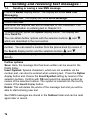
Optionen:
Löschen: Die angewählte SMS wird aus dem Ordner gelöscht.
Antworten: Es erscheint die Texteingabe für Ihre Antwort. Nachdem
Sie den Text geschrieben haben, drücken Sie Option und OK. Die
Rufnummer wird angezeigt und Sie können die Antwort mit der
Displaytaste Senden versenden.
Weiterleiten: Hier kann der empfangene Text geändert und über den
bekannten Vorgang weitergesendet werden.
27
- SMS senden und empfangen Nummer Anrufer: Im Display erscheint die Rufnummer des SMSAbsenders. Über die Gesprächstaste
können Sie diese Nummer
direkt anwählen. Mit der Taste
wird der Vorgang abgebrochen.
Nummer speichern: Hier kann die Rufnummer des SMS-Absenders in
das Telefonbuch übertragen werden. Geben Sie den entsprechenden
Namen ein und bestätigen Sie mit OK und Spei..
Alles löschen: Hier wird der komplette Eingangsordner gelöscht.
Bestätigen Sie zweimal mit OK.
7.6.
Im Ordner Vorlagen gespeicherte SMS-Nachrichten senden
Drücken Sie die Displaytaste MENÜ. Das Display zeigt SMS Text
Nachrichten.
Bestätigen Sie mit OK. Das Display zeigt SMS schreiben.
Mit
und
Vorlagen auswählen und mit OK bestätigen.
Mit den Auswahltasten
und
die gewünschte SMS aussuchen
und mit Lesen bestätigen.
Um den Text zu senden, drücken Sie die Displaytaste Option. Das
Display zeigt Senden an.
Bestätigen Sie mit der Displaytaste OK und geben Sie die
gewünschte Rufnummer ein. Über die Displaytaste Suchen und die
Auswahltasten
und
können Sie eine Rufnummer aus dem
Telefonbuch wählen.
Drücken Sie jetzt die Displaytaste Senden und die SMS wird direkt
versendet.
28
- SMS senden und empfangen 7.7.
Bereits gesendete SMS-Nachrichten bearbeiten, löschen
Drücken Sie die Displaytaste MENÜ. Das Display zeigt SMS Text
Nachrichten.
Bestätigen Sie mit OK. Das Display zeigt SMS schreiben.
Mit
und
Ausgang auswählen und mit OK bestätigen.
Mit den Auswahltasten
und
die gewünschte SMS aussuchen
und mit Lesen bestätigen.
Drücken Sie die Displaytaste Option. Das Display zeigt Senden an.
Mit den Auswahltasten
und
können Sie noch die Optionen
Speichern, Symbol einfügen, Nummer Anrufer, Löschen, Alles
löschen anwählen.
Bestätigen Sie die gewünschte Option mit der Displaytaste OK und
folgen Sie den weiteren Displayhinweisen.
Verlassen Sie das Menü mit der Taste
.
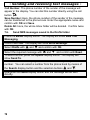
Optionen:
Senden an: Es erscheint die Rufnummer des Absenders. Sie können
die SMS mit Senden direkt an diese Rufnummer versenden oder
löschen Sie die Rufnummer mit Lösch. und geben Sie eine neue
Rufnummer ein.
Speichern: Hier kann die geschriebene SMS in den Ordner Vorlagen
gespeichert werden.
Symbol einfügen: Während der Texteingabe können auch
Sonderzeichen eingegeben werden, die über das Zahlenfeld nicht zu
erreichen sind. Wählen Sie über die Auswahltasten das gewünschte
Symbol aus. Mit der Displaytaste Einfüg wird das Symbol eingefügt.
können Sie die
Nummer Anrufer: Über die Gesprächstaste
Rufnummer des SMS-Absenders direkt anwählen. Mit der Taste
wird der Vorgang abgebrochen.
Löschen: Die angewählte SMS wird aus dem Ordner gelöscht.
Alles löschen: Hier wird der komplette Ausgangsordner gelöscht.
Bestätigen Sie zweimal mit OK.
29
- SMS senden und empfangen 7.8.
Hinweiston bei neuen SMS-Nachrichten ausschalten
Sobald Sie eine SMS-Nachricht empfangen, hören Sie einen Signalton
und Sie werden über das Display informiert. Möchten Sie z. B. nachts
nicht durch diesen Signalton über neu eingegangene SMS-Nachrichten
informiert werden, kann dieser Ton ausgeschaltet werden.
Drücken Sie die Displaytaste MENÜ. Das Display zeigt SMS Text
Nachrichten.
Bestätigen Sie mit OK. Das Display zeigt SMS schreiben.
Mit
und
Mit
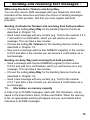
und
bestätigen.
SMS Einstellungen auswählen und mit OK bestätigen.
Hinweiston neue SMS auswählen und mit OK
Mit
und
den Hinweiston ein- oder ausschalten und mit OK
bestätigen.
Durch mehrmaliges Drücken der Displaytaste Zurück verlassen Sie
das Menü.
7.9.
Sende-Zentrum auswählen
Die beiden möglichen Rufnummern zum Senden von SMS-Nachrichten
sind bereits vorprogrammiert. Normalerweise werden die SMSNachrichten immer mit der ersten Rufnummer (Werkseinstellung
Deutsche Telekom) gesendet. Möchten Sie eine andere Rufnummer als
Sende-Zentrum festlegen, gehen Sie wie folgt vor:
Drücken Sie die Displaytaste MENÜ. Das Display zeigt SMS Text
Nachrichten.
Bestätigen Sie mit OK. Das Display zeigt SMS schreiben.
Mit
und
Mit
und
bestätigen.
SMS Einstellungen auswählen und mit OK bestätigen.
Sendezentrum festlegen auswählen und mit OK
Mit
und
das gewünschte Sendezentrum aussuchen und mit OK
bestätigen.
Durch mehrmaliges Drücken der Displaytaste Zurück verlassen Sie
das Menü.
30
- SMS senden und empfangen 7.10. SMS-Zentrum einrichten
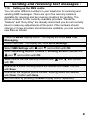
In Ihrem Telefon können Sie unterschiedliche Rufnummern zum
Empfangen und Senden von SMS-Nachrichten eingeben. Es stehen bis
zu fünf Speicherplätze zum Empfangen und zwei Speicherplätze zum
Senden zur Verfügung. Die Rufnummern für die zurzeit aktuellen
Anbieter „Deutsche Telekom“ und „Anny Way“ sind bereits gespeichert
und Sie brauchen normalerweise hier keine Einstellungen
vorzunehmen. Sollten sich die Rufnummern ändern oder neue Anbieter
hinzukommen, können Sie die neuen Daten wie folgt eingeben:
Drücken Sie die Displaytaste MENÜ. Das Display zeigt SMS Text
Nachrichten.
Bestätigen Sie mit OK. Das Display zeigt SMS schreiben.
Mit
und
bestätigen.
SMS Einstellungen auswählen und mit OK
Mit
und
SMS Zentrum Empfang oder SMS Zentrum Senden
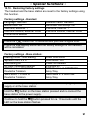
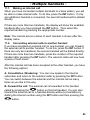
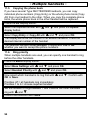
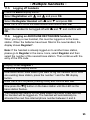
auswählen und mit OK bestätigen.
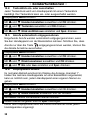
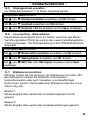
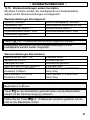
Mit
und
einen der fünf Speicherplätze wählen und mit OK
bestätigen.
Geben Sie jetzt einen Namen ein. Vorhandene Buchstaben werden
mit Lösch. gelöscht. Bestätigen Sie mit Spei..
Geben Sie nun die gewünschte Rufnummer ein. Vorhandene
Buchstaben werden mit Lösch. gelöscht. Bestätigen Sie mit Spei..
Durch mehrmaliges Drücken der Displaytaste Zurück verlassen Sie
das Menü.
31
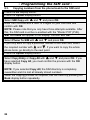
- SIM-Karte programmieren 8. Sim-Karte programmieren
Sie können die gespeicherten Rufnummern im Telefonbuch Ihres GSMHandys und im Telefonbuch Ihres Telefons hin und her kopieren. Bis
zu 255 Rufnummern können so gespeichert werden.
Folgende Kopierfunktionen stehen zur Verfügung:
x Kopieren von einzelnen Rufnummern aus der SIM-Karte in das
Telefonbuch.
x Kopieren aller Rufnummern der SIM-Karte in das Telefonbuch
x Kopieren von einzelnen Rufnummern aus dem Telefonbuch auf die
SIM-Karte.
x Kopieren aller Rufnummern des Telefonbuches auf die SIM-Karte.
Wichtige Hinweise: Bitte gehen Sie mit den SIM-Karten sorgfältig um
und berühren Sie nicht die Kontaktflächen.
8.1.
SIM-Karte einlegen oder entfernen
Ziehen Sie den Kartenhalter aus der Basisstation. Der Kartenhalter
befindet sich auf der hinteren linken Seite der Basisstation.
Schieben Sie nun die SIM-Karte mit den Kontakten nach oben in den
Kartenhalter ein. Damit Sie die Karte nicht verkehrt herum einlegen
können, ist die Karte oben links etwas abgeschrägt.
Schieben Sie jetzt den Kartenhalter wieder in die Basisstation.
Um die SIM-Karte wieder zu entfernen, drücken Sie die kleine Nase
auf der rechten Seite des Kartenhalters etwas nach unten und
schieben Sie die Karte vorsichtig aus dem Kartenhalter heraus.
32
- SIM-Karte programmieren 8.2.
Rufnummern aus der SIM-Karte in das Telefonbuch
kopieren
Displaytaste T-Buch drücken.
Displaytaste Option drücken.
Mit
und
SIM kopieren auswählen und OK drücken.
Geben Sie den max. achtstelligen PIN-Code Ihrer SIM-Karte ein und
bestätigen Sie mit OK.
ACHTUNG! Bitte beachten Sie, dass nur drei Versuche zur Verfügung
stehen. Danach muss die SIM-Karte mit dem „Master Pin“ (PUK)
erneut freigegeben werden.
Im Display erscheint SIM an Telefon. Bestätigen Sie mit OK. Jetzt
wird das Telefonbuch der SIM-Karte gelesen und es erscheint nach
einiger Zeit die erste Rufnummer der SIM-Karte.
Möchten Sie nur eine bestimmte Rufnummer der SIM-Karte kopieren,
wählen Sie mit
und
die gewünschte Rufnummer aus. Wenn Sie
das gesamte Telefonbuch kopieren möchten, gehen Sie direkt zum
nächsten Punkt.
Drücken Sie die Displaytaste Option.
Mit
und
Eintrag kopieren oder Alle kopieren auswählen und
OK drücken. Haben Sie Alle kopieren gewählt, müssen Sie den
Vorgang mit der Displaytaste OK bestätigen.
ACHTUNG! Beim Kopieren der SIM-Karte (Alle kopieren), wird das
ganze Telefonbuch der SIM komplett auf den Handapparat kopiert.
Alle gespeicherten Rufnummern im Handapparat gehen verloren.
Nach dem Kopiervorgang abgeschlossen ist, verlassen Sie das Menü
durch mehrmaliges Drücken der Displaytaste Zurück.
33
- SIM-Karte programmieren 8.3.
Rufnummern aus dem Telefonbuch auf die SIM-Karte
kopieren
Displaytaste T-Buch drücken.
Displaytaste Option drücken.
Mit
und
SIM kopieren auswählen und OK drücken.
Geben Sie den max. achtstelligen PIN-Code Ihrer SIM-Karte ein und
bestätigen Sie mit OK.
ACHTUNG! Bitte beachten Sie, dass nur drei Versuche zur Verfügung
stehen. Danach muss die SIM-Karte mit dem „Master Pin“ (PUK)
erneut freigegeben werden.
Im Display erscheint SIM an Telefon. Bestätigen Sie mit OK.
Mit
und
Telefon an SIM auswählen und OK drücken.
Möchten Sie nur eine bestimmte Rufnummer des Telefonbuches
kopieren, wählen Sie mit
und
die gewünschte Rufnummer aus.
Wenn Sie das gesamte Telefonbuch kopieren möchten, gehen Sie
direkt zum nächsten Punkt.
Drücken Sie die Displaytaste Option.
Mit
und
Eintrag kopieren oder Alle kopieren auswählen und
OK drücken. Haben Sie Alle kopieren gewählt, müssen Sie den
Vorgang mit der Displaytaste OK bestätigen.
ACHTUNG! Beim Kopieren der SIM-Karte (Alle kopieren), wird das
ganze Telefonbuch des Handapparates komplett auf die SIM-Karte
kopiert. Alle gespeicherten Rufnummern auf der SIM-Karte gehen
verloren.
Nach dem Kopiervorgang abgeschlossen ist, verlassen Sie das Menü
durch mehrmaliges Drücken der Displaytaste Zurück.
34
- Nebenstellenanlagen 9. Nebenstellenanlagen/T-NET
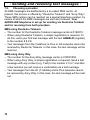
Die "R" Signaltaste R Ihres Telefons können Sie an
Nebenstellenanlagen und bei der Verwendung der T-Net Funktionen
der DEUTSCHEN TELEKOM nutzen.
9.1.
“R” Taste an Nebenstellenanlagen
Haben Sie Ihr Telefon mit einer Nebenstellenanlage verbunden, können
Sie alle Möglichkeiten, wie z.B. Anrufe weiterleiten, automatischen
Rückruf usw. nutzen. Die „R“ Signaltaste verschafft Ihnen den Zugang
zu diesen Möglichkeiten. An einer Nebenstellenanlage wird die FLASHZeit "90ms" benötigt (Einstellung siehe 9.3). Ob Ihr Telefon an Ihrer
Nebenstellenanlage einwandfrei funktioniert, erfahren Sie bei dem
Händler, bei dem die Anlage gekauft wurde.
9.2.
“R” Taste und das T-Net der DEUTSCHEN TELEKOM
Ihr Telefon unterstützt die wichtigsten Mehrwertdienste der
DEUTSCHEN TELEKOM (z.B.: Makeln, Anklopfen, Dreierkonferenz,
u.a.). Das T-Net arbeitet mit der Einstellung "FLASH 270 ms"
(Einstellung siehe 9.3). Zur Freischaltung der T-Net Funktionen wenden
Sie sich bitte an die DEUTSCHE TELEKOM.
9.3.
Flashzeit ändern
Es stehen die zwei Flashzeiten 90ms und 270ms zur Verfügung.
Displaytaste Menü drücken
Mit
und
Basisstation einstellen auswählen und OK drücken.
Mit
und
Flash-Zeit auswählen und OK drücken.
Mit
und
die gewünschte Flash-Zeit von 90ms oder 270ms
auswählen und OK drücken.
Verlassen Sie das Menü durch mehrmaliges Drücken der Displaytaste
Zurück.
35
- Nebenstellenanlagen 9.4.
Pause einfügen
Bei wenigen, älteren Nebenstellenanlagen ist es erforderlich, eine
bestimmte Nummer zu wählen (z. B. “9” oder “0”), um nach einer
kurzen Pause ein Freizeichen für eine Amtsleitung auf den Apparat zu
bekommen.
Halten Sie zwischen der Kennziffer für die Amtsholung und der
eigentlichen Telefonnummer die Taste # für 2 Sekunden gedrückt. Im
Display erscheint die Anzeige P. Nach der Amtsholung wartet Ihr
Telefon für 3 Sekunden mit dem Wählen der eigentlichen
Telefonnummer. Die Pause kann auch bei Rufnummern für das
Telefonbuch mit gespeichert werden.
9.5.
Amtskennziffer und Pause automatisch einfügen
Haben Sie eine Amtskennziffer eingegeben, wird beim Kopieren von
Telefonbucheinträgen zwischen der SIM-Karte und dem internen
Telefonbuch automatisch die Amtskennziffer eingefügt.
Besonderer Hinweis: Benötigen Sie keine Amtskennziffer, nehmen
Sie in diesem Bereich bitte keinen Einstellungen vor.
Displaytaste Menü drücken.
Mit
und
Basisstation einstellen auswählen und OK drücken.
Mit
und
Amtskennziffer auswählen und OK drücken.
SYS PIN (Werkseinstellung 0000) eingeben und OK drücken.
Geben Sie nun die gewünschte Amtskennziffer mit max. 6 Stellen ein.
Wünschen Sie eine Pause zwischen der Amtskennziffer und der
eigentlichen Rufnummer, halten Sie die Taste #‚ für 2 Sekunden
gedrückt. Im Display erscheint die Anzeige P. Falsche Eingaben
können mit der Displaytaste Lösch. gelöscht werden.
Bestätigen Sie Ihre Eingabe mit Spei..
Verlassen Sie das Menü durch mehrmaliges Drücken der Displaytaste
Zurück.
36
- Sonderfunktionen 10. Sonderfunktionen
Alle weiteren Programmierfunktionen sind über ein sehr
benutzerfreundliches Menü zu erreichen.
Mit der Taste Menü links unter dem Display wird die Programmierung
gestartet.
Mit den Tasten und können Sie die gewünschte Ebene
aussuchen.
Mit der Taste OK rechts unter dem Display wird diese Ebene
geöffnet.
Mit den Tasten und können Sie dann wieder die gewünschte
Funktion aussuchen, um dann wieder mit der Displaytaste OK zu
bestätigen.
Mit der Displaytaste Zurück gelangen Sie jeweils eine Ebene zurück.
Mit der roten Taste
können Sie das Menü verlassen.
Jeder Speichervorgang wird automatisch abgebrochen, wenn
innerhalb von 20 Sekunden keine Eingabe erfolgt.
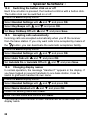
10.1. Rufsignale am Handapparat einstellen
Ihr Handapparat kann sich mit zehn verschiedenen Tonruf-Melodien
und mit fünf verschiedenen Lautstärken melden, wenn Sie ein Anruf
erreicht. Betreiben Sie das Telefonsystem mit mehreren
Handapparaten, können Sie für externe und interne Anrufe
unterschiedliche Melodien einstellen.
Displaytaste Menü drücken
Mit
und
Handset einstellen auswählen und OK drücken.
Mit
und
Ruftöne auswählen und OK drücken.
Mit
und
Externe Gespräche oder Interne Gespräche
auswählen und OK drücken.
Mit
und
Melodie ändern oder Lautstärke ändern auswählen
und OK drücken.
Mit
und
Melodie/Lautstärke einstellen und Spei. drücken.
37
- Sonderfunktionen 10.2. Tastenklick ein- oder ausschalten
Jeder Tastendruck wird vom Handapparat mit einem Tastenklick
bestätigt. Der Tastenklick kann ein- oder ausgeschaltet werden.
Displaytaste Menü drücken
Mit
und
Handset einstellen auswählen und OK drücken.
Mit
und
Tastenton auswählen und OK drücken.
Mit
und
Klick ein/Klick aus einstellen und Spei. drücken.
10.3. Anrufe automatisch entgegennehmen
Eingehende Anrufe werden automatisch entgegengenommen, wenn
Sie den Handapparat von der Basisstation nehmen. Möchten Sie, dass
Anrufe nur über die Taste
entgegengenommen werden, können Sie
die direkte Annahme ausschalten.
Displaytaste Menü drücken
Mit
und
Handset einstellen auswählen und OK drücken.
Mit
und
Direkt annehmen auswählen und OK drücken.
Mit
und
Ein oder Aus einstellen und Spei. drücken.
10.4. Displaynamen ändern
Im normalen Betrieb erscheint im Display die Anzeige „Handset 1“.
Haben Sie mehrere Handapparate an einer Basisstation angemeldet,
kann es nützlich sein, jedem Handapparat einen eigenen Namen zu
geben.
Displaytaste Menü drücken.
Mit
und
Handset einstellen auswählen und OK drücken.
Mit
und
Name Handset auswählen und OK drücken.
Mit Lösch. bereits vorhandenen Namen löschen.
Neuen Namen eingeben und mit Spei. bestätigen.
Hinter dem Displaynamen wird die interne Rufnummer eines jeden
Handapparates angezeigt.
38
- Sonderfunktionen 10.5. Displaykontrast einstellen
Der Displaykontrast kann in 10 Stufen eingestellt werden.
Displaytaste Menü drücken.
Mit
und
Handset einstellen auswählen und OK drücken.
Mit
und
Kontrast auswählen und OK drücken.
Mit
und
Kontrast 1 bis 10 einstellen und mit Spei. bestätigen.
10.6. Ton oder Puls - Wahlverfahren
Dieses Merkmal ermöglicht Ihnen Ihr Telefon sowohl an den älteren
Vermittlungsstellen (PULS) als auch an den neuen Vermittlungsstellen
(TON) zu betreiben. Als Werkseinstellung ist das TON-Wahlverfahren
eingestellt.
Displaytaste Menü drücken.
Mit
und
Basisstation einstellen auswählen und OK drücken.
Mit
und
Wahlverfahren auswählen und OK drücken.
Mit
und
bestätigen.
MFV Ton oder IWV Impuls einstellen und mit Spei.
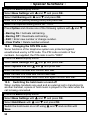
10.7. Wahlsperren einrichten
Mit Ihrem Telefon können Sie bis zu vier Wahlsperren einrichten. Mit
den Wahlsperren können Sie bestimmte Ortsvorwahlen,
Auslandsvorwahlen oder auch Vorwahlen zu kostenpflichtigen
Rufnummern sperren. Die Eingabe einer Wahlsperre kann bis zu vier
Zahlen lang sein.
Beispiel 1:
Mit der Eingabe 02xx werden alle Vorwahlen beginnend mit 02
gesperrt.
Beispiel 2:
Mit der Eingabe 00xx werden alle Auslandsverbindungen gesperrt.
39
- Sonderfunktionen Displaytaste Menü drücken.
Mit
und
Basisstation einstellen auswählen und OK drücken.
Mit
und
Wahlsperren auswählen und OK drücken.
SYS PIN (Werkseinstellung 0000) eingeben und OK drücken.
Gewünschte Wahlsperre Nr. 1 bis 4 auswählen.
Option drücken und mit
und
eine der Option wählen:
- Wahlsperre ein = Wahlsperre einschalten.
- Wahlsperre aus = Wahlsperre ausschalten.
- Bearbeiten = Nummer neu eingeben oder ändern.
- Nummer löschen = Eingegebene Nummer wird gelöscht.
10.8. SYS PIN-Code ändern
Einige Funktionen des Telefonsystems werden mit einem PIN Code vor
unerlaubter Benutzung geschützt. Der PIN-Code besteht aus vier
Zahlen. Im Lieferzustand wurde der PIN-Code „0000“ eingestellt.
Displaytaste Menü drücken
Mit
und
Basisstation einstellen auswählen und OK drücken.
Mit
und
System PIN auswählen und OK drücken.
Geben Sie den alten PIN-Code ein und bestätigen Sie mit OK.
Geben Sie den neuen PIN-Code ein und bestätigen Sie mit OK.
Geben Sie den neuen PIN-Code noch einmal ein und bestätigen Sie
wieder mit OK.
10.9. Wartemusik ein- ausschalten
Wird bei der Benutzung mehrerer Handapparate ein externes Gespräch
auf einen anderen Handapparat weitergeleitet, erklingt während des
Verbindens eine Wartemusik für den Anrufer.
Displaytaste Menü drücken
Mit
und
Basisstation einstellen auswählen und OK drücken.
Mit
und
Wartemusik auswählen und OK drücken.
Mit
und
bestätigen.
40
die Wartemusik ein- oder ausschalten und mit Spei.
- Sonderfunktionen 10.10. Werkseinstellungen wieder herstellen
Mit dieser Funktion werden der Handapparat und die Basisstation
wieder auf die Werkseinstellungen zurückgesetzt.
Werkseinstellungen Handapparat:
Sprache: Deutsch
Name Handapparat: Handset
Tastenklick: Ein
Automatische Rufannahme: Ein
Ruftonmelodie extern: 1
Ruftonmelodie intern: 1
Ruftonlautstärke extern: Laut
Ruftonlautstärke intern: Laut
Telefonbuch gelöscht
Taste
für 10 Sekunden bis zu einem Signalton drücken.
Displaytaste Ja drücken und die Werkseinstellungen für den
Handapparat werden wieder hergestellt.
Werkseinstellungen Basisstation:
Wahlverfahren: MFV Ton
System Pin 0 0 0 0
Wahlsperren aus
Alle SMS-Nachrichten gelöscht
SMS-Empfang 1: 0193010
Deutsche Telekom
SMS-Senden1: 0193010
Deutsche Telekom
Flashzeit 90ms
Wartemusik ein
Anruferliste gelöscht
Prioritäten aus
SMS-Empfang 2: 019001504
Anny Way
SMS-Senden 2: 019001504
Anny Way
Stromversorgung zur Basisstation am Steckernetzteil oder
Basisstation entfernen.
Taste
an der Basisstation gedrückt halten und die Basisstation
wieder mit der Stromversorgung verbinden.
Halten Sie die Taste
ca. 10 Sekunden weiterhin gedrückt, bis die
LED an der Basisstation blinkt.
41
- Mehrere Handapparate 11. Mehrere Handapparate
Es können bis zu fünf weitere Handapparate an Ihre Basisstation
angemeldet werden.
Hinweis: Über den international genormten GAP Standard können
Handapparate von Fremdherstellern in das Telefonsystem integriert
werden. Genauso können Sie einen AUDIOLINE Handapparat an
Basisstationen anderer Hersteller anschliessen, sofern diese Geräte mit
dem GAP Standard arbeiten.
Bei der Benutzung von mehreren Handapparaten erhalten Sie folgende
Möglichkeiten:
- Interne Gespräche zwischen den Handapparaten.
- Externe Gespräche können zwischen den Handapparaten
weitergeleitet werden.
- Eingehende externe Gespräche werden an allen Handapparaten
signalisiert.
Benutzt bereits ein anderer Handapparat die externe Leitung, ist ein
weiteres externes Gespräch nicht möglich.
42
- Mehrere Handapparate 11.1. Intern telefonieren
Sobald Sie mehrere Handapparate an eine Basisstation angeschlossen
haben, können Sie interne Gespräche führen. Drücken Sie dazu die
Taste INT. Ist nur ein zusätzlicher Handapparat angeschlossen wird
der zweite Handapparat direkt angewählt.
Sind mehr als zwei Handapparate vorhanden, zeigt das Display die
vorhandenen Handapparate an, nachdem Sie die Taste INT gedrückt
haben. Wählen Sie dann durch das Drücken der entsprechenden Zahl
den gewünschten Handapparat aus.
Hinweis: Hinter dem Displaynamen wird die interne Rufnummer eines
jeden Handapparates angezeigt.
11.2.
Externe Gespräche auf einen anderen Handapparat
verbinden
Haben Sie ein externes Gespräch an einem Handapparat
entgegengenommen, können Sie das externe Gespräch auf einen
anderen Handapparat weiterverbinden. Drücken Sie dazu die Taste
INT. Bei nur zwei Handapparaten wird der zweite Handapparat direkt
angewählt. Bei mehr als zwei Handapparaten drücken Sie nach der
Taste INT die Nummer des gewünschten Handapparates. Der externe
Anrufer hört jetzt eine Wartemusik.
Nachdem das interne Gespräch an dem anderen Handapparat
entgegengenommen wurde, haben Sie folgende Möglichkeiten:
A. Rücksprache / Makeln: Sie können nun mit dem internen
Teilnehmer sprechen, und durch das Drücken der Taste INT zum
externen Gesprächspartner zurückkehren. Sie können so beliebig oft,
zwischen dem externen und internen Gespräch wechseln.
B. Gespräch weiterleiten: Durch das Drücken der Taste
am
ersten Handapparat, wird das externe Gespräch an den gerufenen
Handapparat weitergeleitet. Sie können das externe Gespräch auch
direkt ohne Rücksprache auf einen Handapparat weiterleiten, indem Sie
die interne Nummer über die Taste INT wählen und dann die Taste
drücken.
43
- Mehrere Handapparate 11.3. Telefonbuch kopieren
Besitzen Sie mehrere Handapparate des Typs DECT8600SIM können
Sie einzelne Rufnummern (Eintrag kopieren) oder das ganze
Telefonbuch (Alle Kopieren) von einem auf den anderen Handapparat
kopieren. Beim Kopieren des kompletten Telefonbuches, wird an dem
anderen Handapparat das ganze Telefonbuch ersetzt.
Displaytaste T-Buch drücken.
Mit
und
die gewünschte Rufnummer auswählen und
Displaytaste Option drücken.
Mit
und
Eintrag kopieren oder Alle Kopieren auswählen und
OK drücken.
Das Display zeigt die Nummern der möglichen Handapparate an.
Drücken Sie die gewünschte interne Nummer des Handapparates.
Der gewählte Handapparat zeigt Annehmen? Wählen Sie mit Ja oder
Nein, ob Sie die Rufnummern übernehmen möchten.
11.4. Vorrang beim Klingeln
Bei der Benutzung mehrerer Handapparate können Sie einen
Handapparat festlegen, der zuerst klingelt bevor die anderen
Handapparate klingeln.
Displaytaste Menü drücken.
Mit
und
Basis einstellen auswählen und OK drücken.
Mit
und
drücken.
Priorität Handsets einstellen wählen und OK
Mit
und
wählen Sie nun welcher Handapparat zuerst klingeln
soll. Bestätigen Sie mit OK oder Spei..
Prioritäten aus = alle Handapparate klingeln sofort
Prioritäten 1 bis 6 = den gewünschten Handapparat auswählen
Mit
und
die Anzahl der Rufsignale zwischen 1 und 9 einstellen,
bevor die anderen Handapparate klingeln.
Auswahl mit Spei. bestätigen.
44
- Mehrere Handapparate 11.5.
Abmelden von Handapparaten
Displaytaste Menü drücken.
Mit
und
Anmelden auswählen und OK drücken.
Mit
und
Handset abmelden auswählen und OK drücken.
Geben Sie den SYS PIN der Basisstation ein und bestätigen Sie mit
OK.
Mit
und
bestätigen.
den abzumeldenden Handapparat und mit OK
11.6. Anmelden von AUDIOLINE DECT8600SIM Handapparaten
Haben Sie einen neuen Handapparat erworben, muss dieser an die
Basisstation angemeldet werden. Nachdem die Batterien in den neuen
Handapparat eingebaut wurden, zeigt das Display Anmelden?.
Hinweis: Ist der Handapparat bereits an einer anderen Basisstation
angemeldet, gehen Sie bitte zum Menüpunkt Anmelden. Wählen Sie
dort Anmelden und wählen Sie dann die Nummer der nächsten
Basisstation aus. Fahren Sie dann mit der Eingabe den PIN-Codes fort.
Display zeigt Anmelden?
Displaytaste Ja drücken.
Wählen Sie nun an welche Basisstation Sie den Handapparat
anmelden möchten. Bei einer vorhandenen Basisstation drücken Sie
die Zahl 1 und die Displaytaste OK.
Geben Sie den SYS PIN (Werkseinstellung 0000) ein und bestätigen
Sie mit OK.
Drücken Sie nun an der Basisstation die Taste
bis die LED an
der Basisstation blinkt.
Der Handapparat sucht die Basisstation und nach einigen Sekunden
ist der Handapparat angemeldet. Der Handapparat erhält automatisch
die nächste freie interne Rufnummer zwischen 2 und 6.
45
- Mehrere Handapparate 11.7.
Anmelden eines fremden Handapparates an die
Basisstation
Über den international genormten GAP Standard können auch
Handapparate von Fremdherstellern in das Telefonsystem integriert
werden.
Bringen Sie den anzumeldenden Handapparat anhand der zugehörigen
Bedienungsanleitung in den Registriermodus. Halten Sie dann an der
bis zu einem Signalton gedrückt. Der
Basisstation die Taste
Handapparat ist nach einigen Sekunden angemeldet und erhält die
nächste freie interne Nummer zwischen 2 und 6.
11.8.
Anmelden eines DECT8600SIM Handapparates an andere
Basisstationen
Displaytaste Menü drücken
Mit
und
Anmelden auswählen und OK drücken.
Mit
und
Handset Anmelden auswählen und OK drücken.
Displaymeldung Anmelden mit OK bestätigen. Das Display zeigt an,
an wie viele Basisstation der Handapparat noch angemeldet werden
kann.
Wählen Sie nun an welche Basisstation Sie den Handapparat
anmelden möchten und drücken Sie die Displaytaste OK.
Geben Sie den SYS PIN der ausgewählten Basisstation ein und
bestätigen Sie mit OK.
Bringen Sie nun die entsprechende Basisstation in den
Registriermodus. Beachten Sie dazu die Hinweise in der
entsprechenden Bedienungsanleitung. Der Handapparat sucht die
Basisstation und nach einigen Sekunden ist der Handapparat
angemeldet.
11.9. Zusätzliche Basisstationen
Bei der Verwendung von mehreren Basisstationen können Sie die
Reichweite der Handapparate vergrössern. Um diesen Effekt zu nutzen,
müssen alle Basisstationen mit einem Telefonanschluss verbunden
sein.
46
- Mehrere Handapparate Je nach Verwendungszweck können Sie jede Basisstation mit der
gleichen Telefonnummer belegen oder geben Sie den Basisstationen
unterschiedliche Rufnummern. Hier erhält der Handapparat immer eine
neue Rufnummer, sobald er sich in der Reichweite einer anderen
Basisstation befindet.
Achten Sie darauf, dass sich alle Basisstationen in ihrer Reichweite
überschneiden. Bitte testen Sie vor jeder Inbetriebnahme einer neuen
Basisstation die Reichweite der Handapparate.
Ist ein Handapparat an den Basisstationen angemeldet, und wurde die
automatische Wahl der Basisstation eingeschaltet (weitere
Informationen in diesem Kapitel), wird der Handapparat immer
automatisch an die nächste Basisstation weitergeleitet. Laufende
Gespräche können nicht von einer zur anderen Basisstation übertragen
werden.
Wählen einer Basisstation
Displaytaste Menü drücken.
Mit
und
Handset einstellen auswählen und OK drücken.
Mit
und
Basis auswählen auswählen und OK drücken. Das
Display zeigt die aktuell ausgewählte Basisstation an.
Mit
und
die gewünschte Basisstation 1 bis 4 oder Auto
auswählen und mit OK bestätigen.
Verlassen Sie das Menü durch mehrmaliges Drücken der Displaytaste
Zurück.
47
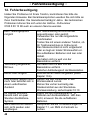
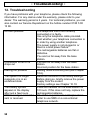
- Fehlerbeseitigung 12. Fehlerbeseitigung
Haben Sie Probleme mit Ihrem Telefon, kontrollieren Sie bitte die
folgenden Hinweise. Bei Garantieansprüchen wenden Sie sich bitte an
Ihren Fachhändler. Die Garantiezeit beträgt 2 Jahre. Bei technischen
Problemen können Sie sich unter der Hotline - Rufnummer
0180 5 00 13 88 auch an unseren Service wenden.
Kein Telefongespräch
möglich
Verbindung abgehackt,
fällt aus
Keine Wahl möglich
Das System reagiert nicht
mehr oder befindet sich in
einem undefinierten
Zustand.
Im Display erscheint
bereits nach ein paar
Stunden das BatterieSymbol.
SMS-Nachrichten lassen
sich nicht senden oder
empfangen.
48
Die Telefonleitung ist nicht korrekt
angeschlossen oder gestört.
Verwenden Sie nur das mitgelieferte
Telefonkabel.
Testen Sie mit einem anderen Telefon, ob
Ihr Telefonanschluss in Ordnung ist.
Das Steckernetzteil ist nicht eingesteckt
oder es liegt ein totaler Stromausfall vor.
Die aufladbaren Batterien sind leer oder
defekt.
Sie haben sich zu weit von der
Basisstation entfernt.
Sie haben sich zu weit von der
Basisstation entfernt.
Falscher Aufstellungsort der Basisstation.
Wahlverfahren falsch eingestellt (siehe
Kapitel 10.6).
Setzen Sie alle Funktionen in den
Werkszustand zurück.
Ziehen Sie vorher kurzzeitig das
Steckernetzteil aus der Steckdose.
Werkseinstellung siehe Kapitel 10.10
Legen Sie den Handapparat für 10
Stunden auf die Basisstation. Hilft dies
nicht, erneuern Sie die aufladbaren
Batterien.
Überprüfen Sie die Voraussetzungen im
Kapitel 7.1, um SMS im Festnetz zu
nutzen.
- Wichtige Informationen 13. Wichtige Informationen
13.1. Wichtiger Hinweis
Der Menüpunkt „Walkie - Talkie“ steht nur bei der Verwendung
mehrerer Handapparate vom Typ DECT8600SIM zur Verfügung.
13.2. Technische Daten
Standard
Kanalzahl
Stromversorgung
Reichweite
Reichweite
Standby
Max. Gesprächsdauer
Aufladbare Batterien
Wählverfahren
Zulässige
Umgebungstemperatur
Zulässige relative
Luftfeuchtigkeit
Signaltastenfunktion
DECT-GAP
1880 bis 1990 MHz
Basisstation 220/230V, 50 Hz
Innen bis zu 50m
Außen bis zu 300m
bis zu 120 Stunden
bis zu 10 Stunden
2 x 1,2V/550mAh, Typ AAA
MFV oder IWV
10°C bis 30°C
20 bis 75%
90ms oder 270ms
13.3. Telefonkabel austauschen
Müssen Sie Ihr Telefonkabel austauschen, finden Sie anhand der
folgenden Zeichnung das passende Kabel bei Ihrem Händler.
F-Codierung - IMPORT Standard
TAE-F
1
2
3
4
5
6
Rj11 6/4
1
2
3
4
5
6
12 3 4 5 6
49
- Wichtige Informationen 13.4. Garantie
AUDIOLINE - Geräte werden nach den modernsten
Produktionsverfahren hergestellt und geprüft. Ausgesuchte Materialien
und hoch entwickelte Technologien sorgen für einwandfreie Funktion
und lange Lebensdauer. Sollte Ihr Gerät dennoch einen Defekt
innerhalb der Garantiezeit aufweisen, wenden Sie sich bitte unter
Vorlage Ihrer Kaufquittung ausschließlich an das Geschäft, in dem Sie
Ihr AUDIOLINE - Gerät gekauft haben. Die Garantiezeit beträgt 24
Monate, gerechnet vom Tage des Kaufs. Diese Garantie gilt nicht für
die in den Produkten verwendeten Batterien oder Akkupacks.
Garantiebedingungen:
Innerhalb der Garantiezeit werden alle Mängel, die auf Material- oder
Herstellungsfehler zurückzuführen sind, kostenlos beseitigt. Der
Garantieanspruch erlischt bei Eingriffen durch den Käufer oder durch
Dritte. Schäden, die durch unsachgemäße Behandlung oder
Bedienung, durch falsches Aufstellen oder Aufbewahren, durch
unsachgemäßen Anschluss oder Installation sowie durch höhere
Gewalt oder sonstige äußere Einflüsse entstehen, fallen nicht unter die
Garantieleistung. Wir behalten uns vor, bei Reklamationen die defekten
Teile auszubessern oder zu ersetzen oder das Gerät auszutauschen.
Ausgetauschte Teile oder ausgetauschte Geräte gehen in unser
Eigentum über. Schadenersatzansprüche sind ausgeschlossen, soweit
sie nicht auf Vorsatz oder grober Fahrlässigkeit des Herstellers
beruhen. Alle Gewährleistungsansprüche nach diesen Bestimmungen
sind ausschließlich gegenüber Ihrem Fachhändler geltend zu machen.
Nach Ablauf von zwei Jahren nach Kauf und Übergabe unserer
Produkte können Gewährleistungsrechte nicht mehr geltend gemacht
werden.
50
- Wichtige Informationen 13.5.
WIR
IN
Konformitätserklärung
AUDIOLINE GmbH
HELLERSBERGSTR. 2a
D-41460 NEUSS
GERMANY
ALS INVERKEHRBRINGER IN DER EU ERKLÄREN
VOLLVERANTWORTLICH, DASS DAS PRODUKT
MODEL:
BESCHREIBUNG:
DECT8600SIM
Schnurlostelefon DECT
KONFORM IST MIT DEN GRUNDLIEGENDEN ANFORDERUNGEN
DER RICHTLINIE: 1999/5/EC
BEVOLLMÄCHTIGTER:
Unterschrift:
Name:
Position in der Firma:
Datum der Ausstellung:
________________________________
MANFRED ZINNOW
GESCHÄFTSFÜHRER
12.08.2003
Eine Kopie dieser Erklärung wird bis 10 Jahre nach der letzten
Produktion aufbewahrt.
LIEFERANT: AUDIOLINE GmbH, Hellersbergstr. 2a,
D-41460 Neuss
PRODUKT:
DECT8600SIM
Dieses Produkt ist für den Betrieb an einem analogen Telefonanschluss
(PSTN) innerhalb Deutschlands entwickelt worden. Allerdings kann,
wegen der Unterschiede zwischen den verschiedenen TelekomNetzbetreibern und eventuell zwischengeschalteten
Nebenstellenanlagen, keine Garantie für einwandfreie Funktion an
jedem Telekom-Endgeräteanschluss übernommen werden.
51
- Wichtige Informationen -
52
- Contents 1.
2.
3.
3.1.
3.2.
3.3.
3.4.
3.5.
3.6.
3.7.
4.
4.1.
4.2.
4.3.
4.4.
4.5.
4.6.
4.7.
4.8.
4.9.
4.10.
4.11.
4.12.
5.
5.1.
5.2.
5.3.
5.4.
5.5.
5.6.
5.7.
6.
6.1.
6.2.
6.3.
6.4.
General Information ................................................................ 56
User controls ........................................................................... 58
Setting up................................................................................. 59
Safety Information ..................................................................... 59
Check contents of pack............................................................. 59
Connecting the base station ..................................................... 59
Fitting standard batteries........................................................... 60
Fitting the belt clip ..................................................................... 61
Setting the display language ..................................................... 61
Wall mounting ........................................................................... 61
Operation ................................................................................. 62
Display messages ..................................................................... 62
Receiving calls .......................................................................... 63
Making calls .............................................................................. 63
Handsfree facility....................................................................... 64
Setting the receiver and handsfree volume .............................. 64
Call duration display.................................................................. 64
Muting the microphone in the handset...................................... 64
Redial facility ............................................................................. 65
Keypad lock............................................................................... 65
Paging from the base station to the handset ............................ 65
Headset connector .................................................................... 66
Temporary tone dialling............................................................. 66
The phone book ...................................................................... 67
Dialling numbers from the phone book ..................................... 67
Entering numbers in the phone book ........................................ 67
How to enter names .................................................................. 68
Displaying stored numbers from the phone book ..................... 68
Changing numbers stored in the phone book ........................... 69
Deleting stored numbers from the phone book ......................... 69
Deleting the whole phone book................................................. 69
Caller display (CLIP) ............................................................... 70
The caller list ............................................................................. 71
Storing individual numbers on the caller list in the phone
book .......................................................................................... 71
Deleting individual telephone numbers from the caller list........ 72
Deleting the entire Caller List .................................................... 72
53
- Contents 7.
Sending and receiving text messages .................................. 73
7.1. General requirements and information ..................................... 73
7.2. Choosing a provider .................................................................. 74
7.3. Information on memory capacity ............................................... 75
7.4. Sending or saving a new SMS message .................................. 76
7.5. Reading, answering and deleting SMS messages received..... 77
7.6. Send SMS messages saved in the Drafts folder ...................... 78
7.7. Editing and deleting SMS messages already sent.................... 79
7.8. Switching off the warning tone for new SMS messages ........... 79
7.9. Selecting the Send Service Centre ........................................... 80
7.10. Setting up the SMS centre ........................................................ 81
8.
Programming the SIM card .................................................... 82
8.1. Inserting or removing the SIM card ........................................... 82
8.2. Copying numbers from the SIM card to the phone book .......... 83
8.3. Copying numbers from the phone book to the SIM card .......... 84
9.
Private exchanges/T-NET ....................................................... 85
9.1. "R" Button on private exchanges .............................................. 85
9.2. "R" Button and the DEUTSCHE TELEKOM T-Net.................... 85
9.3. Changing the Flash time ........................................................... 85
9.4. Using Pause.............................................................................. 86
10. Special functions .................................................................... 87
10.1. Setting the call tone on the handset.......................................... 87
10.2. Switching the button click on or off ........................................... 88
10.3. Accepting calls automatically .................................................... 88
10.4. Changing display names........................................................... 88
10.5. Setting the display contrast ....................................................... 89
10.6. Tone or pulse dialling ................................................................ 89
10.7. Setting up dialling blocks........................................................... 89
10.8. Changing the SYS PIN code..................................................... 90
10.9. Switching the hold music on and off ......................................... 90
10.10. Restoring factory settings ....................................................... 91
54
- Contents 11.
11.1.
11.2.
11.3.
11.4.
11.5.
11.6.
11.7.
11.8.
11.9.
12.
13.
13.1.
13.2.
13.3.
13.4.
13.5.
Multiple handsets.................................................................... 92
Making an internal call .............................................................. 93
Connecting external calls to another handset........................... 93
Copying the phone book ........................................................... 94
Ring priority ............................................................................... 94
Logging off handsets................................................................. 95
Logging on AUDIOLINE DECT8600SIM handsets ................... 95
Logging on a third-party handset to the base station................ 96
Logging on a DECT8600SIM handset to other base stations... 96
Additional base stations ............................................................ 96
Troubleshooting...................................................................... 98
Important information............................................................. 99
Important note ........................................................................... 99
Technical data........................................................................... 99
Changing the telephone cable .................................................. 99
Warranty.................................................................................. 100
Declaration of conformity ........................................................ 101
55
- General information 1. General Information
Please read these operating instructions carefully. If you should have any questions,
please contact our Service Department on the Hotline number 0180 5 00 13 88. Under
no circumstances open the unit yourself and do not try to carry out your own repairs.
For any claims under the warranty, please refer to your dealer.
Intended use - This telephone has been designed for use on an analogue telephone
line (PSTN) within Germany. However, no guarantee can be accepted for trouble-free
operation on all telecommunications terminal equipment connections due to the
differences between the different telecommunications network operators. The telephone
requires a TAE socket with F/N coding in common with other plug-in units such as fax
machines, answering machines or modems. Connect the telephone cable to the phone
socket intended for the purpose only. Do not change the plug on the connecting cable.
Power failure - If the power should fail, it will not be possible to make calls using the
telephone. Keep a cord-connected phone handy, which works without an external
power supply, for possible emergencies.
Standard rechargeable batteries - do not use any other rechargeable batteries or
battery packs. These could possibly cause a short circuit. When changing batteries,
always use standard batteries, Type AAA 1.2V 550mA. Do not throw standard batteries
into the fire or immerse in water. Do not dispose of old or defective standard batteries
with the normal household waste.
The maximum standby and talk times quoted are applicable for the standard
rechargeable batteries supplied under optimum conditions. Ambient temperature,
charging cycle and other external factors, such as the radio loading in the area of use,
can considerably reduce the operating times. Furthermore, the charging capacity is
reduced for technical reasons during use or when stored at very high or low
temperatures.
Charging the handset - It is normal for the handset to become warm when charging
and is not dangerous. Do not use other manufacturer's charging equipment for charging
the handset, as otherwise damage could occur.
Power supply - Use only the AUDIOLINE plug-in power supply provided, as other
power supplies could damage the telephone. There is a risk to life if the power supply is
opened and not disconnected from the mains.
Private exchanges - The telephone can also be connected to a private exchange. You
can find out from the dealer from whom the equipment was purchased whether your
telephone will work on your private exchange without any problems. Due to the large
number of different private exchanges, it is not possible to guarantee this function.
56
- General information Position - There must be a 230 Volt mains socket near to where the telephone is
positioned. Do not set up the base station in the immediate vicinity of other electrical
equipment such as microwaves or hi-fi systems, as this may result in mutual
interference. The location has a decisive influence on the trouble-free operation of the
telephone.
Place the base station on a flat and non-slip surface. The feet of the base station do not
normally leave any marks on the surface. However, due to the large number of
varnishes and surfaces in use, it may not be possible to prevent marks occurring on the
surface due to the feet of the unit.
Do not use the handset in areas where there is a risk of explosion.
Excessive exposure to smoke, dust, vibrations, chemicals, moisture, heat or the direct
rays of the sun must be avoided.
Information regarding medical equipment - The telephone works with a very low
transmission power. This low transmission power prevents any risk to health according
to the current state of research and technology. However, it has been shown that
portable telephones can interfere with medical equipment when switched on. Therefore,
please maintain a distance of at least one metre from medical equipment.
Disposal - If the useful life of the standard batteries or the complete equipment has
expired, please dispose of these carefully in accordance with the statutory requirements
and in a manner friendly to the environment.
Temperature and Ambient Conditions - The telephone is designed for use in
protected rooms with a temperature range of 10 °C to 30 °C. The base station must not
be installed in damp rooms such as a bathroom or laundry room. Avoid proximity to
sources of heat such as radiators and do not expose the unit to direct sunlight.
Cleaning and care - The surface of the case can be cleaned with a soft, dry, lint-free
cloth. Never use cleaning agents, particularly aggressive solvents. No attention is
necessary apart from cleaning the case occasionally. The rubber feet of the base
station are not resistant to all cleaning agents. The manufacturer can therefore not
accept any liability for possible damage to furniture or the like.
CE mark - The telephone complies with the basic requirements of the R&TTE Directive
This is confirmed by the CE mark.
57
- User controls 2. User controls
Handset
AUDIOLINE
1
2
3
4
5
6
7
8
9
Selection buttons
Display button right
End call
Mute button
Internal calls
Headset connector
R signal button
Call button
Display button left
1
2
3
DECT 8600 SIM
9
8
2ABC
3DEF
GHI
5
JKL
6MNO
PQRS
8
TUV
9WXYZ
1
4
7
0
7
R
#
4
5
INT
6
Base station
3
~
1
2
3
Call and mains indicator
PAGE button
SIM card slot
2
AUDIOLINE
58
1
- Setting up 3. Setting up
3.1.
Safety Information
NOTE: Before setting up, it is essential that you read the General
Information at the beginning of this manual.
3.2.
Check contents of pack
The following items are supplied:
one base station
one handset with standard batteries
one telephone connecting cable
two screws
one headset
one mains power supply
one belt clip
one instruction manual
two wall plugs
3.3.
Connecting the base station
1. Position the base station near to your
telephone connection socket and to a mains
socket. Insert the plug of the power supply
into the socket on the underside of the base
station and plug the power supply into a
properly installed 230 V mains socket. The plug-in power supply for
the base station must always be connected. For safety reasons, use
only the plug-in mains power supply provided.
2. Connect the telephone cable supplied to the
telephone socket and the telephone jack on
the underside of the base station. Use only
the new telephone cable provided.
3. Run the two cables through the clamps and
the two cable channels to the rear of the
base station.
59
- Setting up 3.4.
Fitting standard batteries
The rechargeable batteries have a stand-by time of max. 120 hours and
a maximum talk time of up to 10 hours.
To fit the standard rechargeable batteries supplied into the handset,
press on the upper edge of the battery compartment and slide it
downwards. Now insert the batteries taking care to ensure that the
polarity is correct. Close the battery compartment cover.
Use only rechargeable batteries, type AAA 2 x 1.2V, 550mAh.
The current battery capacity is shown in the display.
Full
Half
Low
symbol will flash in the
If the battery capacity is too low, the
display and the handset will have to be charged.
To charge the batteries, place the handset in the base station with the
display to the front.
Note: The batteries must be charged for at least 16 hours before being
used for the first time. Exactly like your car battery, the rechargeable
batteries are unavoidably subject to a certain ageing. However, you can
have an influence on this ageing process by "training" the batteries to a
certain extent. In regular use of the phone, if you cyclically charge and
fully discharge the batteries by using the telephone until the battery
indicator appears in the display, a demand is placed on the batteries
and they will repay you by giving maximum performance and a long life.
Extended charging and extended discharging on the other hand will
both degrade the capacity and shorten the life of the batteries.
60
- Setting up 3.5.
Fitting the belt clip
With the belt clip supplied, you can always carry the handset with you.
To fit the belt clip, slot it into the handset in a horizontal position and
then turn it to a vertical position.
3.6.
Setting the display language
The display messages can be set up in German and English (factory
setting - German).
Press the Menu display button.
Select Handset Settings with
Select Language with
and
and
and press OK.
and press OK.
Select a language using
and
and press Save.
The language will be changed over after a short time and the display
will indicate that it is ready once more.
3.7.
Wall mounting
Use the two screws and
wall plugs for fixing to the
wall. Drill two holes 75 mm
apart and leave the screws
protruding ca. 7.5 mm from
the wall. Now place the
telephone over the screws
and push down slightly.
61
- Operation 4. Operation
4.1.
Display messages
The illuminated plain text display shows all the menu items in the
German language. During normal operation, the display will show the
name of the handset and the current battery capacity.
The following symbols may be shown in the top line of the display:
1
2
3
4
5
6
Lit: You are making a call.
Flashing: You are receiving an external call.
Lit: You are making an internal call.
Flashing: You are receiving an internal call.
(with multiple handsets only)
Lit: The handsfree facility is activated.
Lit: You are currently in the caller list or unread caller
number records exist in caller list.
Flashing: A new number has been stored in the caller
list.
SMS Lit: Unread SMS records exist in SMS log.
Flashing: You have received a new text message.
Full
=>
=>
=>
Discharged.
For ease of operation and later programming, new inscriptions can
always be applied to the two selection buttons on the right and left
under the display. During normal operation, the right-hand selection
button has the inscription Menu and the left-hand button the inscription
Dir.
62
- Operation 4.2.
Receiving calls
When a call arrives, the ringing tone sounds on the handset. The
display will be illuminated for a short time and the
symbol will flash.
The caller's number may also be displayed. You will find further
information on this topic in Chapter 6.
on the handset and the connection will
Press the green call button
be made. The call indicator on the base station will flash during the call.
The message External call will appear in the display and, after a few
seconds, the current call time.
To end the call, replace the handset in the base station or press the red
button on the handset.
When the automatic call accept feature is selected, the call is
automatically accepted as soon as you lift the handset from the base
station. You can find out in Chapter 10.3 how to switch the automatic
call accept feature on.
4.3.
Making calls
Enter the required telephone number with a maximum of 24 digits using
the number pad. The numbers pressed are shown in the display.
Note: If you have entered a number incorrectly, you can delete the
number by repeatedly pressing the Clear button.
Press the green call button
and the required connection will be
made.
Note: You can also get a dialling tone by first pressing the green call
button
. On entering the digits of your required phone number, your
telephone will dial the number directly. With this method of making a
call, it is not possible to correct individual digits in the number in the
manner described above.
63
- Operation 4.4.
Handsfree facility
Press the green call button
twice at the start of a call. You will now
hear the dialling tone or the person you are speaking to over the
loudspeaker in the handset.
repeatedly, you can change over
By pressing the green call button
between normal and handsfree mode during a call.
4.5.
Setting the receiver and handsfree volume
If the receiver or the handsfree volume is too quiet or too loud for you,
you can change this to suit your requirements.
You can adjust the volume during a call by means of the
and
buttons. The selected volume 1 to 4 will be shown in the display.
4.6.
Call duration display
The call duration in minutes and seconds is shown in the display during
a call. A few seconds after dialling, the display will switch from showing
the number dialled to showing the duration of the call. The call duration
will still be retained in the display for a few seconds after the call has
been ended.
4.7.
Muting the microphone in the handset
You can turn off the handset microphone during a call by using the
button. It is thus possible to speak without the other person
hearing you. The loudspeaker in the handset remains switched on and
you can continue to hear the other person.
Press the
button once during a call. The message Secrecy On
will appear in the display.
To switch the microphone on again, press the
button once
more. The Secrecy On message will go off and you can continue the
call as normal.
64
- Operation 4.8.
Redial facility
You can use the redial facility if the person called is engaged or does
not reply. Your telephone remembers the last five numbers dialled.
Press the
button. The display will show Redial and the last
number dialled.
Further numbers can now be selected from the redial list by
repeatedly pressing the
back through the list.
Now press the call button
will be automatically dialled.
button. The
button is used to page
and the telephone number displayed
4.9.
Keypad lock
If you want to protect the handset from accidental use, the keypad can
be locked. When the keypad lock is switched on, it will only be possible
to receive calls.
Activating the keypad lock
Press the Menu display button and then the * button
Deactivating the keypad lock
Press the Unlock display button and then the * button
4.10.
Paging from the base station to the handset
If you cannot remember where you have left the handset, press the
button on the base station. You will hear the handset audible signals for
30 seconds and thus be able to find it again easily. You can cancel the
audible signals earlier by pressing the red
or the
button on the handset
button on the base station.
65
- Operation 4.11. Headset connector
The headset connection facility is located on the underside of the
handset.
Calls are received as normal when the headset is connected to the
handset. You will then hear the person you are talking to in the earpiece
and your voice will be transmitted by means of the microphone in the
headset.
It is also possible to switch to handsfree mode when using the headset.
4.12. Temporary tone dialling
If you can only use your telephone in Pulse Dialling mode, you do not
have to forego the facilities of Tone Dialling (e.g. interrogating an
answering machine).
You can change temporarily to Tone Dialling during a call by pressing of
button for two seconds. In the display appears T.
the
PULSE dialling will be reselected at the end of the call.
66
- Phone book 5. The phone book
255 numbers including a name can be stored in the phone book. The
maximum length for a number is 24 characters.
5.1.
Dialling numbers from the phone book
Press the Dir display button
Select the required number with
and
or
Enter the initial letter of the required subscriber and the first entry with
the appropriate letter will be shown in the display. Further numbers
can then be selected with
Press the green
5.2.
and
.
button and the number will be dialled.
Entering numbers in the phone book
Press the Dir display button
Press the Option display button and the OK display button
Enter the name (16 characters) and confirm with Save.
Enter the number (24 digits) and confirm with Save.
Exit programming by pressing the Back display button twice.
Important Information: Always include the dialling code even when
saving local numbers. If you should ever copy the phonebook to a SIM
card, you will then be able to use these numbers directly on your mobile
phone without further editing.
67
- Phone book 5.3.
How to enter names
The number keys are also printed with letters for entering names. By
repeatedly pressing the appropriate button, upper case letters as well
as numbers and special characters can be entered.
Example: You want to enter the name "Peter".
Press: 1 x button 7, 2 x button 3, 1 x button 8, 2 x button 3, 3 x button 7
To enter a space, press the 0 button and wait until the cursor
automatically jumps to the next position
To enter the same letter twice, press the appropriate letter and then
wait until the cursor automatically jumps to the next position.
Incorrect entries can be deleted with the Clear display button.
To change a particular letter, you can move the cursor to the required
position using the
enter a letter.
and
buttons in order to delete and then re-
Overview
Button 1
Button 2
Button 3
Button 4
Button 5
Button 6
5.4.
,. ‘ ?-!1
ABCabc2öüäß
DEFdef3
G HIghi4
JKLjkl5
MNOmno6
Button 7
Button 8
Button 9
Button 0
* button
# button
PQRSpqrs7
TUVtuv8
W XYZwxyz 9
Space 0
*
#
Displaying stored numbers from the phone book
Press the Dir display button
Select the required number with
and
.
Cancel the display by pressing the Back display button.
68
- Phone book 5.5.
Changing numbers stored in the phone book
Press the Dir display button
Select the required number with
display button.
and
and press the Option
Select Edit Entry with
and
and press OK.
Delete the letters with Clear and enter the new name. You can also
add letters in any position with
and
.
Confirm with Save.
Delete the number with Clear and re-enter. You can also add
numbers in any position with
and
.
Confirm with Save.
Exit programming by pressing the Back display button twice.
5.6.
Deleting stored numbers from the phone book
Press the Dir display button
Select the required number with
display button.
and
and press the Option
Select Delete Entry with
and
and press OK.
Exit programming by pressing the Back display button.
5.7.
Deleting the whole phone book
Press the Dir display button
Press the Option display button.
Select Delete all entries with
and
and press OK.
To delete, press OK once more.
Exit programming by pressing the Back display button.
69
- Caller display 6. Caller display (CLIP)
In the case of incoming calls, you can see who is calling you by means
of the caller display facility. If this function is available on your
telephone, the display will show you the caller's telephone number
when the telephone rings. If this number has already been saved in the
phone book, the name of the caller will be displayed directly.
If no phone number appears, the call is one where the caller has
suppressed the transmission of the phone number. If the message Call
appears, the phone number cannot be displayed for technical reasons.
All calls are stored in a caller list so that you will not miss any calls even
in your absence. A total of 50 phone numbers can be stored in the list.
When the list is full, the oldest number is always deleted from the list.
If new numbers are stored in the list during your absence, the
symbol will flash in the display.
Note: Caller display is an optional service from your
telephone provider. Your telephone will show the number in
the display if your telephone provider offers this service.
The display of date and time is not transmitted by all
telephone service providers. Please ask your telephone
provider for further information. Furthermore, transmission
of the phone number is not possible with many private
exchanges.
70
- Caller display 6.1.
The caller list
To view the phone numbers on the caller list, please proceed as
follows:
Press the
button. The display will show Calls List and, after a few
seconds, the last number received.
Further numbers can now be selected from the caller list by repeatedly
pressing the
button. The
button is used to page back
through the list.
If you want to call back a number on the caller list directly, simply
press the call button
automatically.
6.2.
and the number displayed will be dialled
Storing individual numbers on the caller list in the phone
book
Press the
button. The display will show Calls List and, after a few
seconds, the last number received.
Select the required number with
and
.
If you want to store a number from the caller list in the phone book,
press the Option display button
Select Copy To Directory with
and
and press OK.
Enter the name (16 characters) and confirm with Save.
The selected phone number will be shown again in the display. Press
Save and the number will be stored in the phone book.
Exit programming by pressing the Back display button twice.
71
- Caller display 6.3.
Deleting individual telephone numbers from the caller list
Press the
button. The display will show Calls List and, after a few
seconds, the last number received.
Select the required number with
Press the Option display button.
and
.
Select Delete Entry with
and
and press OK.
Exit programming by pressing the Back display button twice.
6.4.
Deleting the entire Caller List
Press the
button. The display will show Calls List and, after a few
seconds, the last number received.
Press the Option display button.
Select Delete all entries with
and
and press OK.
Confirm the safety prompt with OK and the caller list will be deleted.
Exit programming by pressing the Back display button twice.
72
- Sending and receiving text messages 7. Sending and receiving text messages
The popular communication method of short messages (SMS) is now
also possible with the conventional telephone network. You can send
and receive text messages (SMS) using your telephone. In order for
you to be able to send and receive SMS text messages, some
prerequisites must be met.
Important notes: The SMS service is not supported by each telephone
network provider. Due to continuous development, the information given
here may already have changed. The latest information can be obtained
from the appropriate websites or service numbers.
7.1.
General requirements and information
o Your telephone connection must have access to the CLIP facility
(Calling Line Identification Presentation). Check with your telephone
network provider that these services have been enabled on your
telephone line. This service is subject to charge and you may have to
apply to your telephone network provider for this (e.g. Deutsche
Telekom on 0800 33 01000).
o 0190 numbers must not be blocked on your conventional telephone
network.
o The SMS service is supported only on telephone lines, which are
operated on the local network by Deutsche Telekom AG. The
sending of text messages is not currently possible with call-by-call
connections.
o The sending of text messages is subject to charge.
o If the recipient does not use the SMS service on the conventional
telephone network or if his telephone is generally unable to receive
text messages, the text message will automatically be delivered as a
speech message, i.e. by means of the telephone.
o The costs will be billed by Deutsche Telekom.
73
- Sending and receiving text messages 7.2.
Choosing a provider
All SMS messages are distributed by a so-called SMS centre. At
present, this service is offered by "Deutsche Telekom" and "Anny Way".
These SMS centres can be reached via a special telephone number, by
means of which the SMS messages are sent and received. Your
AUDIOLINE telephone is set up for sending via Deutsche Telekom
and for receiving from both providers.
SMS using Deutsche Telekom.
o The number for the Deutsche Telekom message centre is 0193010.
o When using Deutsche Telekom, a simple registration is required. To
do this, send your first text message with the text ANMELD (register)
to the number 8 8 8 8.
o Text messages from the Vodafone, E-Plus or O2 networks cannot be
received by Deutsche Telekom. In this case, the text message will be
read out.
SMS using Anny Way
o The number for the Anny Way message centre is 019001504.
o When using Anny Way, a simple registration is required. Send a test
message with any content (e.g. Test) to the number 2 5 4 7 and after
a few minutes you will receive a confirmation as a text message.
o Text messages from the D1 (T-Mobile) and E-Plus networks cannot
be received by Anny Way. In this case, the text message will be read
out.
74
- Sending and receiving text messages SMS using Deutsche Telekom and Anny Way.
You can also receive SMS messages with your telephone from both
providers at the same time and have the choice of sending messages
with one or other provider. But first you must register with both
providers.
Sending via Deutsche Telekom and receiving from both providers.
o Choose the setting Anny Way for the Sending Service Centre as
described in Chapter 7.9.
o Send a test message with any content (e.g. Test) to the number 2 5 4
7 and wait for a confirmation, which you will receive as a text
message. This can take a few minutes.
o Choose the setting Dt. Telekom for the Sending Service Centre as
described in Chapter 7.9.
o Now send a message with the text ANMELD (register) to the number
8 8 8 8 and after a few minutes you will receive a confirmation as a
text message.
Sending via Anny Way and receiving from both providers.
o Send a message with the text ANMELD (register) to the number
8 8 8 8 and wait for a confirmation, which you will receive as a text
message. This can take a few minutes.
o Choose the setting Anny Way for the Sending Service Centre as
described in Chapter 7.9.
o Send a test message with any content (e.g. Test) to the number
2 5 4 7 and after a few minutes you will receive a confirmation as a
text message.
7.3.
Information on memory capacity
A total of up to 25 SMS messages, each with 160 characters, can be
saved in the three folders Inbox, Outbox and Drafts. When the memory
is full, an appropriate warning will appear and you must delete either
individual or all SMS messages.
75
- Sending and receiving text messages 7.4.
Sending or saving a new SMS message
Press the MENU display button. The display will show SMS Text
Messaging.
Confirm with OK. The display will show Write Message.
Confirm with OK.
Now enter the required text with a maximum of 160 characters. You
will find information on entering text in Chapter 5.3.
To send the text, press the Option display button. The display will
show Send To.
You can obtain further options with the selection buttons
and
,
which are described in the next section.
Confirm with the OK display button and enter the required phone
number. You can select a number from the phone book by means of
the Search display button and the selection buttons
and
.
Now press the Send display button and the message will be sent
directly.
Further options
Save: Here, the message that has been written can be saved in the
Drafts folder.
Insert Symbol: Special characters, which are not available via the
number pad, can also be entered when entering text. Press the Option
display button and choose the Insert Symbol setting by means of the
selection buttons. Confirm with OK and select the required symbol by
means of the selection buttons. The symbol is inserted into the text by
means of the Insert display button.
Delete: This will delete the whole of the message text and you will be
able to start entering new text.
Sent SMS messages are stored in the Outbox folder and can be read
again later or resent.
76
- Sending and receiving text messages 7.5.
Reading, answering and deleting SMS messages received
As soon as an SMS message is received, you will hear a signal tone
and you will be informed of this by the flashing of the message SMS in
the display. You can find out how to switch the warning tone for the
receipt of new SMS messages on or off in Chapter 0. The incoming
SMS messages are stored in the INBOX folder.
Press the MENU display button. The display will show SMS Text
Messaging.
Confirm with OK. The display will show Write Message.
Select Inbox with
and
and confirm with OK. You will now see
the last message received in the display together with the date and
time and the phone number that has sent the message.
Select the required message with
and
and confirm with the
Read display button. The first lines of the message will be shown in
the display.
You can scroll the text in the display with
and
. After the text has
been read, you have the following options:
Exit text messaging with the Back display button and you will be able
to select a different message for reading.
You can choose from the options described in the next section with
the Option display button.
Exit the menu by pressing the Back display button repeatedly.
Options:
Delete: The selected message will be deleted from the folder.
Reply: The text entry field for your reply will appear. After you have
written the text, press Option and OK. The phone number will be
displayed and you can send the reply with the Send display button.
Forward: Here, the text that has been received can be changed and
forwarded by the usual procedure.
77
- Sending and receiving text messages Call Number: The phone number of the sender of the message will
appear in the display. You can dial this number directly using the call
.
button
Save Number: Here, the phone number of the sender of the message
can be transferred to the phone book. Enter the appropriate name and
confirm with OK and Save.
Delete All: Here, the whole Inbox folder will be deleted. Confirm twice
with OK.
7.6.
Send SMS messages saved in the Drafts folder
Press the MENU display button. The display will show SMS Text
Messaging.
Confirm with OK. The display will show Write Message.
Select Drafts with
and
and confirm with OK.
Select the required message with
and
and confirm with Read.
To send the text, press the Option display button. The display will
show Send To.
Confirm with the OK display button and enter the required phone
number. You can select a number from the phone book by means of
the Search display button and the selection buttons
and
.
Now press the Send display button and the message will be sent
directly.
78
- Sending and receiving text messages 7.7.
Editing and deleting SMS messages already sent
Press the MENU display button. The display will show SMS Text
Messaging.
Confirm with OK. The display will show Write Message.
Select Outbox with
and
and confirm with OK.
Select the required message with
and
and confirm with Read.
Press the Option display button. The display will show Send To.
You can also select the Save, Insert Symbol, Call Number, Delete,
Delete All options with the selection buttons
and
.
Confirm the required option with the OK display button and follow the
further instructions in the display.
Exit the menu by pressing the button
.
Options:
Send To: The phone number will be displayed and you can send the
reply with the Send display button. Or delete the phone number with
Delete and enter a new phone number.
Save: Here, the message that has been written can be saved in the
Drafts folder.
Insert Symbol: Special characters, which are not available via the
number pad, can also be entered when entering text. Select the
required symbol by means of the selection buttons. The symbol is
inserted into the text by means of the Insert display button.
Call Number: The phone number of the sender of the message will
appear in the display. You can dial this number directly using the call
. Exit this menu by pressing the button
,
button
Delete: The selected message will be deleted from the folder.
Delete All: Here, the whole Outbox folder will be deleted. Confirm
twice with OK.
79
- Sending and receiving text messages 7.8.
Switching off the warning tone for new SMS messages
As soon as you receive an SMS message, you will hear a signal tone
and you will be informed via the display. If you do not want to be
informed of newly received SMS messages by means of this signal
tone, for example at night, this tone can be switched off.
Press the MENU display button. The display will show SMS Text
Messaging.
Confirm with OK. The display will show Write Message.
Select SMS Settings with
Select New SMS Beep with
and
and
and confirm with OK.
and confirm with OK.
Switch the warning tone on or off using
and
and confirm with
OK.
Exit the menu by pressing the Back display button repeatedly.
7.9.
Selecting the Send Service Centre
The two possible phone numbers for sending SMS messages are
already pre-programmed. SMS messages are normally always sent
using the first phone number (factory setting: Deutsche Telekom). If you
want to specify a different phone number as the Send Service Centre,
proceed as follows:
Press the MENU display button. The display will show SMS Text
Messaging.
Confirm with OK. The display will show Write Message.
Select SMS Settings with
and
and confirm with OK.
Select Select Send Service Centre with
OK.
and
and confirm with
Select the required Send Service Centre with
and
and confirm
with OK.
Exit the menu by pressing the Back display button repeatedly.
80
- Sending and receiving text messages 7.10. Setting up the SMS centre
You can enter different numbers in your telephone for receiving and
sending SMS messages. There are up to five memory locations
available for receiving and two memory locations for sending. The
phone numbers for the currently available providers "Deutsche
Telekom" and "Anny Way" are already stored and you do not normally
have to make any adjustments at this point. If the numbers should
change or if new providers should become available, you can enter the
new data as follows:
Press the MENU display button. The display will show SMS Text
Messaging.
Confirm with OK. The display will show Write Message.
Select SMS Settings with
and
and confirm with OK.
Select Receiving Service Centres or Sending Service Centres with
and
and confirm with OK.
Select one of the five memory locations with
and
and confirm
with OK.
Now enter a name. Existing letters are deleted with Clear. Confirm
with Save.
Now enter the required phone number. Existing letters are deleted
with Clear. Confirm with Save.
Exit the menu by pressing the Back display button repeatedly.
81
- Programming the SIM card 8. Programming the SIM card
You can copy the phone numbers stored in the phone book of your
GSM mobile and in your telephone's phone book from one to the other.
Up to 255 numbers can be saved in this way.
The following copying functions are available:
x
x
x
x
Copying of individual numbers from the SIM card to the phone book.
Copying of all numbers from the SIM card to the phone book.
Copying of individual numbers from the phone book to the SIM card.
Copying of all numbers from the phone book to the SIM card.
Important information: Please handle SIM cards carefully and do not
touch the contact surfaces.
8.1.
Inserting or removing the SIM card
Remove the card holder from the base station. The card holder is
located on the bottom left-hand side of the base station.
Now slide the SIM card with the contacts uppermost into the
cardholder. The card is slightly chamfered at the top left to ensure that
you cannot insert it the wrong way round.
Now slide the card holder back into the base station.
To remove the SIM card again, press down the small projection on the
right-hand side of the card holder slightly and carefully slide the card
out of the card holder.
82
- Programming the SIM card 8.2.
Copying numbers from the SIM card to the phone book
Press the Dir display button.
Press the Option display button.
Select SIM Copy with
and
and press OK.
Enter the PIN code with a max. of 8 digits for your SIM card and
confirm with OK.
NOTE: Please note that you only have three attempts available. After
this, the SIM card must be re-enabled with the "Master PIN" (PUK).
SIM To Phone will appear in the display. Confirm with OK. The SIM
card's phone book will now be read and after a short time the first
number on the SIM card will appear.
If you only want to copy a particular number from the SIM card, select
the required number with
and
. If you want to copy the whole
phone book, go directly to the next point.
Press the Option display button.
Select Copy Entry or Copy All with
and
and press OK. If you
have selected Copy All, you must confirm the process with the OK
display button.
NOTE: If you selected Copy All, the phonebook is completely
overwritten and it is lost all already stored numbers.
When the copying process is complete, exit the menu by pressing the
Back display button repeatedly.
83
- Programming the SIM card 8.3.
Copying numbers from the phone book to the SIM card
Press the Dir display button.
Press the Option display button.
Select SIM Copy with
and
and press OK.
Enter the PIN code with a max. of 8 digits for your SIM card and
confirm with OK.
NOTE: Please note that you only have three attempts available. After
this, the SIM card must be re-enabled with the "Master PIN" (PUK).
SIM To Phone will appear in the display. Confirm with OK.
Select Phone To SIM with
and
and press OK.
If you only want to copy a particular number to the SIM card, select
the required number with
and
. If you want to copy the whole
phone book, go directly to the next point.
Press the Option display button.
Select Copy Entry or Copy All with
and
and press OK. If you
have selected Copy All, you must confirm the process with the OK
display button.
NOTE: If you selected Copy All, the SIM directory is completely
overwritten and it is lost all already stored numbers.
When the copying process is complete, exit the menu by pressing the
Back display button repeatedly.
84
- Private exchanges 9. Private exchanges/T-NET
You can use the "R" signal button R on your telephone on private
exchanges and when using DEUTSCHE TELEKOM's T-Net functions.
9.1.
"R" Button on private exchanges
If you have connected your telephone to a private exchange, you can
use all the facilities such as call transfer, automatic recall, etc. The "R"
signal button gives you access to these facilities. The FLASH time
"90ms" will be required on a private exchange (Adjustment, see 9.3).
You can find out from the dealer from whom the equipment was
purchased whether your telephone will work on your private exchange
without any problems.
9.2.
"R" Button and the DEUTSCHE TELEKOM T-Net
Your telephone supports the most important DEUTSCHE TELEKOM
added value functions (e.g. brokering, call waiting, three-way
conference, etc.). The T-Net works using the "FLASH 270 ms" setting.
(Adjustment, see 9.3). Please contact DEUTSCHE TELEKOM to gain
access to T-Net functions.
9.3.
Changing the Flash time
The two flash times 90ms und 270ms are available.
Press the Menu display button
Select Base Settings with
Select Flash Time with
and
and
and press OK.
and press OK.
Select the required Flash time of 90 m or 270 ms with
and
confirm with OK.
Exit the menu by pressing the Back display button repeatedly.
and
85
- Private exchanges 9.4.
Using Pause
With a few, older private exchanges, it is necessary to dial a certain
number (e.g. "9" or "0") in order, after a short pause, to obtain a dialling
tone for an outside line on the extension.
Hold the button # for two seconds between the number for the outside
line and the actual telephone number. In the display appears P. After
connecting to an outside line your telephone will wait for 3 seconds
before dialling the actual telephone number. The pause can also be
saved with numbers in the phone book.
9.5.
Outside line code and pause automatically insert
If you have entered an outside line code, the outside line code will be
inserted automatically when the phone book entries are copied between
the SIM card and the internal phonebook.
Special note: If you do not need an outside line code, do not make any
settings in this area.
Press the Menu display button.
Select Base Settings with
and
and press OK.
Select Access Code with
and
and press OK.
Enter SYS PIN (factory setting 0000) and press OK.
Now enter the required outside line access code with a maximum of 6
characters. The pause can be entered after the access code by
holding the # for two seconds until the P displays. Incorrect entries
can be deleted with the Clear display button.
Confirm your entry with Save.
Exit the menu by pressing the Back display button repeatedly.
86
- Special functions 10. Special functions
All further programming functions can be accessed by means of a very
user-friendly menu.
Programming is started by means of the Menu button on the left-hand
side below the display.
You can find the required level using the and buttons.
This level is opened by means of the OK button on the right-hand side
below the display.
You can then again find the required function using the and
buttons and again confirm with the OK display button.
You can go back one level each time by pressing the Back display
button.
You can exit the menu with the red
button.
Each save procedure will be cancelled automatically if no input is
made within 20 seconds.
10.1. Setting the call tone on the handset
Your handset can respond with ten different ringing tones and with five
different volumes when a call comes through. If you are using the
telephone system with several handsets, you can set different ring
tones for external and internal calls.
Press the Menu display button
Select Handset Settings with
Select Ringer with
and
and
and press OK.
and press OK.
Select External or Internal with
and
and press OK.
Select Change Melody or Change Volume with
press OK.
Set the melody/volume with
and
and
and
and press Save.
87
- Special functions 10.2. Switching the button click on or off
Each time a button is pressed, the handset confirms with a button click.
The button click can be switched on or off.
Press the Menu display button
Select Handset Settings with
Select Key Beeps with
and
Set Beep On/Beep Off with
and
and press OK.
and press OK.
and
and press Save.
10.3. Accepting calls automatically
Incoming calls are accepted automatically when you lift the receiver
from the base station. If you only want calls to be accepted by means of
the
button, you can deactivate the automatic acceptance facility.
Press the Menu display button
Select Handset Settings with
and
Select Auto Talk with
and press OK.
and
Set Autotalk On or Autotalk Off with
and press OK.
and
and press Save.
10.4. Changing display names
In normal operation, the message "Handset 1" appears in the display. If
you have logged on several handsets to one base station, it can be
useful to give each handset its own name.
Press the Menu display button.
Select Handset Settings with
and
and press OK.
Select Name Handset with
and
and press OK.
Delete the existing name with Clear.
Enter the new name and confirm with Save.
The internal phone number of each handset will be shown after the
display name.
88
- Special functions 10.5. Setting the display contrast
The display contrast can be adjusted in 10 steps.
Press the Menu display button.
Select Handset Settings with
Select Contrast with
and
and
and press OK.
and press OK.
Set the contrast from 1 to 10 with
and
and confirm with Save.
10.6. Tone or pulse dialling
This feature enables you to use your telephone both on the older
(PULSE DIALLING) exchanges and on the new (TONE DIALLING)
exchanges. The factory setting is TONE dialling.
Press the Menu display button.
Select Base Settings with
Select Dial Mode with
and
and
Set Tone Dial or Pulse Dial with
and press OK.
and press OK.
and
and confirm with Save
10.7. Setting up dialling blocks
You can set up to four dialling blocks on your telephone. You can use
the dialling blocks to block particular dialling codes, international dialling
codes and also dialling codes to chargeable phone numbers. The entry
for a dialling block can be up to four digits long.
Example 1:
With the entry 02xx, all dialling codes beginning with 02 are blocked.
Example 2:
With the entry 00xx, all international connections are blocked.
89
- Special functions Press the Menu display button.
Select Base Settings with
and
and press OK.
Select Call Barring with
and
and press OK.
Enter SYS PIN (factory setting 0000) and press OK.
Select the required dialling block No. 1 to 4.
Press Option and choose one of the following options with
:
- Barring On = Activate call barring.
- Barring Off = Deactivate call barring.
- Edit = Enter new number or change number.
- Clear Prefix = Delete number entered.
and
10.8. Changing the SYS PIN code
Some functions of the telephone system are protected against
unauthorised use by a PIN code. The PIN code consists of four
numbers. As supplied, the PIN code is set to "0000".
Press the Menu display button
Select Base Settings with
and
and press OK.
Select System PIN with
and
and press OK.
Enter the old PIN code and confirm with OK.
Enter the new PIN code and confirm with OK.
Enter the new PIN code once more and again confirm with OK.
10.9. Switching the hold music on and off
When multiple handsets are used and an external call is transferred to
another handset, a piece of hold music is played for the caller while the
call is being connected.
Press the Menu display button
Select Base Settings with
Select Hold Music with
and
and
and press OK.
and press OK.
Switch the hold music on or off using
Save.
90
and
and confirm with
- Special functions 10.10. Restoring factory settings
The handset and the base station are reset to the factory settings using
this function.
Factory settings - Handset:
Language: German
Button click: On
Call tone, external: 1
Call tone volume, external: Loud
Phone book deleted
Handset name: Handset
Automatic call accept: On
Call tone, internal: 1
Call tone volume, internal: Loud
Press the
button for 10 seconds until you hear a signal tone.
Press the Yes display button and the factory settings for the handset
will be reinstated.
Factory settings - Base station:
Dialling mode: Tone dialling
System PIN 0 0 0 0
Call barring off
All SMS messages deleted
SMS Receive 1: 0193010
Deutsche Telekom
SMS Send 1: 0193010
Deutsche Telekom
Flash time 90ms
Hold music: On
Caller list deleted
Priorities off
SMS Receive 2: 019001504
Anny Way
SMS Send 2: 019001504
Anny Way
Disconnect the power supply to the base station at the plug-in power
supply or at the base station.
Hold the
button on the base station pressed and re-connect the
base station to the power supply.
Continue to hold the
button pressed for ca. 10 seconds until the
LED on the base station flashes.
91
- Multiple handsets 11. Multiple handsets
Up to five additional handsets can be logged on to your base station.
Note: Handsets from other manufacturers can be integrated into the
telephone system by means of the internationally adopted GAP
standard. In the same way you can use an AUDIOLINE handset on
base stations from other manufacturers, as long as these units work
using the GAP standard..
When you use multiple handsets you will have the following options:
- Internal calls between handsets.
- External calls can be forwarded between handsets.
- Incoming external calls are signalled on all handsets.
If another handset is already using the external line, it will not be
possible to make further external call.
92
- Multiple handsets 11.1. Making an internal call
When you have connected multiple handsets to a base station, you will
be able to make internal calls. To do this, press the INT button. If only
one additional handset is connected, the second handset will be dialled
directly.
If there are more than two handsets, the display will show the available
handsets after you have pressed the INT button. Then select the
required handset by pressing the appropriate number.
Note: The internal phone number of each handset is shown after the
display name.
11.2. Connecting external calls to another handset
If you have accepted an external call on one handset, you can forward
the external call to another handset. To do this, press the INT button. If
there are only two handsets, the second handset will be dialled directly.
If there are more than two handsets, press the number of the required
handset after pressing the INT button. The external caller will now hear
a piece of hold music.
After the internal call has been accepted at the other handset, you have
the following options:
A. Consultation / Brokering: You can now speak to the internal
subscriber and return to the external caller by pressing the INT button.
You can switch between the external and the internal call as many
times as you like in this way.
B. Forward the call: The external call is forwarded to the handset
button on the first handset. You can also
called by pressing the
forward the external call to a handset directly without consultation by
dialling the internal number using the INT button and then pressing the
button.
93
- Multiple handsets 11.3. Copying the phone book
If you have several Type DECT8600SIM handsets, you can copy
individual phone numbers (Copy Entry) or the whole phone book (Copy
All) from one handset to the other. When you copy the complete phone
book, the whole phone book in the other handset will be replaced.
Press the Dir display button.
Select the required number with
display button.
and
and press the Option
Select Copy Entry or Copy All with
and
and press OK.
The display will show the number of all avaible handsets. Press the
desired internal number of the handset
The selected handset shows Accept? Choose with Yes or No
whether you want to accept the phone numbers.
11.4. Ring priority
When multiple handsets are used, you can specify one handset to ring
before the other handsets.
Press the Menu display button.
Select Base Settings with
and
Select Handset Priority with
and
and press OK.
and press OK.
Now select which handset is to ring first with
OK or Save.
and
. Confirm with
Priorities off = all handsets ring immediately
Priorities 1 to 6 = choose required handset
Set the number of rings between 1 and 9 before the other handsets
ring with
and
.
Confirm the selection with Save.
94
- Multiple handsets 11.5.
Logging off handsets
Press the Menu display button.
Select Registration with
and
and press OK.
Select De-Register Handset with
and
and press OK.
Enter the SYS PIN for the base station and confirm with OK.
Select the handset to be logged-off with
OK.
and
and confirm with
11.6. Logging on AUDIOLINE DECT8600SIM handsets
When you buy a new handset, this must be logged-on to the base
station. When the batteries have been fitted in the new handset, the
display shows Register?.
Note: If the handset is already logged-on to another base station,
please go to Register in the menu. Here, select Register and then
select the number of the nearest base station. Then continue with the
entry of the PIN code.
Display shows Register?
Press the Yes display button
Now select which base station you want to log the handset on to. With
one existing base station, press the number 1 and the OK display
button.
Enter the SYS PIN (factory setting 0000) and confirm with OK.
Now press the
button on the base station until the LED on the
base station flashes.
The handset will search for the base station and after a few seconds
the handset will be logged-on. The handset will automatically be
allocated the next free internal phone number between 2 and 6.
95
- Multiple handsets 11.7. Logging on a third-party handset to the base station
Handsets from other manufacturers can be integrated into the
telephone system by means of the internationally adopted GAP
standard.
Switch the handset to be logged on into the registration mode with
reference to the associated operating instructions. Then hold the
button on the base station pressed until you hear a signal tone. The
handset will be logged on after a few seconds and will be allocated the
next free internal number between 2 and 6.
11.8.
Logging on a DECT8600SIM handset to other base stations
Press the Menu display button
Select Registration with
and
and press OK.
Select Register Handset with
and
and press OK.
Confirm the display message Register with OK. The display will show
how many base stations the handset can still be logged-on to.
Now select which base station you want to log the handset on to and
press the OK display button.
Enter the SYS PIN for the selected base station and confirm with OK.
Now switch the appropriate base station to registration mode. To do
this, follow the instructions in the appropriate operating manual. The
handset will search for the base station and after a few seconds the
handset will be logged-on.
11.9. Additional base stations
You can increase the range of the handsets by using several base
stations. In order to make use of this effect, all base stations must be
connected to a telephone socket.
96
- Multiple handsets Depending upon the application, you can allocate the same telephone
number to each base station or you can give the base stations different
numbers. In this case, the handset will always be given a new phone
number as soon as it is within range of a different base station.
Make sure that the ranges of all base stations overlap. Please test the
range of the handsets before putting a new base station into operation.
If a handset is logged on to the base station and if the automatic base
station selection is activated (further information in this chapter), the
handset is always forwarded automatically to the nearest base station.
Current calls cannot be transferred from one base station to another.
Selecting a base station
Press the Menu display button.
Select Handset Settings with
and
and press OK.
Select Select Base with
and
and press OK. The display will
show the currently selected base station.
Select the required base station 1 to 4 or Auto with
and
and
confirm with OK.
Exit the menu by pressing the Back display button repeatedly.
97
- Troubleshooting 12. Troubleshooting
If you have problems with your telephone, please check the following
information. For any claims under the warranty, please refer to your
dealer. The warranty period is 2 years. For technical problems, you can
also contact our Service Department on the hotline number 0180 5 00
13 88.
No calls possible
Connection is cut off or
drops out
Dialling not possible
The system no longer
responds or is in an
undefined state.
The battery symbol
appears in the display
after just a few hours.
SMS messages cannot be
sent or received.
98
The telephone line is not correctly
connected or is faulty.
Use only the telephone cable provided.
Test whether your telephone connection is
in order by using another telephone.
The power supply is not plugged in or
there is a total power failure.
The rechargeable batteries are flat or
defective.
You are too far away from the base
station.
You are too far away from the base
station.
Incorrect position for the base station.
Dialling mode incorrectly set (see Chapter
10.6).
Reset all functions to the factory settings.
Before doing so, briefly remove the power
supply from the socket.
Factory settings see Chapter 10.10.
Place the handset on the base station for
10 hours. If this does not help, replace the
rechargeable batteries.
Check the requirements in Chapter 7.1 in
order to use SMS on a conventional
telephone network.
- Important Information 13. Important information
13.1. Important note
"Walkie - Talkie" is only available in the menu when multiple handsets
of Type DECT8600SIM are used.
13.2. Technical data
Standard
Channel number
Power supply
Range
Range
Standby
Max. call duration
Rechargeable batteries
Dialling method
Permissible ambient
temperature
Permissible relative humidity
Signal button function
DECT-GAP
1880 to 1990 MHz
Base station 220/230V, 50 Hz
Indoors up to 50 m
Outdoors up to 300 m
up to 120 hours
up to 10 hours
2 x 1.2V/550mAh, Type AAA
TD or PD
10°C to 30°C
20 to 75%
90ms or 270ms
13.3. Changing the telephone cable
If you have to replace your telephone cable, you can locate the
appropriate cable at your dealer's with the help of the following diagram.
F-Codierung - IMPORT Standard
TAE-F
1
2
3
4
5
6
Rj11 6/4
1
2
3
4
5
6
12 3 4 5 6
99
- Important Information 13.4. Warranty
AUDIOLINE units are manufactured and tested in accordance with the
most up-to-date manufacturing procedures. Selected materials and
highly developed technologies ensure trouble-free operation and long
life. If, however, your unit should develop a fault within the warranty
period, please contact the shop where you bought your AUDIOLINE
unit, taking with you your purchase receipt. The warranty period is 24
months calculated from the day of purchase. This warranty is not
applicable to the batteries or battery packs used in the various products.
Warranty conditions:
All defects, which are the result of material or manufacturing faults, will
be rectified free of charge within the warranty period. Claims under the
warranty shall not be considered if the equipment has been tampered
with by the purchaser or third parties. Damage, which results from
improper handling or use, incorrect positioning or storage, inappropriate
connection or Installation and through Act of God or other external
influences are not covered by the warranty. In the case of complaints,
we reserve the right to repair or to replace the defective parts or to
exchange the unit. Parts or units that have been exchanged shall
become our property. Claims for damages shall not be entertained
unless they relate to intention or gross negligence on the part of the
manufacturer. In accordance with these conditions, all claims under the
warranty shall be made exclusively to your dealer. Rights under the
warranty can no longer be enforced after the expiry of two years from
the purchase and handing over of our products.
100
- Important Information 13.5.
WE
OF
Declaration of conformity
AUDIOLINE GmbH
Hellersbergstr. 2a
D-41460 Neuss
DECLARE UNDER OUR SOLE RESPONSIBILITY AS EU
DISTRIBUTOR THAT THE PRODUCT
MODEL:
DESCRIPTION:
DECT8600SIM
DECT standard cordless telephone
IS IN CONFORMITY WITH THE BASIC REQUIREMENTS OF
DIRECTIVE: 1999/5/EC
AUTHORISED SIGNATORY:
Signature:
________________________________
Name:
MANFRED ZINNOW
Position in the company: MANAGING DIRECTOR:
Date of issue:
12.08.2003
A copy of this declaration will be retained for 10 years after
cessation of production.
SUPPLIER:
PRODUCT:
AUDIOLINE GmbH, Hellersbergstr. 2a,
D-41460 Neuss
DECT8600SIM
This product has been developed for use on an analogue telephone line
(PSTN) within Germany. However, no guarantee can be accepted for
trouble-free operation on all telecommunications terminal equipment
connections due to the differences between the different
telecommunications network operators and inserted PABX systems.
101
WICHTIGE GARANTIEHINWEISE
Die Garantiezeit für Ihr AUDIOLINE - Produkt beginnt mit dem
Kaufdatum. Ein Garantieanspruch besteht bei Mängeln, die auf
Material- oder Herstellungsfehler zurückzuführen sind. Der
Garantieanspruch erlischt bei Eingriffen durch den Käufer oder durch
Dritte. Schäden, die durch unsachgemäße Behandlung oder
Bedienung, natürliche Abnutzung, durch falsches Aufstellen oder
Aufbewahren, durch unsachgemäßen Anschluss oder Installation sowie
durch höhere Gewalt oder sonstige äußere Einflüsse entstehen, fallen
nicht unter die Garantieleistung.
BITTE WENDEN SIE SICH IM GARANTIEFALL AUSSCHLIESSLICH
AN DEN HÄNDLER, BEI DEM SIE DAS GERÄT GEKAUFT HABEN,
UND VERGESSEN SIE NICHT, DEN KAUFBELEG VORZULEGEN.
UM UNNÖTIG LANGE WARTEZEITEN ZU VERMEIDEN, SENDEN
SIE REKLAMATIONSGERÄTE BITTE NICHT AN UNSERE
BÜROADRESSE.
BEI FRAGEN ZUR BEDIENUNG UND GARANTIELEISTUNG, LESEN
SIE BITTE DIE BEDIENUNGSANLEITUNG ODER WENDEN SIE SICH
AN UNSERE HOTLINE:
0180 5 00 13 88
AUDIOLINE GmbH
Neuss
Service Hotline 0180 5 00 13 88
Internet: www.audioline.de
E-mail: [email protected]