1
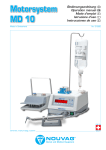
MD 11
MD11, Error-messages on Display
Error-messages/Error Code
Cause
Basic Initialization/
Woo
First Initialization
Set default value/
Wo1
Parameter reset to default value
Memory error/
Eo2
System Error
Send Control Unit to Service Center.
Handling error/
E03
System Error
Send Control Unit to Service Center.
Program SW error/
E04
System Error
Send Control Unit to Service Center.
User Config SW error/
E05
System Error
Send Control Unit to Service Center.
Display error/
E06
System Error
Send Control Unit to Service Center.
Pump error/
E07
System Error
Send Control Unit to Service Center.
Storing factory settings/
User Config & Program
Message while default values of parameters
and programs saved to the NOU-dongle.
Storing factory settings/
Program
Message while default values of programs are
stored.
Pedal not connected/
E10
a) Pedal not plugged in.
b) Plug or cable is defective.
a) Plug in Pedal
b) Send Control Unit and pedal to Service
Center.
Pedal test mode/
W11
Pedal test mode switched on
Switch off device for 5 seconds, than switch
on again.
Keyboard test mode/
W12
Keyboard test mode switched on
Switch off device for 5 seconds, than switch
on again.
No motor connected/
E13
a) No motor connected
a) Plug in motor
b) Motor, motor cable, motor plug or Control b) Send motor and Control Unit to Service
Unit are is defective
Center.
Unknown motor/
E16
a) Wrong motor plugged in.
b) Right motor connected, but motor,
motor cable, motor plug or Control Unit is
defective.
a) Plug in correct motor
b) Send motor and Control Unit to Service
Center.
Pump is open/
E20
Motor is not working when pump
compartment is open to prevent of injuries.
Close pump compartment.
Motor or pump test mode/
W21
Motor or pump test mode is switched on.
Switch off device for 5 seconds, than switch
on again.
AS-mode torque reached
When max. torque setting is reached in ASmode, this message is displayed.
Release pedal and restart motor by pressing
pedal again.
Pedal locked/
W26, pedal release
If pedal is pressed at switch on procedure,
pedal will not work.
Release pedal for one second.
Handpiece XX is faulty/
E29
The handpiece was exposed to excessive
torque, while calibrating or testing.
-
26
Solution
-
Clean handpiece and spray it thoroughly
with Nou-Clean spray.
If message still displayed after testing,
send handpiece to Service Center.
MD 11 Operating Instructions, Art. No. 31665, V10/14