1
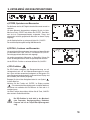
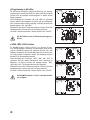
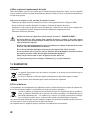
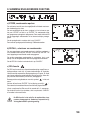
Activate/deactivate interference voltage filter
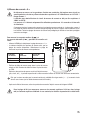
If the filter is activated, the filter is automatically activated while measuring voltages <1 mV (alternating or direct voltage) and interferences are filtered out.
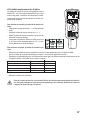
Proceed as follows:
1. Navigate to the menu item "NOISE" in the setting menu "SETUP".
2. To activate the filter, Select "FILTER" and confirm the setting with "ENTER".
To activate the filter, Select "PASS" and confirm the setting with "ENTER".
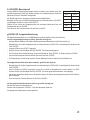
If the input signal with the interference voltage activated is less than the limit and the interference voltage is more than
the interference voltage limit, the LC display indicates "0". Otherwise, it shows the input signal value.
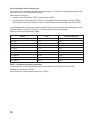
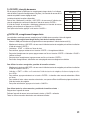
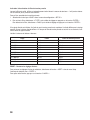
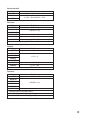
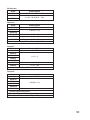
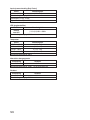
Observe the following table:
Range
DC 10 V
DC 100 V
DC 1000 V
AC 10 V
AC 100 V
AC 1000 V
DC 100 mV
DC 1000 mV
AC 100 mV
AC 1000 mV
Limit
0,3 V
0,3 V
0,3 V
0,3 V
0,3 V
0,3 V
30 mV
30 mV
40 mV
40 mV
Interference voltage limit
0,5 mV
5 mV
10 mV
5 mV
5 mV
10 mV
10 µV
10 µV
10 µV
10 µV
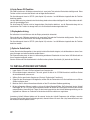
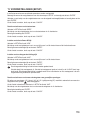
RESET – Resetting to default settings:
To reset the multimeter to default settings, select the function “RESET” in the SETUP.
Confirm with “ENTER”.
Press the button “CANCEL” to leave this function.
54