1
79
Installation
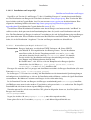
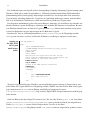
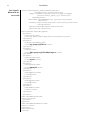
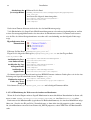
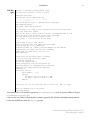
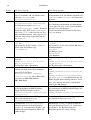
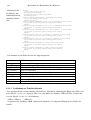
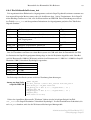
/etc/apache2/
defaultserver.conf
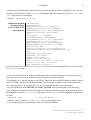
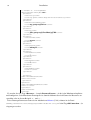
##
## SSL Virtual Host Context
##
<VirtualHost _default_:443>
# General setup for the virtual host
DocumentRoot "/srv/www/htdocs"
ServerName 192.168.0.108:443
#ServerAdmin [email protected]
ErrorLog /var/log/apache2/error_log
TransferLog /var/log/apache2/access_log
# SSL Engine Switch:
# Enable/Disable SSL for this virtual host.
SSLEngine on
# SSL Cipher Suite:
# List the ciphers that the client is permitted to negotiate.
# See the mod_ssl documentation for a complete list.
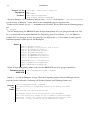
SSLCipherSuite ALL:!ADH:!EXPORT56:RC4+RSA:+HIGH:+MEDIUM:+LOW:+SSLv2:+EXP
:+eNULL
# Server Certificate:
# Point SSLCertificateFile at a PEM encoded certificate. If
# the certificate is encrypted, then you will be prompted for a
# pass phrase. Note that a kill -HUP will prompt again. Keep
# in mind that if you have both an RSA and a DSA certificate you
# can configure both in parallel (to also allow the use of DSA
# ciphers, etc.)
SSLCertificateFile /root/demoCA/cacert.pem
#SSLCertificateFile /etc/apache2/ssl.crt/server.crt
#SSLCertificateFile /etc/apache2/ssl.crt/server-dsa.crt
# Server Private Key:
# If the key is not combined with the certificate, use this
# directive to point at the key file. Keep in mind that if
# you've both a RSA and a DSA private key you can configure
# both in parallel (to also allow the use of DSA ciphers, etc.)
SSLCertificateKeyFile /root/demoCA/private/cakey.pem
#SSLCertificateKeyFile /etc/apache2/ssl.key/server.key
#SSLCertificateKeyFile /etc/apache2/ssl.key/server-dsa.key
...
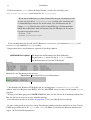
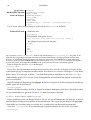
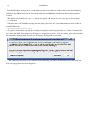
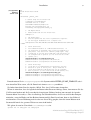
Danach müssen Sie in /etc/sysconfig/apache2 die Systemvariable HTTPD_START_TIMEOUT auf einen sinnvollen Wert setzen, z.B. 10. Danach wie immer SuSEconfig ausführen.
Sie haben dann beim Start des Apache 10 Sek. Zeit, dass CA-Passwort einzugeben.
Wenn sie wünschen, dass der Apache beim Booten ohne Passwort-Abfrage startet, dann müssen Sie das
CA-Passwort löschen und die Leserechte für den privaten Schlüssel ändern (nur root und der ApacheDaemon haben Leserecht)xvii. Dies ist allerdings ein Sicherheitsrisiko; der Server wird leichter kompromittierbar, wenn ein Hacker auf den Rechner kommt und die Datei lesen kann, kann er den Schlüssel
missbrauchen. Unserer Erfahrung nach ist aber nur dieser Weg gangbar, denn bei einem Reboot nach
Stromausfall würde der gesamte Webserver sonst nicht laufen!
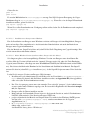
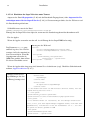
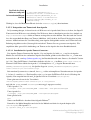
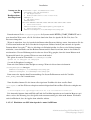
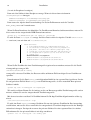
Wir geben als root im Verzeichnis /root/demoCA/private ein:
openssl rsa -in cakey.pem -out cakey2.pem
Administration SuperX-Kern-Modul V3.5
© Projektgruppe SuperX