1
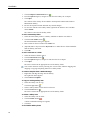
Pasting an Annotation Snapshot Into Another Application
24
Printing Annotation Snapshots
25
Deleting Annotation Snapshots
25
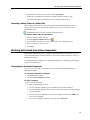
Delivering Interactive Notebook Lessons and Presentations
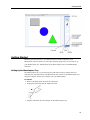
Using Fullscreen View
25
Navigating Through a Presentation
25
Working with Multimedia Objects
26
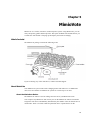
MimioTeach
27
What's Included
27
About MimioTeach
27
Status Lights
About MimioStudio Tools
Getting Started
28
28
29
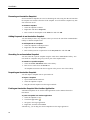
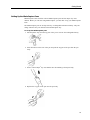
Setting Up the MimioTeach Stylus
29
Setting Up the MimioTeach Bar
30
Setting Up Interactive Mode
32
Projecting Your Desktop
32
Calibrating Interactive Mode
32
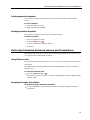
Using MimioTeach
33
Using the MimioTeach Stylus
33
Focusing Attention Using the Reveal and Spotlight Tools
34
Using the Reveal Tool
34
Using the Spotlight Tool
34
Marking Up the Display Using Screen Annotations
35
Enabling Screen Annotation Mode
35
Annotating the Screen Using MimioStudio Tools
36
Clearing All Annotations from the Display
38
Inserting Text Into an Application Using MimioStudio Text Tools
38
Using the On-Screen Keyboard
39
Using Writing Pad
39
Using Gesture Recognition
40
Using the Web Browser and Calculator Tools
40
Recording Desktop Actions and Audio in Interactive Mode
41
Caring for MimioTeach
41
Cleaning MimioTeach
41
Inserting the Batteries
41
Mounting MimioTeach to a Non-Magnetic Whiteboard
42
MimioCapture
iv
25
43