1
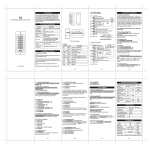
Installation Manual INTEGRATED ACCESS CONTROLLER PROXIMITY CARD READER KZC-300-U/H-BLACK KZC-300-U/H-WHITE VERSION 1.0 Integrated Access Controller – Installation manual 1. Introduction KZC-300-U/H-BLACK KZC-300-U/H-WHITE Integrated access controller/reader The KZC-300-U/H is a single door multifunction standalone access controller or a Wiegand output reader. It uses Atmel MCU assuring stable performance, packed with small Infrared Remote Control, the operation is very user-friendly, low-power circuit makes it long service life. The KZC-300-U/H supports 1,000 users (998 common users + 2 panic users), all user data can be transferred from one to another (Max 10pcs). It supports multi access modes in either card access, PIN access (Use PIN on the Infrared Remote Control), Card + PIN access, or multi cards/PINs access. It has extra features including block enrollment, interlocked, Wiegand 26~37 bits interface…etc. All rights reserved © AAT Holding sp. z o.o. 2 Integrated Access Controller – Installation manual Detail features Waterproof, conforms to IP66 One relay, remote infrared programmer 1,000 users (998 common users + 2 panic users) Can add and use 4~6 digits PIN on Infrared Remote Control Can be set to read EM card, HID card, or both Wiegand 26~37 bits input & output Can be used as Wiegand reader with LED & Buzzer output Card block enrolment Tri-colour LED status display Integrated alarm & buzzer output Pulse mode, Toggle mode User data can be transferred 2 devices can be interlocked for 2 doors Built in light dependent resistor (LDR) for anti tamper Low temperature resistance(-40℃) Technical specifications User Capacity Common User Panic User Operating Voltage Idle Current Proximity Card Reader Radio Technology Read Range Wiring Connections Relay Adjustable Relay Output Time Lock Output Load Environment Operating Temperature Operating Humidity Physical Colour Dimensions Unit Weight Shipping Weight 1000 998 2 12~24V AC/DC <35mA EM&HID 125KHz Proximity Card 2~6 cm Relay Output, Exit Button One (NO, NC, Common) 1~99 Seconds (5 seconds default) 2 Amp Maximum Meets IP66 -40℃ ~ 60℃ (-40℉~ 140℉) 0%RH~98%RH ABS Shell Black(KZC-300C), White(KZC-300B) L103mm × W48mm × D20mm (S1/2-X) L120mm × W48mm × D20mm (S3-X) L120mm × W76mm × D20mm (S4-X) 125g 185g All rights reserved © AAT Holding sp. z o.o. 3 Integrated Access Controller – Installation manual Carton inventory KZC-300-U/H UNIT INSTALLATION Remove the back cover from the unit Drill 2 holes (A,C) on the wall for the screws and one hole for the cable Knock the supplied rubber bungs to the screw holes (A,C) Fix the back cover firmly on the wall with 4 flat head screws Thread the cable through the cable hole (B) Attach the unit to the back cover All rights reserved © AAT Holding sp. z o.o. 4 Integrated Access Controller – Installation manual Wiring diagram Wire Color Function Notes Basic Standalone Wiring Red AC1 (+ DC) 12-24V DC Power Input Black GND Negative Pole of DC Power Input Pink AC2 12-24V AC Power Input Blue Purple Relay NO Normally Open Relay Output (install diode provided) Relay Common Common Connection for Relay Output Orange Relay NC Normally Closed Relay Output (Install diode provided) Yellow OPEN Request to Exit (REX) Input Pass-Through Wiring (Wiegand or Controller) Green Data 0 Wiegand Output (Pass-through) Data 0 White Data 1 Wiegand Output (Pass-through) Data 1 Advanced Input and Output Features Grey Alarm Output Negative contact for Alarm Brown Contact Input Door/Gate Contact Input (Normally Closed) Sound and Light Indication Operation Status LED Buzzer Stand by Red light bright - Enter into programming mode Red light shines One beep In the programming mode Orange light bright One beep Operation error - Three beeps Exit from the programming mode Open lock Red light bright One beep Green light bright One beep Alarm Red light Shines quickly Beeps Basic Configure Please use the Infrared Remote Control to program the Reader. The infrared receiver head is near LED, so when program the reader, it is suggested to direct the Remote Control to the LED. Enter and Exit Program mode Programming Step Enter Program Mode Exit Program Mode Keystroke Combination * (Master Code) # (Factory default is 123456) * All rights reserved © AAT Holding sp. z o.o. 5 Integrated Access Controller – Installation manual Set Master Code Programming Step Keystroke Combination 1. Enter Program Mode * (Master Code) # 2. Update Master Code 0(New Master Code)#(Repeat New Master Code)# (Master code is any 6 digits) * 3. Exit Program Mode Set the Working mode Notes: KZC-300 has 3 working modes: Standalone Mode, Controller Mode, Wiegand Reader Mode, choose the mode you use. (Factory default is Standalone Mode / Controller Mode) Programming Step Keystroke Combination 1. Enter Program Mode * (Master Code) # 2. Standalone/Controller Mode OR 2. Wiegand Reader Mode 3. Exit 7 2 # (Factory default) 73# * Access standalone mode In this mode unit works as standalone controller. This is factory default mode (command 7 2 #). To change unit for Wiegand reader mode please use command: 7 3 # (this mode is describe on next pages) . KZC-300-U/H All rights reserved © AAT Holding sp. z o.o. 6 Integrated Access Controller – Installation manual KZC-300-U/H Attention: When use AC power supply, it must be connected with the Red wire (AC1) and the Pink wire (AC2) of the reader. It is forbidden to connect the AC power to Black wire (GND), or the reader will be damaged. Install a 1N4004 or equivalent diode is needed when use a common power supply, or the reader might be damaged. (1N4004 is included in the packing) Programming by Infrared Remote Control Programming will vary depending on access configuration. Follow the instructions according to your access configuration. Notes: User ID number: Assign a user ID to the access card in order to track it. The common user ID number can be any number from 0~997, the panic user ID is from 998~999. IMPORTANT: User IDs do not have to be proceeded with any leading zeroes. Recording of User ID is critical. Modifications to the user require the User ID be available. Proximity Card: Any 125KHz industry standard 26 bit EM and HID Proximity card or Tag. PIN: Can be any 4~6 digits except 8888 which is reserved. Press PIN on the Infrared Remote Control. All rights reserved © AAT Holding sp. z o.o. 7 Integrated Access Controller – Installation manual Add Common Users Programming Step Keystroke Combination 1. Enter Program Mode * (Master Code) # Add Card User 2. Add Card: Using Auto ID (Allows KZC-300 to assign Card to next available User ID number) OR 2. Add Card: Select Specific ID (Allows Master to define a specific User ID to associate the card to) OR 2. Add Card: by Card Number OR 2. Add Card: Block Enrolment (Allows Master to add up to 998 cards to the Reader in a single step.) Takes 2 minutes to program. Add PIN User 2. Add PIN: Using Auto ID (Allows KZC-300 to assign PIN to next available User ID number) 2. Add PIN: Select Specific ID (Allows manager to define a specific User ID to associate the PIN to) 3. Exit 1 (Read Card) # The cards can be added continuously. 1 (User ID) # (Read Card) # (User ID is any number from 0-997) 1 (Input 8/10 digits Card number) # 1 ( User ID) # (Card quantity) # (The first card number) # Cards’ number must be consecutive; Card quantity = number of cards to be enrolled. 1 (PIN ) # The PINs can be added continuously. (PIN: 4~6digits) 1 (User ID) # (PIN ) # The user ID is any number from 0-997. * Add Panic Users Programming Step Keystroke Combination 1. Enter Program Mode * (Master Code) # 2. Add Card: 1 (User ID) # (Read Card / Input 8/10 digits Card number) # OR 2. Add PIN: 1 (User ID) # (PIN ) # (User ID is any number from 998-999) * 3. Exit Change PIN Users Programming Step Keystroke Combination Note: Below is done outside programming mode, users can undertake this themselves 2. Change PIN: By Card (There will auto allocate PIN(8888) to cards when adding) 2. Change PIN: By PIN 3. Exit * (Read Card) (Old PIN) # (New PIN) # (Repeat New PIN) # * (User ID) # (Old PIN) # (New PIN) # (Repeat New PIN) # ﹡ All rights reserved © AAT Holding sp. z o.o. 8 Integrated Access Controller – Installation manual Delete Users Programming Step Keystroke Combination 1. Enter Program Mode ﹡(Master Code) # Delete Card User - Common 2. Delete Card - By Card OR 2. Delete Card - By ID number OR 2. Delete User - By Card number Delete PIN User - Common 2 (Read Card) # The cards can be deleted continuously. 2 (User ID ) # 2. Delete PIN – by PIN OR 2. Delete PIN – By ID number Delete Panic User 2 (Input PIN) # 2. Delete Panic Card User OR 2. Delete Panic PIN User Delete All Users 2 (User ID ) # Delete All User 2 (Master Code) # 3. Exit ﹡ 2 (Input 8/10 digits Card number) # 2 (User ID ) # 2 (User ID ) # Set Relay Configuration The relay configuration sets the behaviour of the output relay on activation. Programming Step Keystroke Combination 1. Enter Program Mode * (Master Code) # 2. Pulse Mode 3 (1-99) # (factory default) The relay time is 1-99 seconds. (1 is 50mS.) (Default is 5 seconds) OR 2. Toggle Mode 3. Exit 30# Sets the relay to ON/OFF Toggle mode * Set Access Mode Programming Step Keystroke Combination 1. Enter Program Mode * (Master Code) # 2. Card access OR 2. Card + PIN access OR 2. Card or PIN access OR 2. Multi-Cards (or PINs) access 40# 3. Exit * 41# 42# 4 3 (2~9) # All rights reserved © AAT Holding sp. z o.o. 9 Integrated Access Controller – Installation manual Set Strike-out Alarm The strike-out alarm will engage after 10 failed card attempts (Factory is OFF). It can be set to deny access for 10 minutes after engaging or disengage only after entering a valid card/PIN or Master code. Programming Step Keystroke Combination 1. Enter Program Mode * (Master Code) # 2. Strike-Out OFF OR 2. Strike-Out ON OR 2. Strike-Out ON (Alarm) Set alarm time 6 0 # (factory default) 6 1 # Access will be denied for 10 minutes 62# 5 (0 ~ 30) # (factory default is 1 minute) Enter Master code # or valid user card /PIN to silence * 3. Exit Set Audible and Visual Response Programming Step Keystroke Combination 1. Enter Program Mode * (Master Code) # 2. Control Sounds OR 2. Control LED OFF = 7 0 # ON = 7 1 # OFF = 7 4 # ON = 7 5 # (factory defaults are ON) 3. Exit * Set Card Reading Type Programming Step Keystroke Combination 1. Enter Program Mode * (Master Code) # 2. Read EM & HID card OR 2. Read EM card ONLY OR 2. Read HID card ONLY 3. Exit 93# (factory default) 94# 95# * Master Cards Usage Using Master Card to add and delete card users Add a Card User Delete a Card User 1. (Read Master Add Card) 2. (Read User Card) Repeat Step 2 for additional user cards 3. (Read Master Add Card) 1. (Read Master Delete Card) 2. (Read User Card) Repeat Step 2 for additional user cards 3. (Read Master Delete Card) All rights reserved © AAT Holding sp. z o.o. 10 Integrated Access Controller – Installation manual Users Operation & Reset to Factory Default Open the door: Read the valid user card/ Input the valid PIN on the Infrared Remote Control, the door will open. Remove Alarm: Read valid user card/ Input the valid PIN on the Infrared Remote Control, or Input Master Code # To reset to factory default, power off, press the Exit Button, hold it and power on, there will be two beeps, and the LED light turns into yellow, release the exit button, then read any two 125KHz EM card or HID card, the LED will turn into red, means reset to factory default successfully. Of the two cards reading, the 1st one is Master Add Card, the 2nd one is the Master Delete Card. Remarks: ① If no Master Cards added, must press the Exit Button for at least 10 seconds before release ② Reset to factory default, the user’s information is still retained. Access controller mode In this mode unit works as controller. This is factory default mode (command 7 2 #). It’s possible to connect additional reader for two way control. To change unit for Wiegand reader mode please use command: 7 3 # (this mode is describe on next pages) . Attention: Install a 1N4004 or equivalent diode is needed when use a common power supply, or the reader might be damaged. (1N4004 is included in the packing) All rights reserved © AAT Holding sp. z o.o. 11 Integrated Access Controller – Installation manual Set Wiegand Input Formats Please set the Wiegand input formats according to the Wiegand output format of the external Reader. Programming Step Keystroke Combination 1. Enter Program Mode * (Master Code) # 2. Wiegand input bits 8 (26~37) # 3. Exit * (factory default is 26bits) Programming - Basic Programming is the same as Standalone Mode - There are some exceptions for your attention: KZC-300 connected with External Card Reader: If EM card reader or HID card reader: users can be added/deleted on either KZC -300 or external reader KZC-300 connected with Keypad Reader: The keypad reader can be 4 Bits, 8 Bits (ASCII), or 10 Bits output format. Choose below operation according to the PIN output format of your reader Programming Step Keystroke Combination 1. Enter Program Mode * (Master Code) # 2. PIN Input format 8 (4 or 8 or 10) # (factory default is 4 bits) * 3. Exit Remarks: 4 means 4 bits, 8 means 8 bits, 10 means 10 digits virtual number. Add PIN Users: To add PIN users, after entering into the program mode by infrared remote control, PIN(s) can be input/added on either infrared remote control or the external Keypad Reader, except when the Keypad Reader is 10Bits virtual card number output, the PIN(s) can only be input/added through the Keypad Reader. Delete PIN Users: the same way as add users. WIEGAND READER MODE KZC-300 can work as Standard Wiegand Reader, connected to the third party Controller--- 7 3 # Notes: The reader can be set to read EM & HID card, or EM card only, or HID card only. Factory default card type is EM & HID card, if you want to change the type, please set the device to Standalone Mode (7 2 #) and then set the type. (Reference page10 for setting card type) All rights reserved © AAT Holding sp. z o.o. 12 Integrated Access Controller – Installation manual Connection Diagram KZC-300-U/H in Wiegand reader mode Third party controller Notes: When set into Wiegand Reader mode, nearly all settings in Controller Model will become invalid. And Brown & Yellow wires will be redefined as below: -Brown wire: Green LED light control -Yellow wire: Buzzer control If you need to connect Brown/Yellow wires: When the input voltage for LED is low, the LED will turn into Green; and when the input voltage for Buzzer is low, it will sound. Set Wiegand Output Formats Please set the Wiegand output formats of Reader according to the Wiegand input formats of the Controller. Programming Step Keystroke Combination 1. Enter Program Mode * (Master Code) # 2. Wiegand output bits 8 (26~37) # 3. Exit * All rights reserved © AAT Holding sp. z o.o. (factory default is 26bits) 13 Integrated Access Controller – Installation manual ADVANCE APPLICATION User Information Transfer The KZC-300 supports the User Information Transfer function, and the enrolled user (cards, PINs) can be transferred from one (let’s name it Master unit) to another (let’s name it accept unit). Maximum 10pcs accepts units can be transferred once. Remarks: ● The Master units and Accept units must be KZC-300. ● The Master Code of the Master Unit(s) and the Accept Units(s) must be set to the same. ● Program the transfer operation on Master Unit only ● If the Accept Unit(s) are already with the users enrolled, it will be covered after transfer. ● For full 1000 users enrolled, the transfer takes 3 minutes. Set Transferring on Master Unit: Programming Step Keystroke Combination 1. Enter the programming mode * (Master Code) # 2. Set transferring 96# Within 3 minutes, Green LED shines, after one beep, the LED will turn into Red, which means the users’ information has been transferred successfully. 3. Exit * All rights reserved © AAT Holding sp. z o.o. 14 Integrated Access Controller – Installation manual Interlock The KZC-300 supports the Interlock function. It is of two readers for two doors, and mainly used for banks, prisons, and other places where a higher level security is required. KZC-300-U/H KZC-300-U/H Remarks: The Door Contact must be installed and connected as the diagram. Let’s name the two readers A and B for two doors 1 and 2 Step 1: Enrol the users on Reader A, then transfer the users’ information to Reader B by ”User Information Transfer” function. Step 2: Set both of the two readers (A and B) to Interlock function Programming Step Keystroke Combination 1. Enter Program Mode * (Master Code) # 2. Interlocked-OFF OR 2. Interlocked-ON 3. Exit 90# (factory default) 91# * The interlock operation is finished, When and only door 2 is closed, the user can read the valid card (or input PIN) on Reader A, door 1 will open; then when and only door 1 closed, read valid card (or input PIN) on Reader B, door 2 will open. All rights reserved © AAT Holding sp. z o.o. 15 AAT Holding sp. z o.o. Puławska 431 St, 02-801 Warsaw tel. +4822 546 05 46, fax +4822 546 05 01 e-mail: [email protected], www.aat.pl