1
MPUT
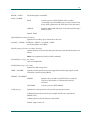
The MODE command sets the FTP transmission mode. Only B (block) and
S (stream) were supported in earlier Unicenter TCPaccess FTP Server
implementations. Existing FTP MODE command protocol permits you to specify
a value of C to signal the FTP client’s intent to send or receive compressed data
images. If the FTP client does not issue the MODE C command before issuing the
actual data transfer command, data compression is not active for the FTP session.
At the end of the FTP session, the FTP client is shown how much data reduction
was achieved using compression.
Refer to "Configuring FTP" chapter of the Administrator Guide for detailed syntax
information.
Notes
One of the three codes (either S, B, or C) is required as an argument on the
MODE command.
Each of the possible transmission modes is discussed in the following sections.
For a detailed description of the effect of various transmission modes, see the
section, Transmission Modes, in RFC 959, File Transfer Protocol.
Not all Server FTPs support all transmission modes; review the Server FTP
documentation if you have questions concerning transmission mode support.
Variable (RECFM=V) and undefined (RECFM=U) data sets cannot be
compressed using a proprietary (non-standard) compression method. These data
sets must be compressed using the standard (RFC-compliant) compression
method only.
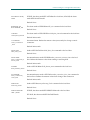
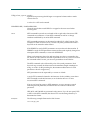
MPUT
Copies multiple files from the local host to the remote host.
You cannot specify a different name for the files that are transferred. Filenames
created on the remote host are identical to those on the local host.
MPUT[ local_path_name ] | [ mask ]
local_path_name
File name on the local host.
mask
Mask to use to describe files. This mask complies with mask conventions on the
remote host.
Example
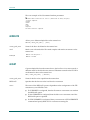
MPUT userid.myfiles.*
MPUT file199?
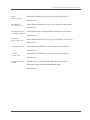
NOOP
Tests the response of the remote host.
Client FTP
2–35