1
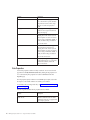
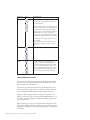
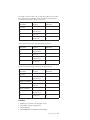
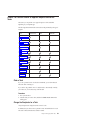
Page Content
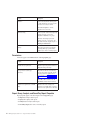
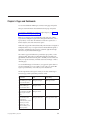
Portlet
Portlet Group
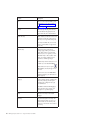
Add a metric history chart
that illustrates the historical
performance of the metric
IBM Cognos History Chart
Display an impact diagram
associated with a metric
IBM Cognos Impact Diagram
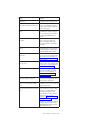
Display a custom diagram
associated with a scorecard.
IBM Cognos Custom
Diagram
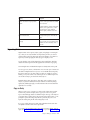
View and interact with
custom applications created
using IBM Cognos Software
Development Kit
IBM Cognos Extended
Applications
IBM Cognos Extended
Applications Portlet
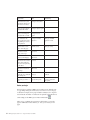
Register and show active
links to other Web pages
Bookmarks Viewer
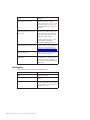
IBM Cognos Utility
Add and view custom
images, such as logos
Image Viewer
Insert any other Web page
HTML Viewer
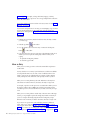
Add and show the content of RSS Viewer
a Real Simple Syndication
(RSS) news feed specified by
a URL address
Add and view custom text
and images
HTML Source
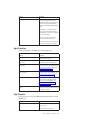
Create and view a dashboard Multi-page
with multiple tabs
Dashboard
Add non-Cognos items to a
page
Content associated with
other portlets
Supported other portlets
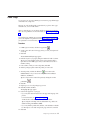
Before you begin
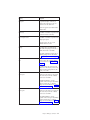
The list of pages is cached in an IBM Cognos Connection session. When the state
of a page changes during the current session, users who have access to the page
are affected. For example, when a page is disabled or deleted, it can no longer be
used and its tabs are deleted or not functional. To update the portal with the most
current settings, use the IBM Cognos Connection refresh button
.
When you log on to IBM Cognos Connection for the first time, you access the
pages an administrator made available to you. Later, you can create your own
pages.
54
IBM Cognos Express Version 10.1.0: Cognos Connection User Guide