1
Troubleshooting
6.1.1 Basic Check List
1. Check the Power.
• Does "Warming Up" appear on the display?
--> If not check power cable, switch or SMPS.
--> Does the wall socket work?
• Do the Motors or other components initialize (listen for main motor, fan and LSU sounds)?
--> If not or there are none of the normal startup sounds check cable, switch or SMPS.
--> Does the wall socket work?
2. Check the LED of Panel.
• Is there On-Line LED ON?
--> If not check power cable, switch SMPS or Main board.
--> Does the wall socket work?
• Is the abnormal Lamp?
--> Check the main PBA and cable harness.
3. Check the Paper Path
• Is there a Paper Jam?
--> Remove any paper fragments caught in the paper path.
• Paper Jam occurs repeatedly at a specific point in the Paper Path
--> Open the fuser cover, Jam clear.
--> Dismantle the machine and carefully inspect the region where the jam occurs.
(Especially, check if paper fragments are caught in the Fuser
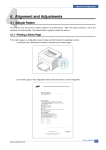
4. Print the Information Page (Configuration).
• Try printing a test page from a computer.
--> If there is an error check cables and driver installation.
5. Check the Print Quality.
•Is there are a Print Quality Problem?
--> Refer to section 6.5 (Page 6-17).
6. Check consumables (toner etc.).
•Using the keys print the Test Pattern.
--> Expected life of various consumable parts, compare this with the figures printed and replace as required
6-2
Service Manual
Samsung Electronics