1
ERROR MESSAGES
68.
279
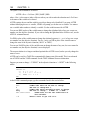
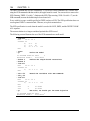
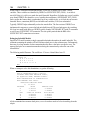
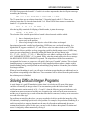
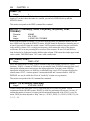
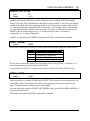
END ASSUMED. TOO MANY ELEMENTS.
You have too many nonzero elements in an APPCOL command. Please check your data and try
again.
69.
VARIABLE ALREADY EXISTS, COMMAND DISREGARDED.
You have attempted to append a column with a name that already exists. Please use a different
name and try again.
70.
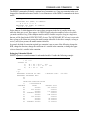
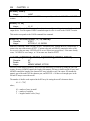
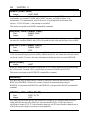
BAD COLUMN INDEX <N> TO INSERT ROW.
You have attempted to insert a row with a bad column index. Check your data and try again.
71.
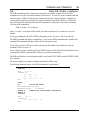
OUT OF SPACE IN INSERT ROW ADDING ROW: <I> SPACE NEEDED: <J> SPACE
AVAILABLE: <K>
You have run out of nonzero space adding a constraint to LINDO. Increasing the nonzero limit
may help (see message 72). However, if you have already maximized the nonzero space, you
may need to reduce the size of the model or use a larger version of LINDO. In Windows
versions of LINDO, the Help|About LINDO... Command shows the limits on the version of
LINDO you are using. This also shows how to contact LINDO Systems, Inc. to order an
upgrade to a larger version. Command-line versions of LINDO can use the HELP Command
alone to get the same information. Please refer to your manual for information on special
versions of LINDO.
72.
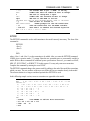
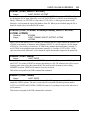
FATAL OUT-OF-SPACE IN INVERT AT STEP: <N>
LINDO has run out of working nonzero space during a basis inversion. In Windows versions,
you can use the Edit|Options command to increase the nonzero limit. In other versions, you may
be able to increase the maximum nonzero level by creating a file in LINDO’s directory called
LINDO.CNF. Set the first line in the file to be “MAXNZ=z”, where z is the maximum number
of nonzero elements you desire. Restart LINDO and run the HELP command to see if you have
obtained the desired number of nonzero elements.
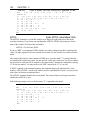
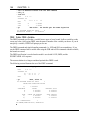
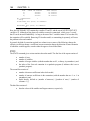
73.
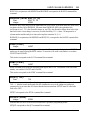
NO BASIS ORDER EXISTS. USE INVERT FIRST.
The Basis Picture command (BPIC) requires that an active basis be present in memory. Run the
INVERT command and try again.
74.
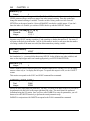
MODEL TOO BIG TO PERMUTE.
LINDO has run out of space while attempting to permute a model into lower triangular form for
a nonzero “picture”. Increasing the nonzero limit may help (see message 72).
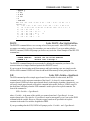
75.
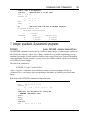
DUPLICATE ROW IN MPS MODEL: <Row>
A row has been declared twice in a MPS file. Please correct the MPS file and try again.
76.
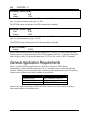
BAD CARD IN MPS MODEL: <CardText>
An invalid record was encountered in an MPS file. Please correct the MPS file and try again.