1
PROGRAMMING
INSTRUCTIONS
0.
SINUS PENTA
TABLE OF CONTENTS
0.1. Chapters
0.
1.
2.
3.
4.
5.
6.
7.
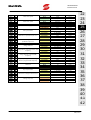
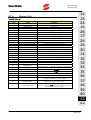
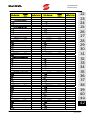
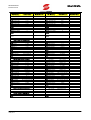
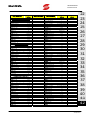
TABLE OF CONTENTS ................................................................................................................ 2
0.1.
Chapters ................................................................................................................................................... 2
0.2.
Figures ...................................................................................................................................................... 6
0.3.
Tables ....................................................................................................................................................... 7
0.4.
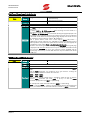
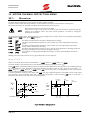
How to Use this Manual ............................................................................................................................. 9
0.4.1. Overview .............................................................................................................................................. 9
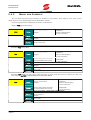
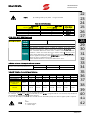
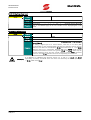
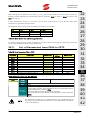
0.4.2. Menus and Submenus ......................................................................................................................... 10
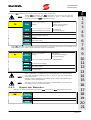
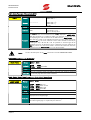
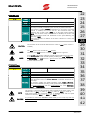
0.4.3. Alarms and Warnings .......................................................................................................................... 11
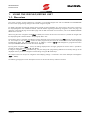
USING THE DISPLAY/KEYPAD UNIT ......................................................................................... 12
1.1.
1.2.
1.3
1.4.
1.5.
1.6.
1.7.
1.8.
1.9.
1.10.
1.11.
1.12.
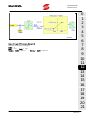
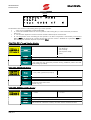
Overview ................................................................................................................................................. 12
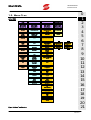
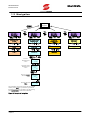
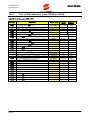
Menu Tree ............................................................................................................................................... 13
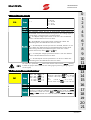
Navigation............................................................................................................................................... 14
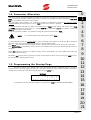
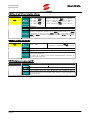
Parameter Alteration ................................................................................................................................ 15
Programming the Startup Page ................................................................................................................. 15
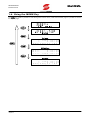
Using the MENU Key................................................................................................................................ 16
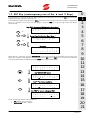
ESC Key (contemporary use of the ▲ and ▼ Keys) .................................................................................... 17
RESET Key (reset alarms and control board)............................................................................................... 18
TX/RX Key (Download/Upload from/to the keypad).................................................................................... 18
LOC/REM Key (Keypad pages).................................................................................................................. 19
SAVE/ENTER Key...................................................................................................................................... 19
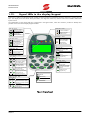
Signal LEDs in the display/keypad............................................................................................................. 20
DESCRIPTION OF INPUT AND OUTPUT SIGNALS .................................................................... 21
REFERENCES ............................................................................................................................ 22
3.1.
3.2.
3.3.
3.4.
Speed/Torque references.......................................................................................................................... 22
Torque Limit references ............................................................................................................................ 22
PID References ......................................................................................................................................... 22
PID Feedback References.......................................................................................................................... 22
PROGRAMMABLE FUNCTIONS ................................................................................................ 23
4.1.
4.2.
4.3.
4.4.
4.5.
4.6.
4.7.
4.8.
4.9.
4.10.
4.11.
4.12.
Multimotor............................................................................................................................................... 23
Voltage/Frequency Pattern........................................................................................................................ 23
Slip Compensation................................................................................................................................... 23
Speed Searching ...................................................................................................................................... 23
Controlled stop in case of power failure (Power Down)............................................................................... 23
DC Braking ............................................................................................................................................. 23
Motor Thermal Protection ......................................................................................................................... 24
Prohibit Speeds ........................................................................................................................................ 24
Digital PID Regulator ................................................................................................................................ 24
Bridge Crane Application ......................................................................................................................... 24
Setting of two command sources and an alternative reference .................................................................... 24
Fire Mode................................................................................................................................................ 25
PROGRAMMING EXAMPLES ..................................................................................................... 26
5.1.
5.2.
5.3.
5.4.
5.5.
Overview ................................................................................................................................................. 26
Reference Programming ........................................................................................................................... 26
Configuring an External Torque Limit ........................................................................................................ 30
Configuring a Feedback from Encoder...................................................................................................... 31
Configuring a Reference from Encoder...................................................................................................... 32
FIRST STARTUP......................................................................................................................... 33
6.1.
6.2.
6.3.
“IFD” Type Motor Control ......................................................................................................................... 33
“VTC” Type Motor Control........................................................................................................................ 35
“FOC” Type Motor Control....................................................................................................................... 37
MEASURE MENU...................................................................................................................... 41
7.1.
7.2.
7.3.
7.4.
7.5.
7.6.
7.7.
7.8.
2/317
Overview ................................................................................................................................................. 41
Motor Measures Menu.............................................................................................................................. 42
PID Regulator Menu ................................................................................................................................. 47
Digital Inputs Menu .................................................................................................................................. 49
References Menu...................................................................................................................................... 51
Digital Outputs Menu ............................................................................................................................... 54
Autodiagnostics Menu .............................................................................................................................. 55
Digital Inputs Settings Menu...................................................................................................................... 56