1
TROUBLESHOOTING
CONTINUED
Can’t unload filament?
If you cannot unload filament from one of
the extruders, do the following:
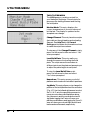
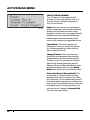
1. Go to the LCD panel and select Utilities
> Filament Options > Unload. This option
heats the extruders.
2. Press down on the extruder arm.
3. Push about half an inch of filament
through the extruder.
4. Try pulling the filament out of the
extruder again.
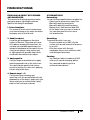
Extruder stays heated after loading or
unloading filament?
If your extruder stays hot after loading
filament or unloading filament, you
might have enabled the Preheat option.
To turn off the Preheat option, go to the
LCD panel and select Preheat > Cool. This
disables the heaters.
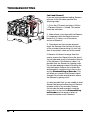
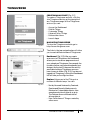
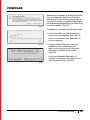
Disassembling an Extruder
Occasionally you may need to take an extruder apart for troubleshooting purposes. This is a
simple process that will require no tools other than the 2.5 mm hex wrench you received with
your MakerBot Replicator 2X.
To disassemble an extruder:
1. Unload the MakerBot Filament from the
extruder. To run the script for unloading
filament, go to the LCD panel and select
Utilities > Filament Options > Unload.
2. Switch off the power on the MakerBot
Replicator 2X and unplug the power
supply. Pull on the connector to release it
from the power input port.
3. Unscrew the two bolts at the lower corners
of the fan guard using your 2.5 mm hex
wrench. As one piece, remove the fan guard,
the fan, the heat sink, and the spacers. Keep
these pieces assembled and move them
out of the way.
4. Unplug the motor wire harness from
the top of the extruder motor and slide
the motor assembly out of the extruder.
5. The extruder is now broken down into
its main assemblies.
STARTUP
31