1
Chapter 9. MAINTENANCE & TROUBLESHOOTING
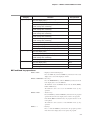
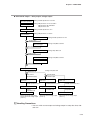
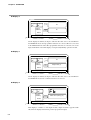
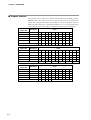
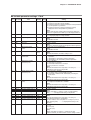
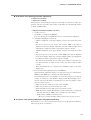
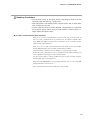
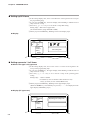
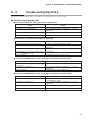
● Pressing the FUNC key + the CLR key + the DISP key does not apply a general reset.
Cause
Remedy
The DCP302 is in a mode other than the READY
mode.
The mode is the MANUAL mode.
Reset the DCP302 (PROG + RUN/HOLD key) to set it to the
READY mode.
Press A/M to set the controller to the AUTO mode.
Memory is protected.
Key lock is enabled.
Set variable parameter PrtC setting to 0.
Set variable parameter LoC setting to 0, 1 or 3.
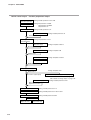
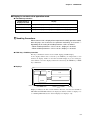
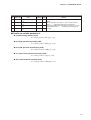
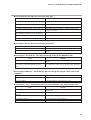
■ Troubles in the parameter setup state
● Pressing the PARA key in setting group selection does not display a setting group other
than PArA.
Cause
Key lock is enabled.
Remedy
Set variable parameter LoC setting to 0, 1 or 3.
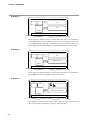
● Pressing the PARA key in setting group selection does not display the SEt setting group.
Cause
Key lock is enabled.
Remedy
Set variable parameter LoC setting to 0 or 3.
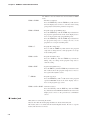
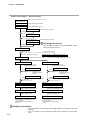
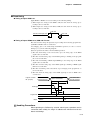
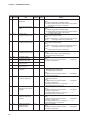
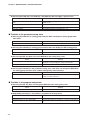
● Pressing the ENT key does not set the DCP302 to the setting entry state.
Cause
“- - - -” is displayed on the lower display.
Unchangeable data is displayed on the lower display.
Remedy
This cannot be displayed nor set. This item sometimes can be
displayed or set by changing the setting of related items.
This is a display-only item.
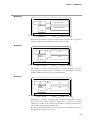
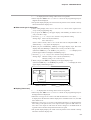
● Pressing the PARA key in the parameter setting entry state does not change the DCP302 to
the setting group selection state, and the setting entry state continues.
Cause
Remedy
The DCP302 displays items by PARA key assignment. Press DISP key to return the DCP302 to the basic display state,
and press FUNC + PARA key.
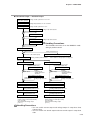
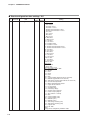
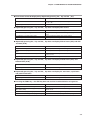
■ Troubles in the program setup state
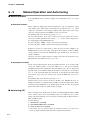
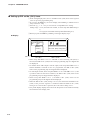
● Pressing the ENT key does not change the DCP302 to the setting entry state.
Cause
The program setup cannot be changed.
Remedy
Set variable parameter PrtC setting to 0.
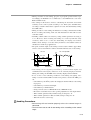
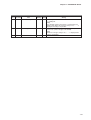
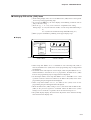
● Repeatedly pressing the ↑ key and the ↓ key does not change items.
Cause
The pattern item has not been set.
Programming items are set to “display OFF”.
9-8
Remedy
Set SP and time data.
All setup data C68 to C71 settings are “1”. Set necessary items to
0.