1
Test Terminal Explanation
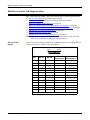
The Comtrol Utility package includes the following applications that you can
access from the Comtrol Program group:
•
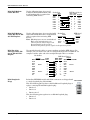
Test Terminal can be used to troubleshoot communications on a port-by-port
basis. Test Terminal requires a loopback plug. You can build a loopback
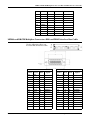
plug if you are missing the loopback plug shipped with the RocketPort
EXPRESS (Connecting Serial Devices on Page 11).
•
Port Monitor checks for errors, modem control, and status signals. In
addition, it provides you with raw byte input and output counts.
Use the following procedures to run Test Terminal tests.
Test Terminal
Explanation
This subsection provides background information about the two tests procedures
in the following subsection.
•
Send and Receive Test Data: This sends data out the transmit line to the
loopback plug, which has the transmit and receive pins connected thus
sending the data back through the Rx line to Test Terminal, which then
displays the received data in the terminal window for that port. This test is
only testing the Tx and Rx signal lines and nothing else. This test works in
either RS-232 or RS-422 modes as both modes have transmit and receive
capability. A failure in this test will essentially prevent the port from working
in any manner.
•
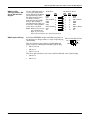
Loopback Test: This tests all of the modem control signals such as RTS, DTR,
CTS, DSR, DCD, and RI along with the Tx and Rx signals. When a signal is
made HI in one line the corresponding signal line indicates this. The Loopback
Test changes the state of the lines and looks for the corresponding state
change. If it successfully recognizes all of these changes, the port passes.
A failure on this test is not necessarily critical as it will depend on what is
connected and how many signal lines are in use. For example, if you are using
RS-232 in 3-wire mode (Transmit, Receive and Ground) a failure will cause no
discernible issue since the other signals are not being used. If the port is
configured for use as either RS-422 or RS-485 this test will fail and is expected
to fail since RS-422 and RS-485 do not have the modem control signals that
are present in RS-232 for which this test is designed.
Using Test Terminal
to Test a Port
The following procedure shows how to use Test Terminal to send and receive test
data to the serial ports and run a loopback test.
1. Stop all applications that may be accessing the ports such as RAS, RRAS, or
any faxing or production software. See the appropriate help systems or
manuals for instructions on stopping these services or applications. If another
application is controlling the port, then Test Terminal will be unable to open the
port and an error message will be shown.
Note: Remember to restart the application once testing of the ports has been
completed.
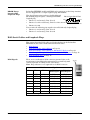
2. From the Start menu, select Programs > Comtrol > Utilities > Test Terminal
(WCOM2).
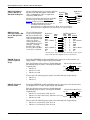
3. Select File > Open Port and the appropriate port (or ports) from the Open Ports
drop list.
4. Install the loopback plug onto the port (or ports) that you want to test.
5. Select Port > Send and Receive Test Data.
You should see the alphabet scrolling across the port. If so, then the port
installed properly and is operational. Select Port > Send and Receive Test Data to
stop the scrolling data.
6. Select Port > Loopback Test.
This is a pass fail test and will take a second or two to complete. Repeat for
each port that needs testing.
RocketPort EXPRESS User Guide: 2000481 Rev. D
Troubleshooting - 29