1
Using The System
Using Favourites Lists
MAKING A FAVOURITES LIST ACTIVE
If you want the Program Guide to display all the available channels, make the
ALL CHAN Favourites List active.
Remote
Buttons
Menu Options
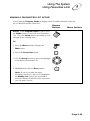
Either: If the Program Guide is open, press
the Guide button to select the next Favourites
List. Press the Guide button repeatedly to scan
through all the available lists.
Or:
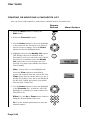
1. Press the Menu button to display the
Main menu.
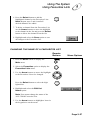
2. Select the Favourites option.
3. Use the Arrow buttons to move the highlight
to the desired Favourites List.
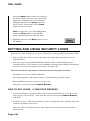
4. Highlight and select the Save option.
Note: If you try to make an empty
Favourites List active, the receiver highlights
the Modify List option. You must add at
least one channel to this Favorites List before
you can make it active.
Page 3-35