1
NOTEBOOKS
Evernote stores your notes in separate containers called “Notebooks.” Your account starts with one notebook, but
you can make additional notebooks at any time.
CREATING A NOTEBOOK
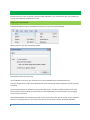
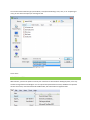
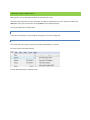
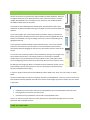
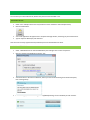
There are two different ways to accomplish this. The first is to go to File->New->Notebook
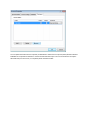
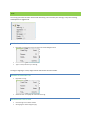
Which will present you with the following options:
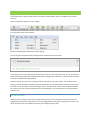
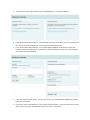
Each Notebook name must be unique.
Local notebooks are stored on your computer and are never uploaded to the Evernote Web service.
Note: Any images that you add to these Notebooks will not be processed for image recognition, but text will still be
searchable.
Synchronized Notebooks are uploaded to the Evernote Web service, and will be available via other forms of the
Evernote Service (Evernote Web, Evernote for Mac, Evernote Mobile Web, Evernote for iPhone, etc) by logging
into your Evernote account.
Your Default Notebook is the notebook which will receive any new notes when you do not have another notebook
selected. For example, notes that you email to the Evernote service will be created in the Default Notebook.
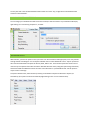
ALTERNATE WAYS TO CREATE A NEW NOTEBOOK