1
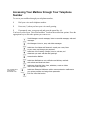
Activating your Mailbox The voice mail system prompts you to activate your mailbox the first time you try to access it. You can still receive messages if you haven’t activated your mailbox but you will be unable get and listen to your messages. The activation process guides you through the three short steps to activating your mailbox: recording your name, setting up your password, and recording your greeting. You are only required to activate your mailbox once. Note: If you fail to complete the activation process, you will have to restart the activation process from the beginning the next time you try to access your mailbox. Accessing your Mailbox You must access your mailbox to listen to your messages or to administer your voice mail account. Once you have accessed your mailbox, you hear the main menu and can begin using the voice mail system. Depending on how your system administrators have setup the voice mail system, access your mailbox in one of two ways: by dialing a separate telephone number that has been configured to go directly into voice mail administration by dialing your personal telephone number. That is, dial the same telephone number people dial to leave you messages. The voice mail system prompts you to activate your mailbox the first time you access it. See “Activating your Mailbox” for details. Accessing Your Mailbox through a Central Voice Mail Telephone Number To access your mailbox through a central voice mail telephone number, 1 Dial your voice mail administration telephone number. 2 Enter your mailbox ID and press the pound key (#). 3 If prompted, enter your password and press the pound key (#). You have accessed your Voice Mail mailbox. You hear the main menu options. Press the appropriate key to select the options you want to use.